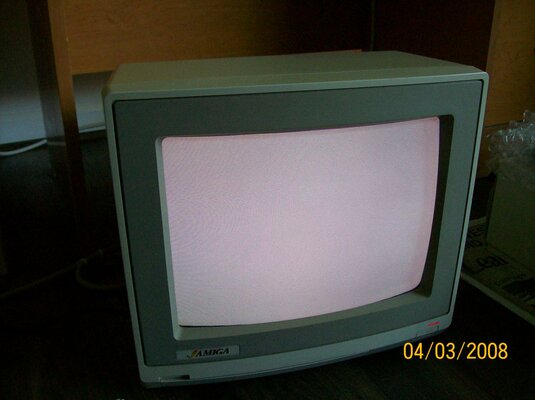
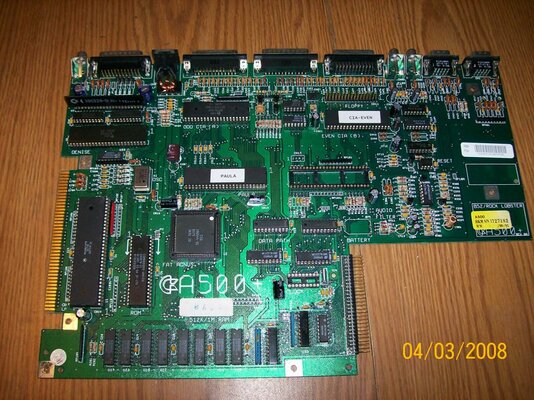
500+ That had a black screen.....

  • Thread starter Thread starter britlord
  • Start date Start date
  • Replies Replies 11
  • Views Views 1821

britlord

New member
Joined
May 29, 2013
Posts
1,758
Country
usa
Region
Michigan
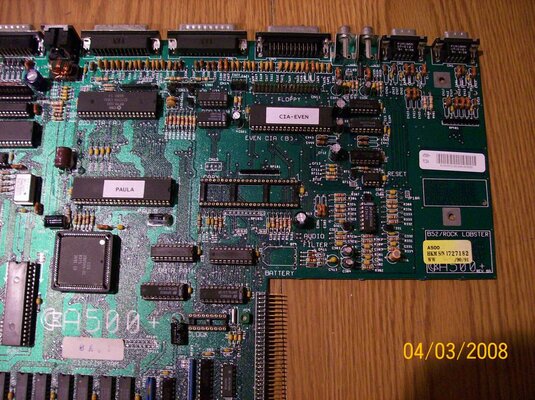
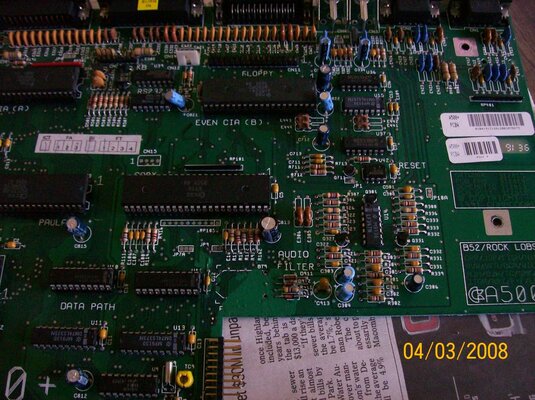
Guys I bought this 500+ Motherboard with a black screen..I had to replace the Denise socket, and the Gary socket too, as they had that green guck in it. I fitted another Denise and Gary chips too (The old ones were in bad state). I had to clean up all the area where the battery was, and soldered in a new socket for the new 74LS244N IC and the 5 resisters below the Gary too (All new). I also re-soldered the 2 diodes and that resister. Now the screen has gone from Black to White. ALL the custom chips have been checked out (CPU too) , so whats causing a white screen now..

Any help would be greatly appreciated, as I have never been able to bring a 500+ (Black screen) back to life yet (I have another one with NO corrosion at the battery. But black screen)
 

Attachments
  • 003.jpg
    003.jpg
    207.4 KB · Views: 7
  • 002.jpg
    002.jpg
    200.3 KB · Views: 6
Last edited:
Hmmmm, well, as you are no longer getting a black screen the CPU and Kickstart ROM should both be initialising correctly.... hmmmm, when you first power on the power LED will be half brightness and after a second or so should change to full brightness - does this happen? If not it could be a faulty CIA (which can cause the system to halt at the white screen).
 
James. Thanks for your reply. Though I don't have the keyboard connected, so But I'll do that to see the LED, as for the CIA chips I have lots, so I tried some of them and still a white screen.. But could there still be a problem around the battery area, to cause the system to halt at the white screen...


Update. I plugged in the keyboard and now a black screen and both LED's just barely lite up (Together).....That's weird eh???
 
Last edited:
Very weird, seems to point more to a short than to a faulty custom chip. When you unplug the keyboard again does it go back to the white screen on powering up?
 
Yep removing the keyboard. The board goes back to a white screen...

- - - Updated - - -

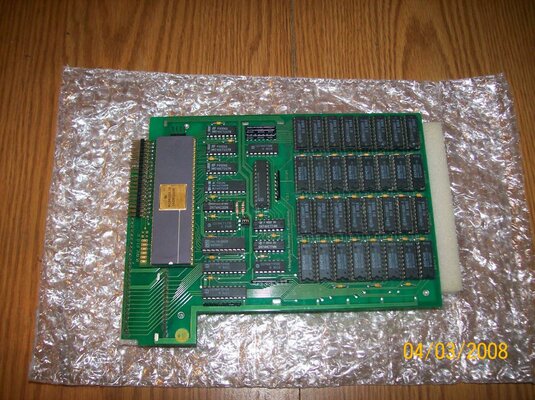
If any one can get my board working or this one (No battery corrosion). I'll give you a free 4Mb of fast ram that plugs in the CPU socket (auto config) But without thew IDE68K... and you get to keep the one that has a white screen (Not the other one)

- - - Updated - - -

Update. Silly me LOL. I had the keyboard plugged in backwards. The Power Led is now bright, and the screen is still white... Though the caps lock led is working.... but no kick-start showing up....
 

Attachments

  • 004.jpg
    004.jpg
    211.9 KB · Views: 5
  • 005.jpg
    005.jpg
    212.7 KB · Views: 5
  • 006.jpg
    006.jpg
    211 KB · Views: 7
Last edited:
Guys I beeped all the connections from the five resisters and the cap plus the viols too, and all the tracks checked out fine (Not broken), so I tried all eight of my CIA's (I don't think they are all faulty). But still the board gives me a white screen (The caps lock LED is working, and the power LED is bright too), so I'm now at a loss to what's wrong with this bloody board, after doing all this work to get it working again, so to what more can I do.. Does anyway know what else would cause the board to halt at a white screen...

Update Guys. I changed the ROM from 1.3 to 2.04. Now the screen goes from black to very light purple, and keeps switching back and forth ARRRR!!!!!!
 
Last edited:
sounds like a cpu exception error if it gets to the final stage and reboots ??? according to google.
 
copy paste from here

it looks like from what you describe anywhere from 14 to 21

as this is a 500+ check the connections from U10,U11,U12,U13 and the Gary chip

http://www.amicue.org/TechStuff/amigaboot.html

1. Clear all chips of old data
2. Disable DMA and interrupts during the test.
3. Clear the screen.
4. Check the hardware ....checks to see if 68000 is functioning.
5. Change screen color.
6. Do a checksum test on all ROMS.
7. Change screen color.
8. Beginning of system startup.
9. Check RAM at $C0000,and move SYSBASE there
10. Test All CHIP RAM.
11. Change screen color.
12. Check that software is coming in ok.
13. Change screen color.
14. Setup CHIP RAM to receive data.
15. Link the libraries
16. Check for additional memory and link it
17. Turn the DMA and interrupts back on.
18. Start a default task.
19. Check for 68010,68020, and or 68881.
20. Check to see if thee is an exception ...processor error
21. If so do a system reset.
 
Last edited:
Thanks for the link. Though the board reboots, or resets before it gets to the dark purple screen..

Update: I connected the keyboard and the power LED is blinking (It stops at the reset) and back to blinking at the very light purple screen....

Oh Caps lock LED is not working when the power LED is Blinking....
 
Last edited:
I'm looking for professional help to get this board working, as I have no working 500+ . I can ship the board and pay shipping for return of the board..

Thanks....
 
Guys. Can anyone tell me what the Caps LED flashing means... (Using 1.3 ROM)....
 
Back
Top Bottom