A2000 no boot with an accelerator

  • Thread starter Thread starter RetroNinja
  • Start date Start date
  • Replies Replies 5
  • Views Views 681

RetroNinja

Active member
Joined
Jul 23, 2022
Posts
232
Country
USA
Region
Las Vegas, NV
Hello,

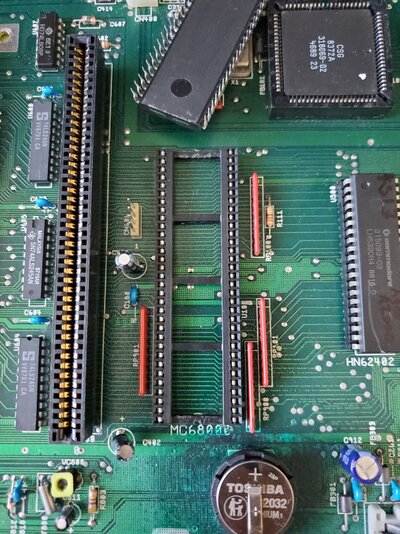
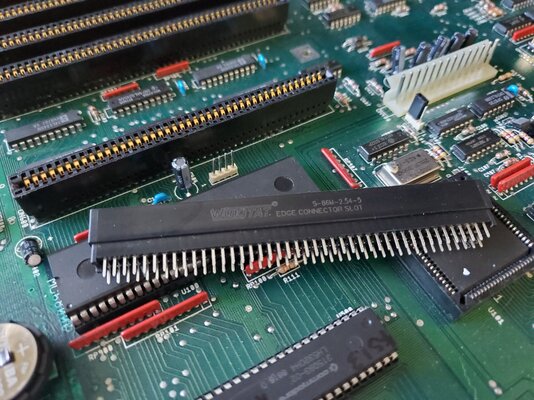
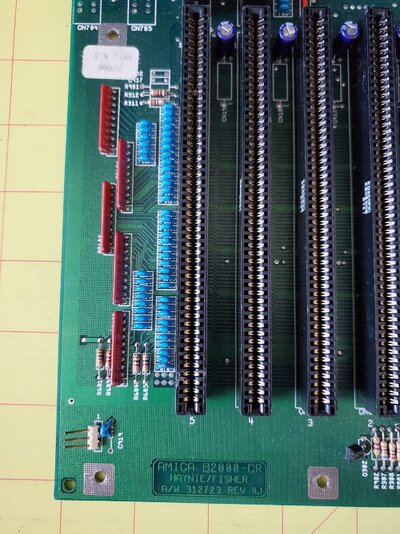
I have an A2000 that will not boot if I have an accelerator card installed in the CPU coprocessor slot. I'm referring to the CPU slot left of the CPU 68000 socket. The system boots fine and works for hours with no hiccups. As soon as I plug any card into the slot the system I get hung at a black screen on boot. On power up my monitor sees a video/sync signal.

  • I've tried A2630, A2620, GVP 68030 accelerators; all have the same black screen
  • just because I have one of the kickin' 4ROMs I tried KS 1.3, 2.05, and 3.1. All KS boot the system fine unless I have an accelerator card plugged in; same black screen
  • initially I thought maybe it needed a recap (specifically maybe some bad caps by the CPU/Zorro slots/bus), I performed a full recap; same problem remains
  • I also pulled out the 68000 while an accelerator was installed; same problem remains

The board is a rev 4.3, per the sticker. The 68000 CPU socket is original.

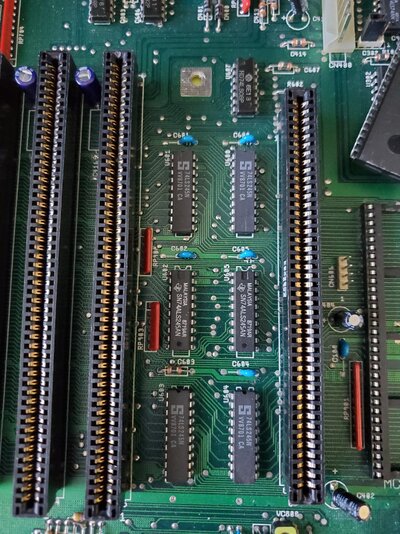
I was watching some Brit working on his A2091 card on Youtube. There was a problem with the 74LS245 chips affecting the DMA. He wound up replacing them with 74ALS245 chips which are slightly faster with their inner workings on his A2091. The A2000 has similar chips between the CPU slot and the Zorro slots. I'm not clear if this will help or not. My board has
  • U600, U601, U603, U604 = 74LS245N
  • U602, U605 = 74ALS245N

My online searches have resulted with a 'replace CPU slot' solution. So that's my current plan. The new 86 pin CPU slots arrived this week.

Do you have any other ideas?
 

Attachments

  • 20240615_095135.jpg
    20240615_095135.jpg
    718.8 KB · Views: 18
  • 20240615_095038.jpg
    20240615_095038.jpg
    629.4 KB · Views: 20
  • 20240615_095029.jpg
    20240615_095029.jpg
    640.5 KB · Views: 19
  • 20240615_091935.jpg
    20240615_091935.jpg
    506.6 KB · Views: 21
First:
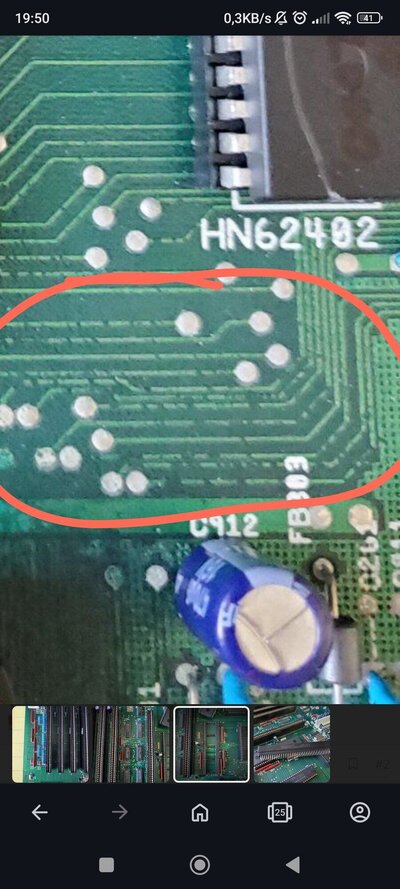
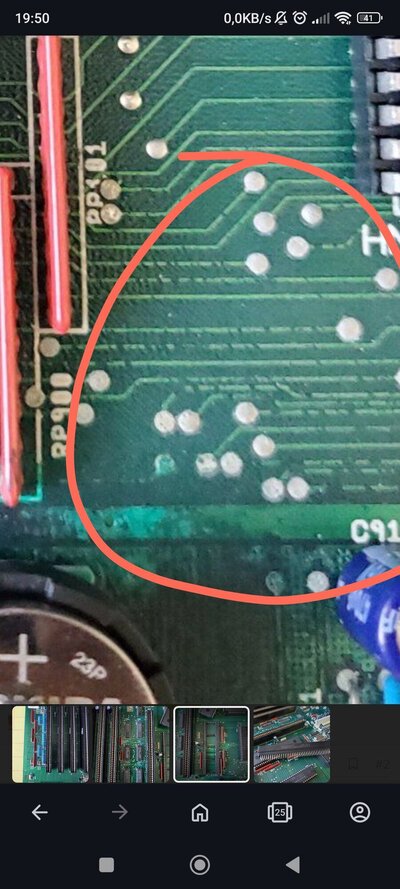
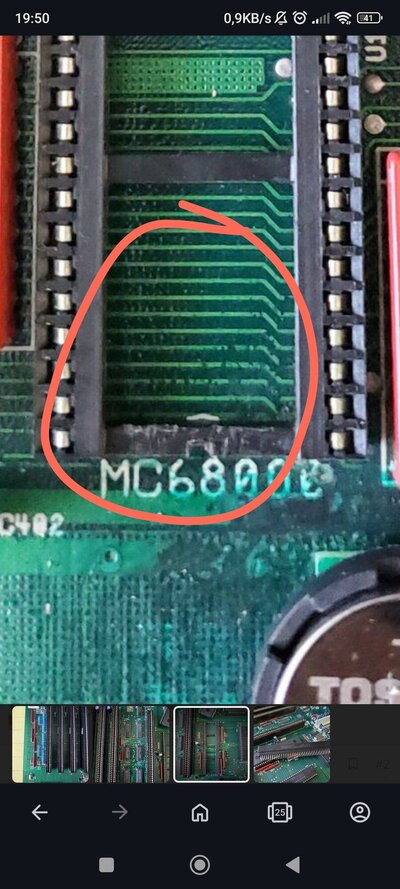
I'm unsure about rework - to me it looks like it wasn't done properly. I see a lot of dark traces, this means that copper is corroded on these spots and acid is still eating it away..
Second:
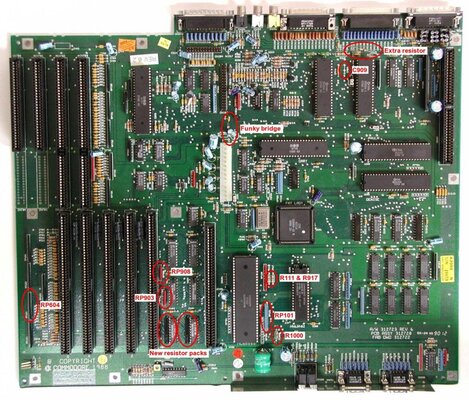
I see that Commodore recommended fixes wasn't applied on that board, so not wondering that none of the CPU cards is working..
a2000mb_rev62_changes-1.jpg
 
Are you referring to the dark spots on the traces under the CPU socket? I have not toned out between there and the CPU slot.
 
I am talking about dark spots on the traces:
IMG_20240615_195118.jpgIMG_20240615_195102.jpgIMG_20240615_195041.jpg
Once this is cleaned - You need to do fixes to update this board to the Rev 6.x level, and I can guarantee it will work with all accelerators. I have same Rev 4.1 board here, actually it's my test environment for Fat Olga accelerators I am building currently..
It this won't be done shortly - acid will eat copper traces away and You may keep it for spares only or just bin it. Watch that video to learn about:

Chris explains well what's going on if it isn't done at time
 
Last edited:
Is there a decent upgrade list/instruction for the upgrade to rev 6?

Also, does that rev6 upgrade include the 4.5 changes or is it
  1. do 4.5 upgrades
  2. then apply more upgrades to get to rev6


I've seen this to get to 4.5 (link --- https://eab.abime.net/showthread.php?t=58944)

Upgrade A2000 from 4.x to 4.5


THE FOLLOWING INSTRUCTIONS DETAIL THE CHANGES WHICH MUST BE IMPLEMENTED TO UPGRADE A U.S. A2000 PCB FROM REV 4.0 (or higher) TO REV 4.5. CURRENT PRODUCTION BOARDS ARE EITHER REV 4.5 W/O NEW AGNUS, OR REV 6 W/ NEW AGNUS. ALSO NOTE: SOME REV 6 PCBS MAY HAVE A DRAM TOWER AND STATIC COLUMN DRAMS, SOME MAY NOT. FIELD UPGRADES ARE NOT RECOMMENDED ON REV 3.X PCBS.

26/3-2.1A2000 FIELD UPGRADE TO REV 4.5

  1. The following components must be removed if installed.
    1. R901, C917, C902 – located left of CN601 near pin 1.
    2. C910, C911 – (fix for HYTEK keyboards). Located off keyboard connector, CN300)
    3. C905, C908 – C908 located above crystal X1 C905 below Gary pin 20
    4. C230, C240 – located above U204, U303 (between pin 34 of the drive connector and U301)
  2. Replace 1.2 KickStart ROM with 1.3
  3. Install RP904, RP905, RP906 only if U205 and U206 are 74HC244 type ICs (resistor pack is 4.7K Ohm X 5, 6 pins). Do not install if ICs are 74HCT244 types. RP905 is located between U205 and U206. RP906 is located between Paula and Denise. RP904 is to the right of Denise.
  4. Add .01uF ceramic cap on J300. Add this cap on solder side of PCB, from pin 12 (middle pin on connector) to ground (use either ground pad located on solder side, down and to the right – above Paula pins 46 and 48).
  5. Add 3.3 Ohm 1/4 watt resistor to pins 11 & 20 of U605
  6. Add 470 Ohm 1/4 watt resistor to D800, cathode side, to the second pad from the left, under CN605. (D800 is located to the left of the RTC at U801). NOTE: on Rev 4.3 and above this resistor is on PCB as R1000, located to the left of Q302.
  7. If R5719 is not present (located off pin 1 of CN400) add 470 Ohm resistor between VCC and CPU side of R106.
  8. Replace Gary IC at U102 with MOS type (part number 318072-01). Only MOS type are in stock.
 
I would start checking for continuity between the CPU and all other components connected to it. Probably best to start with all the address and data lines.

My Amiga 2000 refused to boot if an accelerator or a zorro-card was installed. In my case address 7 was broken. It had connectivity between U600 and the co-processor slot, but not from the co-processor to the CPU.

Personally I would go over the work done in regards to the battery corrosion and scratch away any dark spots under the PCB coating. Some traces do look suspect. My Amiga 2000 was supposedly repaired and working when I got it. Had several hours of troubleshooting and rework to get it properly up and running again. Found a few other issues that had to be patched up too.
 
Back
Top Bottom