

StompinSteve
Active member
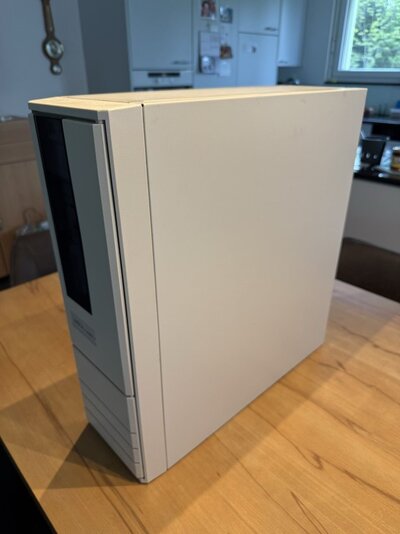
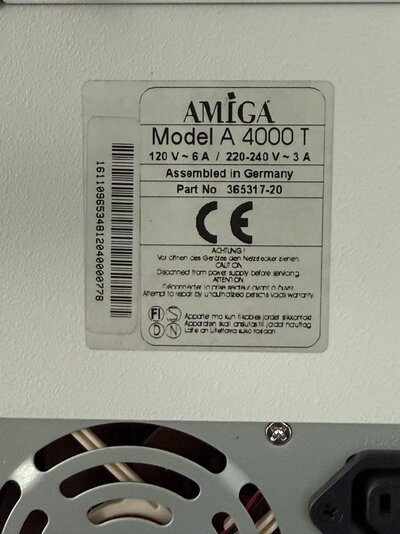
I am parting with my "upgraded to the max" A4000T (Escom) for all the wrong reasons (health) :-(
It is in great condition and it's fully loaded.
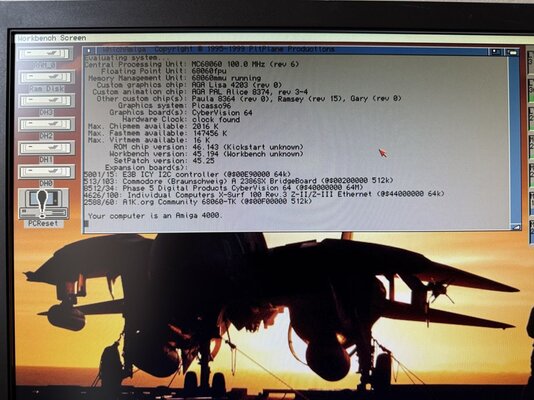
- Kickstart 3.1 and Amiga OS 3.2.1 installed
- Motherboard recapped 3 years ago. Comes with it's own 2MB Chipram and 16MB Fastram.
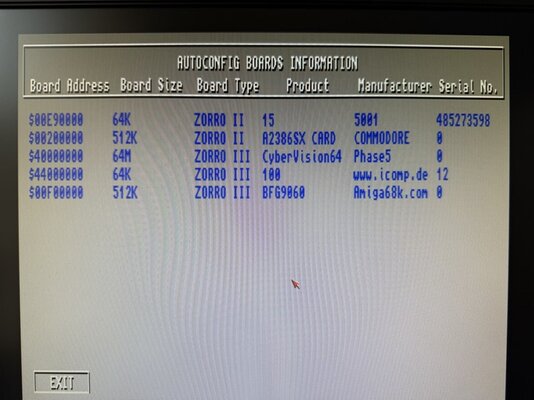
- BFG9060 with Rev6 060 @ 100Mhz and 128MB. Stable as a rock. Produced by the same professional that upgraded the bridgeboard.
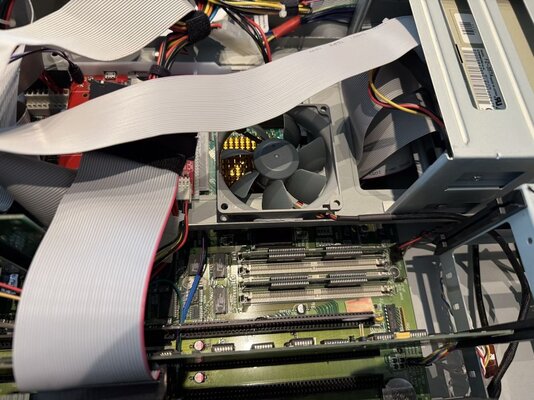
the original Commodore A3640 card was wonky and caused stability issues. This BFG9060 is stable as a rock. And stays cool thanks to a 80mm fan (see pictures)
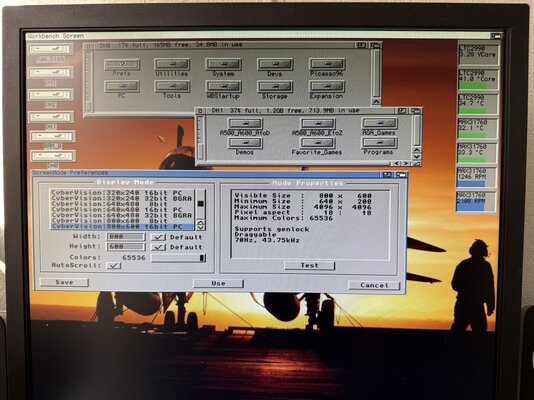
- CyberVision64 Graphicscard with full 4MB VRAM (comes with the correct passthrough-cable)
- A2386SX Bridgeboard with TI486SXLC2-G50-PQ with 8MB RAM and upgraded to a 486 @50Mhz.
- Bridgeboard also has a Cyrix "Reveal" 387SX FPU chip (the only FPU that actually works stable with the clock-doubled TI486 CPU).
- Bridgeboard was completely checked and where needed overhauled during the installation of the 486 CPU. All done by a professional.
Said professional is an official licensed producer of Matthias Heinrichs (Matze) designs.
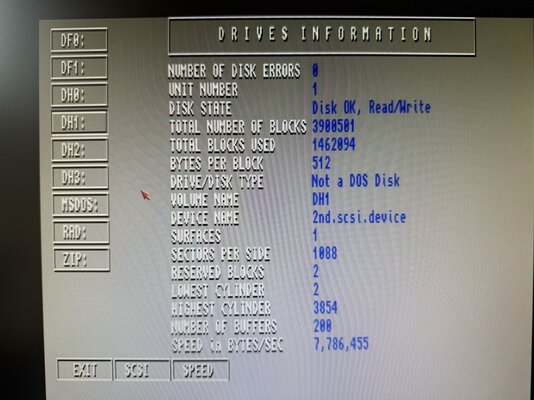
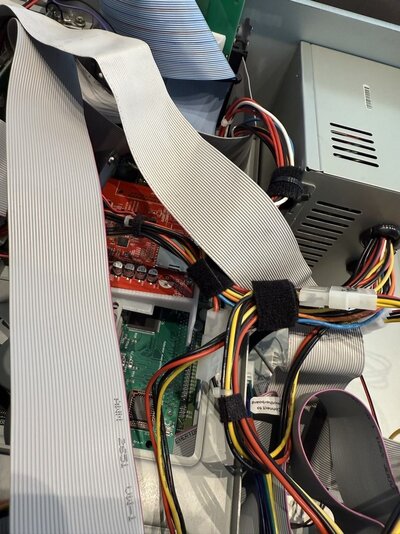
- ZuluSCSI with 64GB professional memory-card (expensive, should last forever)
- IDE CD-ROM Drive
- IDE ZIP100 Drive
- Gotek Drive as DF0 (has the later chip with the larger buffers that don't cause data-corruption on USB thumb-drives.
- HD 1.76MB Floppydrive (dedicated for Amiga as DF1)
- HD Floppydrive dedicated for the bridgeboard (it's a true PC drive)
- CPLDICY Hardware monitoring Zorro card. It powers and monitors the two 80mm Noctua Fans (Front + BFG9060) as well as various temperatures incl. CPU
- SMC Beleth's drum HDD sound simulator.
- Extra 5.25" bracket (original). I had it as a spare.
- Individual Computers X-Surf-100 (Network only)
The reason for using IDE for the CD-ROM and ZIP Drives is that this way, they form a separate SCSI-BUS this way and don't interfere with the ZuluSCSI which acts as the main HDD (emulated)
Both SCSI Harddisks died within a month after a got the machine, way back when. I replaced them with a ZuluSCSI which has worked great. But I missed the sound. So I added a Beleth's Drum which takes input from the ZuluSCSI LED-Header and makes a sound, akin to them old Harddrives from yesteryear. It is an actual sound generator, not some piezo speaker (they don't sound "right").
The Bridgeboard is fully loaded as wel with:
- 8 MB RAM (the proper type that can be used with the low-latency memory-tuning command in autoexec.bat)
- 2GB Industrial IDE Flashdevice (drives C: and D: ) (New, from a German manufacturer)
- It's own physical HD floppydrive (New Old Stock)
- Dedicated VGA Card: Diamond Speedstar Pro ISA, Cirrus Logic CL-GD5426, 1MB (New Old Stock)
- ISA FDD/IDE/serial/parallel multi IO card for 386/486 (used for the IDE HDD emulating Flashdevice and the Floppydrive)
- Creative Sound-Blaster AWE64 ISA (New Old Stock)
- New and original Microsoft serial mouse (connects to the ISA multi I/O card) in the original box (New Old Stock)
I bought this mouse because I had the urge to install Windows 3.11 on the Bridgeboard (which, as it turned out, was the last thing I did before I got sick)
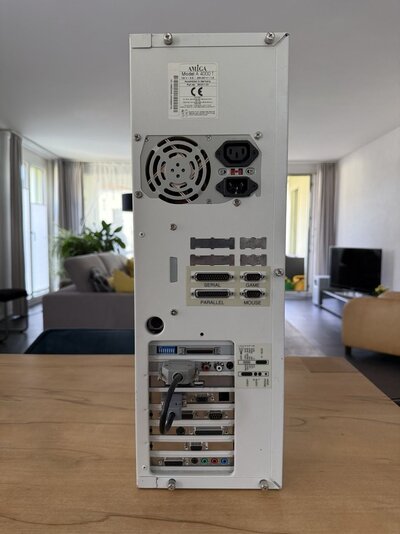
As you can image, literally all the Zorro and ISA Slots are populated. And it all works without conflicts and runs cool and stable.
Talking about cool and stable. The BFG9060 has a Noctua 80mm fan blowing air directly onto the copper heatsink that is on the 060 CPU. It does 100Mhz all day.
The Bridgeboard is stable as a rock too due to a second Noctua 80mm fan which blows over the Bridgeboard and the CyberVision64 Graphicscard.
The memory on the CyberVision was replaced with all new chips. It had some funky pixels and was not stable when I bought the card. With the new memory, and general cleanup, the card runs perfectly.
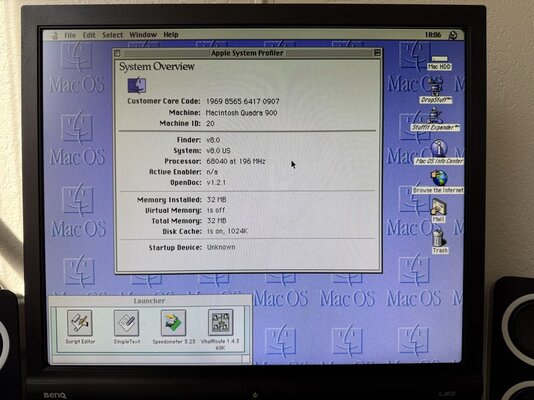
As you can see in the pictures, the ShapeShifter classic Mac emulator runs MacOS 8.0 perfectly too. So this machine is a classic Amiga, 486 PC and 68040 Macintosh all in one
Included are the feet. A 4000 Tower without the feet is like beer without foam. I never used the feet though, out of fear of damaging them. Instead, I put "furniture" padding on the bottom of the case to prevent damage to the case and the table.
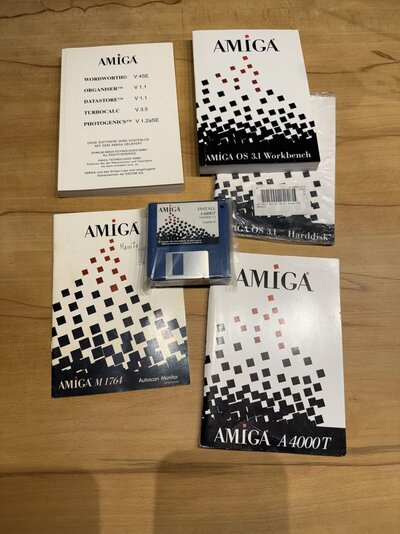
The original manuals and the original 3.1 software, still in its packaging, is also included.
I also have the original bill from the first owner. For privacy purposes, I took no picture of it and I will only include it when desired (it completes the story of this machine, from the first owner, to me, to you).
The original German keyboard is slightly yellowed. It comes in its original box.
To prevent dust from entering the case, getting sucked in by the front fan, I made a dust-filter out of an old panty-hose from my wife. Sound silly but it works perfectly. The original filter crumbled to dust when I bought the machine.
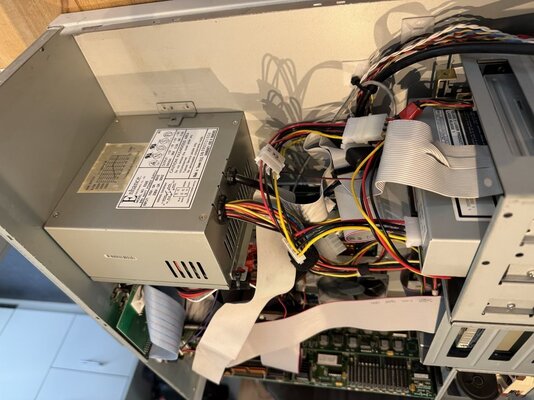
The two Noctua fans are silent but provide enough airflow. The original fan in the powersupply (which was also overhauled) is very quiet. The entire machine is very quiet. I had it standing on the table right next to me (afraid of kicking it with my leg/shoe, I never put the 4000T on the floor but on the table instead and this has paid off. Not a scratch on her (almost, see below).
The only scratch on the paint is on the top. It was already there when I bought the machine. I made a photo of it. Otherwise, everything is intact. Even the door-lock is working (not broken).
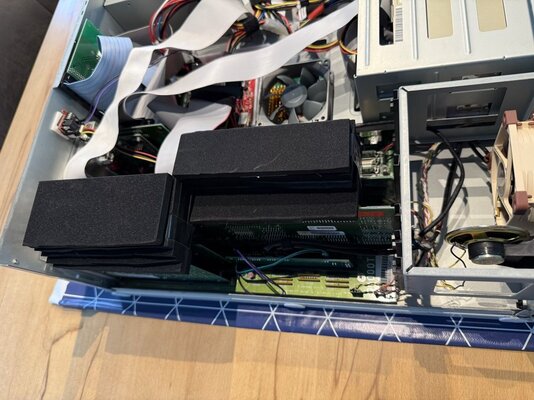
I have put foam-padding between the cards and the case, to stop the larger heavier cards from coming loose during the transport (the black "things" on top of the cards in one of the pictures).
I sell the machine only as a whole. I will not be selling the BridgeBoard or CyberVision64 etc. as separate items.
Price is 8500 Euro excluding postage.
No Swaps
International shipping
IBAN
Bank Transfer
PayPal Friends&Family
Kind regards,
Steve
Edit: Financial transaction in progress.
It is in great condition and it's fully loaded.
- Kickstart 3.1 and Amiga OS 3.2.1 installed
- Motherboard recapped 3 years ago. Comes with it's own 2MB Chipram and 16MB Fastram.
- BFG9060 with Rev6 060 @ 100Mhz and 128MB. Stable as a rock. Produced by the same professional that upgraded the bridgeboard.
the original Commodore A3640 card was wonky and caused stability issues. This BFG9060 is stable as a rock. And stays cool thanks to a 80mm fan (see pictures)
- CyberVision64 Graphicscard with full 4MB VRAM (comes with the correct passthrough-cable)
- A2386SX Bridgeboard with TI486SXLC2-G50-PQ with 8MB RAM and upgraded to a 486 @50Mhz.
- Bridgeboard also has a Cyrix "Reveal" 387SX FPU chip (the only FPU that actually works stable with the clock-doubled TI486 CPU).
- Bridgeboard was completely checked and where needed overhauled during the installation of the 486 CPU. All done by a professional.
Said professional is an official licensed producer of Matthias Heinrichs (Matze) designs.
- ZuluSCSI with 64GB professional memory-card (expensive, should last forever)
- IDE CD-ROM Drive
- IDE ZIP100 Drive
- Gotek Drive as DF0 (has the later chip with the larger buffers that don't cause data-corruption on USB thumb-drives.
- HD 1.76MB Floppydrive (dedicated for Amiga as DF1)
- HD Floppydrive dedicated for the bridgeboard (it's a true PC drive)
- CPLDICY Hardware monitoring Zorro card. It powers and monitors the two 80mm Noctua Fans (Front + BFG9060) as well as various temperatures incl. CPU
- SMC Beleth's drum HDD sound simulator.
- Extra 5.25" bracket (original). I had it as a spare.
- Individual Computers X-Surf-100 (Network only)
The reason for using IDE for the CD-ROM and ZIP Drives is that this way, they form a separate SCSI-BUS this way and don't interfere with the ZuluSCSI which acts as the main HDD (emulated)
Both SCSI Harddisks died within a month after a got the machine, way back when. I replaced them with a ZuluSCSI which has worked great. But I missed the sound. So I added a Beleth's Drum which takes input from the ZuluSCSI LED-Header and makes a sound, akin to them old Harddrives from yesteryear. It is an actual sound generator, not some piezo speaker (they don't sound "right").
The Bridgeboard is fully loaded as wel with:
- 8 MB RAM (the proper type that can be used with the low-latency memory-tuning command in autoexec.bat)
- 2GB Industrial IDE Flashdevice (drives C: and D: ) (New, from a German manufacturer)
- It's own physical HD floppydrive (New Old Stock)
- Dedicated VGA Card: Diamond Speedstar Pro ISA, Cirrus Logic CL-GD5426, 1MB (New Old Stock)
- ISA FDD/IDE/serial/parallel multi IO card for 386/486 (used for the IDE HDD emulating Flashdevice and the Floppydrive)
- Creative Sound-Blaster AWE64 ISA (New Old Stock)
- New and original Microsoft serial mouse (connects to the ISA multi I/O card) in the original box (New Old Stock)
I bought this mouse because I had the urge to install Windows 3.11 on the Bridgeboard (which, as it turned out, was the last thing I did before I got sick)
As you can image, literally all the Zorro and ISA Slots are populated. And it all works without conflicts and runs cool and stable.
Talking about cool and stable. The BFG9060 has a Noctua 80mm fan blowing air directly onto the copper heatsink that is on the 060 CPU. It does 100Mhz all day.
The Bridgeboard is stable as a rock too due to a second Noctua 80mm fan which blows over the Bridgeboard and the CyberVision64 Graphicscard.
The memory on the CyberVision was replaced with all new chips. It had some funky pixels and was not stable when I bought the card. With the new memory, and general cleanup, the card runs perfectly.
As you can see in the pictures, the ShapeShifter classic Mac emulator runs MacOS 8.0 perfectly too. So this machine is a classic Amiga, 486 PC and 68040 Macintosh all in one
Included are the feet. A 4000 Tower without the feet is like beer without foam. I never used the feet though, out of fear of damaging them. Instead, I put "furniture" padding on the bottom of the case to prevent damage to the case and the table.
The original manuals and the original 3.1 software, still in its packaging, is also included.
I also have the original bill from the first owner. For privacy purposes, I took no picture of it and I will only include it when desired (it completes the story of this machine, from the first owner, to me, to you).
The original German keyboard is slightly yellowed. It comes in its original box.
To prevent dust from entering the case, getting sucked in by the front fan, I made a dust-filter out of an old panty-hose from my wife. Sound silly but it works perfectly. The original filter crumbled to dust when I bought the machine.
The two Noctua fans are silent but provide enough airflow. The original fan in the powersupply (which was also overhauled) is very quiet. The entire machine is very quiet. I had it standing on the table right next to me (afraid of kicking it with my leg/shoe, I never put the 4000T on the floor but on the table instead and this has paid off. Not a scratch on her (almost, see below).
The only scratch on the paint is on the top. It was already there when I bought the machine. I made a photo of it. Otherwise, everything is intact. Even the door-lock is working (not broken).
I have put foam-padding between the cards and the case, to stop the larger heavier cards from coming loose during the transport (the black "things" on top of the cards in one of the pictures).
I sell the machine only as a whole. I will not be selling the BridgeBoard or CyberVision64 etc. as separate items.
Price is 8500 Euro excluding postage.
No Swaps
International shipping
IBAN
Bank Transfer
PayPal Friends&Family
Kind regards,
Steve
Edit: Financial transaction in progress.
Attachments
-
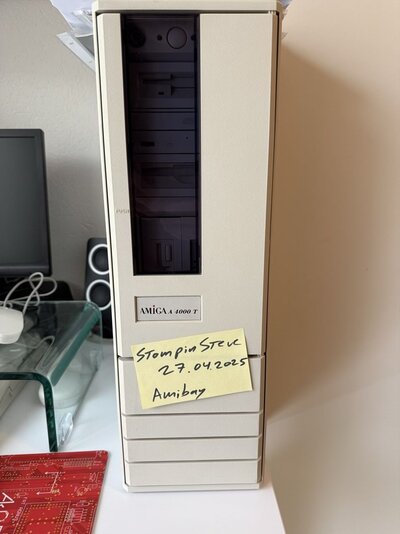 A4000T-FrontAmiBay.jpg112 KB · Views: 171
 -
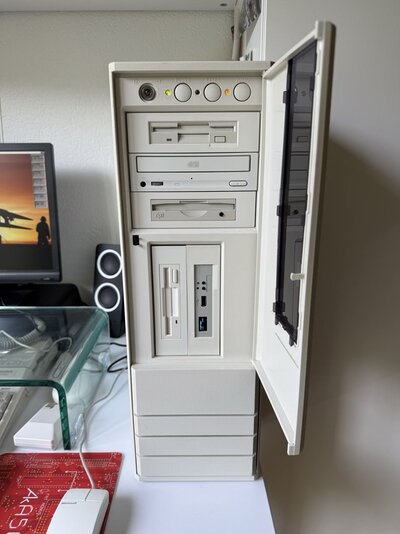 A4000T-Front-Open.jpg115.6 KB · Views: 166
 -
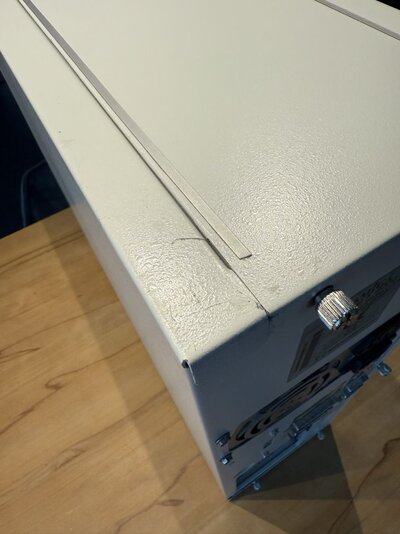 A4000T-TopCorner.jpg115.2 KB · Views: 140
 -
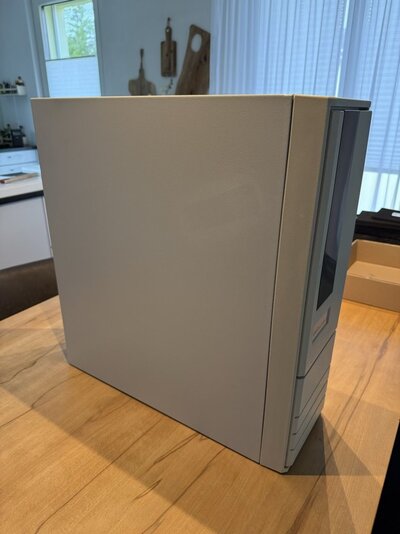 A4000T-Left.jpg104.9 KB · Views: 129
 -
 A4000T-Right.jpg75 KB · Views: 129
 -
 A4000T-Sticker.jpg163.7 KB · Views: 132
 -
 A4000T-WhichAmiga.jpg181.3 KB · Views: 138
 -
 A4000T-SysInfoDiskPerf.jpg147.6 KB · Views: 134
 -
 A4000T-SysInfoBoardsList.jpg132.3 KB · Views: 123
 -
 A4000T-Rear.jpg110.7 KB · Views: 133
 -
 A4000T-ZuluSCSI.jpg231.1 KB · Views: 125
 -
 A4000T-BFG9060-1.jpg216.2 KB · Views: 116
 -
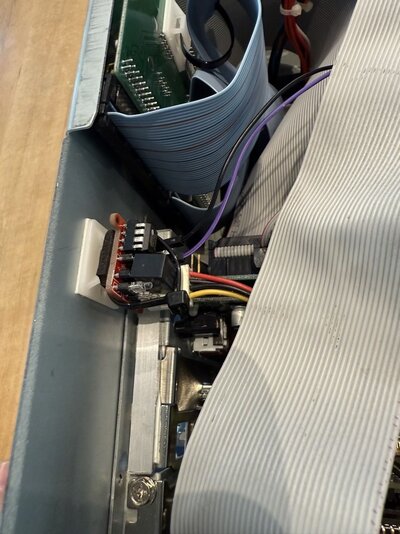 A4000T-BelethsDrum.jpg171.4 KB · Views: 116
 -
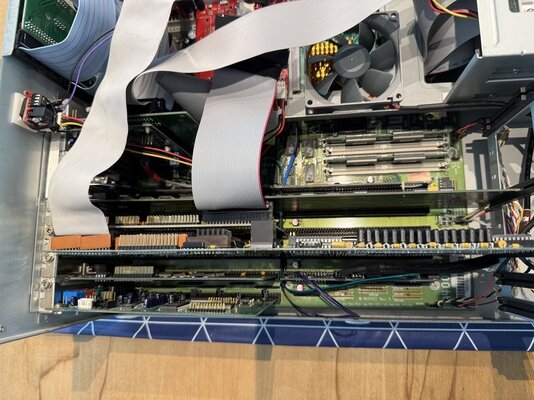 A4000T-Cards.jpg233.8 KB · Views: 126
 -
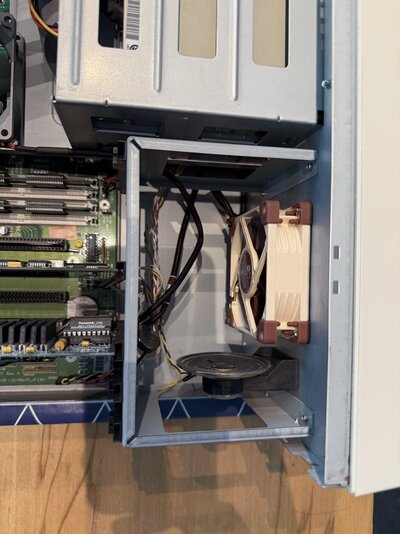 A4000T-FrontFan.jpg154.6 KB · Views: 112
 -
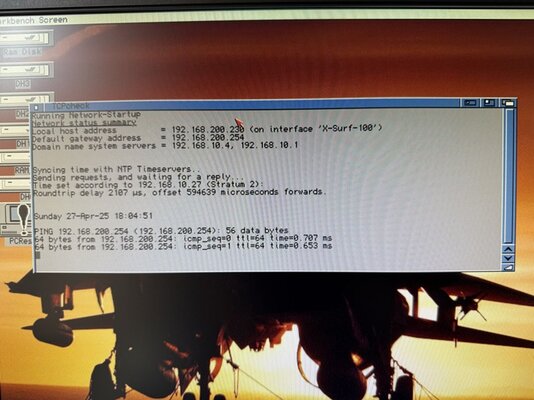 A4000T-Network.jpg154.4 KB · Views: 121
 -
 A4000T-TransportPadding.jpg192.5 KB · Views: 117
 -
 A4000T-TopOpen.jpg182.4 KB · Views: 113
 -
 A4000T-OpenFullView.jpg205.4 KB · Views: 115
 -
 A4000T-CyberVision64.jpg188.7 KB · Views: 117
 -
 A4000T-ShapeShifter.jpg186 KB · Views: 116
 -
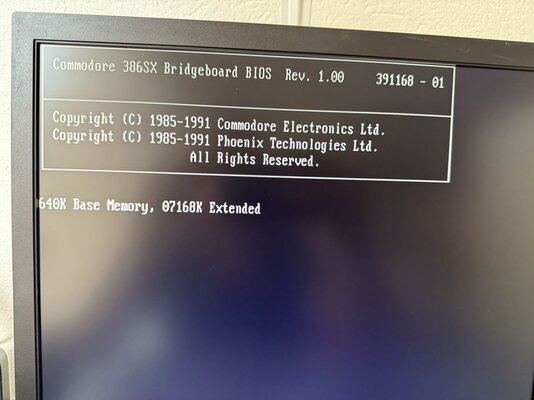 A4000T-A2386SX-1.jpg100.4 KB · Views: 102
 -
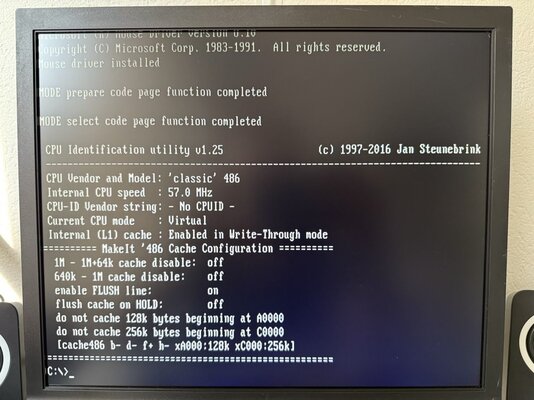 A4000T-A2386SX-2.jpg148.3 KB · Views: 97
 -
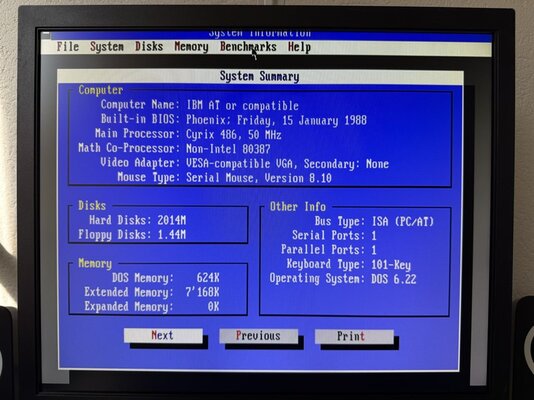 A4000T-A2386SX-3.jpg156.8 KB · Views: 101
 -
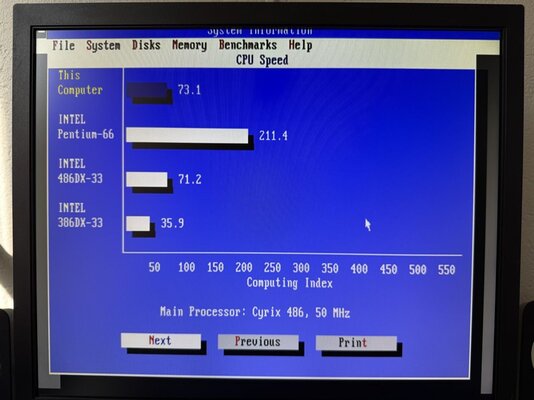 A4000T-A2386SX-4.jpg114.1 KB · Views: 106
 -
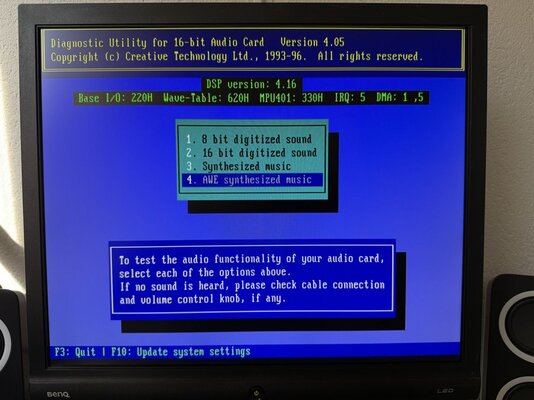 A4000T-A2386SX-6.jpg138 KB · Views: 100
 -
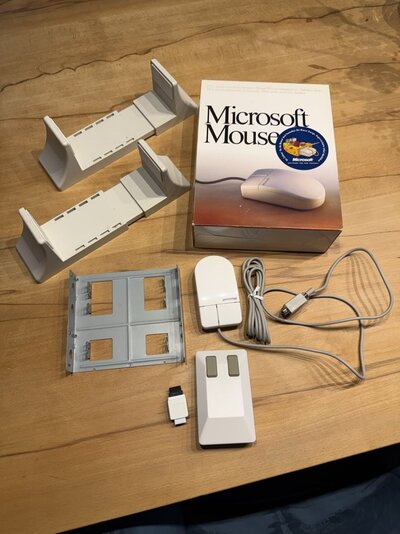 A4000T-Zubehoer.jpg152.8 KB · Views: 90
 -
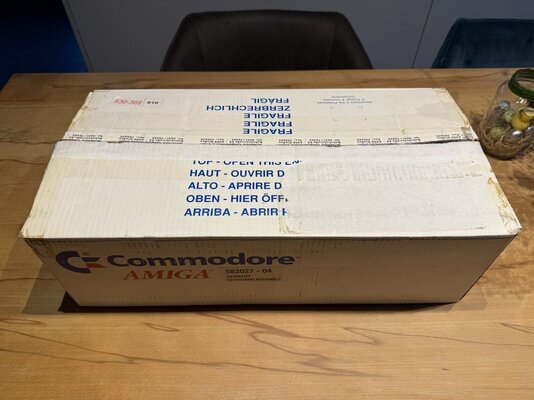 A4000T-Keyboard2.jpg141.2 KB · Views: 100
 -
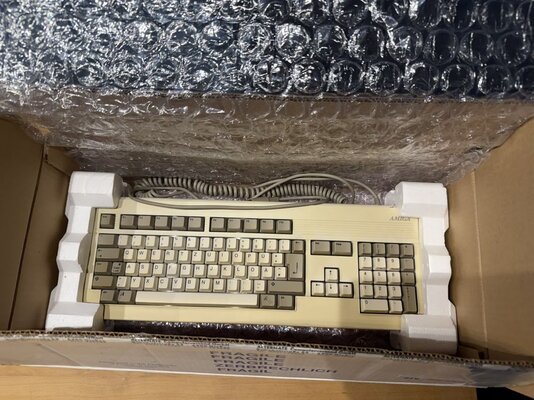 A4000T-Keyboard1.jpg217.1 KB · Views: 101
 -
 A4000T-Software.jpg177.1 KB · Views: 135
Last edited:


