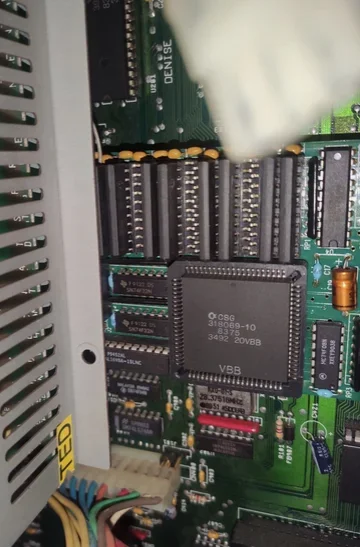
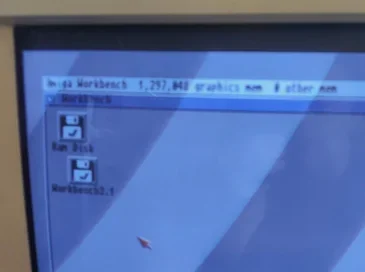
Advanced ChipRAM Adapter showing 1.5MB

  • Thread starter Thread starter YouKnowWho
  • Start date Start date
  • Replies Replies 19
  • Views Views 210

YouKnowWho

Well-known member
Donator
AmiBayer
Joined
Mar 2, 2023
Posts
1,054
Country
Canada
Region
Ontario
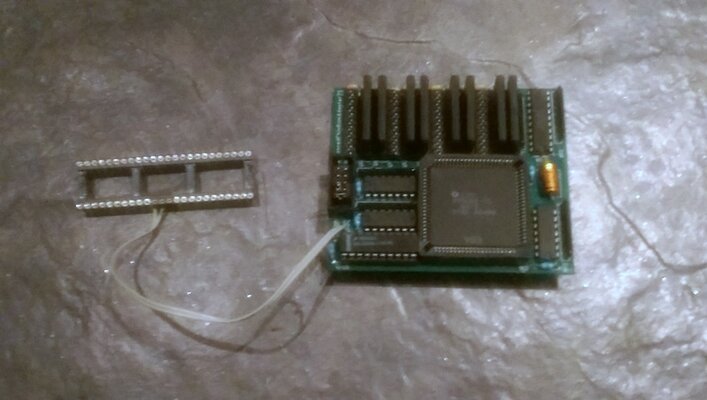
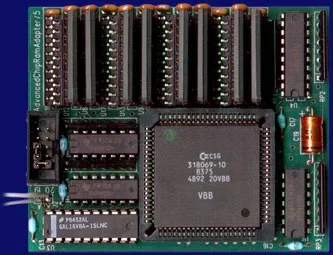
I've come across one of these W.A.W. Elektronik Advanced ChipRAM Adapter


Amiga Hardware Database says this about it:
  • 1 MB Chip RAM, 256k×4 ZIPs in eight sockets
  • optional 2 MB Fast RAM, 1M×4 ZIPs in four sockets
  • plugs into the Agnus socket
  • with 1 MB Chip RAM only, two clips are connected to Gary
  • with 2 MB Fast RAM, an adaptor board has to be connected to the Gary socket
  • systems with only 512 kB Chip RAM have to be reworked
  • memory autoconfiguration
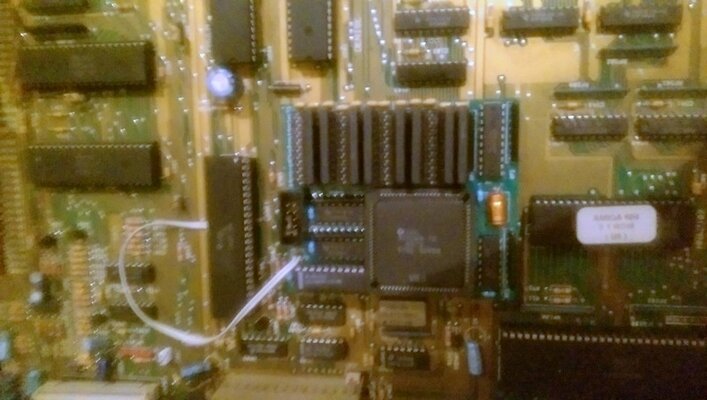
I have this version with the 2 wires to Gary, and it has an 8375 and it works perfectly but my A2000 strangely shows 1.5MB of Chip RAM. With some Fast RAM in the 2000 it shows 1,509,143 after boot up from WB 3.1 floppy. Without the Fast RAM about 1,204,453 after same WB 3.1 floppy boot.

Is there any way to coax proper 2MB Chip out of this thing (because why not!)? Am I doing something wrong? There is a German manual PDF but it gives no hits. Anyone with experience on these? Mine is exactly like this - with 4 chip sockets unused. Thoughts?
 

Attachments

  • advchipram.webp
    advchipram.webp
    23.7 KB · Views: 13
I thought all socket have to be filled for the 2mb to work what does the zip ram indicate on the side
 
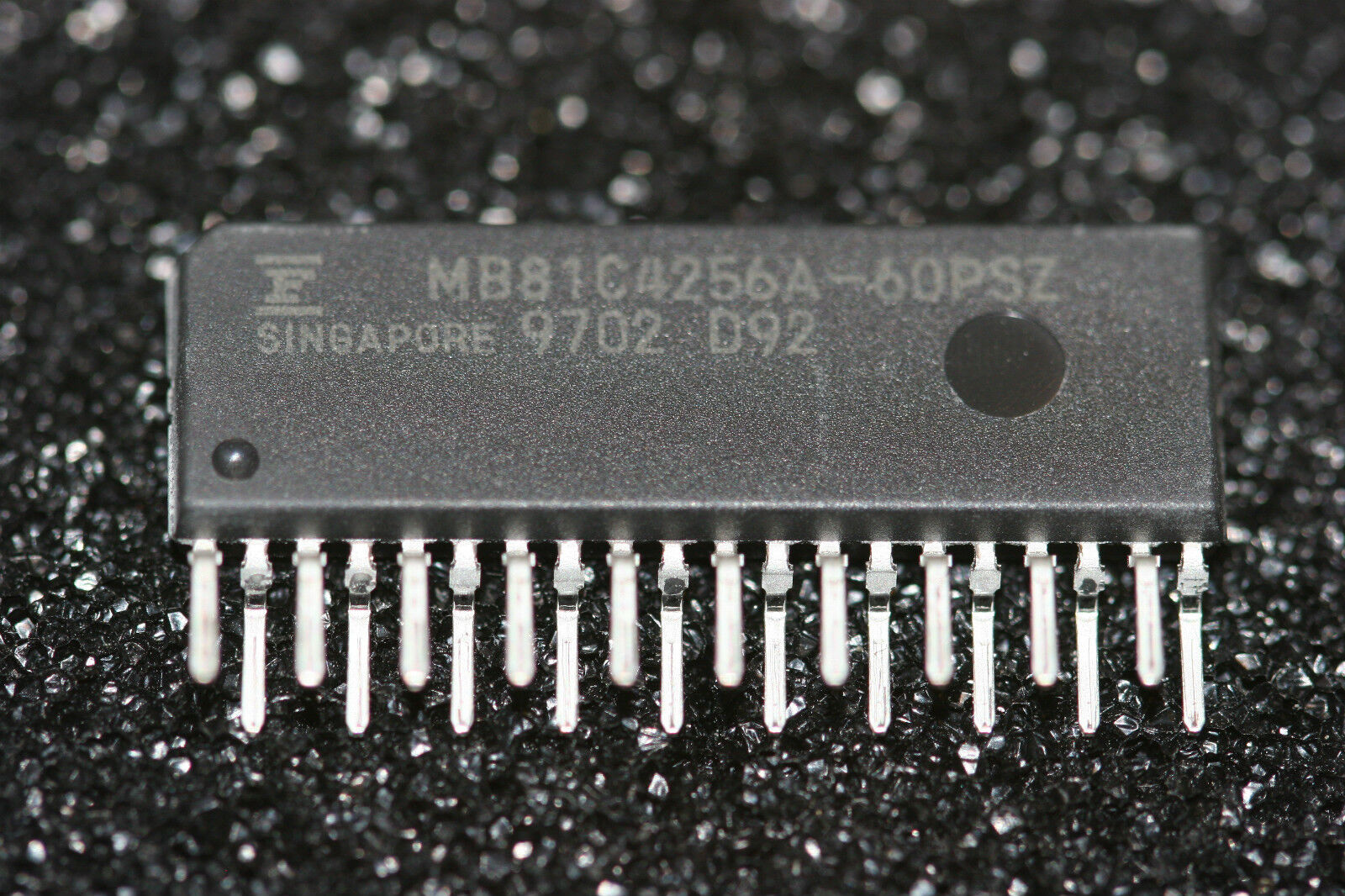
Thanks Timtheloon. There are 8 of these, and I'm reading:

MB81C4256A-60PSZ
Singapore 9446 D67
 
if so that makes them 256kb each and you have 8 so that = 2mb but I thought you said you had empty sockets?

is there 12 sockets?

Update: I see them now in the picture
 
Looking at this I believe I have one of these in my spares I just never tried it intrigues me now :LOL:

what type of A2000 do you have i.e. does it have 512k or 1mb onboard memory

because there is this warning in the manual

Attention! Before you begin installation, check how much chip RAM your system has. If it is only a 512K chip RAM system, the changes described in the technical appendix must also be carried out in addition to the installation!
 
Those are them, just the second (I guess lot number?) differs.
There are indeed 12 sockets, and only 8 are populated, 4 are empty, just as you see in the Hardware Database photo.
The 2000 motherboard is labelled 6.2, but is PAL and it's a new arrival, so I'm not familiar with it yet, but I expect it is 1MB.
 
Last edited:
this is weird in the troubleshooting of the manual it states the gary adapter for the full chip ram (BTW I'm just copy and pasting sections of the manual into Google translate lol)

2.3 The Amiga boots, but there is no full Chip RAM. The flat ribbon cable from the ADV to the Gary is not connected.
 
Really weird to have 1.5MB chip, when everything seems to make sense. I've moved those chips around as well to make sure they are making contact.

Yes, I was doing the same thing with that PDF manual.

The thing is that apparently the one with just the 2 wires should be 1MB chip only, so what's up with the 1.5MB?

Also, the boards are exactly the same. Would the adapter just be connecting a few extra things to Gary? Or should certain pins be shortened in that 10 pin connector perhaps? What pins does that adapter connect? Doesn't seem like something complicated to rig up by just soldering some wires to a spare Gary for example.
 
Last edited:
Maybe there is a different manual for the cable version we need to find did you find this in that manual?

Where have you clipped the cables onto the Gary?
 
OK, I used a free online PDF translator to translate the manual I don't know how well it did it but worth a try.
 

Attachments

found the pins for the non Gary adapter one

1.5. You located the Gary in point 1.2. The 1 MB version does not have a Gary adapter. Instead, the two terminals labeled A 19 + A 20 on the Gary are connected as follows: Terminal A 19 to pin 35 and A 20 to pin 36 on the Gary. This completes the installation. For the 3 MB version, carefully lift the Gary out of its socket using a flat screwdriver. First on the right, then on the left. Once this is removed, insert the supplied Gary adapter

So does that mean it is only 1mb because it states the 1mb version does not have the Gary adapter and if your amiga only has 512kb that will be why you only get 1.5mb?
 
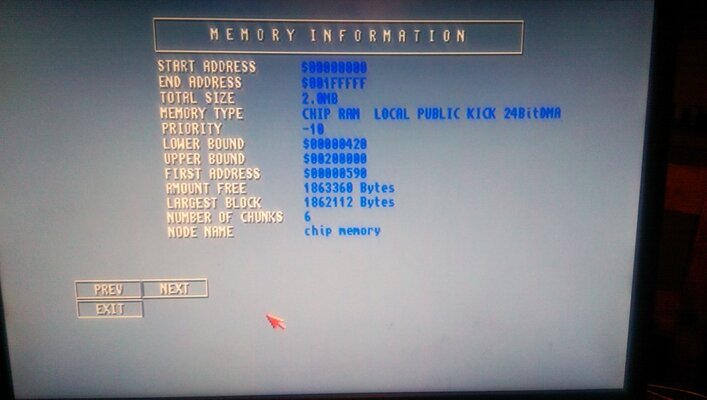
Timtheloon, get ready for a monkey wrench. Look at this thing below. Same - showing 2MB. Just 2 Gary connections. What the devil?

 
Is your Amiga 1mb or 512KB? because that advert states takes your 1mb to 2mb
 
Is your Amiga 1mb or 512KB? because that advert states takes your 1mb to 2mb
The 2000 is 6.2, and therefore must be 1MB. Note, I don't have a spare 8372 right now to test the 1MB onboard. This board as you confirm has 2MB on it. And if you look at the old listing, it has an adapter, which in my case are two clip-on pins that attach to the Gary in the same sport as this socket. There is the one with the socket adapter that connect to the 10 pin thing, which having the pin paths to Gary maybe of help in this case.

What if some of these memory chips on the board are simply dead? That's possible, right?
 
Yes that is true one question have you used showinfo to see what it states like in the advert?
 
No, in SysInfo you mean? It would show if there are bad chips? Or I have to individually test them somehow? I don't have a tester to do this with, which means I probably just have to buy a bunch and swap them in.

I don't need this extra Chip RAM, but it's going to bug me to have a 8735 and NOT have 2MB Chip. :-)
 
yes sorry sysinfo it would show the full amount WB could be using it and that why you dont see it all
 
I did load up the Workbench ShowConfig (I think) when I put in the 8MB Fast board into this bare A2000, and it showed Chip at 1.5MB. It's like it's just not there.

Edit Oct 20th: Confirm MoBo 6.2 1MB. Confirmed Gary connections, again. Confirmed pins are shorted like the one that was for sale (they were already). Confirmed memory chips are seated correctly. Confirmed adapter that goes in the socket has no weirdness. Still 1.5MB. I think I'm down to checking individual memory chips at this point, somehow. Then continuity? So weird!
 

Attachments

  • Board.webp
    Board.webp
    36.7 KB · Views: 8
  • Screen.webp
    Screen.webp
    4.7 KB · Views: 6
Last edited:
I put it in another machine and it works just fine. I have no idea why. When I was testing it before I checked all the connections, both clamps, etc. Obviously the problem was one of contact somewhere, because it works just fine now and shows 2MB. Thanks for all your attempts @Timtheloon. Most importantly, it works!
 
Back
Top Bottom