

Hi,
i would like to share my progress with this hardware.
My objective is pump little bit this board and configure with a bootable PC Hard Disk.
A1060 is the PC interface for Amiga 1000, as the A2088 for the other Amiga desktop models.
Here you can see the A1060 specifications:
http://amiga.resource.cx/search.pl?id=a1060
I own the rev 3 version and it comes with a 5,25 Chinon PC floppy, 256Kb Ram (for PC) and an 8088 CPU processor at 4,77 MHz.
My progress:
- for first i swapped 8088 CPU with a V20 8086 CPU. V20 is 30% faster than 8088 and it can run at 8 to 16 MHz. Swap is simple because CPU has socket. (V20 info: https://en.wikipedia.org/wiki/NEC_V20);
- after that i equipped board and V20 with a coprocessor Intel 8087;
- i added other 256 Kb RAM in the socketed place for a total of 512 Kb RAM (PC side)
- finally i add a SCSI controller with a bootable MFM hard disk with installed DOS 5.0. It gives me a very fast DOS environment and a quick boot.
First three steps are very easy.
The last step took me time. I read here (now i'm not able to find this post) about an amibayer who insert an HD into the sidecar A1060. But he choose a big MFM HD so he had to move and decentrate the floppy driver to top and the result was functionally but not so practice and not pleasant to see.
My hard work is to find one of the last MFM HD version, released in 3,5 inches format (instead of old 5,25 format). When i found this 3.5" MFM HD i plug it into an old IBM and i start to initialize and configure properly a DOS environment. After that i found an 8 bit ISA HD controller and i plug into A1060 isa for check compatibility with Amiga hardware and MFM Hard Disk. It worked perfectly! So last step was to build an ISA HD controller extension for HD place. So, as the A2091 or GVP HC +8 SCSI controller have the hard disk place in the second part of board, i did the same with my ISA HD controller.
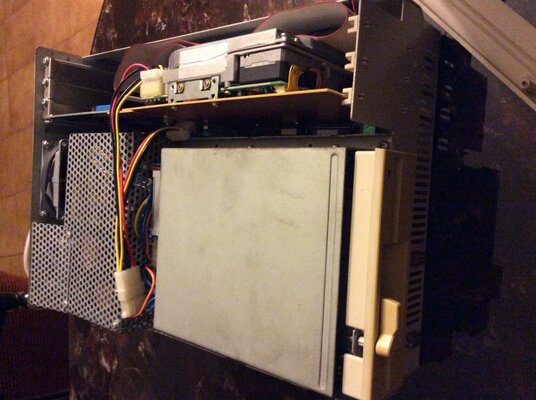
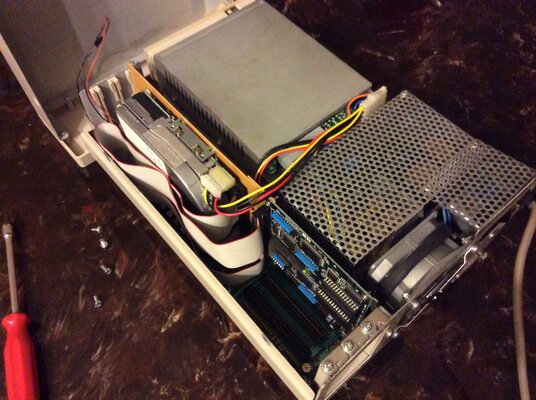
Result was to keep controller and HD in the same line of the first A1060's 8 bit ISA slot.
I can close perfectly my A1060 with its original floppy driver in the original place.
Inside Hard disk works good
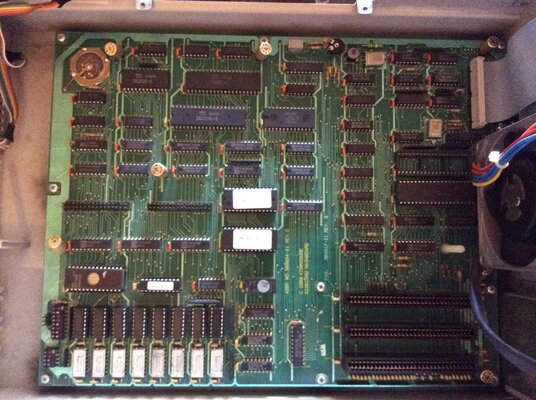
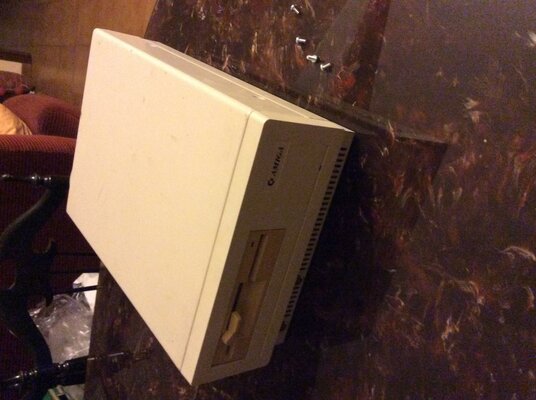
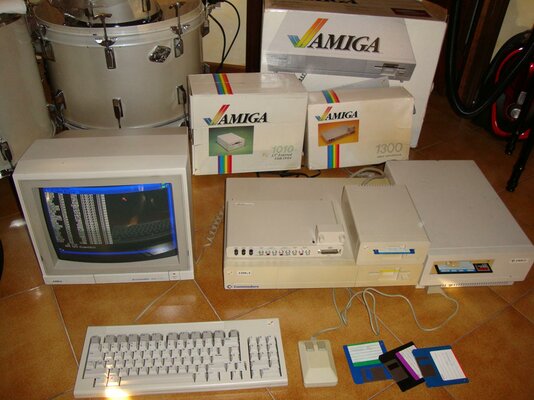
Here some picture.
Next step is swap the 5,25 inches floppy driver with a 3,5" Chinon FB357 floppy driver. From an old PC i recovered the 5,25-to-3,5 front mask so esthetically will be perfect!
i would like to share my progress with this hardware.
My objective is pump little bit this board and configure with a bootable PC Hard Disk.
A1060 is the PC interface for Amiga 1000, as the A2088 for the other Amiga desktop models.
Here you can see the A1060 specifications:
http://amiga.resource.cx/search.pl?id=a1060
I own the rev 3 version and it comes with a 5,25 Chinon PC floppy, 256Kb Ram (for PC) and an 8088 CPU processor at 4,77 MHz.
My progress:
- for first i swapped 8088 CPU with a V20 8086 CPU. V20 is 30% faster than 8088 and it can run at 8 to 16 MHz. Swap is simple because CPU has socket. (V20 info: https://en.wikipedia.org/wiki/NEC_V20);
- after that i equipped board and V20 with a coprocessor Intel 8087;
- i added other 256 Kb RAM in the socketed place for a total of 512 Kb RAM (PC side)
- finally i add a SCSI controller with a bootable MFM hard disk with installed DOS 5.0. It gives me a very fast DOS environment and a quick boot.
First three steps are very easy.
The last step took me time. I read here (now i'm not able to find this post) about an amibayer who insert an HD into the sidecar A1060. But he choose a big MFM HD so he had to move and decentrate the floppy driver to top and the result was functionally but not so practice and not pleasant to see.
My hard work is to find one of the last MFM HD version, released in 3,5 inches format (instead of old 5,25 format). When i found this 3.5" MFM HD i plug it into an old IBM and i start to initialize and configure properly a DOS environment. After that i found an 8 bit ISA HD controller and i plug into A1060 isa for check compatibility with Amiga hardware and MFM Hard Disk. It worked perfectly! So last step was to build an ISA HD controller extension for HD place. So, as the A2091 or GVP HC +8 SCSI controller have the hard disk place in the second part of board, i did the same with my ISA HD controller.
Result was to keep controller and HD in the same line of the first A1060's 8 bit ISA slot.
I can close perfectly my A1060 with its original floppy driver in the original place.
Inside Hard disk works good
Here some picture.
Next step is swap the 5,25 inches floppy driver with a 3,5" Chinon FB357 floppy driver. From an old PC i recovered the 5,25-to-3,5 front mask so esthetically will be perfect!


