
Time to move on to a new project and I let go of this wonderful computer that I have been building choosing parts for months. The computer was designed to be as retro as possible using period components where possible without overhauling it with new components unless necessary.
1) Choosing the computer.
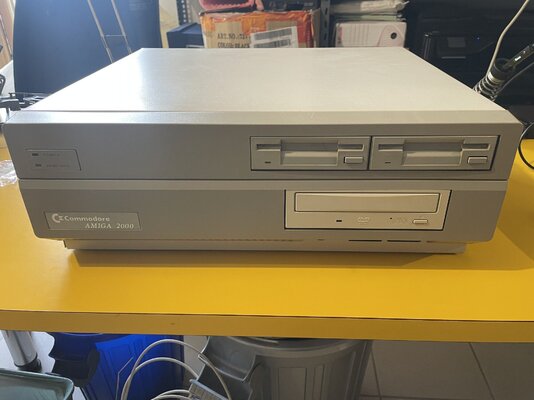
The amiga you see is a rev 6.2 so one of the best to have backwards compatibility with the legendary 500 games. The battery has been replaced and the area with light leaking has been cleaned with lemon and there is no damage. I am the second owner so the computer has never seen a shipment and is in great shape, really perfect including the keyboard. There is also dual kickstart 1.3 and 3.1 for compatibility and expandability
2) The upgrades.
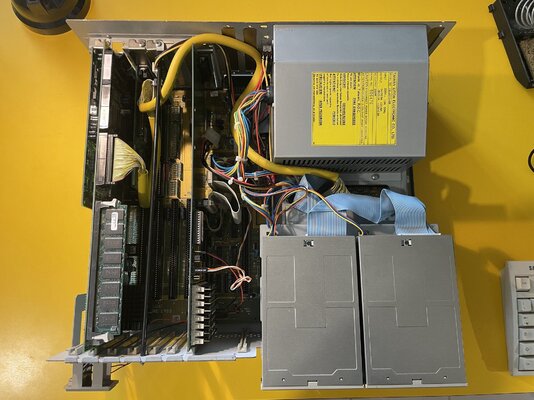
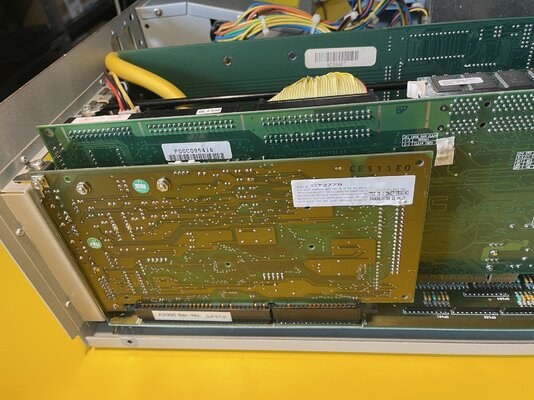
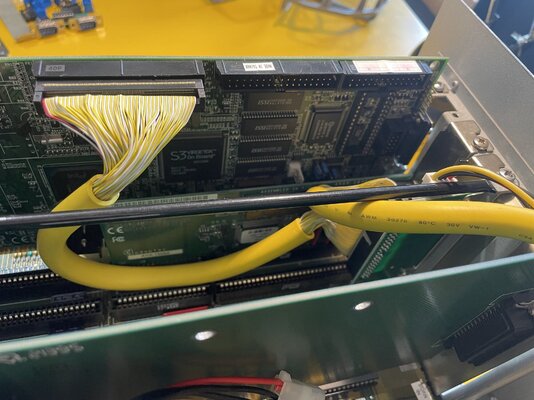
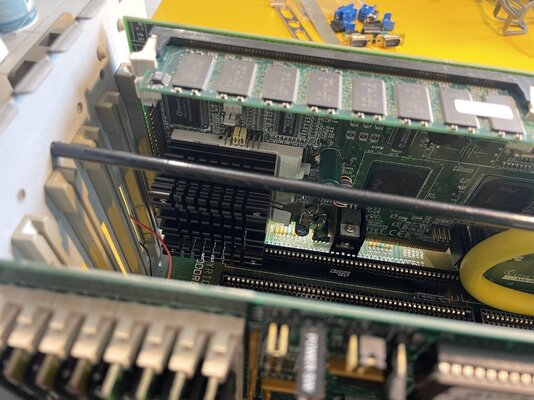
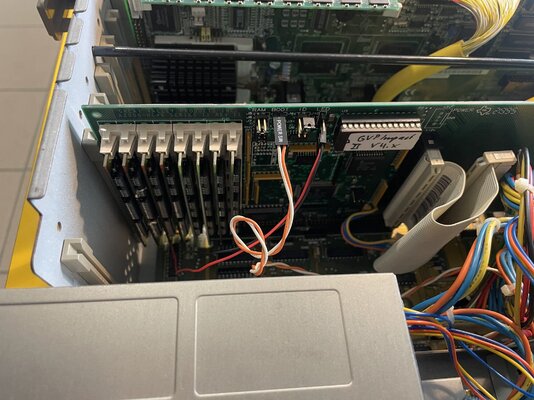
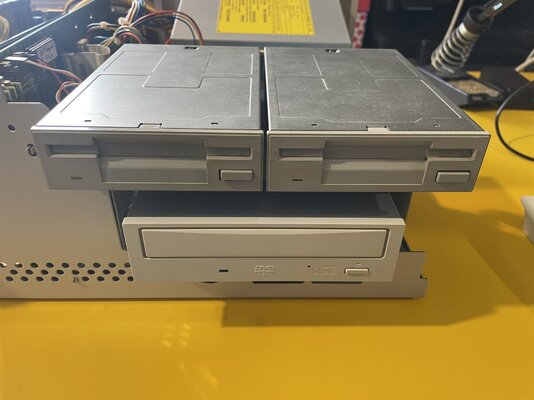
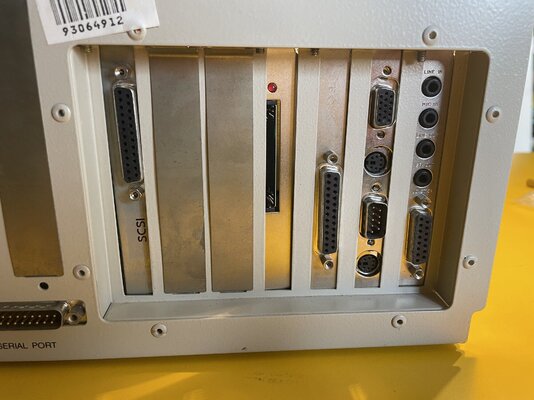
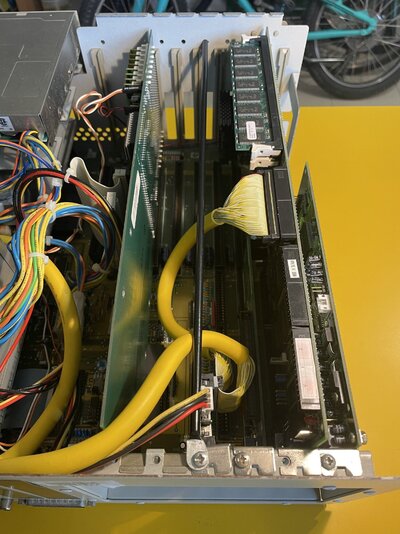
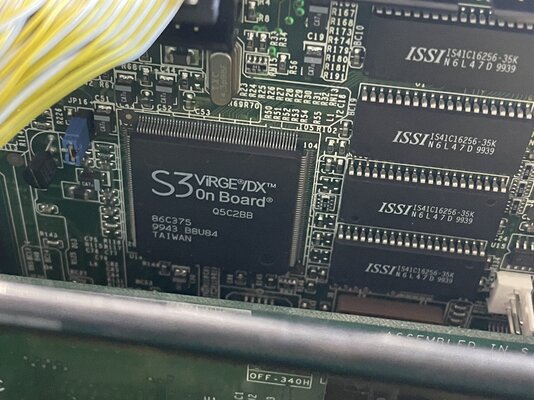
Describing all the work done to this computer is difficult and I will surely forget something (all the work is reversible to bring this 2000 back to factory condition). I chose to have the best of 90s retrogaming in the same computer so on one hand I have the stock 2000 which guarantees almost perfect compatibility with all floppy games (the two drives work perfectly) and I added a GVP controller with 8 mega of RAM in case you wanted to go the whdload route (just add a hard disk). On the DOS side I updated the two 8 bit ISA slots to 16 bit by soldering the two missing slots. I then installed a super compatible SBC equipped with a Pentium 100 CPU (but it can mount any socket7 including MMX) and above all it mounts an onboard S3 video card which is considered the top for backward compatibility with DOS games (SBC searched for years). I added a Sound Blaster 16 equipped with OPL3 to have the best of DOS audio. There is also a rear Compact Flash reader installed as mass storage for the DOS system. As you can see from the photos, everything is very well made, including the use of round cables. The CD-ROM is a Panasonic chosen for its retro beauty and is connected to the SBC.
3) Connections
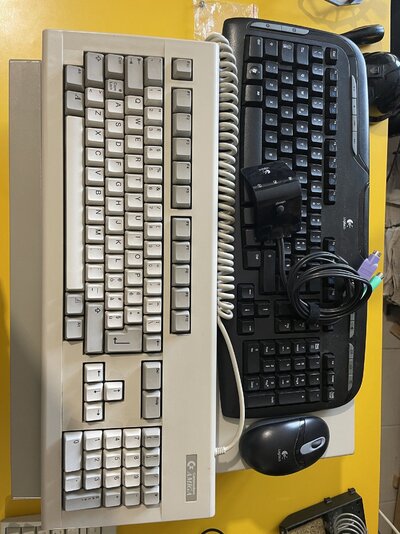
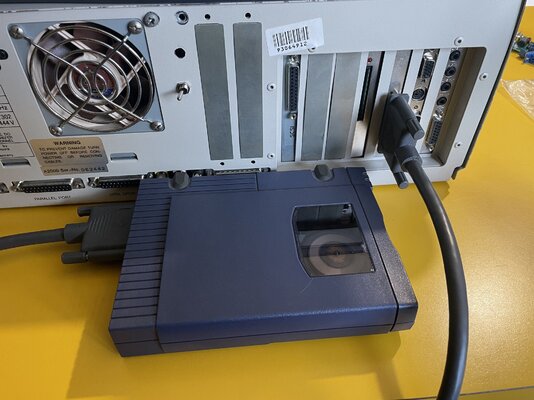
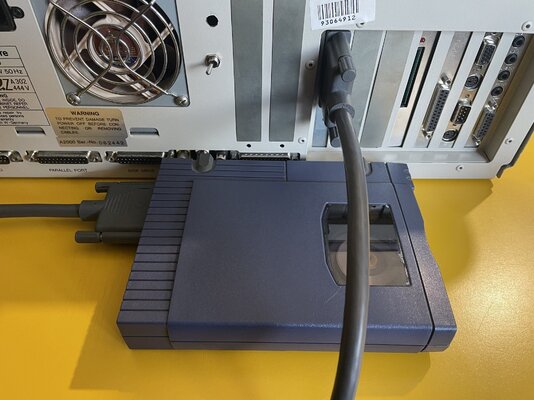
In order to exchange data with modern systems I have provided this computer with an external SCSI ZIP reader. The peculiarity is that this reader can be used with both the Amiga and DOS sections in order to use a single reader and save space on the desk and have fewer cables. The ZIP will then connect to the external SCSI connector of the GVP or to the connector of an ADAPTEC card that is installed in an additional internal ISA slot. To be able to use the DOS machine I also provide a Logitech wireless ps/2 keyboard to avoid having bulky cables on the desk.
4) Note
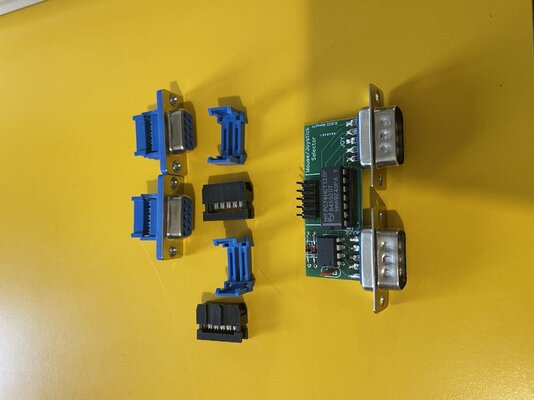
The only two defects are two small holes on the back that the previous owner made and that I used to insert a multiple selector that I used as a switch for the possible SCSI hard disk and a switch to enable the boot of the GVP HD by moving the jumper on this selector, an excellent job in my opinion to not keep the disk turned on during DOS gaming sessions and boot from 1.3 and use pure floppy flavour retro.
I probably forgot something because this computer has so many things just like the 4000 sold years ago. look at the photos and ask for further requests.
Request is 1000€ + shipping + PPFEE
1) Choosing the computer.
The amiga you see is a rev 6.2 so one of the best to have backwards compatibility with the legendary 500 games. The battery has been replaced and the area with light leaking has been cleaned with lemon and there is no damage. I am the second owner so the computer has never seen a shipment and is in great shape, really perfect including the keyboard. There is also dual kickstart 1.3 and 3.1 for compatibility and expandability
2) The upgrades.
Describing all the work done to this computer is difficult and I will surely forget something (all the work is reversible to bring this 2000 back to factory condition). I chose to have the best of 90s retrogaming in the same computer so on one hand I have the stock 2000 which guarantees almost perfect compatibility with all floppy games (the two drives work perfectly) and I added a GVP controller with 8 mega of RAM in case you wanted to go the whdload route (just add a hard disk). On the DOS side I updated the two 8 bit ISA slots to 16 bit by soldering the two missing slots. I then installed a super compatible SBC equipped with a Pentium 100 CPU (but it can mount any socket7 including MMX) and above all it mounts an onboard S3 video card which is considered the top for backward compatibility with DOS games (SBC searched for years). I added a Sound Blaster 16 equipped with OPL3 to have the best of DOS audio. There is also a rear Compact Flash reader installed as mass storage for the DOS system. As you can see from the photos, everything is very well made, including the use of round cables. The CD-ROM is a Panasonic chosen for its retro beauty and is connected to the SBC.
3) Connections
In order to exchange data with modern systems I have provided this computer with an external SCSI ZIP reader. The peculiarity is that this reader can be used with both the Amiga and DOS sections in order to use a single reader and save space on the desk and have fewer cables. The ZIP will then connect to the external SCSI connector of the GVP or to the connector of an ADAPTEC card that is installed in an additional internal ISA slot. To be able to use the DOS machine I also provide a Logitech wireless ps/2 keyboard to avoid having bulky cables on the desk.
4) Note
The only two defects are two small holes on the back that the previous owner made and that I used to insert a multiple selector that I used as a switch for the possible SCSI hard disk and a switch to enable the boot of the GVP HD by moving the jumper on this selector, an excellent job in my opinion to not keep the disk turned on during DOS gaming sessions and boot from 1.3 and use pure floppy flavour retro.
I probably forgot something because this computer has so many things just like the 4000 sold years ago. look at the photos and ask for further requests.
Request is 1000€ + shipping + PPFEE
Attachments
-
 IMG_1792.jpeg298.5 KB · Views: 86
 -
 IMG_1794.jpeg486 KB · Views: 69
 -
 IMG_1781.jpeg483.7 KB · Views: 72
 -
 IMG_1782.jpeg494.4 KB · Views: 70
 -
 IMG_1783.jpeg437.4 KB · Views: 73
 -
 IMG_1784.jpeg437.7 KB · Views: 69
 -
 IMG_1785.jpeg469.3 KB · Views: 65
 -
 IMG_1786.jpeg319.7 KB · Views: 67
 -
 IMG_1788.jpeg409.1 KB · Views: 68
 -
 IMG_1789.jpeg443.9 KB · Views: 66
 -
 IMG_1790.jpeg477.2 KB · Views: 66
 -
 IMG_1795.jpeg443.8 KB · Views: 62
 -
 IMG_1796.jpeg474 KB · Views: 58
 -
 IMG_1793.jpeg341.6 KB · Views: 75


