Hi all, I have posted in the Services Area as I’m looking for someone to repair my motherboard but thought I would ask here in help in case someone has had a similar experience and got to the bottom of it 
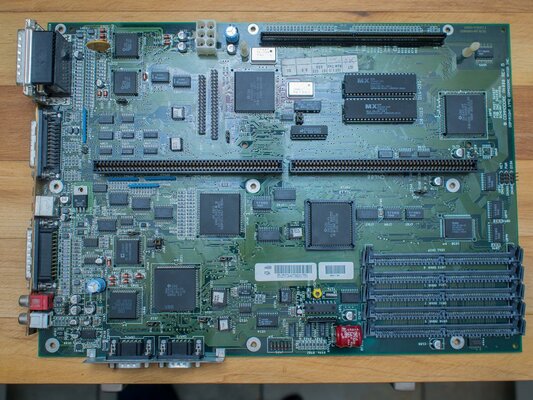
Amiga 4000 EC030 with a Revision B motherboard, 3.0 Roms, 500mb HD, and no mods or additional cards.
Only bare minimum connected up for fault testing. PSU, Single chip RAM sim, MB, CPU, Keyboard and Monitor.
Power up sequence: Power on, PSU fires up fine, power light green and bright, hard drive light flashes for a few seconds and can hear drive spinning up and reading for a few seconds then nothing, just a grey screen, no floppy drive activity.
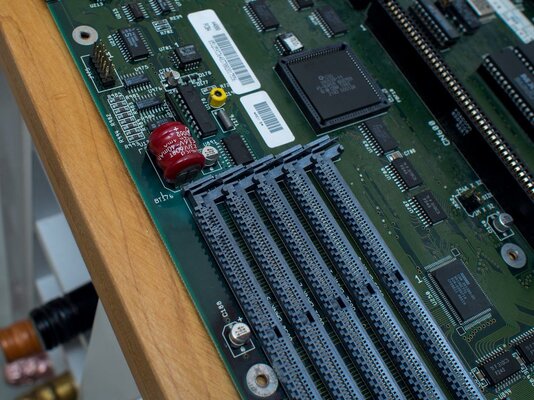
Looks as though the battery has leaked a little at some point as the PCB is slightly discolored around it but there is no visible corrosion at all and no fuzzy green stuff anywhere that I can see.
What I have tried:
How did it happen: Installing Octamed onto HD, floppy, desktop and HD all froze with HD light remaining illuminated. Reset and got grey screen... working perfectly up until then.
It’s a very clean machine, all the boards inside are spotless... It’s been in the family 22 years from new so I know it’s never been abused lol.
I’m desperate to get her back to life so any suggestions or guidance would be very gratefully received.
Thanks in advance.
Amiga 4000 EC030 with a Revision B motherboard, 3.0 Roms, 500mb HD, and no mods or additional cards.
Only bare minimum connected up for fault testing. PSU, Single chip RAM sim, MB, CPU, Keyboard and Monitor.
Power up sequence: Power on, PSU fires up fine, power light green and bright, hard drive light flashes for a few seconds and can hear drive spinning up and reading for a few seconds then nothing, just a grey screen, no floppy drive activity.
Looks as though the battery has leaked a little at some point as the PCB is slightly discolored around it but there is no visible corrosion at all and no fuzzy green stuff anywhere that I can see.
What I have tried:
- Pressed Caps lock, cycles six times then stops suggesting CPU issue?
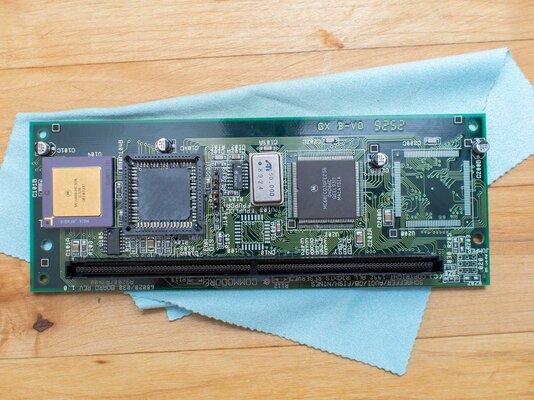
- Examined CPU card and looks pristine, no visible leaking to any caps etc
- Ensured CPU card is firmly seated
- Confirmed all floppy and HD cables are correctly orientated (also removed both whilst testing)
- Ensured ROM chips are seated firmly and securely
- Examined buster chip and looks to be firmly seated
- Removed all RAM to see if green screen appears... it doesn’t, remains grey
- Left running for a few hours... no change.. grey screen
How did it happen: Installing Octamed onto HD, floppy, desktop and HD all froze with HD light remaining illuminated. Reset and got grey screen... working perfectly up until then.
It’s a very clean machine, all the boards inside are spotless... It’s been in the family 22 years from new so I know it’s never been abused lol.
I’m desperate to get her back to life so any suggestions or guidance would be very gratefully received.
Thanks in advance.
Last edited: