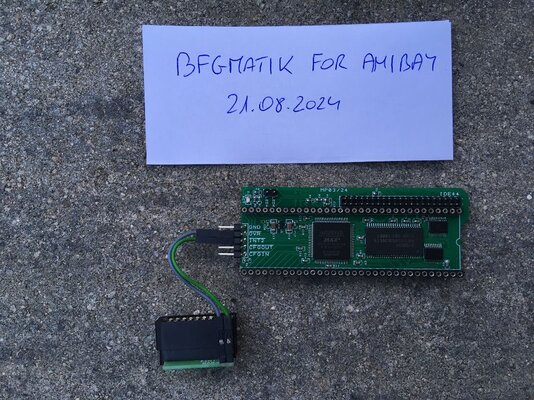
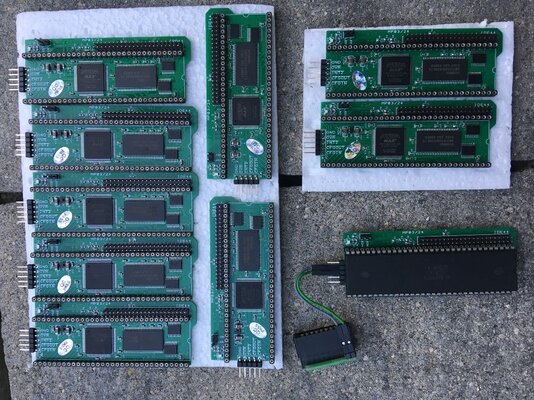
Now I have for sale 10 units of Amiga 500 Fastram 8MB modules with IDE interface.
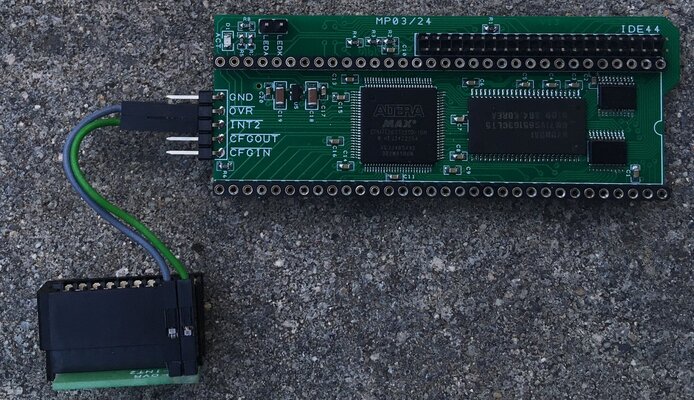
This is my own design based on single PCB with larger CPLD for both fastram and IDE support (contrary to other older designs based on two PCB's and two CPLD's soldered together).
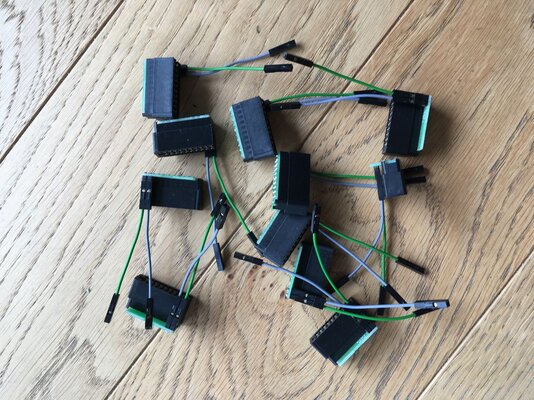
With this fastram/IDE module you also get a precisely cut edge connector for A500 side connector which allows you to connect everything without any soldering (edge connector is necessary for /INT2 and /OVR signals used by IDE interface, these signals are output on A500 side connector).
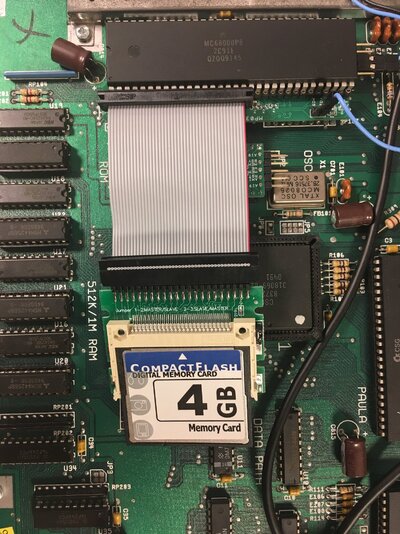
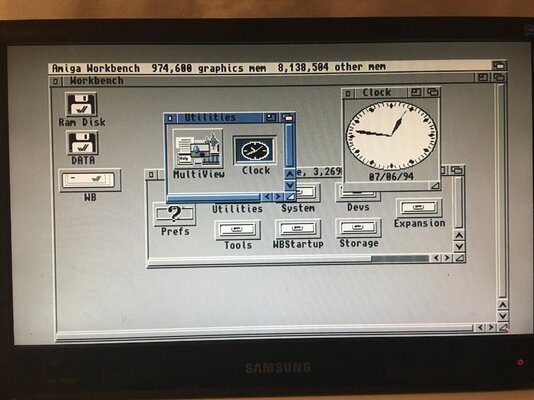
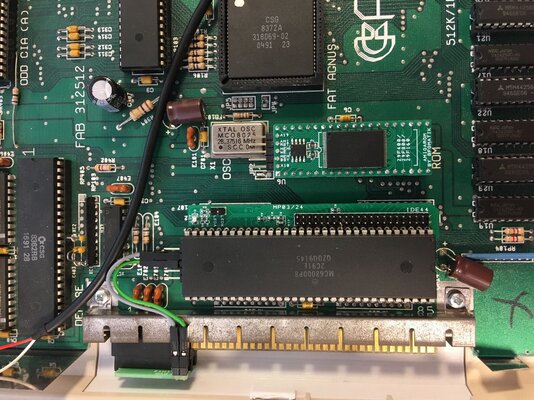
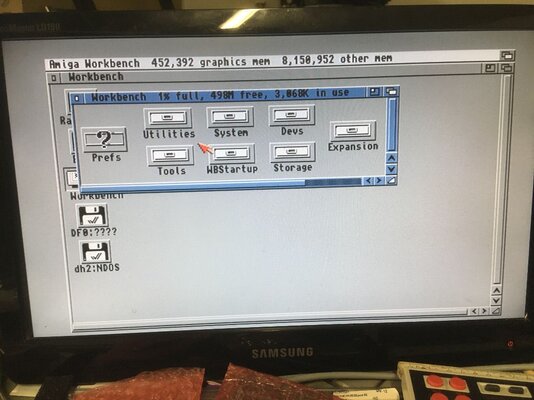
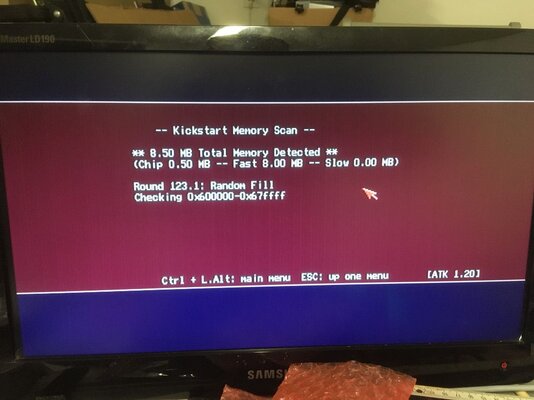
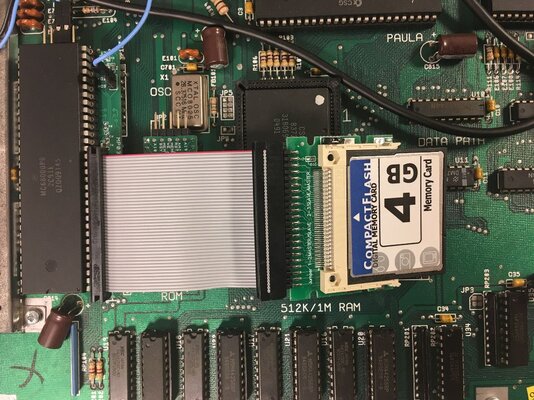
This design was heavily tested on my A500 computers with PCB versions 5, 6A and 8 with an ATA44 IDE2SD adapter and 16GB Sandisk microsd card. As far as I know, others also used it successfully with compact flash cards connected to ATA44 connectorbut I never test this myself. Tested myself with a simple CF card adapter and 4GB CF card by installing Workbench 3.1 from ADF's and running read/write tests (photos included). Module will fit into your A500 mainboard without any additional modifications (on the photo an electrolitic capacitor on my A500 mainboard is sidewise but this is not because of module, I soldered it this way long time ago for use with larger PCB modules).
For module to work properly you need a Kickstart version 2.05, it will not work with original Kickstart 1.3 as it does not support IDE and memory autoconfiguration. I made all of my tests using Kickstart v3.1 rev 40.63. Played a lot of WHDLOAD games including Dune, Dune2, Cannon Fodder, Beneath a Steel Sky, etc. and everything works as stable as possible.
Module price: 50 EUR (56 USD),
Shipping: 8 EUR (9 USD).
All you need to do is:
- remove your original MC68000 processor from A500 mainboard,
- mount MC68000 processor on top of the fastram/IDE module,
- mount fastram/iDE module on the A500 mainboard in place of original MC68000,
- properly connect edge connector to A500 side connector,
- connect your IDE2SD or CF card adapter to ATA44 ide connector on fastram/IDE module.
Notes:
- be careful with edge connector, it must be connected correctly on left side of A500 side connector to avoid damage of your hardware,
- modules were also confirmed to work in autoconfig chain via /CFGIN, /CFGOUT lines (tested with my ethernet card connected to A500 side connector),
- LEDA and LEDK lines allow you to directly connect an additional IDE LED or LEDA line can be used to drive keyboard FDD led via proper FDD/IDE LED adapter for HDD activity notification.
This is my own design based on single PCB with larger CPLD for both fastram and IDE support (contrary to other older designs based on two PCB's and two CPLD's soldered together).
With this fastram/IDE module you also get a precisely cut edge connector for A500 side connector which allows you to connect everything without any soldering (edge connector is necessary for /INT2 and /OVR signals used by IDE interface, these signals are output on A500 side connector).
This design was heavily tested on my A500 computers with PCB versions 5, 6A and 8 with an ATA44 IDE2SD adapter and 16GB Sandisk microsd card. As far as I know, others also used it successfully with compact flash cards connected to ATA44 connector
For module to work properly you need a Kickstart version 2.05, it will not work with original Kickstart 1.3 as it does not support IDE and memory autoconfiguration. I made all of my tests using Kickstart v3.1 rev 40.63. Played a lot of WHDLOAD games including Dune, Dune2, Cannon Fodder, Beneath a Steel Sky, etc. and everything works as stable as possible.
Module price: 50 EUR (56 USD),
Shipping: 8 EUR (9 USD).
All you need to do is:
- remove your original MC68000 processor from A500 mainboard,
- mount MC68000 processor on top of the fastram/IDE module,
- mount fastram/iDE module on the A500 mainboard in place of original MC68000,
- properly connect edge connector to A500 side connector,
- connect your IDE2SD or CF card adapter to ATA44 ide connector on fastram/IDE module.
Notes:
- be careful with edge connector, it must be connected correctly on left side of A500 side connector to avoid damage of your hardware,
- modules were also confirmed to work in autoconfig chain via /CFGIN, /CFGOUT lines (tested with my ethernet card connected to A500 side connector),
- LEDA and LEDK lines allow you to directly connect an additional IDE LED or LEDA line can be used to drive keyboard FDD led via proper FDD/IDE LED adapter for HDD activity notification.
Attachments
-
 a500_memide_02b.JPG235.6 KB · Views: 125
 -
 a500_memide_05.JPG213.9 KB · Views: 128
 -
 a500_memide_06.JPG185.6 KB · Views: 125
 -
 a500_memide_04.JPG103.7 KB · Views: 112
 -
 a500_memide_03.JPG83 KB · Views: 90
 -
 a500_memide_01b.JPG248.9 KB · Views: 106
 -
 a500_memide_02c.JPG589.6 KB · Views: 114
 -
 a500_memide_08.JPG191.6 KB · Views: 111
Last edited:

 .
.