

I had an unused project box that's been sitting around for awhile, a pile of binding posts and several new computer power supplies I'd gathered from the local thrift shop -- so I decided to put it all together into a power supply for the workbench.
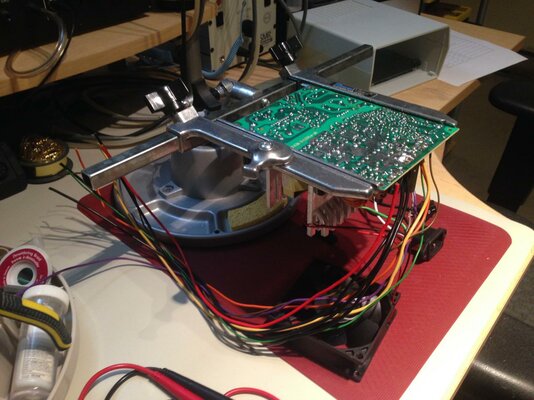
This also gave me a good opportunity to practice with my recently acquired PanaVise PCB holder -- makes it easy to work on the board while keeping the existing wiring out of the way:
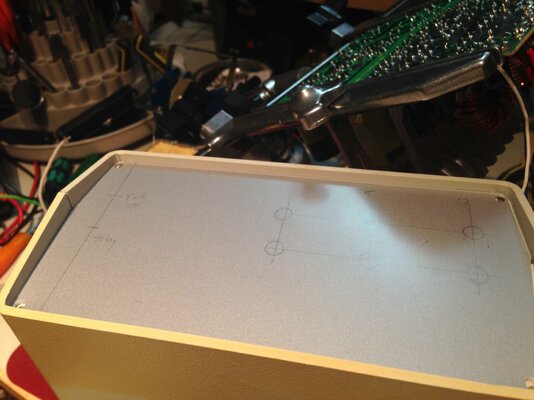
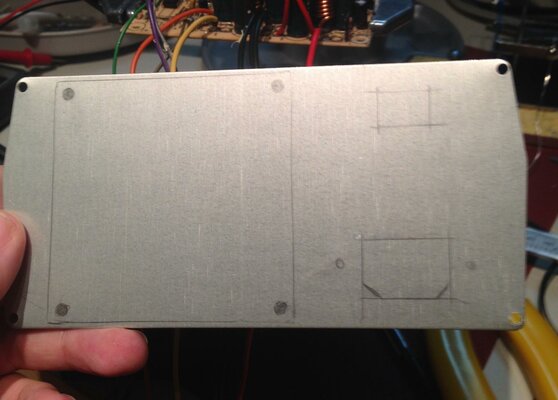
Before starting any splicing or soldering of the connections, I first planned and penciled in the front and back panel layouts by using a ruler and some callipers:
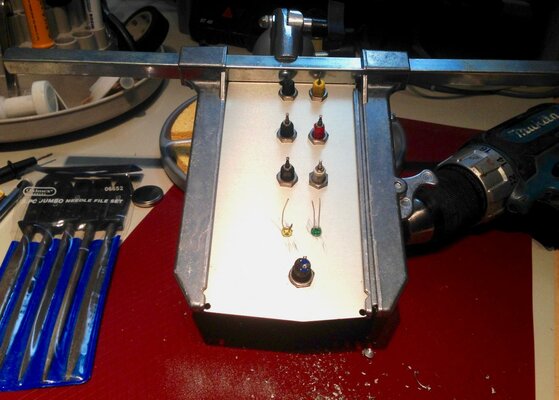
After some test fitting and measuring I then drilled, filed and fit all the front panel components -- the PanaVise also did an excellent job at keeping panels in place while working:
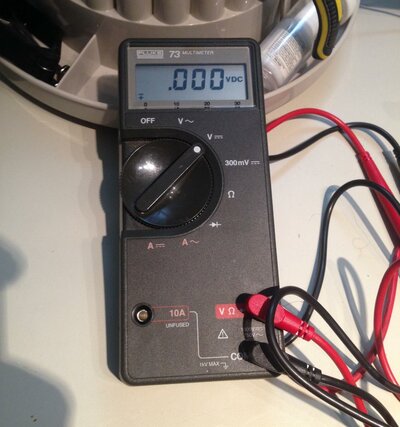
As a nice bonus while about half-way though the build I'd stopped at the local thrift shop again and found an original series Fluke 73 meter for pocket change; it's in great condition, working perfectly and came with box and manuals too. I find the auto-ranging on this meter is much nicer than having to click through all the ranges on my old Micronta; and by coincidence the Micronta started failing me a few days earlier due to some serious AA battery corrosion which had spread through the internals a bit -- so I was definitely in need of a replacement:
With panels cut and parts mounted I started to put everything together into the enclosure -- I wasn't able to match the board to the enclosure plastic mounts, so instead I cut up the original PSU base plate (which made grounding simpler anyways) and drilled some holes to match the new plastic mounts. Once mounted I could start trimming the DC output/switch/indicator wires and soldering them to the front panel. Unfortunately the existing mains wires (plug/switch) weren't long enough, so I had to replace them; I skipped installing the 110/220V switch and just hard-wired it to 110V. Then to finish it up I added a big 10W / 5 Ohm ceramic resistor to the 5V output, which is needed to stabilize the 12V output:
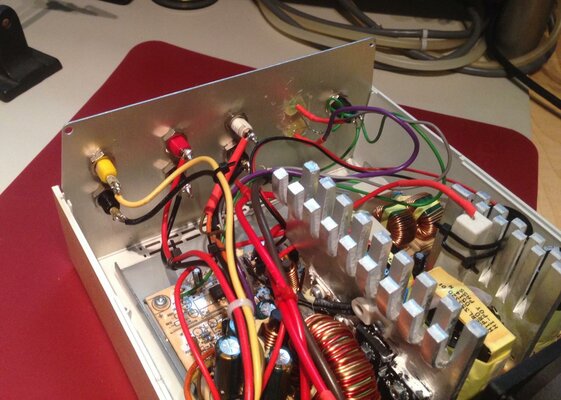
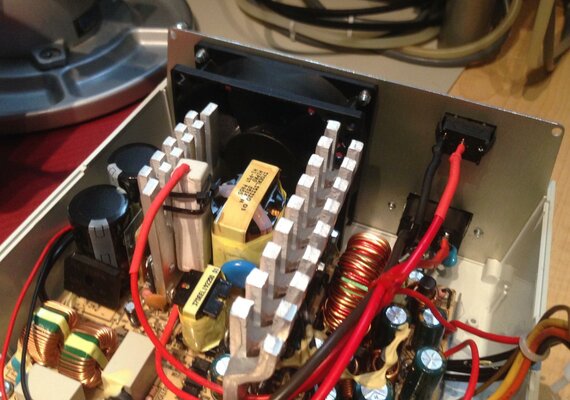
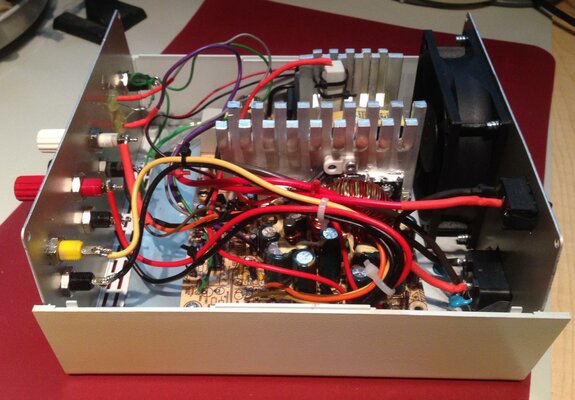
After some poking around with the meter to verify, checking the airflow and checking component temperatures I closed it up and added some labeling to the front panel. The back side ended up a bit rougher than I would have liked -- since while drilling holes I'd forgotten I only marked the inside of the back plate and ended up with burring all over the outside which I'd already cleaned up with the rotary tool thinking it wouldn't show: oh:
oh:
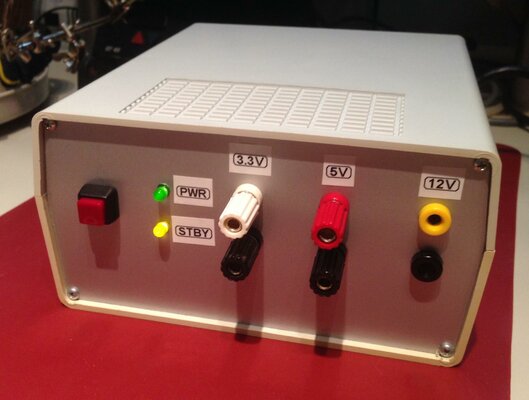
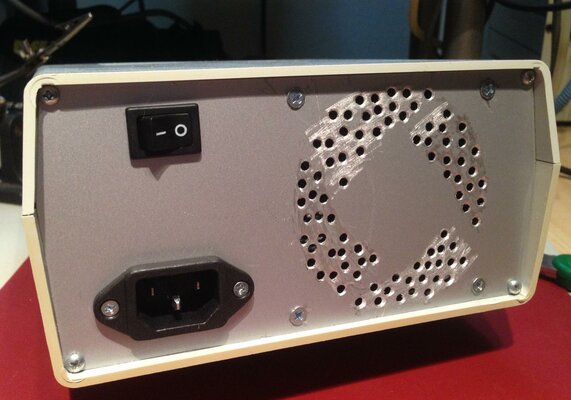
Now I can ditch the clumsy power bricks and USB adapters I've been using for testing circuits and have a nice all-in one source for most projects. I may still re-arrange the left side of the front panel and install a cheap variable output display/controller and posts for it, but for now it's doing everything I need
This also gave me a good opportunity to practice with my recently acquired PanaVise PCB holder -- makes it easy to work on the board while keeping the existing wiring out of the way:
Before starting any splicing or soldering of the connections, I first planned and penciled in the front and back panel layouts by using a ruler and some callipers:
After some test fitting and measuring I then drilled, filed and fit all the front panel components -- the PanaVise also did an excellent job at keeping panels in place while working:
As a nice bonus while about half-way though the build I'd stopped at the local thrift shop again and found an original series Fluke 73 meter for pocket change; it's in great condition, working perfectly and came with box and manuals too. I find the auto-ranging on this meter is much nicer than having to click through all the ranges on my old Micronta; and by coincidence the Micronta started failing me a few days earlier due to some serious AA battery corrosion which had spread through the internals a bit -- so I was definitely in need of a replacement:
With panels cut and parts mounted I started to put everything together into the enclosure -- I wasn't able to match the board to the enclosure plastic mounts, so instead I cut up the original PSU base plate (which made grounding simpler anyways) and drilled some holes to match the new plastic mounts. Once mounted I could start trimming the DC output/switch/indicator wires and soldering them to the front panel. Unfortunately the existing mains wires (plug/switch) weren't long enough, so I had to replace them; I skipped installing the 110/220V switch and just hard-wired it to 110V. Then to finish it up I added a big 10W / 5 Ohm ceramic resistor to the 5V output, which is needed to stabilize the 12V output:
After some poking around with the meter to verify, checking the airflow and checking component temperatures I closed it up and added some labeling to the front panel. The back side ended up a bit rougher than I would have liked -- since while drilling holes I'd forgotten I only marked the inside of the back plate and ended up with burring all over the outside which I'd already cleaned up with the rotary tool thinking it wouldn't show:
oh: Now I can ditch the clumsy power bricks and USB adapters I've been using for testing circuits and have a nice all-in one source for most projects. I may still re-arrange the left side of the front panel and install a cheap variable output display/controller and posts for it, but for now it's doing everything I need


