BFG9060 runs for a while, then crashes

  • Thread starter Thread starter Airshark
  • Start date Start date
  • Replies Replies 17
  • Views Views 1152

Airshark

New member
Joined
May 24, 2024
Posts
17
Country
United States
Region
California
Hello All -
I've finally had a chance to try and get my BFG9060 working in my A3000, and I've got to say it's been a struggle. The problem I'm having now is that while the machine might or might not boot with the BFG installed, if I just leave it running for a while, it will eventually crash with alternating screens of blue/green strips and solid yellow screens. If I do this on the screen before it asks for the workbench disks, it'll run its disk insertion animation for about ten minutes, and then crash with the same symptoms, or sometimes with error code "8000 0004", which I'm informed means an incorrect instruction code (like for a different processor). I am running Kickstart 3.1.2.

If the BFG isn't installed, this never happens and the Amiga runs normally. It happens no matter what the clock speed set on the BFG is. I'm using a 68060 rev 6, and it won't even run at 50MHz for long.

Any ideas?
 
Hello,

Most likely this behavior can be solved with the ReSDMAC project, it has proven in beta testing that BFG can run without stability issues.

There was a mention that the variations of the original SDMAC can be problematic and thus show as random crashes with the BFG.

Disclaimer: I just follow the project, so this is what I picked up so far, from a non-technical angle. You would need to ask miket or any of the others that are doing the firmware development.

You can follow the project here: https://github.com/mbtaylor1982/ReSDMAC and join discord to participate :)
 
Worth a read here to make sure you have everything running correctly:


Also to add:

Software:

To get the best performance, you will have to install the (mmu.library) available from https://aminet.net/package/util/libs/MMULib. And add the following line to the MMU-Configuration found in ENVARC:MMU-configuration:

SetCacheMode from 0x08000000 size 0x08000000 Valid CopyBack


Caching of Z3 is now enabled:


RAM-Cards, like BigRam or the Z3-Fastlane could not be cached and lost a lot of performance. You can enable caching for them via mmu.library now. If you have Z3-IO cards you want to disable caching.

MMU-library configuration would look like this:

Enable caching: For SetCacheMode {base} {size} Valid CopyBack

Disable caching: For SetCacheMode {base} {size} CacheInhibit NonSerial Imprecise

A working MMU configuration is available for download here
 
Just to note that Dr Chris over on his YouTube channel (Chris Edwards) mentions not using MMU on the A3000 to work with the on-board SCSI. Not sure what the development has been on this project. But also worth a try.
 
I had a similar problem. I'll give this one the color of horizontal stripes. Sometimes after a few minutes and sometimes immediately. Are you loading the system from a CF/SD card on the IDE port?
The problem was in addressing the BFG9060 memory. Disconnect all drives. Boot to the floppy disk screen. set BFG9060 to 50mhz. Check if the problem occurs. Regards Tadek
 
I can disconnect everything including the keyboard and mouse, I'm not booting the system from anywhere, so I don't think its the MMU drivers. I can simply turn the Amiga on, watch it get to the insert disk screen and cycle the animation, and in ten minutes it'll crash. Doesn't happen if I remove the BFG.

And this machine (A3000) doesn't have an IDE port. It has SCSI and floppy.
 
I should be receiving a replacement Super Buster 11 chip on Monday (have a 7 now), and when it arrives I'm going to swap it in and also change my ROMs.
 
Ah, now I see I have the older SCSI controller chip, the WD33C93A-PL 00-04 9201 D. Does anybody know where I can get an -08 replacement?
 
Ah, now I see I have the older SCSI controller chip, the WD33C93A-PL 00-04 9201 D. Does anybody know where I can get an -08 replacement?

I bought one in 2022 via Ebay, seems like the seller still has some. Auction number: 172752222583

My BFG9060 works in my A3000 at 50 MHz with a 060rev6. Upgrading the WD chip didn't change much for me, I think. I got an external active SCSI terminator and thoroughly checked termination on the bus (there's only a SCSI2SD on there).
 
I bought one in 2022 via Ebay, seems like the seller still has some. Auction number: 172752222583

My BFG9060 works in my A3000 at 50 MHz with a 060rev6. Upgrading the WD chip didn't change much for me, I think. I got an external active SCSI terminator and thoroughly checked termination on the bus (there's only a SCSI2SD on there).
I ordered an AMD replacement, as the original WD chip is in very short supply, and I've been told it's a very good drop in replacement. I also got a passive SCSI terminator, and it didn't solve the problem. Do you think an active one might?
 
I ordered an AMD replacement, as the original WD chip is in very short supply, and I've been told it's a very good drop in replacement. I also got a passive SCSI terminator, and it didn't solve the problem. Do you think an active one might?
Well, since your 3000 even crashes on the Insert Disk screen the problems might be located "before" doing any SCSI, but what do I know. My (PAL) 3000 doesn't even have the latest DMAC and Buster. There's only a ZZ9000 in there and the BFG, of course.
 
Well, none of that fixed the problem. It still runs for about ten minutes on the boot disk screen and then crashes. If it's just crashed cycling the power does not usually bring it back, and it will only run for ten minutes again after its had a chance to cool down for a half-hour or so. This suggests a thermal problem, but I do have a heatsink on it and I'm only trying to run at 50MHz.

I'm considering if my 68060 is just busted. I don't have another rig, so don't have a way to test. Is there anybody or a service that I can use to test for me?
 
You might be experiencing Commodores problematic SDMAC-02 silicone lottery.
Watch this and maybe reach out to Dr Pickle Fingers (Chris Edwards):
 
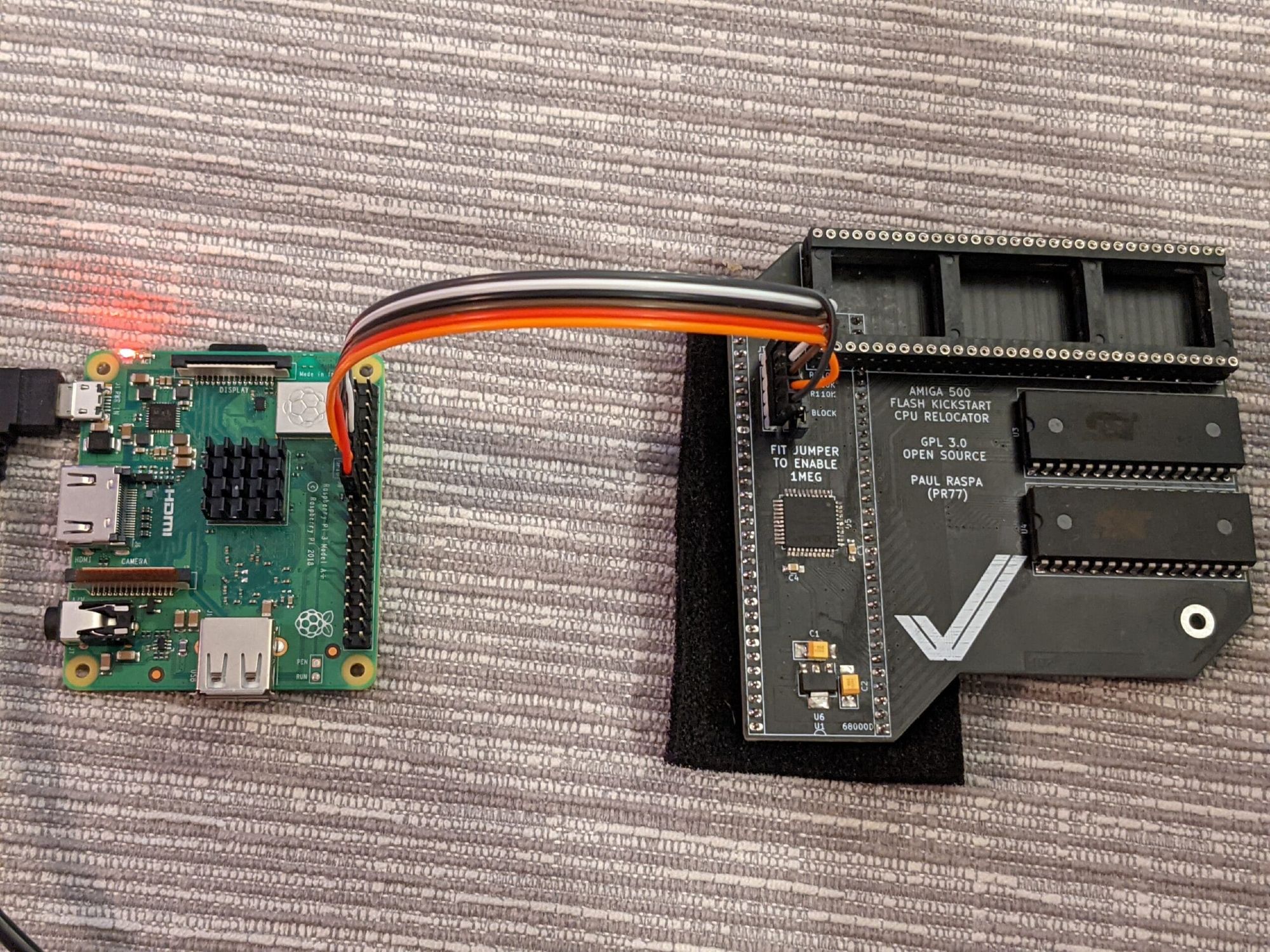
Just a heads-up: There is now firmware 1.0 of the BFG9060 on the official page, it's supposed to fix SCSI issues and my 3000 is now even running quite perfectly at 75 MHz!
 
The repository for the BFG9060 is here:

And here's a manual that also details the update process:

The procedure for updating with an Raspberry Pi is a bit outdated for the newest OS versions, here's a current guide:
 
Back
Top Bottom