Hi all
I got a blizzard 1260 card here which has now it has blown I will tell you how this happened.
First I plug in the card in the CPU slot in my tower setup, first it was working fine, then after about 1hr or so I started getting crashes and freezing display, when I rest the computer it didn't always reboot and restart it would just have a black screen or different colour screens.
First I thought that the CPU socket need a clean on the motherboard and on the card itself, I did that it didn’t help at all, still had same issue, I did try this card on a different A1200 motherboard as well just in case it was the motherboard, still no luck.
Seconded, I thought maybe the pins on the CPU connector Has a cold joint so I re flowed them using flux as well, still no luck, I thought it might have been a ram issue so I put another ram simm in but still same issue of freezing and crashing.
I did notice though if I press on the card itself it was working again but soon as I let go it was freezing again.
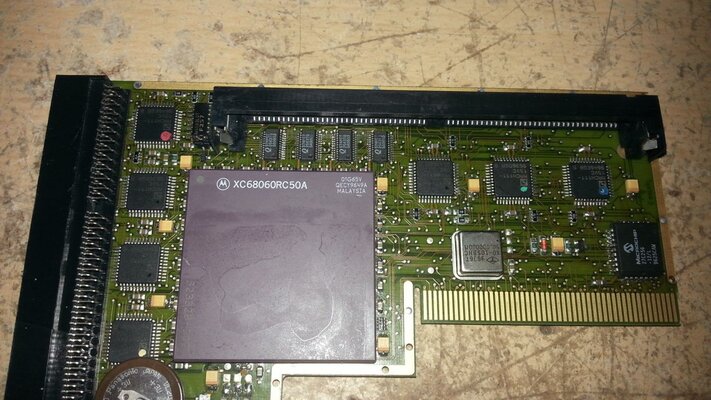
So I re flowed the CPU and ram socket just in case it was them with the issue, (see photo 1)
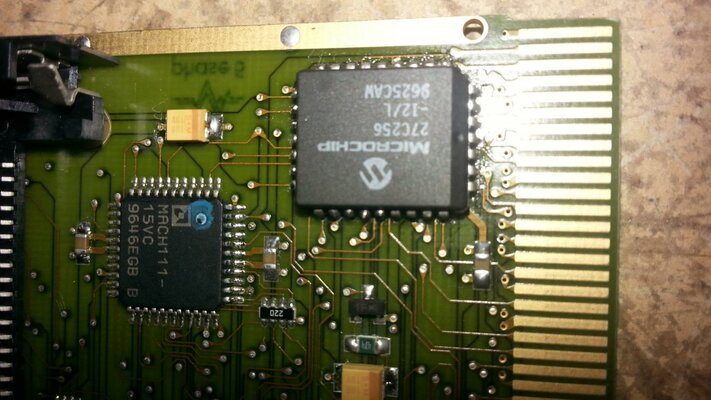
I did notice though if I pressed on the microchip in top corner of the card was working again (see photo 3) so I re flowed that as well think it was that, but still no luck kept freezing.
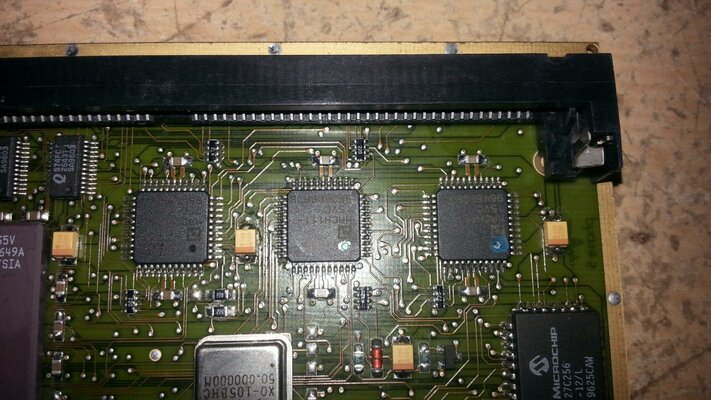
Then I thought it might be some yellow caps on the board so I re flowed them as well and I Also re flowed the mach111 chip, the one next to the microchip only the top set of pins facing the SCSI connector (see photo 4)
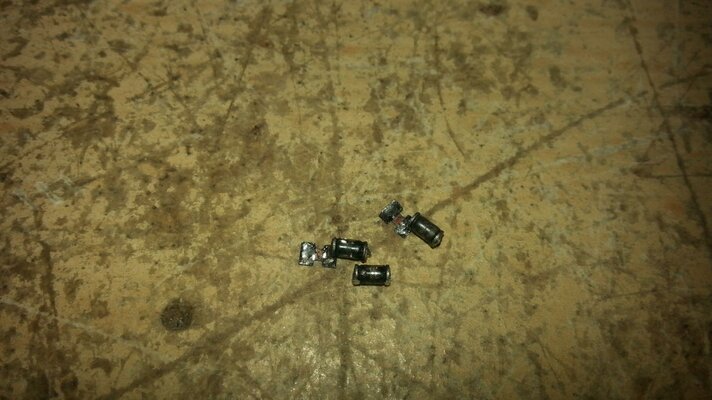
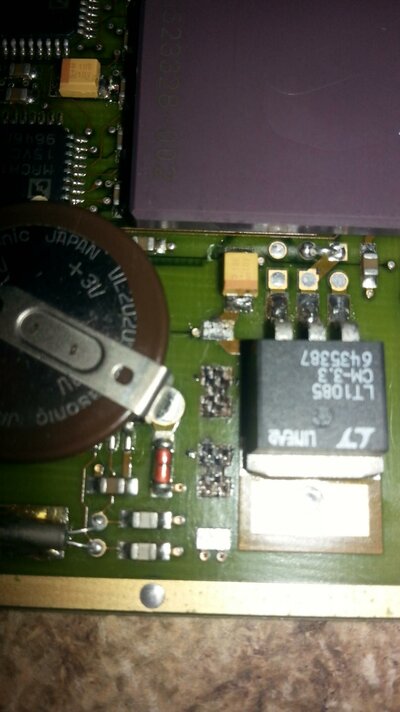
But when I try the board then in my Amiga there were 3 small ferrite beads got fried with smoke (see photo 6) near the regulator
I did look to see if have bridge a connection with that mach 111 chip but haven’t seen any bridge at all, I know it’s that area which caused the ferrite beads to burn as the connection for one of the pins on that mach 111 chip lead to the bottom pad of those ferrite beads
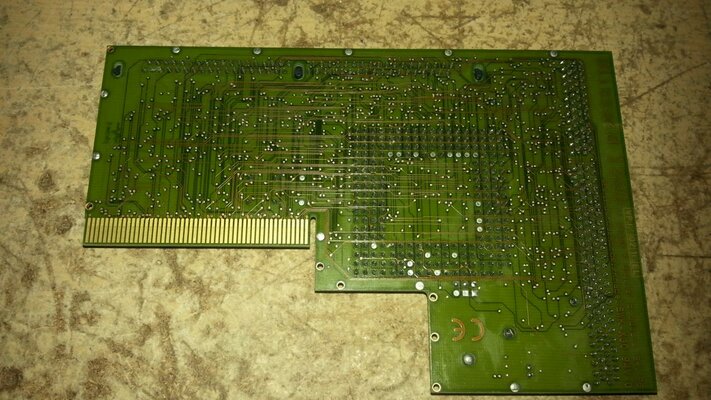
I have removed them off the board but as you can see it has taken the pads with them (see photo 5)
So do anyone know if this can be repaired?
I got a blizzard 1260 card here which has now it has blown I will tell you how this happened.
First I plug in the card in the CPU slot in my tower setup, first it was working fine, then after about 1hr or so I started getting crashes and freezing display, when I rest the computer it didn't always reboot and restart it would just have a black screen or different colour screens.
First I thought that the CPU socket need a clean on the motherboard and on the card itself, I did that it didn’t help at all, still had same issue, I did try this card on a different A1200 motherboard as well just in case it was the motherboard, still no luck.
Seconded, I thought maybe the pins on the CPU connector Has a cold joint so I re flowed them using flux as well, still no luck, I thought it might have been a ram issue so I put another ram simm in but still same issue of freezing and crashing.
I did notice though if I press on the card itself it was working again but soon as I let go it was freezing again.
So I re flowed the CPU and ram socket just in case it was them with the issue, (see photo 1)
I did notice though if I pressed on the microchip in top corner of the card was working again (see photo 3) so I re flowed that as well think it was that, but still no luck kept freezing.
Then I thought it might be some yellow caps on the board so I re flowed them as well and I Also re flowed the mach111 chip, the one next to the microchip only the top set of pins facing the SCSI connector (see photo 4)
But when I try the board then in my Amiga there were 3 small ferrite beads got fried with smoke (see photo 6) near the regulator
I did look to see if have bridge a connection with that mach 111 chip but haven’t seen any bridge at all, I know it’s that area which caused the ferrite beads to burn as the connection for one of the pins on that mach 111 chip lead to the bottom pad of those ferrite beads
I have removed them off the board but as you can see it has taken the pads with them (see photo 5)
So do anyone know if this can be repaired?
Attachments
Last edited:


 Txt him and wait find him in old posts he use amiga org as well but im no luck with create account there :/
 his profile