CD32 Paravision SX-1 with CF Adapter and DOM

  • Thread starter Thread starter Balooga
  • Start date Start date
  • Replies Replies 7
  • Views Views 2863

Balooga

New member
Joined
Nov 30, 2011
Posts
209
Country
USA
Region
California
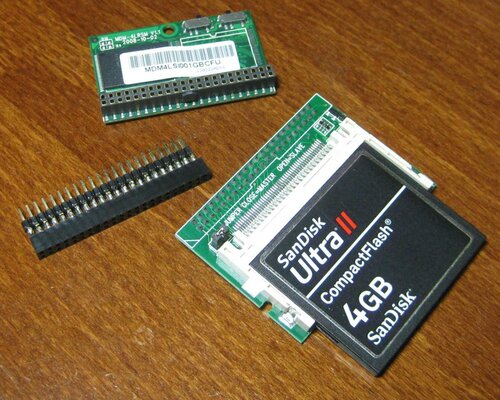
I decided to create a slideshow so that anyone with an SX-1 can see the difference between an IDE DOM (Disk On Module), and a CF Adapter.

#1: The size is quite apparent. Top left is the horizontal DOM (1GB capacity), in the middle is an IDE riser from Amigakit, and bottom right is the CF in the adapter.

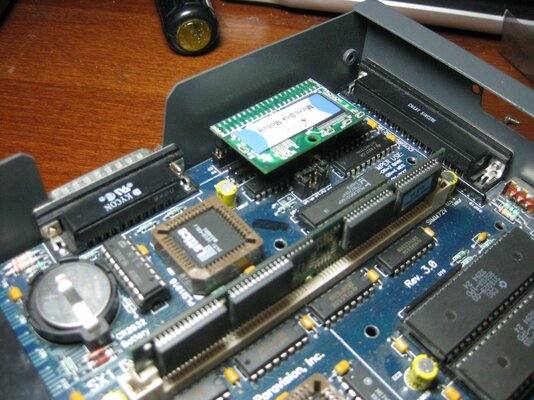
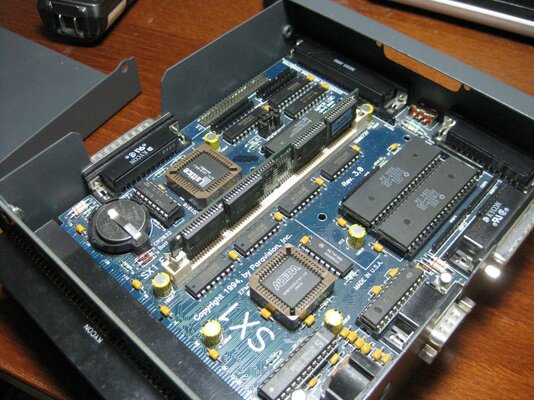
#2: SX-1 laid bare.

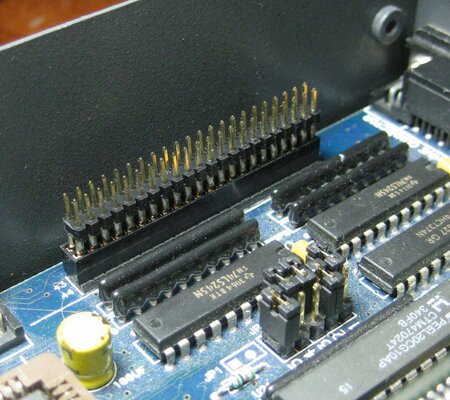
#3: Close up of the IDE header. Not much space at all.

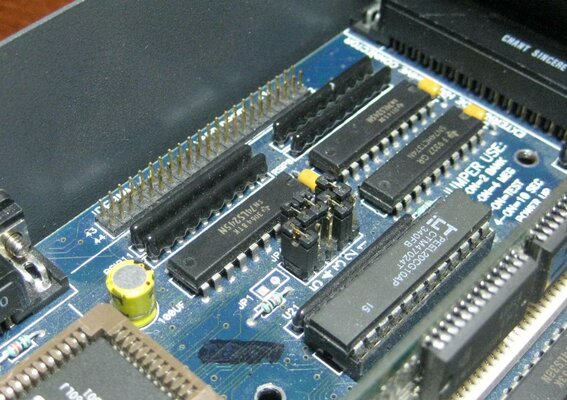
#4: Unfortunately the jumper blocks get in the way without the Amigakit IDE riser.

#5: IDE riser installed.

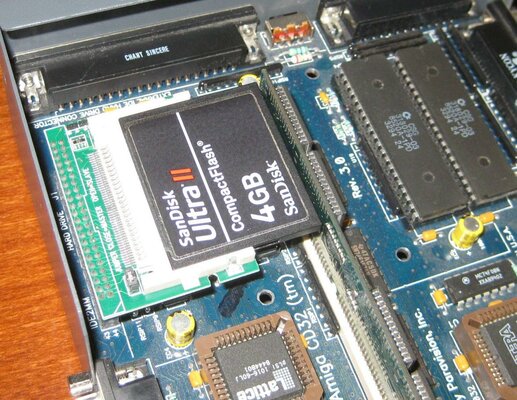
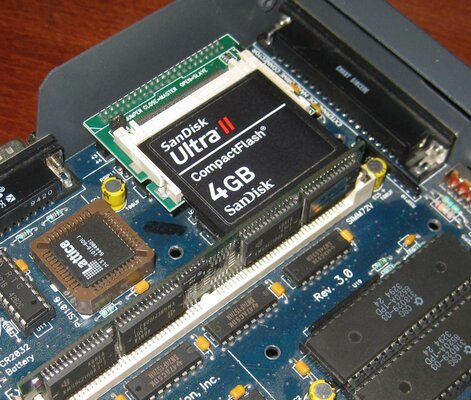
#6: CF and adapter installed.

#7: Not much clearance. The CF and adapter only fits when a single-sided SIMM module is used.

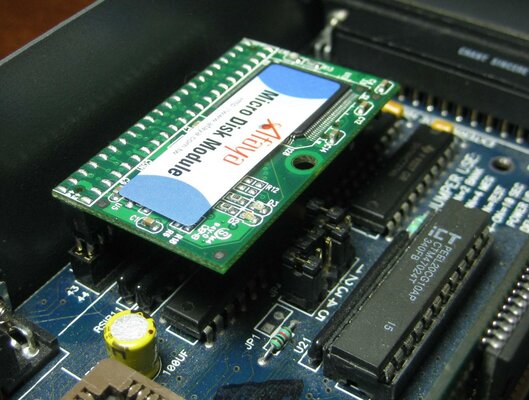
#8: I wonder if a vertical DOM would work, which would save the cost of the IDE riser. Here I have the DOM laying on the motherboard IDE header.

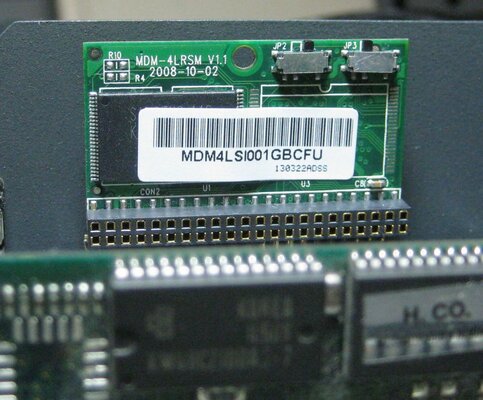
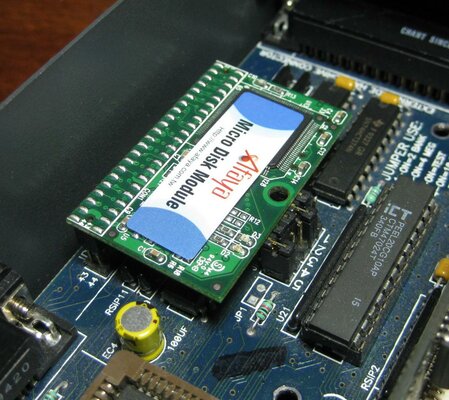
#9: Horizontal DOM installed.

#10: You can see just how much smaller the DOM is compared to the CF and adapter.
 

Attachments

  • 0.jpg
    0.jpg
    202.5 KB · Views: 6
  • 9.jpg
    9.jpg
    201.2 KB · Views: 9
  • 8.jpg
    8.jpg
    195.9 KB · Views: 5
  • 7.jpg
    7.jpg
    194.6 KB · Views: 4
  • 6.jpg
    6.jpg
    207.1 KB · Views: 5
  • 5.jpg
    5.jpg
    200.3 KB · Views: 5
  • 4.jpg
    4.jpg
    197.6 KB · Views: 6
  • 3.jpg
    3.jpg
    196.2 KB · Views: 5
  • 2.jpg
    2.jpg
    204.1 KB · Views: 6
  • 1.jpg
    1.jpg
    205.3 KB · Views: 6
Just noticed something that concerns me...

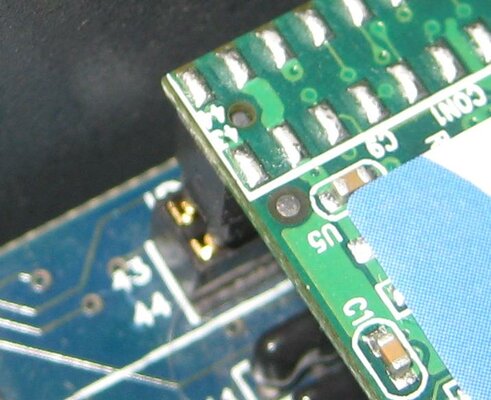
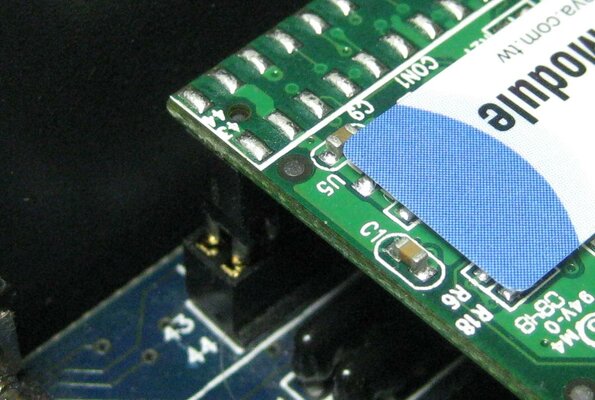
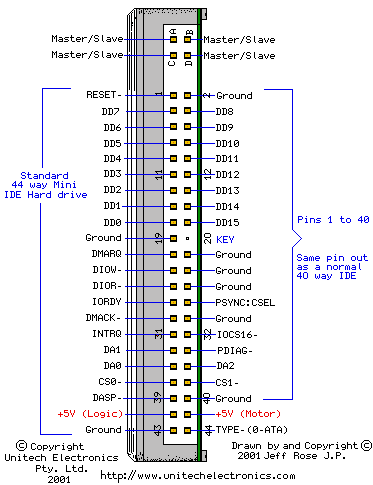
#1/#2: Please examine the numbering for pins 43 and 44 on the top left of the DOM, and on the SX-1 motherboard...... The rows are reversed!!!!! Is this a manufacturing mistake on the DOM? The DOM cannot be installed the other way around as then DOM pin 1 would match motherboard pin 43.

Do I turn this thing on?
 

Attachments

  • 10.JPG
    10.JPG
    61.7 KB · Views: 4
  • 11.JPG
    11.JPG
    149.5 KB · Views: 7
looks like they printed it wrong on the dom,looks correct on the sx.:)
 
I wouldn't turn that on without thoroughly understanding the potential damage that may occur IF it is connected incorrectly.


Just noticed something that concerns me...

#1/#2: Please examine the numbering for pins 43 and 44 on the top left of the DOM, and on the SX-1 motherboard...... The rows are reversed!!!!! Is this a manufacturing mistake on the DOM? The DOM cannot be installed the other way around as then DOM pin 1 would match motherboard pin 43.

Do I turn this thing on?
 

Attachments

  • ide2.png
    ide2.png
    4.3 KB · Views: 5
Well, I tried it. I powered on the CD32. No blue smoke. Hopefully it is a mistake on the DOM itself.

But, I still have a problem.

HDToolbox detects the drive as 1GB, and reads in the head/sector/cylinder values. I create two partitions ADH0 and ADH1 as 100MB and 875MB respectively, and change the MaxTransfer on each to 0xFE00. Save changes, and...... nothing. No drives appear on Workbench for me to format.

Reset... still nothing. Running Install3.1, and it states "No disk present in device ADH0". This is weird. Can anyone help?
 
OK..... DON"T connect the CF adapter as I have in the pictures, as it is backwards. Luckily, I didn't fry anything. May very well be why the DOM isn't working either.

I didn't realize that the horizontal DOMs are available in left and right configurations depending on the orientation of the IDE header.
 
Last edited:
I wouldn't turn that on without thoroughly understanding the potential damage that may occur IF it is connected incorrectly.

A small puff of smoke from the DOM, and then it doesn't work anymore. I just inserted it backwards.

:(


Sent from my iPad using Tapatalk HD
 
Back
Top Bottom