

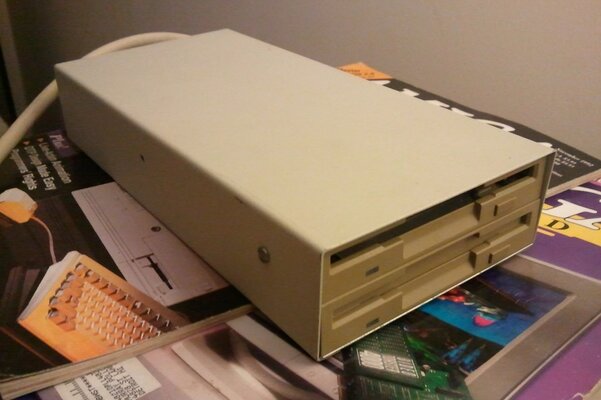
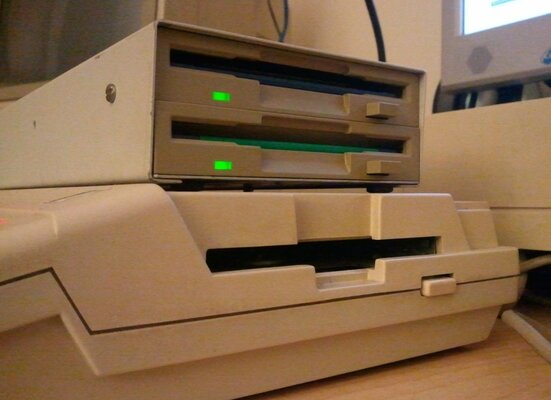
I found this on e-bait and couldn't turn it down; seemed to have been overlooked by others so I managed to grab it - one of the drive covers was cracked and didn't hold in place but no worries as my A4000 appears to be the only other one that even has a drive flap anyways 

I tried it out by booting my A500 that has a finicky internal drive and noticed that only the top unit appeared to be working.. Time to open it up

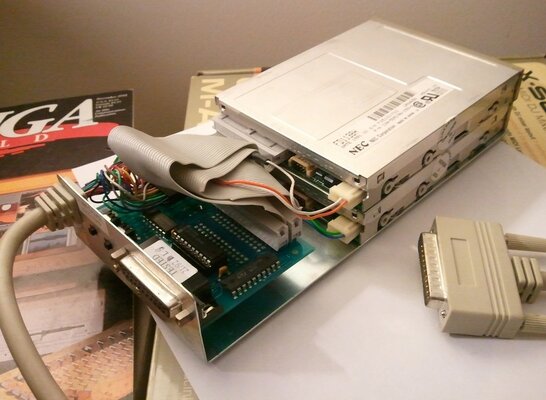
What I found was a nice slim pair of HD floppy drives! A bit more looking revealed the reason the second drive didn't work:

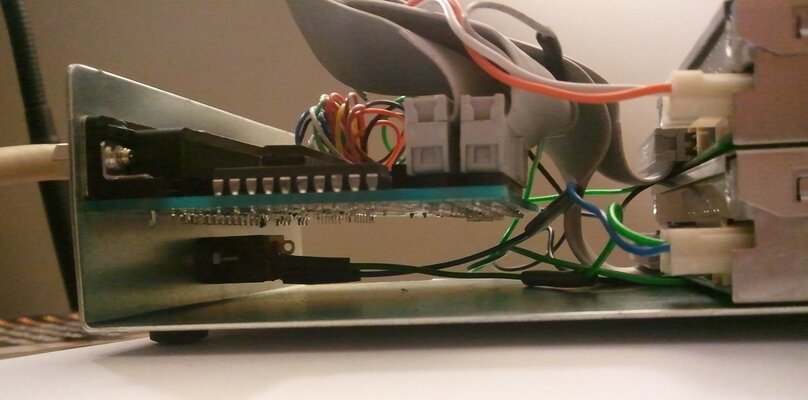
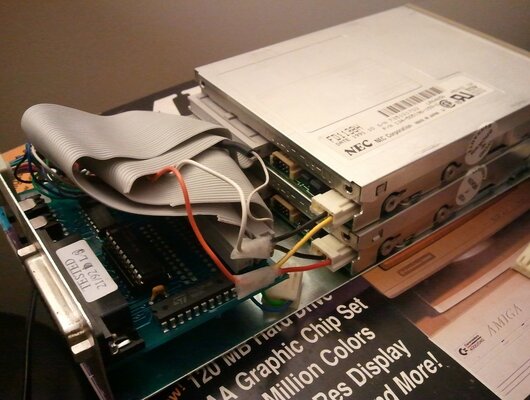
It would appear it had a separate power supply that connected to an external power jack.. After a bit of searching I found that many folks had no problem running 2 external floppies powered from the disk port so I made a quick Y-adapter and tied it onto the existing power leads:

Back to the A500 and I was able to boot from one and run software from the other no problem -- bonus is that they're extremely quiet and seem to be fairly quick.
No more swapping back and forth for running software that needs workbench libs or during copying

One issue I was having (and I'll probably reference this post in the AmiOracle section) is that it only appears to be recognized as a pair of 880k on any of my machines, yet googling for "FD1138H" reveals them to be HD drives...
I've seen mention of a similar drive elsewhere (not the slim model) that required a driver to enable HD mode so I'm wondering if perhaps I need the same for this unit?
Thanks for taking a look
Update: AmiOracle thread with additional discussion is here: https://www.amibay.com/showthread.php?p=255987
I tried it out by booting my A500 that has a finicky internal drive and noticed that only the top unit appeared to be working.. Time to open it up
What I found was a nice slim pair of HD floppy drives! A bit more looking revealed the reason the second drive didn't work:
It would appear it had a separate power supply that connected to an external power jack.. After a bit of searching I found that many folks had no problem running 2 external floppies powered from the disk port so I made a quick Y-adapter and tied it onto the existing power leads:
Back to the A500 and I was able to boot from one and run software from the other no problem -- bonus is that they're extremely quiet and seem to be fairly quick.
No more swapping back and forth for running software that needs workbench libs or during copying
One issue I was having (and I'll probably reference this post in the AmiOracle section) is that it only appears to be recognized as a pair of 880k on any of my machines, yet googling for "FD1138H" reveals them to be HD drives...
I've seen mention of a similar drive elsewhere (not the slim model) that required a driver to enable HD mode so I'm wondering if perhaps I need the same for this unit?
Thanks for taking a look
Update: AmiOracle thread with additional discussion is here: https://www.amibay.com/showthread.php?p=255987
Attachments
Last edited:


