Giving up on CF ?

  • Thread starter Thread starter kronuz
  • Start date Start date
  • Replies Replies 27
  • Views Views 749
I've considered that, but IDE SSDs are usually more expensive than their SATA counterparts.

The other concern is how to call out to TRIM on the Amiga.

 
Amiga shouldn't need trim support. It doesn't write virtual memory like windows/linux does afaik. So SSD's shouldn't have any such issues for a very very long time.
 
I would agree, except that drives that support trim may have wear levelling algos tuned to expect it. Without calling it, they can't reclaim sectors of flash that are no longer used, and thus have no way of knowing if a sector can be properly erased.

Trim is important, even if you don't have a crazy write pattern like what happens with swap.
 
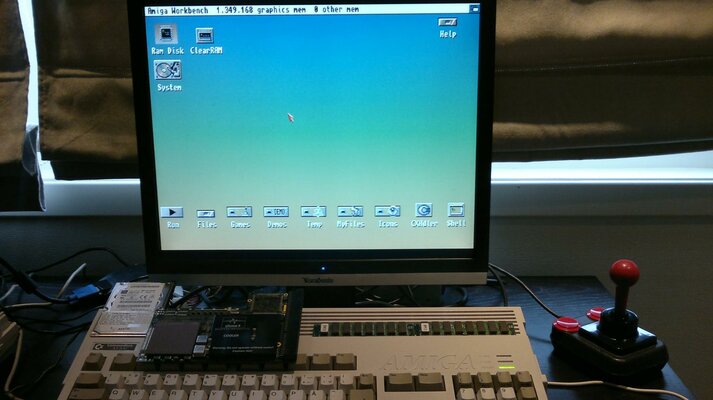
Thanks for giving me a good read guys :)...and guess what! pulled a 2.5" from a dead dell d600, set it up on one of my PC's at work today with "0x1fe00", pumped it full of the biggest WHDload packages i had. Jammed that thing in my 1200 and got the purple:blased:....did one soft reset and : :thumbsup:
2012-03-30-044.jpg

(Only thing is I need a soft reset after EVERY cold boot now. Still, better than having my hair falling out...in chunks)

Thanks for the tip Heather:) micro could be the way to go for reliability, when my 1200D gets pimped with soundcard, usb and other pr0n :lol: and for 5 bucks? heck, I'll order a couple right now:nod:
 
I'm New to CF on my A1200.

my 1st trancend 4gb worked great for the 1st 3 days. then it just died in the middle of loading r-type whd. wont even read in my pc.

2nd was 2gb, this reads very slowly and keeps my HDD light lit all the time and wont read in my pcmcia adaptor.

3rd was a 3gb 2.5" Hardisk, working perfectly.

im just unlucky or CF have issues on amiga.
 
Most brands of CF cards have issues with the Amiga. Supposedly the Sandisk brand is a bit (a lot?) more reliable.

But from my experience I'll never use a CF as HD on any Amiga I have, again.
 
can this be a combination on the PC used with UAE, type of adapter, brand of the CF and user error?(moving big files and extracting archives, installing/removing applications...AFTER the device has been placed in the amiga?)

Anyways....looks like it's holding up nicely. Don't have time to get stuck with silly things like CF's crashing month after month !

The only thing now is that every time i hook up an IDE/EIDE to the elboxEIDE99, with any cable, any termination on any of my CD/DVD drives....the thing never gets past purple.
I'm thinking the power consumpiton of the 2.5" HDD is too great to allow proper communication with the a1200 when a slave is temrinated on the same primary channel, because it works great when CD/DVD drive is terminated as slave/master on the secondary chanel (used 300w, 350w, and 500w PSU)

I'll get another (less power consuming) HDD or CF micro and try that with the elbox and CD/DVD. No matter what I WILL be donating my CF cards to the bonfire or someone here on the BAY in the near future :thumbsup:


I would agree, except that drives that support trim may have wear levelling algos tuned to expect it. Without calling it, they can't reclaim sectors of flash that are no longer used, and thus have no way of knowing if a sector can be properly erased.

True - however Amiga filesystems have so little in the way of sector churn that as long as you leave a good portion of the drive unwritten (and thus pre-"trim"med) it should be decades before you have an issue.

I know I sound like a broken record on this issue, but it bears repeating:
If you're using a flash drive of any description on the Amiga, and don't have a drive or filesystem that supports TRIM, these simple rules should help your drive live longer:
* Always use Quick format, *never* full format.
* Don't do a block-by-block copy of a filesystem image onto a flash drive - copy the files individually.
* Don't fill a drive with zeros to erase previous data. (For this reason be wary of second hand flash drives.)
 
Back
Top Bottom