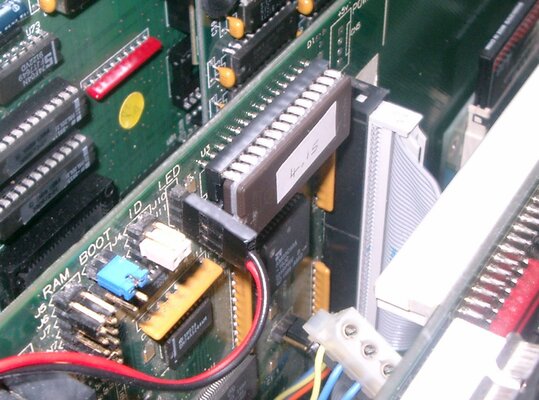
So, this is the only remaining hardware issue with my A2000. It's pretty insignificant, but it's been bugging me for a while, so I'd be interested to hear what you lot have to say on the matter.
My A2000 (like most) has a power LED and a HDD activity LED on the front, the power one connects on to the motherboard and the HDD one goes to a header on the SCSI card. The power LED works perfectly fine, but the HDD one never illuminates. This happens with an A2091, GVP-HC+2 and GVP-HC-II, with a selection of different hard disks. I've tried the header round both ways, still nothing.
Thinking it must be the LED, I plugged the HDD LED on to the motherboard power connector (the connectors are the same) and it works fine, so it's not the LED or the cable.

So, why would it not work on three SCSI cards with half a dozen different hard disks? Any ideas?
My A2000 (like most) has a power LED and a HDD activity LED on the front, the power one connects on to the motherboard and the HDD one goes to a header on the SCSI card. The power LED works perfectly fine, but the HDD one never illuminates. This happens with an A2091, GVP-HC+2 and GVP-HC-II, with a selection of different hard disks. I've tried the header round both ways, still nothing.
Thinking it must be the LED, I plugged the HDD LED on to the motherboard power connector (the connectors are the same) and it works fine, so it's not the LED or the cable.
So, why would it not work on three SCSI cards with half a dozen different hard disks? Any ideas?