I need your help. I own Amiga500-GVPIMPACTII-IOMEGAZIP-CDROM SCSI 50 PIN. I connected: GVP》 ZIP ZIP》 CDROM with DB25 / 50 adapter. Everything works. IDEFIX or the Install3.2 floppy identify and install the cdrom. As 50 pin cdrom are rare I bought a second one but don't know how to get it to work. I don't use jumpers on my SCSI50 CDROM. The new cdrom is not found by INSTALL3.2 It is found by IDEFIX as UNIT 0, but then it doesn't work I'll explain better. My cdrom, when I insert a data / audio cdrom, the cd icon appears on the screen, but not with the new one, but ..... if I insert an audio CD, it must be identified by IDEFIX CDPLAY. Find the 18 tracks even if you don't hear them and I don't know how to hear them. Why doesn't the icon appear on the screen? help I hope to be understood.

You are using an out of date browser. It may not display this or other websites correctly.
You should upgrade or use an alternative browser.
You should upgrade or use an alternative browser.
Help Cdrom 50 pin
- Thread starter marco920
- Start date
- Replies 21
- Views 575

Are there any audio inputs/outputs on the CD drive housing like there are on the A570 CD -ROM drive for the A500?
View attachment 2404933
If there are no audio inputs/outputs then it is highly unlikely you will be able to hear audio CD's
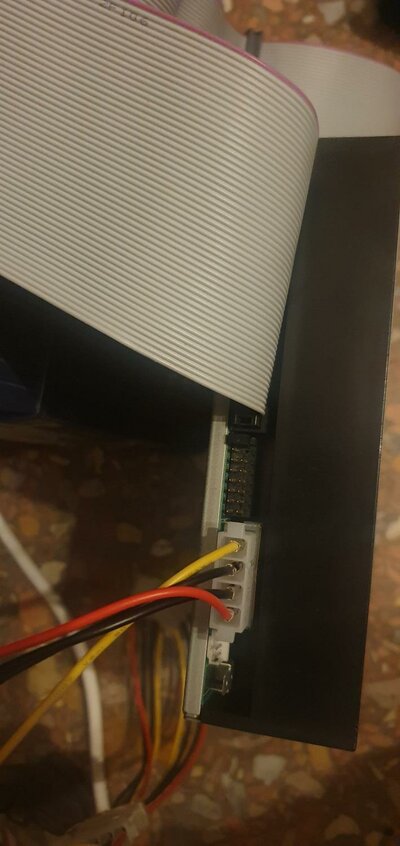
Maybe it's better if you can upload some pictures of how you have things connected so we might be able to advise you further.
View attachment 2404933
If there are no audio inputs/outputs then it is highly unlikely you will be able to hear audio CD's
Maybe it's better if you can upload some pictures of how you have things connected so we might be able to advise you further.
Last edited:
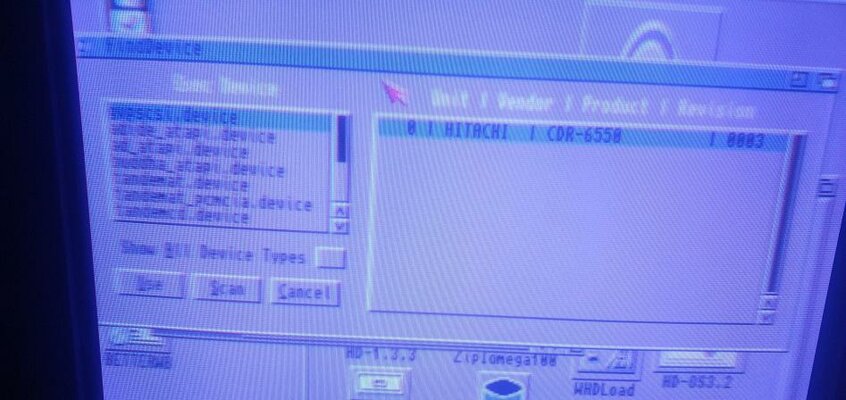
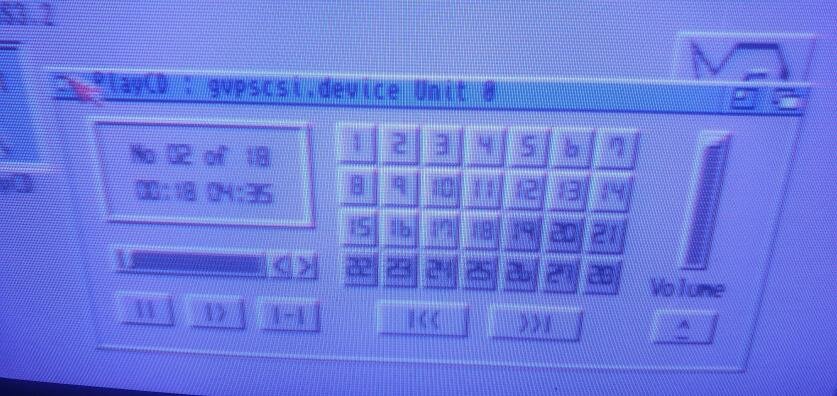
my main problem is not the audio. My problem I explained in the first massage. As you can see from the photos, IDEFIX identifies the UNIT0 HITACHI CDR-6550 cdrom but it doesn't work. and CDPLAY identifies the audio cdrom but does not identify the data cdrom and nothing appears on the screen when I insert a cd.
Report
I need your help. I own Amiga500-GVPIMPACTII-IOMEGAZIP-CDROM SCSI 50 PIN.
I connected: GVP》ZIP
ZIP》CDROM with DB25 / 50 adapter. Everything works. IDEFIX or the Install3.2 floppy identify and install the cdrom. As 50 pin cdrom are rare I bought a second one but don't know how to get it to work.
I don't use jumpers on my SCSI50 CDROM.
The new cdrom is not found by INSTALL3.2 It is found by IDEFIX as UNIT 0, but then it doesn't work I'll explain better. My cdrom, when I insert a data / audio cdrom, the cd icon appears on the screen, but not with the new one, but ..... if I insert an audio CD, it must be identified by IDEFIX CDPLAY. Find the 18 tracks.
Why doesn't the icon appear on the screen?
help I hope to be understood.
Report
I need your help. I own Amiga500-GVPIMPACTII-IOMEGAZIP-CDROM SCSI 50 PIN.
I connected: GVP》ZIP
ZIP》CDROM with DB25 / 50 adapter. Everything works. IDEFIX or the Install3.2 floppy identify and install the cdrom. As 50 pin cdrom are rare I bought a second one but don't know how to get it to work.
I don't use jumpers on my SCSI50 CDROM.
The new cdrom is not found by INSTALL3.2 It is found by IDEFIX as UNIT 0, but then it doesn't work I'll explain better. My cdrom, when I insert a data / audio cdrom, the cd icon appears on the screen, but not with the new one, but ..... if I insert an audio CD, it must be identified by IDEFIX CDPLAY. Find the 18 tracks.
Why doesn't the icon appear on the screen?
help I hope to be understood.
Attachments
Last edited:
Okay let's go through this logically......
A data only CD should display a CD icon
An audio only CD should display an Audio CD icon (if there is a def_CDDA.info file in envarc:sys)
A mixed mode CD (data and audio on same CD) should only display a CD icon, never one each for data and audio
-----
Your working CD-ROM drive will have a mountlist file for it in DEVS:dosdrivers called CD0, that has all it's settings listed. If you then change the drive, the chances are that it should still work seamlessly and you should not notice any difference because most drives conform to an international standard. As this is a SCSI drive environment, double check the SCSI UNIT numbers are the same, one might be UNIT 4 but the new one is listed as UNIT 1 in your picture.
There may be jumpers on the rear of the new CD drive to change its ID number to match your working drive's one.
A data only CD should display a CD icon
An audio only CD should display an Audio CD icon (if there is a def_CDDA.info file in envarc:sys)
A mixed mode CD (data and audio on same CD) should only display a CD icon, never one each for data and audio
-----
Your working CD-ROM drive will have a mountlist file for it in DEVS:dosdrivers called CD0, that has all it's settings listed. If you then change the drive, the chances are that it should still work seamlessly and you should not notice any difference because most drives conform to an international standard. As this is a SCSI drive environment, double check the SCSI UNIT numbers are the same, one might be UNIT 4 but the new one is listed as UNIT 1 in your picture.
There may be jumpers on the rear of the new CD drive to change its ID number to match your working drive's one.
Last edited:
I reinstalled IDEFIX and now the CDDA icon appears automatically for the audio cd, but not for the data one. I do not understand why. If it identifies the audio cd, I don't think that if I insert the jumper it changes anything ... mine has no jumper inserted and it works fine
So inserting an Audio CD into the drive shows the icon now, so that's good 
What happens if you put a data CD in the same drive? Do you get an icon for that as well?
What happens if you put a data CD in the same drive? Do you get an icon for that as well?
No icon with datadisk
I did some tests.
A premise that I forgot earlier.
- Amiga 500
- 512kb is not seen because old fatagnus.
- GVPIMPACT II + and 8mb ram
- HD 3.5 SCSI 2 50 PIN 4.35GB (they explained to me that HD 68/80 with adapter are not found)
- HD with 6 partitions
1st WB 1.3
2nd WB 2.05
3rd BETTERWB
4th 3.2
5th BACKUP
6th GAMES
- zip 100 scsi》 adapter scsi db25todb50》 flat》 cd + hd 4.35 50 pin (yesterday it stopped working).
- SCART + AUDIO AMIGA》 TV 32 "SONY TRINITRON
I rehearsed today.
I deleted CD0 from BETTERWB with new cd:
- DEVS / DOSDRIVER
- STORAGE / DOSDRIVER
- WBSTARTUP
CD0 UNIT 0 ONLY in DEVS / DOSDRIVER.
NB: with BETTERWB the DATATYPE is not seen, therefore, the DATATYPE UNIT 0 can be seen from the INFORMATION of OS 3 2
On BETTERWB》 PREFS / ENV-ARCHIVE / SYS there are no * _def
when I insert audio CDs, after many seconds and almost never at the first time (I have to open and close the door, maybe I am impatient?) CDDA appears but if I click the audio player does not open. How do I do like x the PC?
If I open IDEFIX CDPALY, after a few seconds, 18 tracks appear and it starts reading and I can go on, change audio track etc .. but it is not heard. (Should I put audio cado and how is where?).
The new cd seems to work .... but only with audio cds and not all of them. I have to understand if the 2nd audio cd is damaged .. or the scsi player is sensitive.
With 3.2 and the same CD0 in SOLO DEVS / DOSDRIVER it finds nothing.
With my old cd, everything works.
With OS 3.2 I don't install IDEFIX, I use the INSTALL 3.2 floppy to install the cdrom.
Now I have been more complete.
Excuse me
PS: How do I change the zip icon from icon = floppy to zip icon?
where should the files be placed to automatically mount cd zip etc? DEVS / DOSDRIVER ??
Sorry for the half OT message
at 15:06 I started to do tests again, I noticed a very strange thing .. I thought the 2nd HD4.35 SCSI 50 PIN attached to the same flat de cdrom scsi was broken .... but it wasn't broken. I reconnected my cdrom and now the 2nd HD works too. Perhaps there is a conflict present? What kind?
I understand that, the new CD player is UNIT 0 and my second HD is also set as UNIT 0.
the new cdrom has no jumpers and HD has them on sk. now CDDA no longer appears ... either it doesn't work well or I have to try to install wb 3.1.4 from scratch.
but I haven't changed anything so I may have spoiled it. Also because, not even OS 3.2 sees a new CDROM ... Maybe it is incompatible?
Months ago I bought an LG DVD and it is not identified by amiga 1200, so maybe there are incompatible CDs / DVDs ....
I did some tests.
A premise that I forgot earlier.
- Amiga 500
- 512kb is not seen because old fatagnus.
- GVPIMPACT II + and 8mb ram
- HD 3.5 SCSI 2 50 PIN 4.35GB (they explained to me that HD 68/80 with adapter are not found)
- HD with 6 partitions
1st WB 1.3
2nd WB 2.05
3rd BETTERWB
4th 3.2
5th BACKUP
6th GAMES
- zip 100 scsi》 adapter scsi db25todb50》 flat》 cd + hd 4.35 50 pin (yesterday it stopped working).
- SCART + AUDIO AMIGA》 TV 32 "SONY TRINITRON
I rehearsed today.
I deleted CD0 from BETTERWB with new cd:
- DEVS / DOSDRIVER
- STORAGE / DOSDRIVER
- WBSTARTUP
CD0 UNIT 0 ONLY in DEVS / DOSDRIVER.
NB: with BETTERWB the DATATYPE is not seen, therefore, the DATATYPE UNIT 0 can be seen from the INFORMATION of OS 3 2
On BETTERWB》 PREFS / ENV-ARCHIVE / SYS there are no * _def
when I insert audio CDs, after many seconds and almost never at the first time (I have to open and close the door, maybe I am impatient?) CDDA appears but if I click the audio player does not open. How do I do like x the PC?
If I open IDEFIX CDPALY, after a few seconds, 18 tracks appear and it starts reading and I can go on, change audio track etc .. but it is not heard. (Should I put audio cado and how is where?).
The new cd seems to work .... but only with audio cds and not all of them. I have to understand if the 2nd audio cd is damaged .. or the scsi player is sensitive.
With 3.2 and the same CD0 in SOLO DEVS / DOSDRIVER it finds nothing.
With my old cd, everything works.
With OS 3.2 I don't install IDEFIX, I use the INSTALL 3.2 floppy to install the cdrom.
Now I have been more complete.
Excuse me
PS: How do I change the zip icon from icon = floppy to zip icon?
where should the files be placed to automatically mount cd zip etc? DEVS / DOSDRIVER ??
Sorry for the half OT message
at 15:06 I started to do tests again, I noticed a very strange thing .. I thought the 2nd HD4.35 SCSI 50 PIN attached to the same flat de cdrom scsi was broken .... but it wasn't broken. I reconnected my cdrom and now the 2nd HD works too. Perhaps there is a conflict present? What kind?
I understand that, the new CD player is UNIT 0 and my second HD is also set as UNIT 0.
the new cdrom has no jumpers and HD has them on sk. now CDDA no longer appears ... either it doesn't work well or I have to try to install wb 3.1.4 from scratch.
but I haven't changed anything so I may have spoiled it. Also because, not even OS 3.2 sees a new CDROM ... Maybe it is incompatible?
Months ago I bought an LG DVD and it is not identified by amiga 1200, so maybe there are incompatible CDs / DVDs ....
Last edited:

Maybe depends on the Filesystem used on the "data CD".
Mixed mode CD's are not the best things in the world, If the data track is placed after the audio then the drive might see it as audio and report it to the Amiga as so. however this is all dependant on the drive itself as other drives may report the data track first (confusing isn't it????)
There are several CD standard for different types of media:
Red Book-- Digital Audio: Most Music CDs.
Yellow Book-- CD-ROM: Model 1 - computer data, Model 2 - compress audio/video data.
Green Book-- CD-I
Orange Book-- write once CDs
Blue Book-- LaserDisc
For more understanding on the various types as listed above, please go to the following website:
https://users.cs.cf.ac.uk/Dave.Marshall/Multimedia/node128.html
-----
Just out of curiosity, what is the name of the CD you are having problems getting recognised properly by AmigaOS?
What make and model numbers are the CD-ROM drives (list working one first please)?
There are several CD standard for different types of media:
Red Book-- Digital Audio: Most Music CDs.
Yellow Book-- CD-ROM: Model 1 - computer data, Model 2 - compress audio/video data.
Green Book-- CD-I
Orange Book-- write once CDs
Blue Book-- LaserDisc
For more understanding on the various types as listed above, please go to the following website:
https://users.cs.cf.ac.uk/Dave.Marshall/Multimedia/node128.html
-----
Just out of curiosity, what is the name of the CD you are having problems getting recognised properly by AmigaOS?
What make and model numbers are the CD-ROM drives (list working one first please)?
Last edited:
I do not use audio / data cdrom, but only data or audio only and they are all with the session closed.
I use cdrom burned both audio and data.
I tried an original CDROM (audio),
ONE SCHOT BSUMMER from both readers
I also tried an original UBISOFT DEMO cd rom but it is identified only by my cdrom scsi and not by the new one ....
I use cdrom burned both audio and data.
I tried an original CDROM (audio),
ONE SCHOT BSUMMER from both readers
I also tried an original UBISOFT DEMO cd rom but it is identified only by my cdrom scsi and not by the new one ....
The point is, probably your CD-ROM drive cannot handle "Multi-Session CDs" at all.
So even the first session has beeen closed it can be a multisession CD with the follow session being opened and therefore the CD not beeing CLOSED at all.
"I tried an original CDROM (audio)," ...would be no "CD-ROM" but a pressed CD-DA then.
Mixed Mode CDs would be a kind of a mess with such an "old CD drive" then.
With SCSI in general there shouldn't be a problem as long as the controller / firmware is not buggy and drives and termination are properly set up.
Please post the full IDs/Names of the drives here.
So even the first session has beeen closed it can be a multisession CD with the follow session being opened and therefore the CD not beeing CLOSED at all.
"I tried an original CDROM (audio)," ...would be no "CD-ROM" but a pressed CD-DA then.
Mixed Mode CDs would be a kind of a mess with such an "old CD drive" then.
With SCSI in general there shouldn't be a problem as long as the controller / firmware is not buggy and drives and termination are properly set up.
Please post the full IDs/Names of the drives here.
You are right.
If I use the original cdrom, they are almost all identified.
I have tried some original CDs and the new CD player identifies them.
I tried:
STAR WARS ROGUE SQUADRON ok
STAR WARS BEGHIND THE MAGIC ok 1 end 2 CD
PRINCE OF PERSIA - THE SANDS OF TIME ok 1 end 2 CD
GABRIEL KNIGHT3 ok 1 end 2 CD
While, a couple of original CD-ROMs are not identified but are CDs attached to old PC magazines from the 2000s; maybe I'm with the session open?
I know, that you have to burn the cdrom by closing the session and so I did. Why doesn't the new cdrom player identify them?
I noticed that my reader shows the COMPACT DISK icon, while the new one, the floppy icon .... what does it depend on?
PS: Not all audio cdrom (not original) are identified.
Is there any way to solve this data CD reading problem?
If I use the original cdrom, they are almost all identified.
I have tried some original CDs and the new CD player identifies them.
I tried:
STAR WARS ROGUE SQUADRON ok
STAR WARS BEGHIND THE MAGIC ok 1 end 2 CD
PRINCE OF PERSIA - THE SANDS OF TIME ok 1 end 2 CD
GABRIEL KNIGHT3 ok 1 end 2 CD
While, a couple of original CD-ROMs are not identified but are CDs attached to old PC magazines from the 2000s; maybe I'm with the session open?
I know, that you have to burn the cdrom by closing the session and so I did. Why doesn't the new cdrom player identify them?
I noticed that my reader shows the COMPACT DISK icon, while the new one, the floppy icon .... what does it depend on?
PS: Not all audio cdrom (not original) are identified.
Is there any way to solve this data CD reading problem?
We keep asking for the following information but get no answer.....
What brand and model are your 2 SCSI CD-ROM drives?
What brand and model are your 2 SCSI CD-ROM drives?
Found the manual for the NEC drive. Full range of CD discs support from what I'm reading - http://www.synthmind.com/NEC_CD-3010A.htm
Unable to locate any useful information on the Hitachi drive....very curious!
-----
It might be wise for you to find somebody (in Italy) who can plug that Hitachi drive into something like a Squirrel SCSI interface or into a big box Amiga and run some tests. I have a suspicion that the drive itself is faulty but without it being tested I can not be 100% certain.
Unable to locate any useful information on the Hitachi drive....very curious!
-----
It might be wise for you to find somebody (in Italy) who can plug that Hitachi drive into something like a Squirrel SCSI interface or into a big box Amiga and run some tests. I have a suspicion that the drive itself is faulty but without it being tested I can not be 100% certain.
I know, that you have to burn the cdrom by closing the session and so I did. Why doesn't the new cdrom player identify them?
I noticed that my reader shows the COMPACT DISK icon, while the new one, the floppy icon .... what does it depend on?
PS: Not all audio cdrom (not original) are identified.
Is there any way to solve this data CD reading problem?
The point is, even "perfectly burned" CD-xx media can have some issues recognized by readers/drives if the burner/media/burnspeed triangle is not well chosen.
1st, we need info about the used hardware/drives, even maybe with the actual firmware states.
2nd, it is really important to choose GOOD and reliable media to write to, combined with the optimal speed!!! Nearly never use the fastest available, because the write-strategies mostly are only well managed for the balanced write speeds.
3rd, also give some input about the used burnsoftware. If you use windooze, I favour ImgBurn.
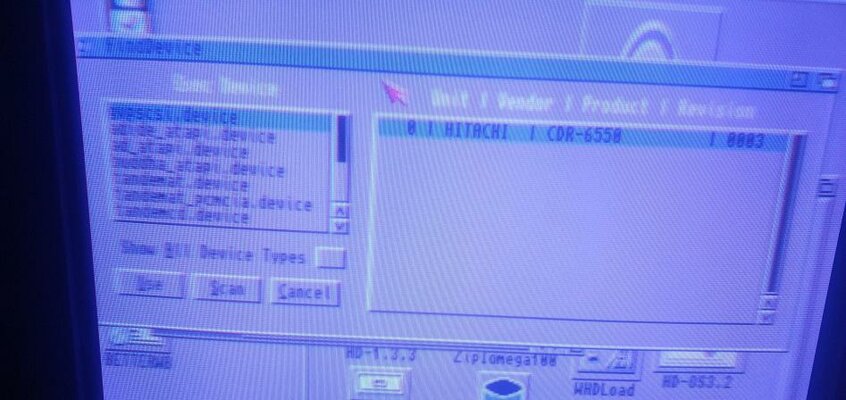
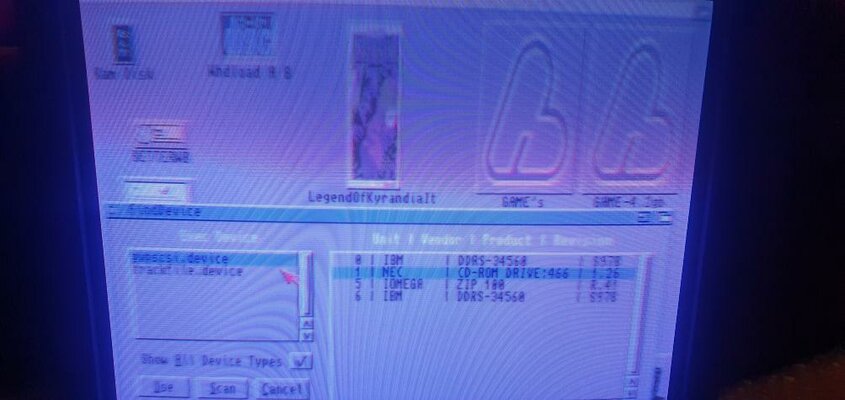
- My cdrom is: NEC CD-3010A revision 1.26
- the new cdrom is: HITACHI CDR-6550 revision 0003
I have attached the photos of IDEFIX which displays the information of the readers.
- these are the CDs that I bought and used w I don't remember what speed I burned them, but I think no more than 4 ×
https://www.amazon.it/dp/B000070GBL/ref=cm_sw_r_apan_glt_i_QJW6EDRF9Y5WW2DNWDTY?_encoding=UTF8&psc=1
- as soon as I get home I tell you which software I used to burn
- the new cdrom is: HITACHI CDR-6550 revision 0003
I have attached the photos of IDEFIX which displays the information of the readers.
- these are the CDs that I bought and used w I don't remember what speed I burned them, but I think no more than 4 ×
https://www.amazon.it/dp/B000070GBL/ref=cm_sw_r_apan_glt_i_QJW6EDRF9Y5WW2DNWDTY?_encoding=UTF8&psc=1
- as soon as I get home I tell you which software I used to burn
Attachments
AFAIK, this Hitachi drives is a really old one, pre 2000 make surely.
Seems to me that the GVP controller doesnt like them at all.
Seems to me that the GVP controller doesnt like them at all.
Last edited:
Similar threads
- Replies
- 0
- Views
- 189

- Locked
- Replies
- 6
- Views
- 790
- Replies
- 5
- Views
- 448

