

You are using an out of date browser. It may not display this or other websites correctly.
You should upgrade or use an alternative browser.
You should upgrade or use an alternative browser.
I have a BIG problem...I got some new Amiga stuff today!
- Thread starter voyager_1701e
- Start date
- Replies 33
- Views 1139

Yeah, I see the problem ...... the problem is, what to play first!

Yeah, I see the problem ...... the problem is, what to play first!
QFT!

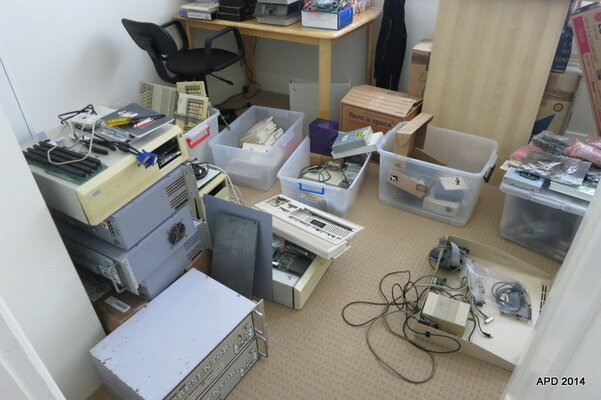
OK...so here is the rest of the problem..... 
6 Amiga 1200's (not complete as desktop units)
Checked 1 of 5 (suspect all the rest of the 5 are the same)
3.1 Roms
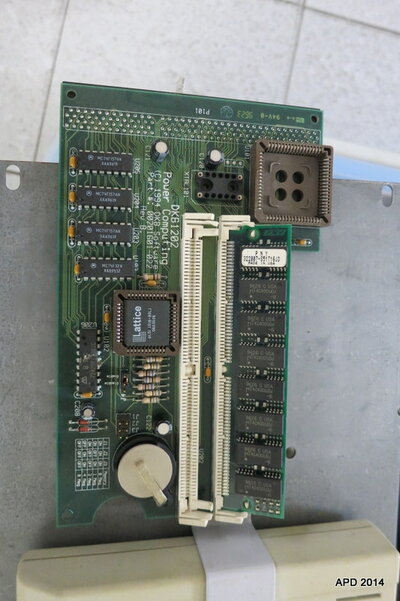
DKB1202 with 1 RAM module
Soldered 44 pin to 40 pin IDE socket
1d.4 mainboards
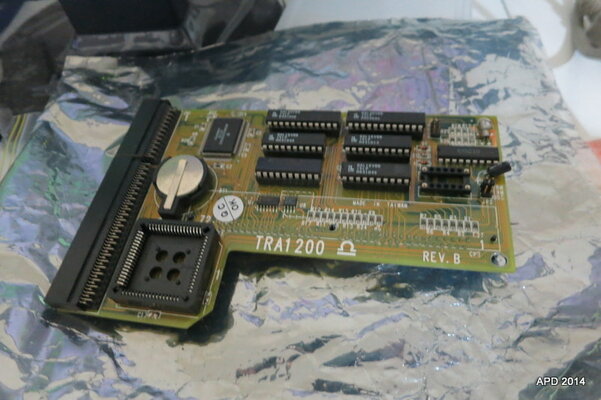
1 TRA1200 accelerator
2 Amiga 4000's (not yet opened)
1 unknown Commodore PC
1 Amiga 500 with A501
1 Blizzard 603e/603e+ board (marked 603/240 - Marked FAULTY No RAM or SCSI. Seems to have 2 RAM modules and a BVision module)
1 Cinemaster board (video grabber?)
1 x Commodore A-2300 (Genlock?)
1 x GVP board(unknown - has ram sockets, possibly internal and external SCSI port)
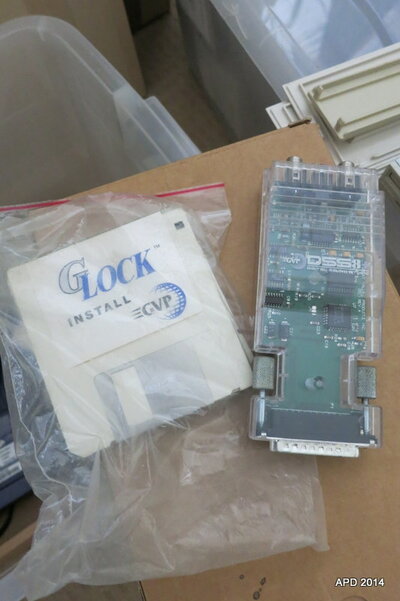
1 x GVP G-LOCK
1 x GVP DSS8+
1 x ISA SCSi card
1 x PCI Network card
1 x ATI Rage 128 Pro
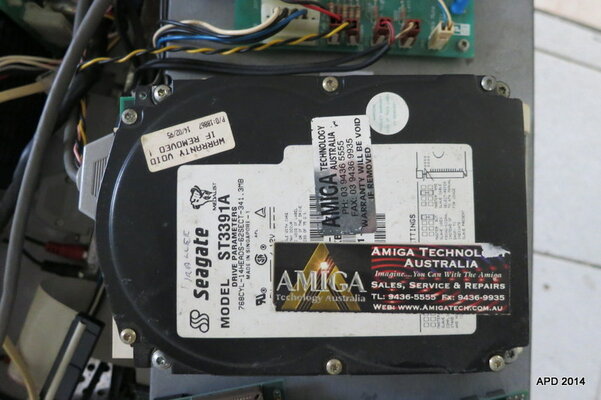
5 3.5" IDE drives
4 2.5" IDE/SATA drives
1 HD external FDD
1 internal FDD
2 external CDROM burner (SCSI)
2 Zip drives
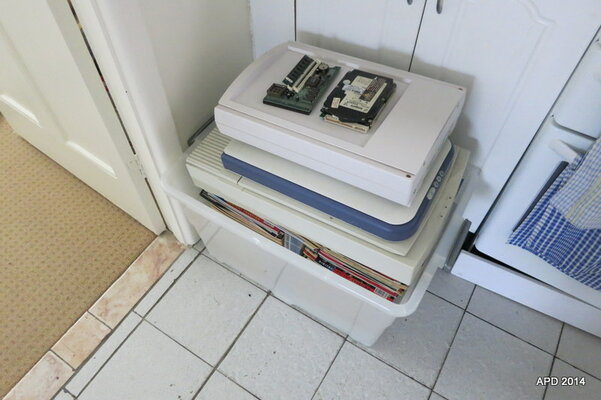
3 scanners
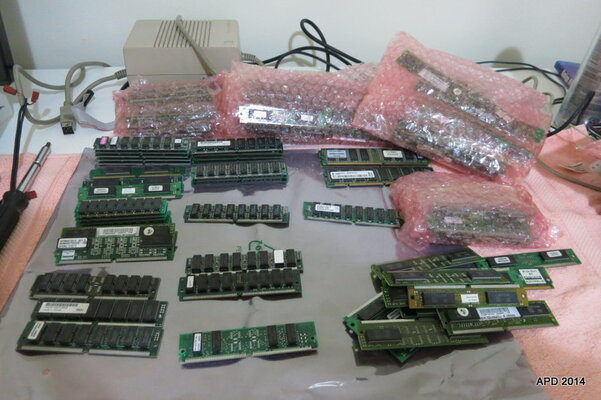
More RAM modules than I can count (its blowing my mind how many are here!)
Numerous joysticks, mice and cables
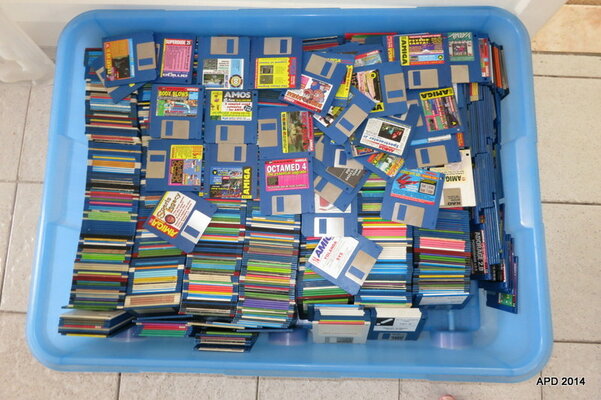
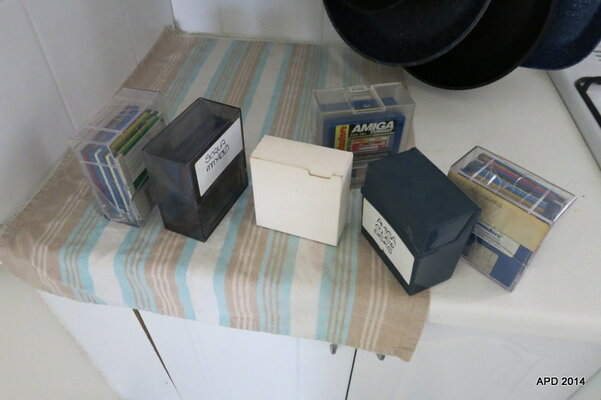
HUGE tub of floppy disks + more!
Manuals of all sorts
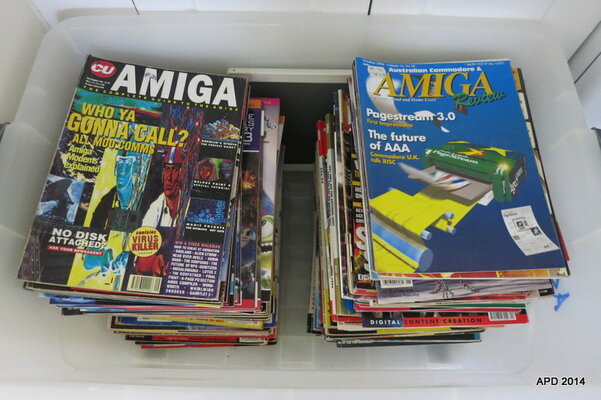
A tub full of Aussie and Int Amiga mags
1 x OS3.9 CD
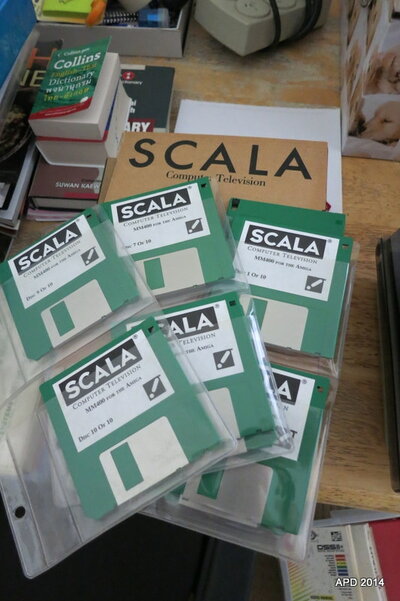
4 x Scala (seem to be originals)
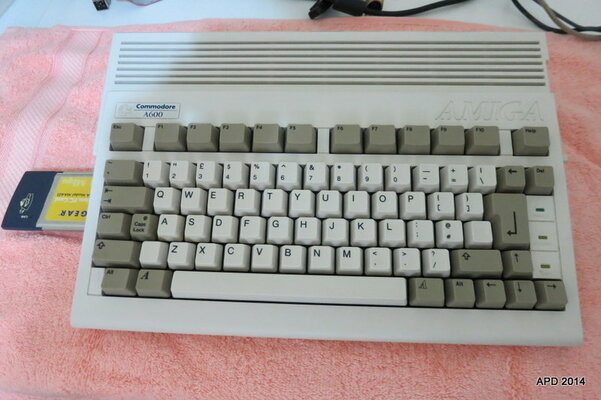
I'm sure there is more that Ive missed, and that's ontop of the A600 ACA620 / INDI that Steve sent me!
My mind is overloaded how am I going to test all this stuff!!!!???
Now do you see my problem?
6 Amiga 1200's (not complete as desktop units)
Checked 1 of 5 (suspect all the rest of the 5 are the same)
3.1 Roms
DKB1202 with 1 RAM module
Soldered 44 pin to 40 pin IDE socket
1d.4 mainboards
1 TRA1200 accelerator
2 Amiga 4000's (not yet opened)
1 unknown Commodore PC
1 Amiga 500 with A501
1 Blizzard 603e/603e+ board (marked 603/240 - Marked FAULTY No RAM or SCSI. Seems to have 2 RAM modules and a BVision module)
1 Cinemaster board (video grabber?)
1 x Commodore A-2300 (Genlock?)
1 x GVP board(unknown - has ram sockets, possibly internal and external SCSI port)
1 x GVP G-LOCK
1 x GVP DSS8+
1 x ISA SCSi card
1 x PCI Network card
1 x ATI Rage 128 Pro
5 3.5" IDE drives
4 2.5" IDE/SATA drives
1 HD external FDD
1 internal FDD
2 external CDROM burner (SCSI)
2 Zip drives
3 scanners
More RAM modules than I can count (its blowing my mind how many are here!)
Numerous joysticks, mice and cables
HUGE tub of floppy disks + more!
Manuals of all sorts
A tub full of Aussie and Int Amiga mags
1 x OS3.9 CD
4 x Scala (seem to be originals)
I'm sure there is more that Ive missed, and that's ontop of the A600 ACA620 / INDI that Steve sent me!
My mind is overloaded how am I going to test all this stuff!!!!???
Now do you see my problem?
Attachments
-
 IMG_5620.JPG57.5 KB · Views: 1
 -
 IMG_5618.JPG75.7 KB · Views: 3
 -
 IMG_5613.JPG74.3 KB · Views: 3
 -
 IMG_5612.JPG86.5 KB · Views: 4
 -
 IMG_5611.JPG66 KB · Views: 2
 -
 IMG_5610.JPG86.7 KB · Views: 4
 -
 IMG_5609.JPG50.7 KB · Views: 3
 -
 IMG_5608.JPG69.5 KB · Views: 3
 -
 IMG_5607.JPG77.4 KB · Views: 3
 -
 IMG_5600.JPG103.2 KB · Views: 3
Mmmmmmmm...it's still not clear what the problem is 
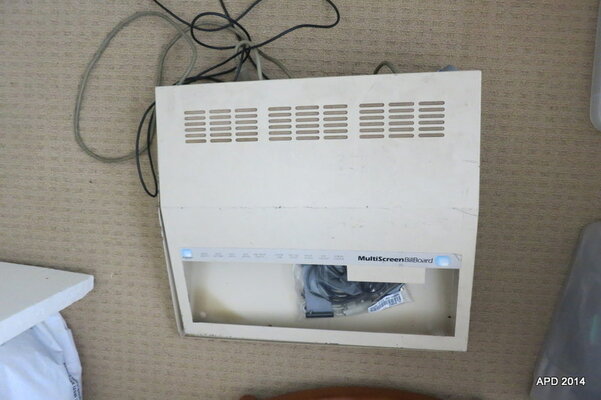
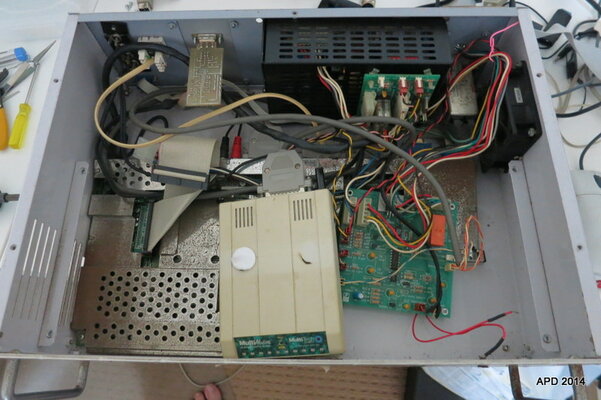
And here is the interesting thing about the 5 x Amiga 1200's! (the last A1200 has a unique steel enclosure allowing access to the case, but is a standard A1200 with 3.0 ROM only)
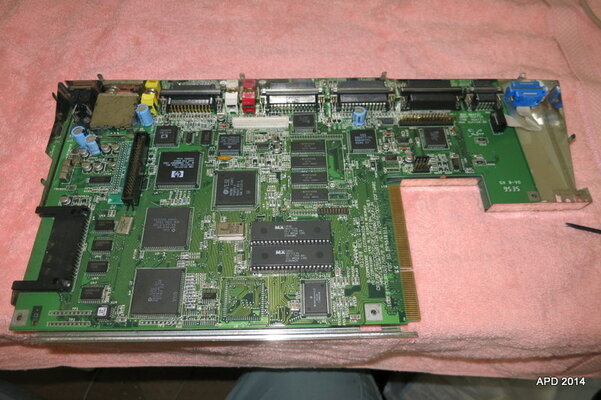
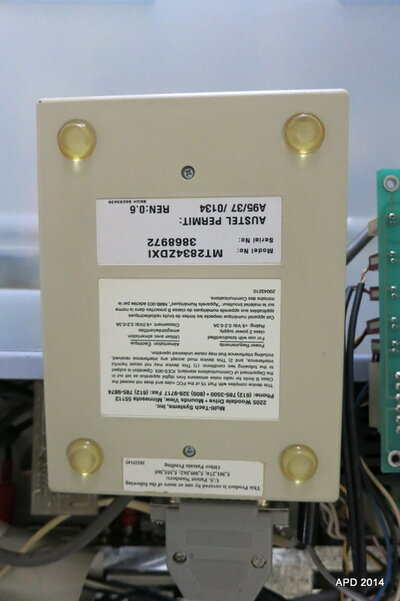
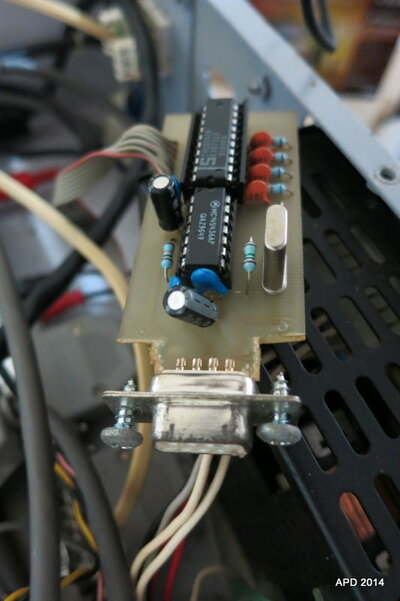
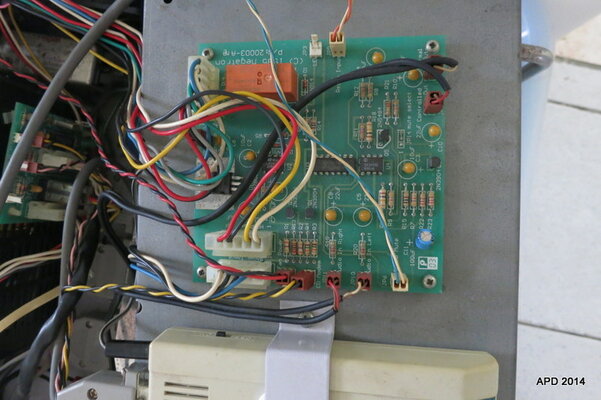
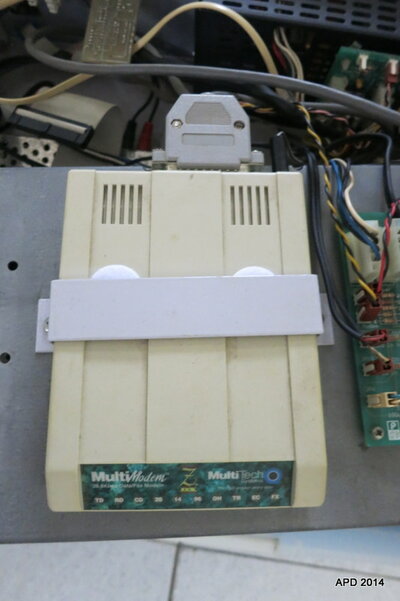
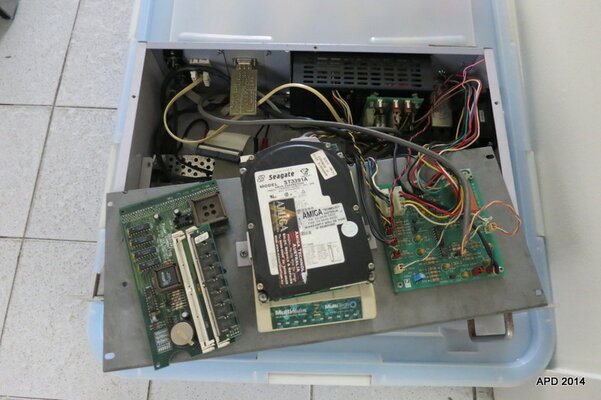
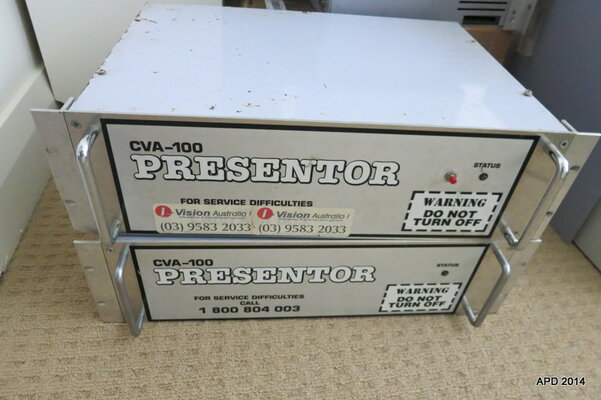
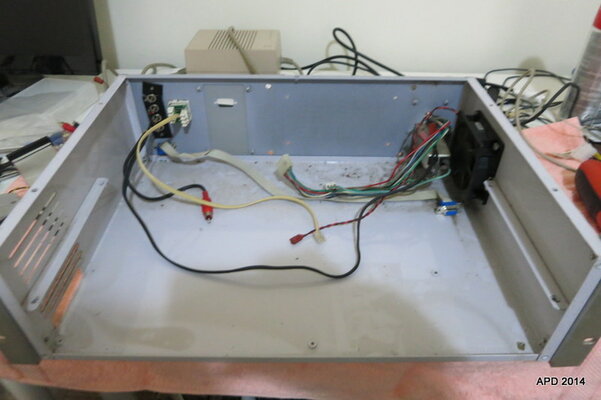
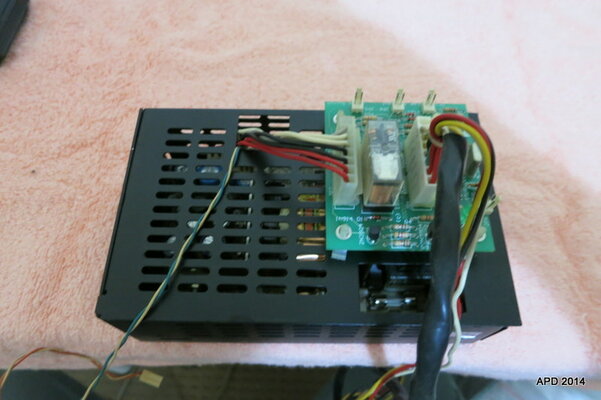
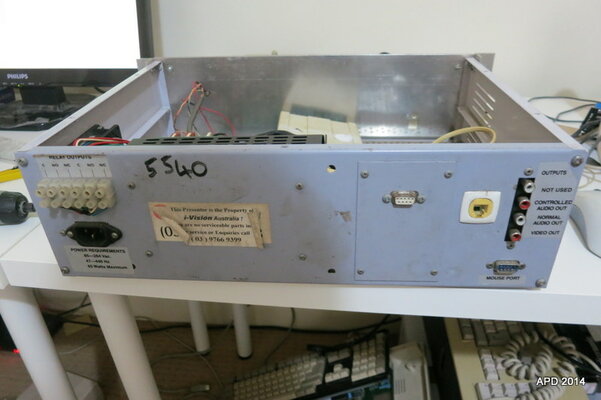
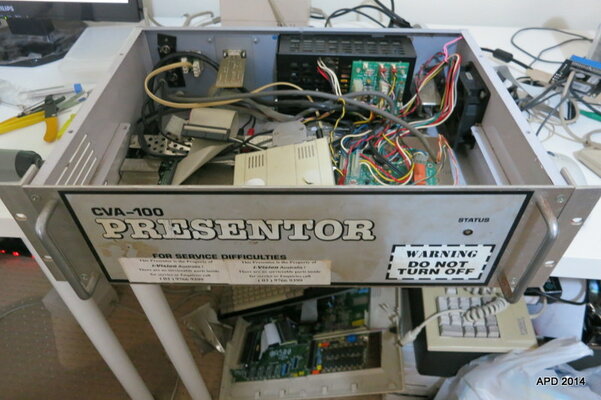
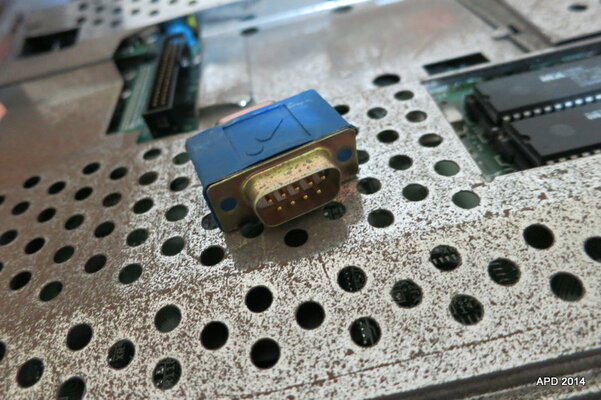
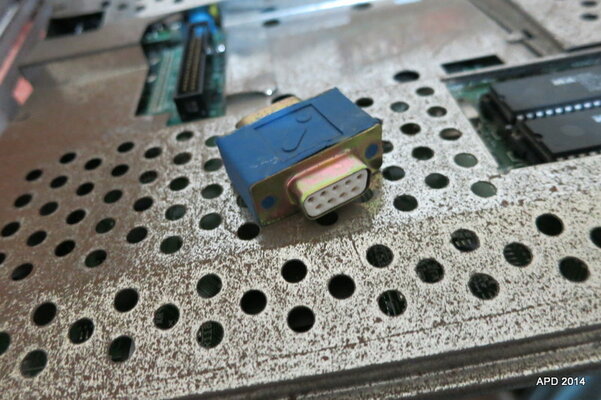
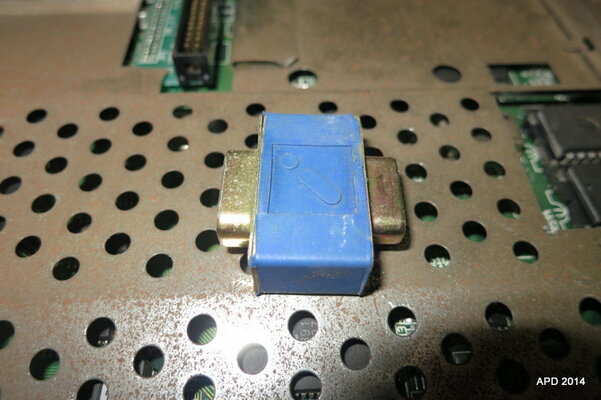
They have been customised. Each has been fitted to a Rack case. The product is called the CVA-100 Presentor, by i-Vision Australia. I wonder if any of our member knew of these or the company? The guy I got them off says they were used for rolling presentations in clubs etc.
I tore one apart, Im sure they are all the same, excepting some have an external reset button, some don't.
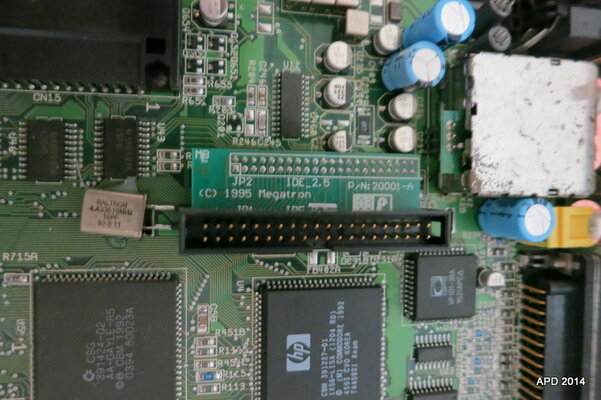
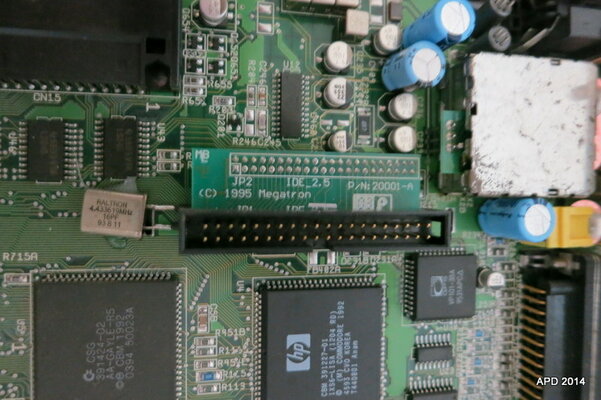
Assuming they are all the same (Ill check the other 4 at a later date), but I am sure they are all 1d.4 mainboards,3.1 ROMS with the DKB1202 RAM expansion, soldered IDE 44-40pin connector.
Photos of the teardown....
They have been customised. Each has been fitted to a Rack case. The product is called the CVA-100 Presentor, by i-Vision Australia. I wonder if any of our member knew of these or the company? The guy I got them off says they were used for rolling presentations in clubs etc.
I tore one apart, Im sure they are all the same, excepting some have an external reset button, some don't.
Assuming they are all the same (Ill check the other 4 at a later date), but I am sure they are all 1d.4 mainboards,3.1 ROMS with the DKB1202 RAM expansion, soldered IDE 44-40pin connector.
Photos of the teardown....
Attachments
-
 IMG_5600.JPG103.2 KB · Views: 5
 -
 IMG_5582.JPG54.6 KB · Views: 5
 -
 IMG_5601.JPG87.8 KB · Views: 3
 -
 IMG_5588.JPG57.7 KB · Views: 3
 -
 IMG_5580.JPG80.8 KB · Views: 3
 -
 IMG_5579.JPG53.5 KB · Views: 2
 -
 IMG_5578.JPG82.3 KB · Views: 3
 -
 IMG_5577.JPG74.2 KB · Views: 4
 -
 IMG_5575.JPG78.1 KB · Views: 3
 -
 IMG_5576.JPG72.6 KB · Views: 2
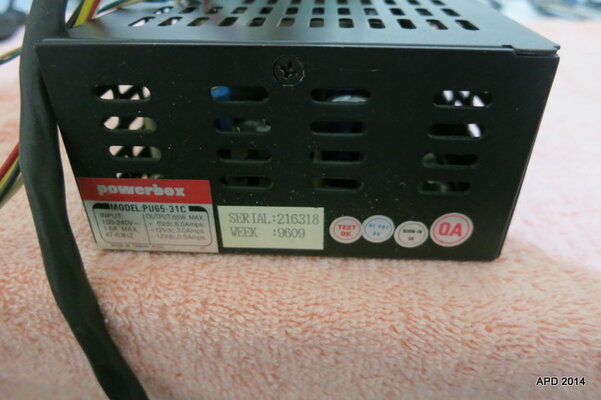
More photos of the A1200s "Presentor"
Attachments
-
 IMG_5601.JPG87.8 KB · Views: 2
 -
 IMG_5605.JPG60.4 KB · Views: 3
 -
 IMG_5599.JPG54.3 KB · Views: 4
 -
 IMG_5602.JPG59.9 KB · Views: 1
 -
 IMG_5587.JPG55.8 KB · Views: 3
 -
 IMG_5586.JPG81.9 KB · Views: 2
 -
 IMG_5585.JPG83.9 KB · Views: 3
 -
 IMG_5593.JPG100.3 KB · Views: 5
 -
 IMG_5592.JPG97.4 KB · Views: 2
 -
 IMG_5591.JPG75 KB · Views: 2
Mmmmmmmm...it's still not clear what the problem is
The problem is....I still havent opened the A4000's yet!!!!!
Amiga 4000's!!
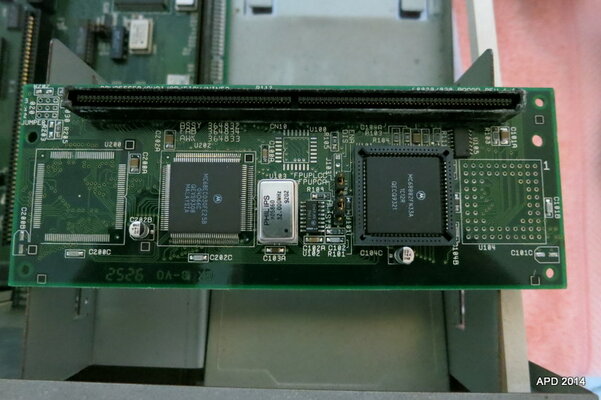
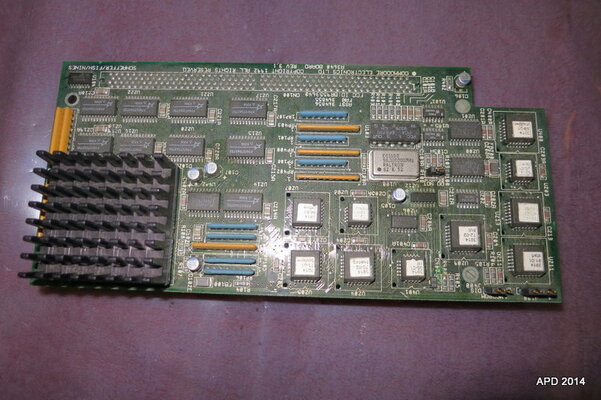
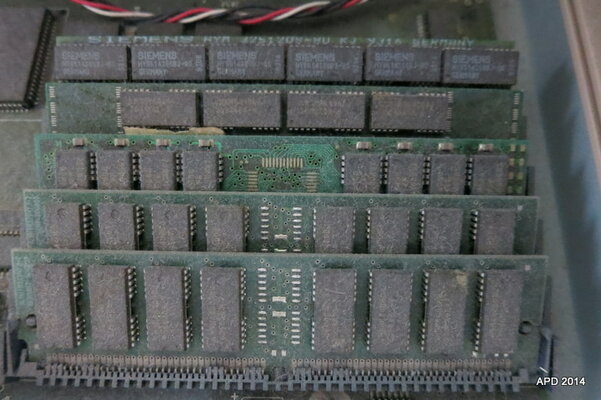
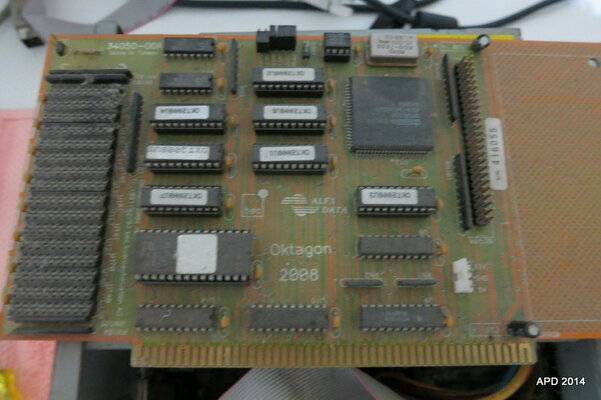
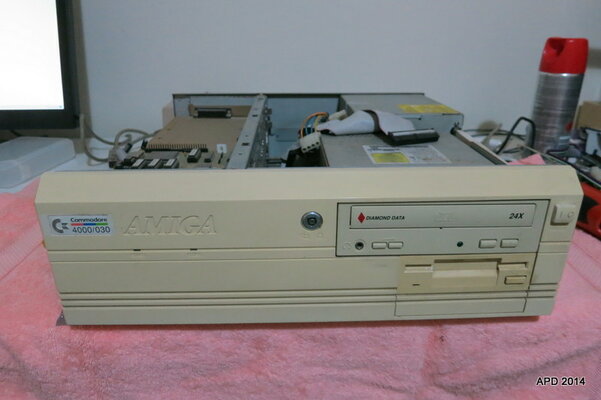
First is marked 4000/030. It is the most complete unit, with Alfa Data Oktagon 2008 (assuming this is a SCSI HDD / external interface), all RAM slots populated (not sure with what yet), and an A3640 (which seems to be an 040 processor!). It has the CDROM, FDD and power supply. Interestingly, battery shows almost no signs of leakage and is soldered to the board.
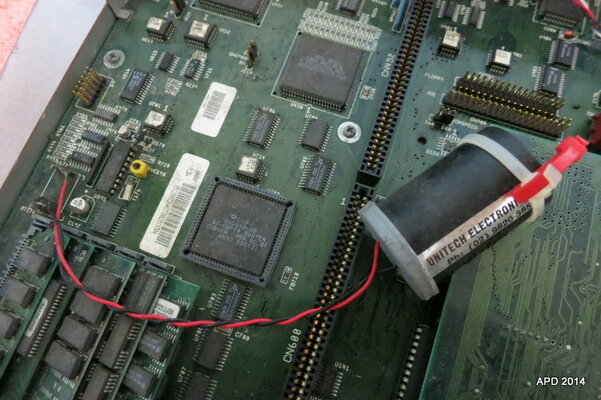
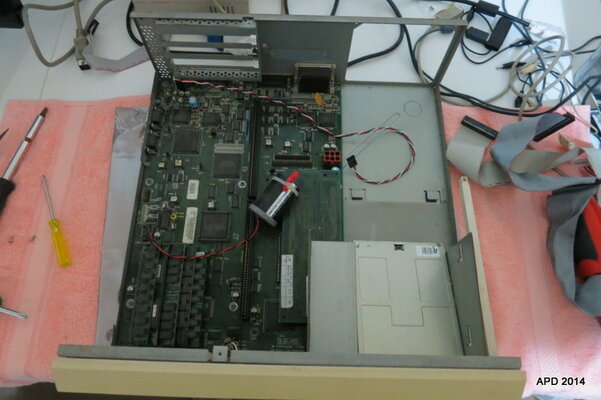
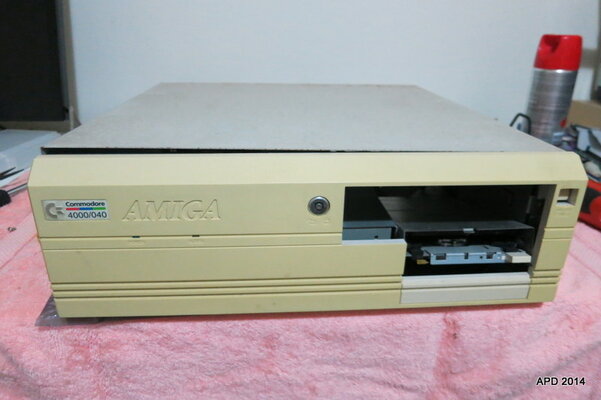
The second is marked 4000/040! It is very incomplete. No PSU, no CDROM, FDD looks battered. It has all the RAM slots populated. The CPU board is marked A3200/A3400 and sports an EC030. If you note the photo, the battery is encased in an old film roll, and soldered to the board via wires! Of course I had to check it out.....and yup, corrosion everywhere!
First is marked 4000/030. It is the most complete unit, with Alfa Data Oktagon 2008 (assuming this is a SCSI HDD / external interface), all RAM slots populated (not sure with what yet), and an A3640 (which seems to be an 040 processor!). It has the CDROM, FDD and power supply. Interestingly, battery shows almost no signs of leakage and is soldered to the board.
The second is marked 4000/040! It is very incomplete. No PSU, no CDROM, FDD looks battered. It has all the RAM slots populated. The CPU board is marked A3200/A3400 and sports an EC030. If you note the photo, the battery is encased in an old film roll, and soldered to the board via wires! Of course I had to check it out.....and yup, corrosion everywhere!
Attachments
Couple of questions if some readers can help....
Best way to clean the boards up? Some sort of alcohol?
Best software to test the boards...and the RAM?
Thinking Ill check the A4000 PSU, and maybe rig an ATX PSU instead for testing...thought's?
Best way to clean the boards up? Some sort of alcohol?
Best software to test the boards...and the RAM?
Thinking Ill check the A4000 PSU, and maybe rig an ATX PSU instead for testing...thought's?

Clean them up with IPA (http://en.wikipedia.org/wiki/Isopropyl_alcohol) you can buy that in any electronics shop, but make sure its something like 97% alcohol (not that cheap 70% stuff).
I usually cheat and use the "all-round-wipes" you can find in any store to clean up the motherboard if they look as dirty as yours. Then I go round with IPA. A soft toothbrush helps getting into the hard to reach areas. Do not scrub hard. Just a gentle pressure.
Take note of the capacitors on the motherboard. You already know about the battery. I would snip the battery out (either solder it out or just cut the leads). The SMD caps ( http://www.bikudo.com/photo_stock/369764.jpg ) should have two shiny solder points (after cleaning of course). If they look dull and do not reflect light, they have started to leak and will need replacement. You can still try starting it up though.
The through-hole caps usually are not a problem ( http://i.stack.imgur.com/tZYPs.jpg ) but make sure they are not bulging on top. Should be a flat head on them.
Your A3640 have 3 caps turned the wrong way so they most likely need to be replaced and turned the right way around. ( http://amiga.serveftp.net/A3640_capacitor.html )
The PSU in the A4000 usually works. Open it, blow it out and look at the caps. Anything bulging? No? Connect an old harddrive to it and fire it up. Measure the motherboard connector with a multimeter. Should have +5, +12, -12 and power good (measures as 5v I think?)
If all is good, power it up and see if you get the kickstart screen. Wait atleast 45 seconds before starting to swear. It takes longer to get a picture with no floppy or IDE connected.
I usually cheat and use the "all-round-wipes" you can find in any store to clean up the motherboard if they look as dirty as yours. Then I go round with IPA. A soft toothbrush helps getting into the hard to reach areas. Do not scrub hard. Just a gentle pressure.
Take note of the capacitors on the motherboard. You already know about the battery. I would snip the battery out (either solder it out or just cut the leads). The SMD caps ( http://www.bikudo.com/photo_stock/369764.jpg ) should have two shiny solder points (after cleaning of course). If they look dull and do not reflect light, they have started to leak and will need replacement. You can still try starting it up though.
The through-hole caps usually are not a problem ( http://i.stack.imgur.com/tZYPs.jpg ) but make sure they are not bulging on top. Should be a flat head on them.
Your A3640 have 3 caps turned the wrong way so they most likely need to be replaced and turned the right way around. ( http://amiga.serveftp.net/A3640_capacitor.html )
The PSU in the A4000 usually works. Open it, blow it out and look at the caps. Anything bulging? No? Connect an old harddrive to it and fire it up. Measure the motherboard connector with a multimeter. Should have +5, +12, -12 and power good (measures as 5v I think?)
If all is good, power it up and see if you get the kickstart screen. Wait atleast 45 seconds before starting to swear. It takes longer to get a picture with no floppy or IDE connected.
Last edited:

Have you access to an air compressor? If so, then give the PCBs a blast of air first. If they were stored in a dry, non-greasy, non-smoking area, then that's all they should need to get them clean. Only start using liquids/alcohol if the dust/dirty is stuck to the PCBs.
Bryce.
Bryce.
Last edited:
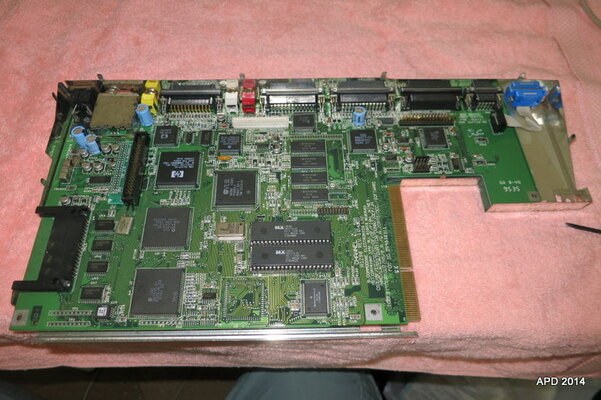
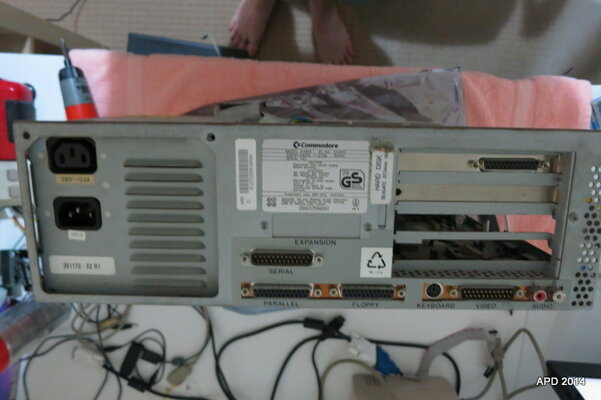
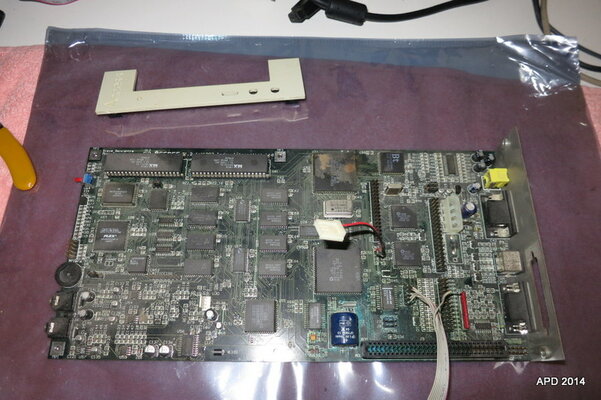
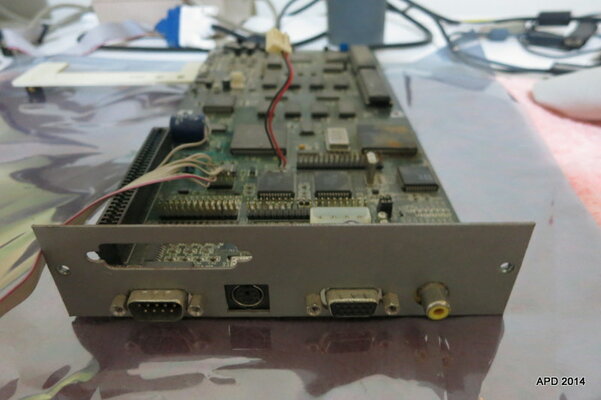
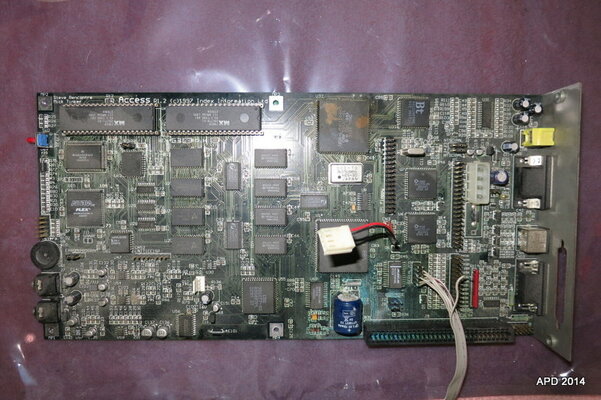
Now the last bit maybe the most interesting! The unknown Commodore computer is actually an Index Information Ltd. "Access". I hope external links are OK...it is this http://amiga.resource.cx/mod/access.html
The one I have is the 68EC020 version, I'm guessing with 2Mb Chip and 2Mb Fast RAM.
The on-board battery has some leakage, but doesn't look like the board or components are in danger, just a clean I think will fix. The Lisa chip on the other hand has rust damage, and I can't quite tell if some pins are partially missing or there is board damage. When I have more time, I will clean it up and look closer.
The one I have is the 68EC020 version, I'm guessing with 2Mb Chip and 2Mb Fast RAM.
The on-board battery has some leakage, but doesn't look like the board or components are in danger, just a clean I think will fix. The Lisa chip on the other hand has rust damage, and I can't quite tell if some pins are partially missing or there is board damage. When I have more time, I will clean it up and look closer.
Attachments
Clean them up with IPA (http://en.wikipedia.org/wiki/Isopropyl_alcohol) you can buy that in any electronics shop, but make sure its something like 97% alcohol (not that cheap 70% stuff).
I usually cheat and use the "all-round-wipes" you can find in any store to clean up the motherboard if they look as dirty as yours. Then I go round with IPA. A soft toothbrush helps getting into the hard to reach areas. Do not scrub hard. Just a gentle pressure.
Take note of the capacitors on the motherboard. You already know about the battery. I would snip the battery out (either solder it out or just cut the leads). The SMD caps ( http://www.bikudo.com/photo_stock/369764.jpg ) should have two shiny solder points (after cleaning of course). If they look dull and do not reflect light, they have started to leak and will need replacement. You can still try starting it up though.
The through-hole caps usually are not a problem ( http://i.stack.imgur.com/tZYPs.jpg ) but make sure they are not bulging on top. Should be a flat head on them.
Your A3640 have 3 caps turned the wrong way so they most likely need to be replaced and turned the right way around. ( http://amiga.serveftp.net/A3640_capacitor.html )
The PSU in the A4000 usually works. Open it, blow it out and look at the caps. Anything bulging? No? Connect an old harddrive to it and fire it up. Measure the motherboard connector with a multimeter. Should have +5, +12, -12 and power good (measures as 5v I think?)
If all is good, power it up and see if you get the kickstart screen. Wait atleast 45 seconds before starting to swear. It takes longer to get a picture with no floppy or IDE connected.
Thanks, that's really helpful, especially about the caps!
Ill check the links out too!
---------- Post added at 21:33 ---------- Previous post was at 21:31 ----------
Major battery damage on that one actually. Look at the pins in the socket next to the battery. All green. The light green area around the battery is all battery acid
Yeah, I had a close look, you certainly seem right!
Ill try clean it up soon and see the damage minus the battery and leakage.
---------- Post added at 21:35 ---------- Previous post was at 21:33 ----------
Have you access to an air compressor? If so, then give the PCBs a blast of air first. If they were stored in a dry, non-greasy, non-smoking area, then that's all they should need to get them clean. Only start using liquids/alcohol if the dust/dirty is stuck to the PCBs.
Bryce.
Unfortunately no air compressor.
The dust doesn't wipe cleanly off the board, so I think some alcohol is required?

FOL
Active member
Hi,
You have an Index Access, A1200 clone.
Its an improved A1200 as it were.
It has 030, 8MB Fast, VGA out and RTC as you found out.
Never seen the the 020 version. The ones we have here are some of the very first made.
Pretty cool system.
I think they were ment for kiosk systems.
You have an Index Access, A1200 clone.
Its an improved A1200 as it were.
It has 030, 8MB Fast, VGA out and RTC as you found out.
Never seen the the 020 version. The ones we have here are some of the very first made.
Pretty cool system.
I think they were ment for kiosk systems.
Last edited:


Amiga 4000's!!
First is marked 4000/030. It is the most complete unit, with Alfa Data Oktagon 2008 (assuming this is a SCSI HDD / external interface), all RAM slots populated (not sure with what yet), and an A3640 (which seems to be an 040 processor!). It has the CDROM, FDD and power supply. Interestingly, battery shows almost no signs of leakage and is soldered to the board.
The second is marked 4000/040! It is very incomplete. No PSU, no CDROM, FDD looks battered. It has all the RAM slots populated. The CPU board is marked A3200/A3400 and sports an EC030. If you note the photo, the battery is encased in an old film roll, and soldered to the board via wires! Of course I had to check it out.....and yup, corrosion everywhere!
Poor dougal will be extra sad when he sees this. Donate one to him!

