Is the Video Toaster Flyer a sound card too?

  • Thread starter Thread starter YouKnowWho
  • Start date Start date
  • Replies Replies 13
  • Views Views 665

YouKnowWho

Well-known member
Donator
AmiBayer
Joined
Mar 2, 2023
Posts
1,054
Country
Canada
Region
Ontario
Just wondering if the Toaster Flyer is a fully functional sound card? Seems to have CD quality capabilities to record and playback (spec below from AHD), but I'm wondering what the supported file formats are and if it is supported by any other audio software. Asking because I have not installed it yet to explore it - just researching and planning.

Also, I think it would be possible to plug three ZuluSCSI devices into it instead of HDDs to keep it all self contained to a 4000 desktop case that doesn't have a CD drive, right?

Company
NewTek, USA
Date
1994
Amiga
A2000, A3000, A4000
Interface
Zorro II
  • audio recorder / mixer:
    • ADSP2115
    • digital inputs
      • video disk A and B, left and right
      • audio disk A and B, left and right
    • analog, unbalanced left and right RCA inputs and outputs on the card's backplane
    • 64 kB memory
    • 20 MHz clock rate
    • 16 bit sampling at 44.1 kHz
    • 64x oversampling ratio A/D converter
 
I've got a Toaster/Flyer setup in my A4000. I'm currently using SCSI2SD V6 cards on the A and B SCSI channels for video and the older V5 on the C channel for audio. All of them are nicely placed inside the 4000 with no external drive enclosures. I love it. :) I've purchased a set of ZuluScsi cards with MicroSD as replacements, but since it's running so well I'm probably going to hold off on installing them for a while.

I think the Flyer is proprietary to the NewTek software, but I honestly haven't tried using it any other way. I'd be curious to know as well, but I'm not really sure how to try and test it. If you have any suggestions, I could try it out.

Cheers,
Greg
 
@MediaSig - that's exactly what I was thinking! But a bunch of Zulus in the 5.25 bay and party. BUT...does the Toaster absolutely need a SCSI drive to fire up (and thus my final card slot taken up in the 4000?), or will it work off the IDE? I ask because I was fantasizing what I would do with that final slot - maybe a graphic card even! WOW.

But back to the sound. Please forgive me for asking and not knowing yet. I'm slowing putting this together, and need to gather the parts to finish this setup up before starting on it over the winter. Hence, I don't know the file format the flyer uses for audio. So, here are the specific questions:

Are you able to see the Flyer SCSI drives on the desktop or in any directory program?
Do they have any sort of WorkBench designation?
Can you access the captures video/audio in Toaster only?
Since you can edit from within the Toaster, I guess that this is at least some method of getting lossless audio in an Amiga on this setup.
What about importing Audio from elsewhere? Like from a CD volume, doable?
Is there any way to see the files, or are these volumes fully managed and hidden by the Flyer?

...and the hardware page does have what you note in there as well (overlooked by my)....proprietary compression method...

  • compresses and plays back video in realtime
  • true broadcast quality - 60 fields per second, full overscan 752×480
  • internally works with D2 data - no D2 / composite transcoding
  • proprietary coporession method: Video Toaster Adaptive Statistical Coding (VTASC):
    • relies on limiting the video signal (i.e. dropping to Beta SP quality) instead of lowering picture quality as do JPEG, MPEG, WaveLet
    • no visible pixelization, artifacts show as video "noise" instead of jpeg "blockiness"
    • by using faster drives, lossless D2 quality can be achieved


In this video, which is new to me you can export only to other Flyer drives.

...still...I'm thinking there is some way to get this from within the Toaster out, and bring files in elsewhere. I'll be watching this 2 hour video fully again to learn how to use the Toaster. I want to become an expert and start doing...wedding videos and graduations on VHS! :-)
 
Are you able to see the Flyer SCSI drives on the desktop or in any directory program?
Is there any way to see the files, or are these volumes fully managed and hidden by the Flyer?
Yes. If you copy the appropriate DOS Drivers from storage into your DEV/DOSDrivers directory, you'll have access to those drives from workbench. Usually named FA0, FB0, FC0, etc...
Do they have any sort of WorkBench designation?
Yeah, they will be seen in-line with all other hard drives in the system.
Can you access the captures video/audio in Toaster only?
The files are hidden. If you open the drive folder from workbench, you'll need to enable Show 'All Files' to see it's content. You should be able to move files between drives as needed (not sure I've done this too much outside of the Flyer software. I know I've put folders in them.
Since you can edit from within the Toaster, I guess that this is at least some method of getting lossless audio in an Amiga on this setup.
You can capture audio only through the RCA inputs and you'll have your audio files. I realize I don't have any other software loaded to see if I can open in another program. I'll have it try it.
What about importing Audio from elsewhere? Like from a CD volume, doable?
I think there are AREXX tools that might import from CD, but I don't have one installed to try it.


Regarding the note about proprietary format, that looks to be just listing the video capture (with audio). I'm not sure what it uses for audio only, but probably some form of the VTASC compression codec (just a guess).

Below is a link to the archived NewTek forum on the VIZRT website. Search out the Toaster FAQ and you'll find a lot of useful information there. :)


Cheers,
Greg
 
Thank you MediaSig!

Slowly slowly I'm going to put my setup together. I'm thinking of getting one of those rack LCD twin monitor setups for a "Pro" feel. :-)

Follow up...so...if the audio has a designated SCSI drive, are the captures not visible on there as separate files?

Follow up #2...wonder if there was some file conversion tools to deal with those VTASC files? Would they have have reinvented the wheel here, or is that just some sort of proprietary container wrapper for a standard codec...I wonder?
 
Follow up...so...if the audio has a designated SCSI drive, are the captures not visible on there as separate files?
Actually, I think audio and video are interleaved together and stored on the same drive if it’s specifically a clip with both. One thing to remember is that the Flyer Editor is made to work in real-time and it will let you know if a sequence needs some tweaks in order to make that happen. It’s made to play the clips back to back in realtime and load effect transitions, CG pages, etc and play them all live during playback. There is add on software that allows for complex layering and such so you can render these out as new clips if you have a really advanced edit.

That all said, the audio drive was just for all the extra audio you might put into a production that’s not in the video audio clips - VO, sound effects, music, random sound bits, etc. I think that’s it’s main purpose to help achieve the realtime output.
Follow up #2...wonder if there was some file conversion tools to deal with those VTASC files? Would they have have reinvented the wheel here, or is that just some sort of proprietary container wrapper for a standard codec...I wonder?
I can’t remember if there are add on tools that will allow for this on the Amiga Toaster/Flyer. I seem to remember there may have been a VTASC converter made for the NewTek Frame Factory card (later the VT1 PC Card) that allowed you to convert older Flyer clips to the new Toaster format or possibly others.
 
I'm staring to think third party software support for the Flyer is the solution @MediaSig. The CD quality hardware is obviously in the Amiga if the Flyer is in there, and it is addressable by software.

Does anyone know if Studio16 or other software perhaps support other audio devices in the Amiga life the Flyer? I'm thinking software vendors would want interoperability with Toaster back then, so I wonder if there is any third party audio suite that sees the Flyer an the DSP hardware it has on it.
 
does the Toaster absolutely need a SCSI drive to fire up (and thus my final card slot taken up in the 4000?), or will it work off the IDE?
It does not need SCSI to boot. You can boot Toaster from a build on the IDE Drive. The Flyer Card enables access to the SCSI drives.
 
MediaSig...thank you. So I just need 3 Zulus not 4, and not a SCSI card either in there, which leaves me a precious slot for something...TBD. Maybe RTG of some sort?

If you trip on any software that can open the audio files saved by flyer, please share with us. I won't have my setup up and running for a few more months probably. Project wise, schedule is full for the next little while. Also, if you can import sound for commentary or from CD from a clip, in what format is it accepted? How is it captured on the Amiga? And what if you want to use a piece of audio elsewhere - surely it has to be decoupled from the video clip and then...sport format options or just the native Flyer audio format - if there is such a thing?
 
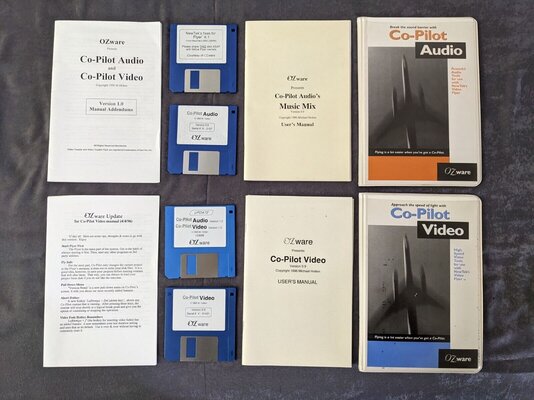
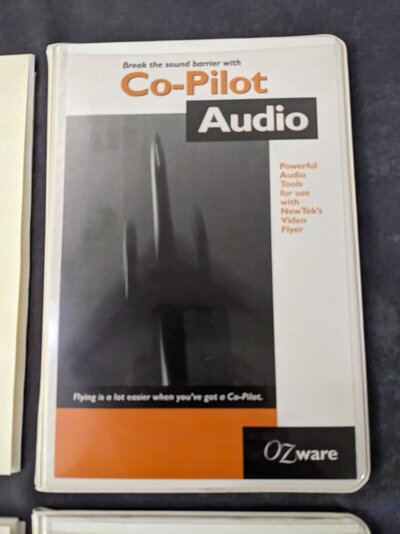
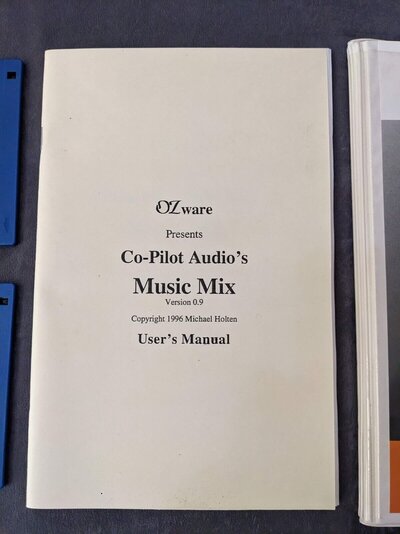
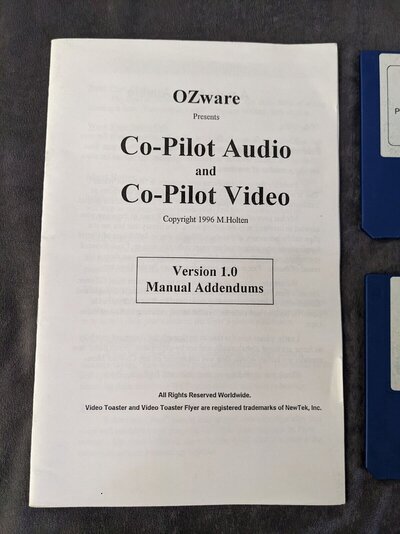
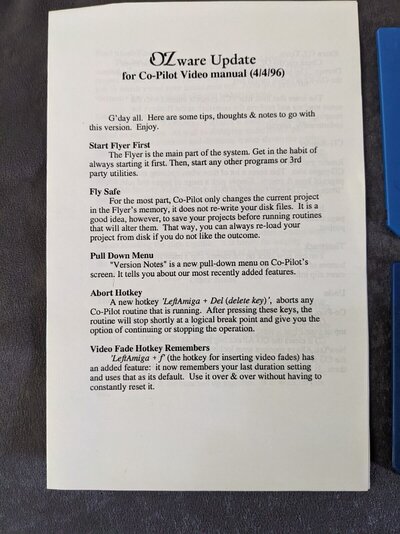
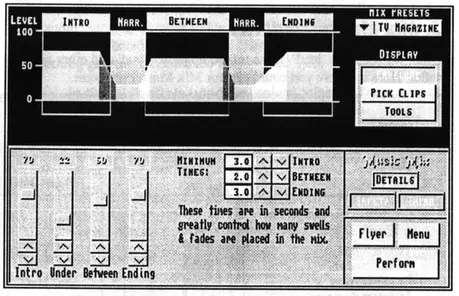
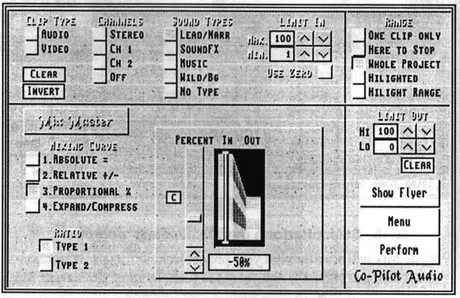
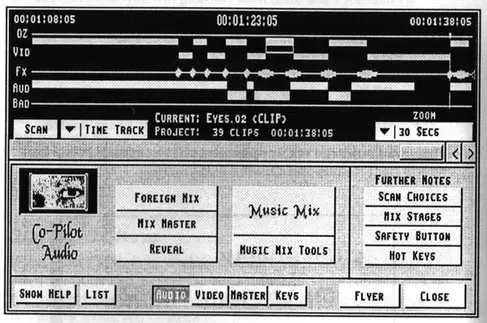
@MediaSig, I saw something I wanted to mention/bring to your attention. It's a piece of software I saw in sold listings on that criminally convicted organization known as eBay. I'm attaching the photos here of this OZware Co-Pilot Audio suite for the Flyer. Have you heard of it? Have you (or anyone else) used it? Would you or anyone know if it adds more software audio capabilities to the Flyer? New file format(s) support? Import/Export into other formats of audio clips and more sound-card like utilization of the Flyer ADSP2115 perhaps? Can this be bought/downloaded somewhere? Cheers.
 

Attachments

  • s-l1600-84.jpg
    s-l1600-84.jpg
    269.8 KB · Views: 11
  • s-l1600-85.jpg
    s-l1600-85.jpg
    142.8 KB · Views: 9
  • s-l1600-86.jpg
    s-l1600-86.jpg
    170.6 KB · Views: 10
  • s-l1600-87.jpg
    s-l1600-87.jpg
    228.4 KB · Views: 8
  • s-l1600-88.jpg
    s-l1600-88.jpg
    280.3 KB · Views: 12
This Co-Pilot Audio software appears to have plenty of potential and capability, indeed turning the Flyer into more capable Audio editing device. Still working within the Flyer audio format however. Considering how many of these Flyer things went out into the wild, it is unusual that the Flyer Zorro II audio hardware wasn't addressed in Amiga audio applications. (Was it?)
 

Attachments

  • Co-Pilot MusicMix.webp
    Co-Pilot MusicMix.webp
    37.4 KB · Views: 5
  • Co-Pilot MixMaster.webp
    Co-Pilot MixMaster.webp
    44 KB · Views: 3
  • Co-Pilot Audio.webp
    Co-Pilot Audio.webp
    42.9 KB · Views: 5
Last edited:
So did you ever get your system up and running with a toaster/flyer combo?
New to the party but old toaster/flyer user here. Tools were great but I’ll admit I’ve forgotten more about my system than I remember.
I have most of the tools from their original makers that are included in the package “DiscreetFX's Millennium” and then some.
It seems AsimCDFS (edit - MasterISO is the actual program) or a similar offering allowed ‘ripping’ of CD’s from an CDRom drive to a CDDA format and then there was a tool to make that file into a flyerclip but I’m dimm on that. I’ve done some lower end musician sessions mixed to an edited final CD back in the day so I know it’s possible. Just don’t remember how.
The idea of using zuluSCSI cards just opened a world of ideas for me! Right now I have 4 9gig LARGE brick drives and several smaller 9gig drives (all for video) and 3 3.5 sized scsi drives for audio attached in 2 large external towers. The Zulu would make all that obsolete! I wonder if FlyerSCSI.device has (VERY) large drive support!?
OZTools were a set of AREXX scripts (among other apps and things he released) automating a lot of operations and allowing for some types of transcoding. I wonder if he’s still around? OZ! Are you out there? You crazy Aussie 😂
A comment above referred to Flyer output being internal. Basically You would arrange ‘croutons’ on a timeline and put effects between the croutons if desired. Each croutons had controls for video and audio and you could split audio if desired or play back only video or audio from that clip. Playback was in realtime to an NTSC output into a VCR. I’m currently looking for a recorder which will take the Flyer output composite NTSC and capture it to digital so I can import into my Mac for YouTube or other distribution and/or processing. There seems to be options available out there and I may have several in the closet here right now.
Not sure if transcoding the dedicated flyer clips to a more modern digital format is available. But you can transcode flyer audio to CDDA format and write to a burnable CD. Again, don’t remember if tools are there to make MP3’s or other audio formats.
As someone mentioned flyer drives would appear on the desktop and clips could be moved back and forth between drives. I used DOPus for this all the time.
When played back the Flyer would sometimes studder if your clips were one to the next on the same Flyer drive. So something a-kin to A/B roll would be used to keep the output going, having sequential clips on different drives on the two video SCSI busses. Ie - clipFA0-clipFB0-clipFA1-clipFB0-clipFA3 and so on. So a lot of time was spent copying clips to alternate drives and replacing them in the sequence. It didn’t always have to be this way. The Flyer would tell you if ‘drive not fast enough’ was an issue but finding this out after playing to tape a 2 hour edit during the last 10 minutes was brutal so A/B rolling was a safeguard and well worth the time.
I could go on and on…!
I left my flyer setup to gather mothballs as digital video became the norm and better compression formats became available. Newtek went on to make the Tricaster (I think it was called) and left the Coaster/flyer behind as well)… pun intended…. so tools for it may have been developed but I was out by that time.
The lure of retro-Toasting is great and I’m looking forward to getting my system back on line to enjoy this again.
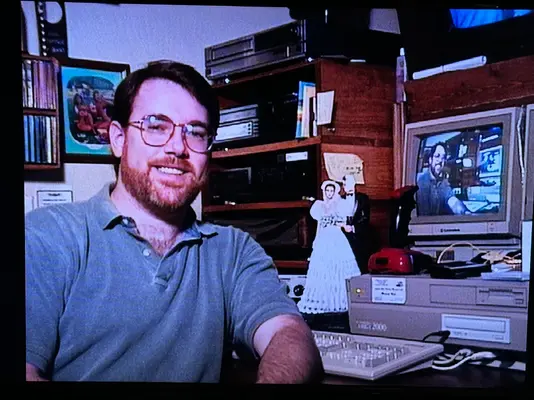
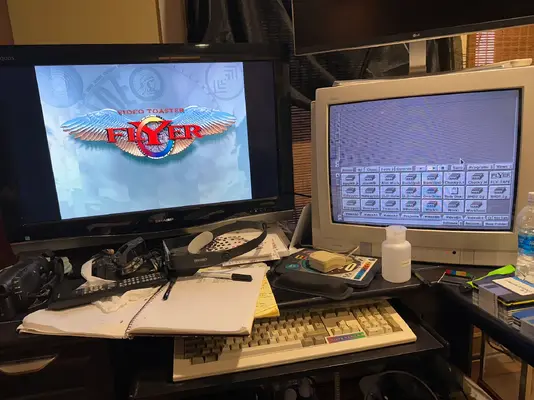
Photos are my first Toaster setup on an A2000 (from the 90’s!) and my current 4000 based Toaster/Flyer.

 

Attachments

  • IMG_6246.webp
    IMG_6246.webp
    188.3 KB · Views: 4
  • IMG_6242.webp
    IMG_6242.webp
    221.9 KB · Views: 4
Last edited:
Back
Top Bottom