

Probably old news but as I rather like my JXD7800b (Android gaming tablet) and as is often the case with this device the battery in has died I thought I'd go and replace it:
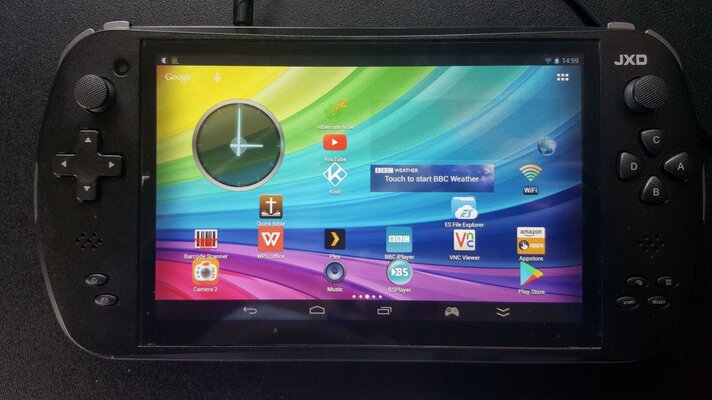
JXD78000b
To dismantle this wee beeastie you first need to carefully pry off the central part of the back plate. Be careful, the plastic clips are easy to snap:
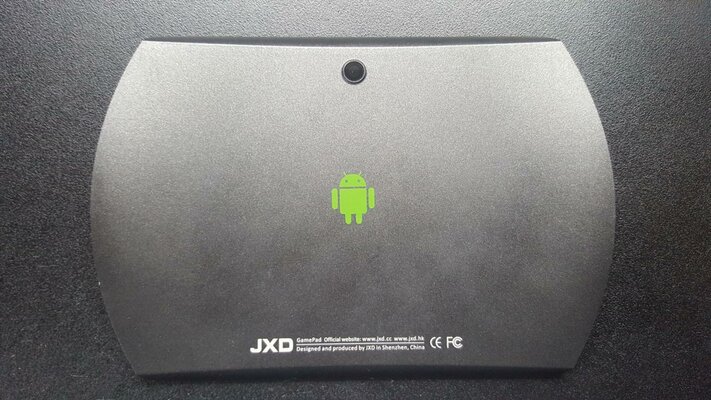
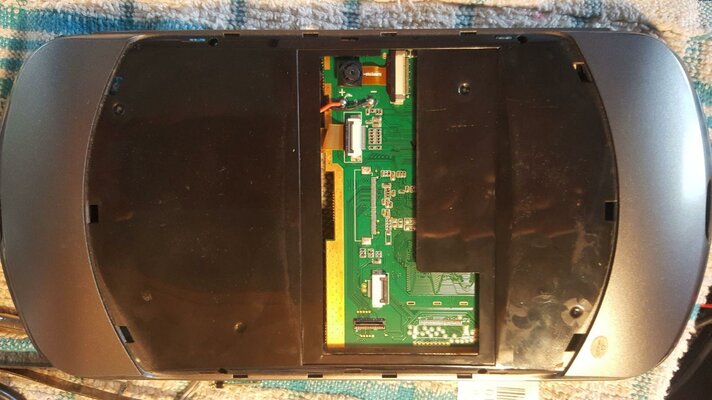
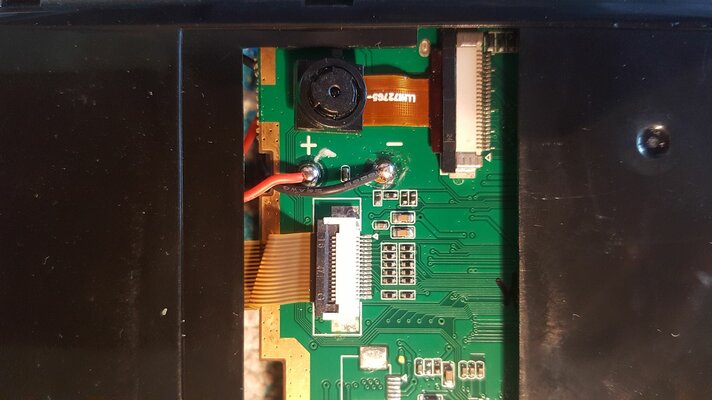
Back Cover and What Lurks Beneath, Plus Close Up
The two flexi cables need pulling from their sockets, having released their securing latches, and the Red plus Black wires need de soldering. Careful, these are the terminals for the old LiPo battery! These things can go bang if shorted or abused.
Having gotten this far you will notice four very small screws around the central cut out. A very small Phillips head screwdriver will get these out and the shell should then pry apart relatively easily. A credit card jammed between the shell and one of the shoulder buttons will help. Be prepared to catch a shower of buttons at this point, I'd suggest opening the shell screen side down so the face buttons remain in place. As long as you undid the flexi cables they should just slide out as you pull the shell apart, be careful they are delicate.
The bottom half of the shell contains the old battery, probably bulging:
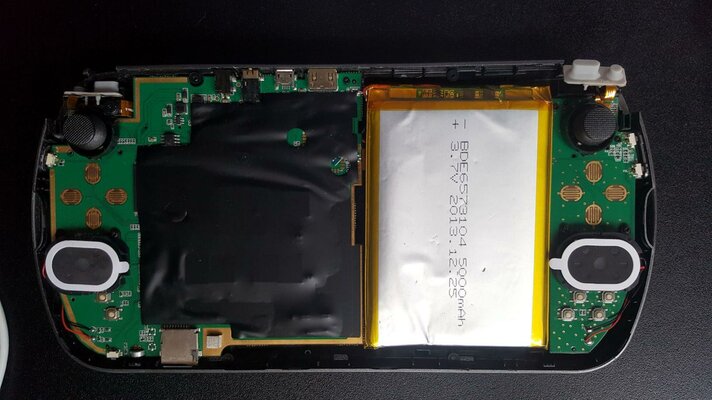
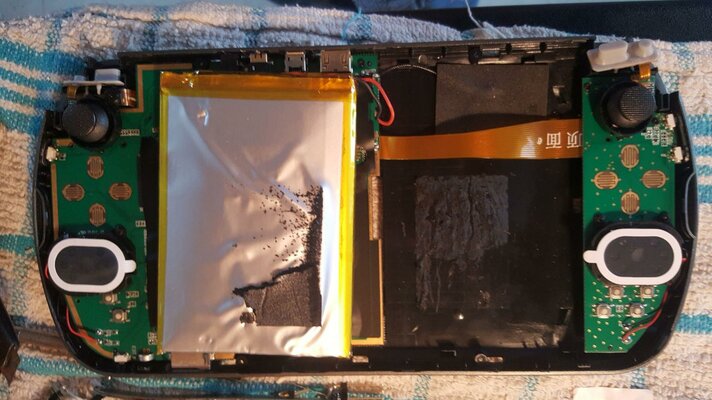
Dead Battery Removal
The battery is pretty well stuck down with a foam pad. Some fairly persistent tugging will be needed to free it but take care not to damage the flexi cable running under it and don't remove the sticky pad above the cable which holds to WiFi antenna:
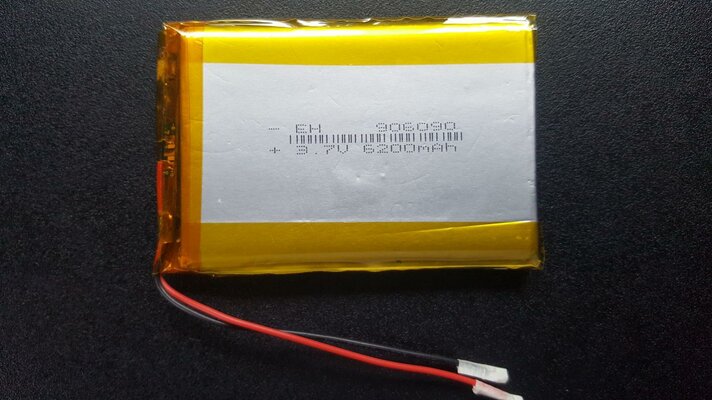
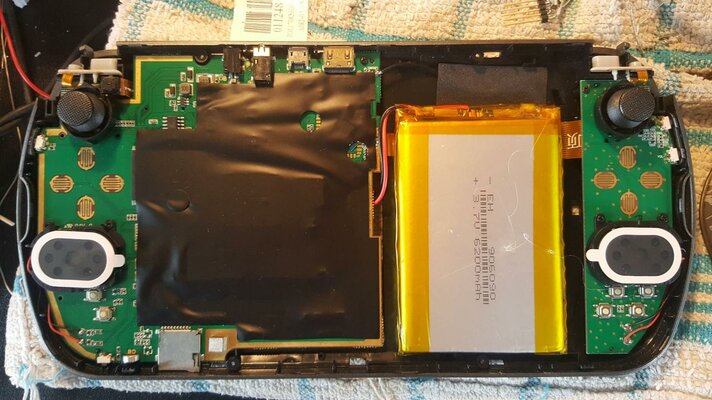
New Battery Fixed in Place
The photo on the left shows the largest capacity battery I could find that would fit, a little smaller than the original but somewhat higher capacity. The code on the top line gives HxWxD size and a quick search on FleaBay, along with "LiPo", will bring up a few likely options. Clean off the old sticky pad, and glue the new battery in to the space. I used a small blob of hot glue but anything that's fairly secure but removable at a pinch will do. I'd also suggest placing the battery as I did to give the WiFi antenna as much room as possible, it does seem to help reception as a bonus.
As the good old Haynes Manual would say "Reassembly is the reverse of the above". Once all is back together I'd switch on, and all being well give it a darn good charge while using a battery calibration utility.
My JXD is now better than new and ready for a few more years of service.
JXD78000b
Back Cover and What Lurks Beneath, Plus Close Up
Having gotten this far you will notice four very small screws around the central cut out. A very small Phillips head screwdriver will get these out and the shell should then pry apart relatively easily. A credit card jammed between the shell and one of the shoulder buttons will help. Be prepared to catch a shower of buttons at this point, I'd suggest opening the shell screen side down so the face buttons remain in place. As long as you undid the flexi cables they should just slide out as you pull the shell apart, be careful they are delicate.
The bottom half of the shell contains the old battery, probably bulging:
Dead Battery Removal
New Battery Fixed in Place
As the good old Haynes Manual would say "Reassembly is the reverse of the above". Once all is back together I'd switch on, and all being well give it a darn good charge while using a battery calibration utility.
My JXD is now better than new and ready for a few more years of service.
Last edited:


