Need help on taking my workbench pimping to the next level

  • Thread starter Thread starter fitzsteve
  • Start date Start date
  • Replies Replies 8
  • Views Views 2634

fitzsteve

Retired Slacker
Assistant
AmiBayer
Joined
Aug 19, 2009
Posts
20,777
Country
UK
Region
Sevenoaks
Hi Peeps!

I'm hoping this post can help me and others to take their workbences to the next level :)

I'm stuck on a few things and thought we could also discuss other options here.

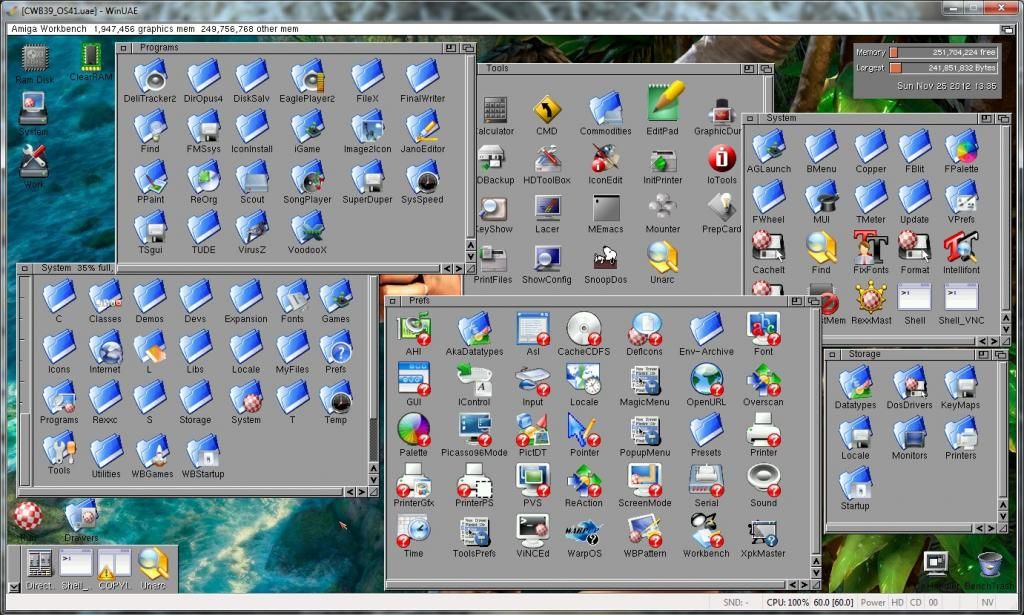
This is my latest update to Classic Workbench OS3.9 with PowerIcons and Picasso96 installed:


I'm using PeterK's new Icon Library with PowerIcons and it's really fast so I'm pleased with it so far. Only testing right now in WinUAE but it will be great on a real Amiga too as I've already tested Peter's Icon Library on my A4000 :cool:

The bits I'm stuck on now are changing the Ram Icons and Trash, the Ram Icon although I can change it with CopyIcon it never saves and the Trash one I just can't seem to replace.

I would also like other advice on dock bars, etc. I have the normal OS3.9 one now but I've seen users with Task bars similar to Windows, what's the best ones?

Thanks for any help :)

Steve.
 
@Fitzy

You need to alter your startup-sequence to copy the required icon for the RAM:.info as one of its last steps.

I'm not in front of my Miggy at the moment but I have the same in my startup-sequence. I could have a look later unless someone beats me to it :D

I'm not sure if you can do the same with the Traashcan but would assume you could.

Have you looked within the stored prefs?

Dave G :cool:
 
Cheers Dave, that should be easy enough then as I guess Bloodwych already has that for his icon :)
 
Trash icons are their own special type. It's possible to change a Trashcan icon, but I can't remember the specifics. As I recall, there are five types of Workbench icons:

  • Disk
  • Drawer
  • Tool
  • Project
  • Garbage
You need to make sure your icon is the right type.
 
Dave is correct :)
Bloodwych already uses this on his User-Startup when he declares the following 2 lines:
Code:
C:Copy >NIL: S:Ram.info RAM:Disk.info
Run >NIL: C:RamSnap
RamSnap causes the Ram Disk icon to act like the other disk icons that you have on Workbench. ie. Snaphot
the Ram icon in place, reset your computer and the thing will be in
the same place you left it.


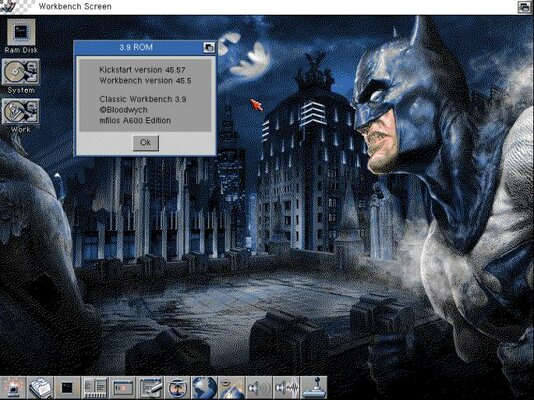
Haha I pimped more my WB by making the Pointer sprite smaller, adding a custom ClearRAM icon on ToolManager Dock and making a custom Exec.library that I putted in my custom ROM :P
mfilos_cwb3.9_new.jpg

Your WB seems really awesome there El'Steavo mate! Keep up the good work
 
@mfilos

Thanks matey.

I've seen the head of a Ram used as the RAM: icon before :picard

Kinda cute but perhaps not what you are looking for Fitzy :lol:

Dave G :cool:
 
@mfilos

Thanks matey.

I've seen the head of a Ram used as the RAM: icon before :picard

Kinda cute but perhaps not what you are looking for Fitzy :lol:

Dave G :cool:

That would be pretty awesome :lol:

Thanks for the info Marios, I will make them changes later and report back :cool:

Oh and thanks for the kind words, it's making great progress plus I found lots more icons at OS4 Depot so I can use some others too.

Now I got the Hardware setups as I want it's time to concentrate on the perfect Workbench for me :thumbsup:
 
Dave is correct :)
Bloodwych already uses this on his User-Startup when he declares the following 2 lines:
Code:
C:Copy >NIL: S:Ram.info RAM:Disk.info
Run >NIL: C:RamSnap /snip[/QUOTE]When you use OS 3.9 you can also use
[CODE]"Makelink RAM:Disk.info ENVARC:Sys/def_RAM.info SOFT"
 
Back
Top Bottom