Problem hard disk SCSI

  • Thread starter Thread starter cocomocho
  • Start date Start date
  • Replies Replies 20
  • Views Views 3156

cocomocho

Member
AmiBayer
Joined
May 7, 2011
Posts
451
Country
Madrid
Region
Spain
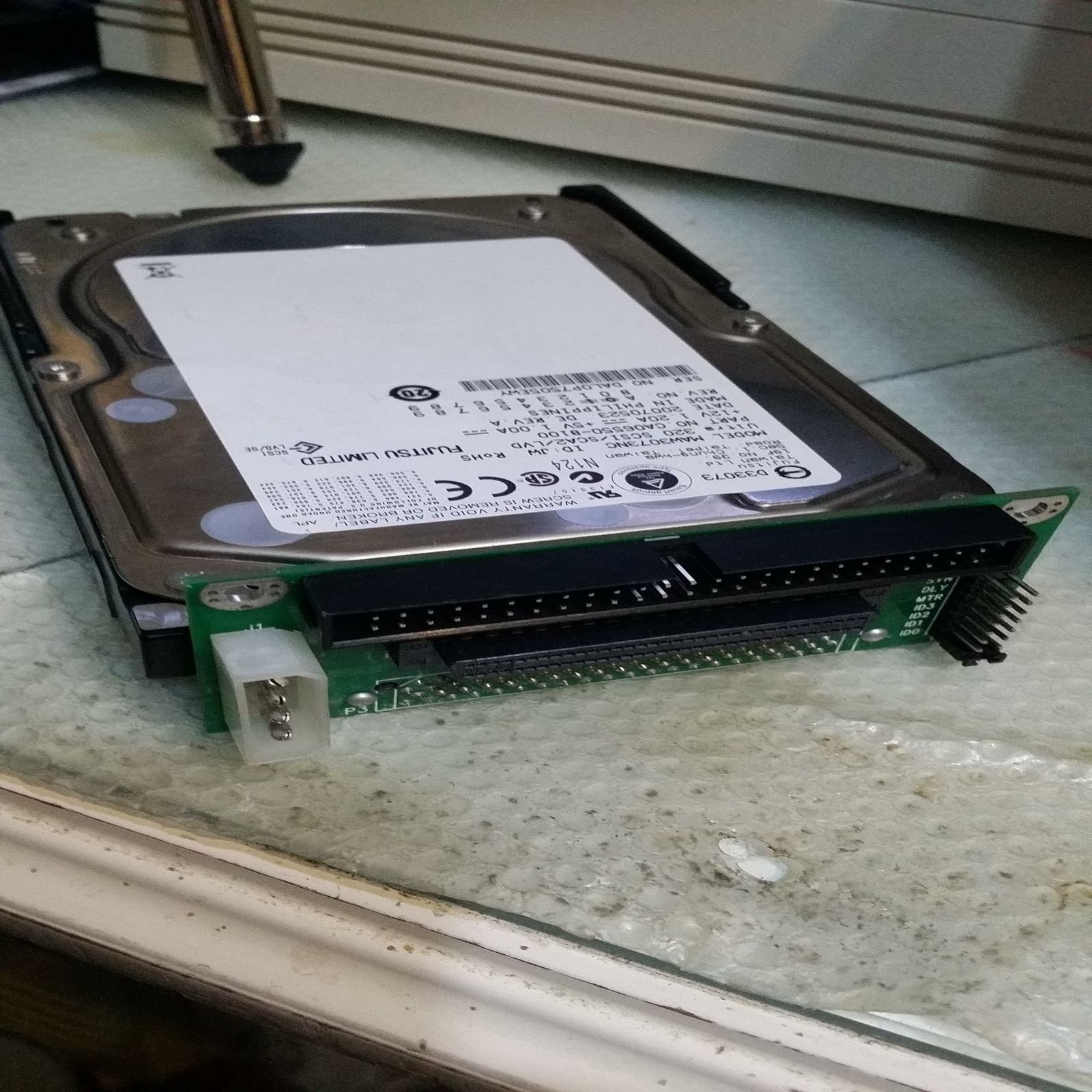
Hello friends, I have a problem with a SCSI hard disk. I have given this hard drive 80-pin SCA and I bought an adapter that will see in the photo below, and I thought to put it on my A4000, I have a CyberStorm MK2 060, with CyberSCSI MKII and connect me start disk hard but not detected in any way. In the same cable I have connected a multi SCSI card reader and so I reported that a terminator on cable or something to that the hard disk is required to function. Sure there is some understanding of this issue I can clarify or if there is any solution so that I can use this hard drive on my A4000 :). Best Regard

qMouFrB.jpg
 
Most SCA hard drives will not work. The only ones that do work with the SCSI 2 bus are the ones that have a jumper block on them so they can be switched to single ended mode.
 
I have used a 73GB SCA hard drive with exactly the same type of adapter for many years with no problem at all.

I am not familiar with the Cyberstorm/CyberSCSI. What connection are you using? 50 or 68 pins?

I see by the jumper config on your adapter the SCSI ID appears to be 1. There is no jumper on MTR so its important your SCSI adapter sends a "start unit" command.
 
Last edited by a moderator:
Use the 50-pin cable, the SCSI Cyber MKII is a SCSI-2 to 10 Mb / s, the jumper is in the ID0 but have tried others and the controller does not see it even refuses to start the A4000. The SCSI multilector is the terminator, the small LED that has the hard drive lights or sometimes staring at boot, lights but then goes out but the controller does not detect anything.
 
I believe the TERM jumper on the adapter is top one. If your hard drive is the last device on the chain, make sure that TERM has a jumper on it.

I would remove the other device from the chain and leave just the hard drive to make sure there is no contention between the two of them.
 
Last edited:
Hello bitcpy!!!!, I hope you're good friend, your A3000 to buy you a couple of years there war continues hehehe. Well look friend of both the hard drive and the adapter does not have jumper completion, I removed the multi reader SCSI cards to see if there were any conflict, but if you take it off and turn on the A4000, the A4000 refuses to boot, stays in stand and does not leave the Kickstart, I think it does not work that both the hard drive and the adapter has no termination. I put the termination on the SCSI multi card reader. The controller CyberSCSI MKII is well configured with Jumpers I checked before ;)

lolTTGx.jpg
 
Last edited:
It's been a long time. I am glad you are enjoying the Amiga 3000!! :)

My apologies for the mistake. I had a similar setup with a hard drive using that same adapter and I thought I remembered it having a TERM jumper. When I have used SCA drives, I would use an Active or Passive Terminator dongle and attached it to the end of the SCSI cable. Since its SCSI-2 spec, you can get away with a Passive terminator dongle.

This is a good read on SCSI Termination: http://www.scio.k12.or.us/shs/staffweb/mettsg/comptec/SCSI/Scsi_termination_tutorial.htm#6

Passive Terminator for SCSI-2: https://www.monoprice.com/product?c_id=104&cp_id=10402&cs_id=1040204&p_id=806&seq=1&format=2


Hello bitcpy!!!!, I hope you're good friend, your A3000 to buy you a couple of years there war continues hehehe. Well look friend of both the hard drive and the adapter does not have jumper completion, I removed the multi reader SCSI cards to see if there were any conflict, but if you take it off and turn on the A4000, the A4000 refuses to boot, stays in stand and does not leave the Kickstart, I think it does not work that both the hard drive and the adapter has no termination. I put the termination on the SCSI multi card reader. The controller CyberSCSI MKII is well configured with Jumpers I checked before ;)

lolTTGx.jpg
 
mmm ... I mean that with this adapter with passive termination, should work ..... I know that has a pin to a voltage to the fact terminator on the controller CyberSCSI have one in automatic mode .. I'll look or see if there is some type of modification to the adapter :)
 
This depends on how many connectors are on the cable, but can you move the adapter down a connector and use a terminator on the end of the cable?
 
My SCSI cable has to connect 3 devices, and the fourth goes to the SCSI controller, the terminator I have put into the multi card reader not if interposing SCSI terminator between 2 connectors, is not whether it works but I think not
 
Most SCA hard drives will not work. The only ones that do work with the SCSI 2 bus are the ones that have a jumper block on them so they can be switched to single ended mode.

I believe is your primary problem - some disks that do not have a jumper terminal on the device for SE simply won't work (without a specific adaptor board). I have many SCSI devices from ex server farms that cannot be configure to SE.

But there are some things we can try - assuming that the Hard Disk is LVD (Low Voltage Differential) and NOT HVD (High Voltage Differential) - as mention a terminator - I would humbly suggest an "Active" terminator as I find these give reliable results despite cable length.

If the device is not presenting itself on the chain at that point the device is not responding to protocol as it is not in Single Ended Mode
 
Last edited:
Most SCA hard drives will not work. The only ones that do work with the SCSI 2 bus are the ones that have a jumper block on them so they can be switched to single ended mode.

I believe is your primary problem - some disks that do not have a jumper terminal on the device for SE simply won't work (without a specific adaptor board). I have many SCSI devices from ex server farms that cannot be configure to SE.

But there are some things we can try - assuming that the Hard Disk is LVD (Low Voltage Differential) and NOT HVD (High Voltage Differential) - as mention a terminator - I would humbly suggest an "Active" terminator as I find these give reliable results despite cable length.

If the device is not presenting itself on the chain at that point the device is not responding to protocol as it is not in Single Ended Mode

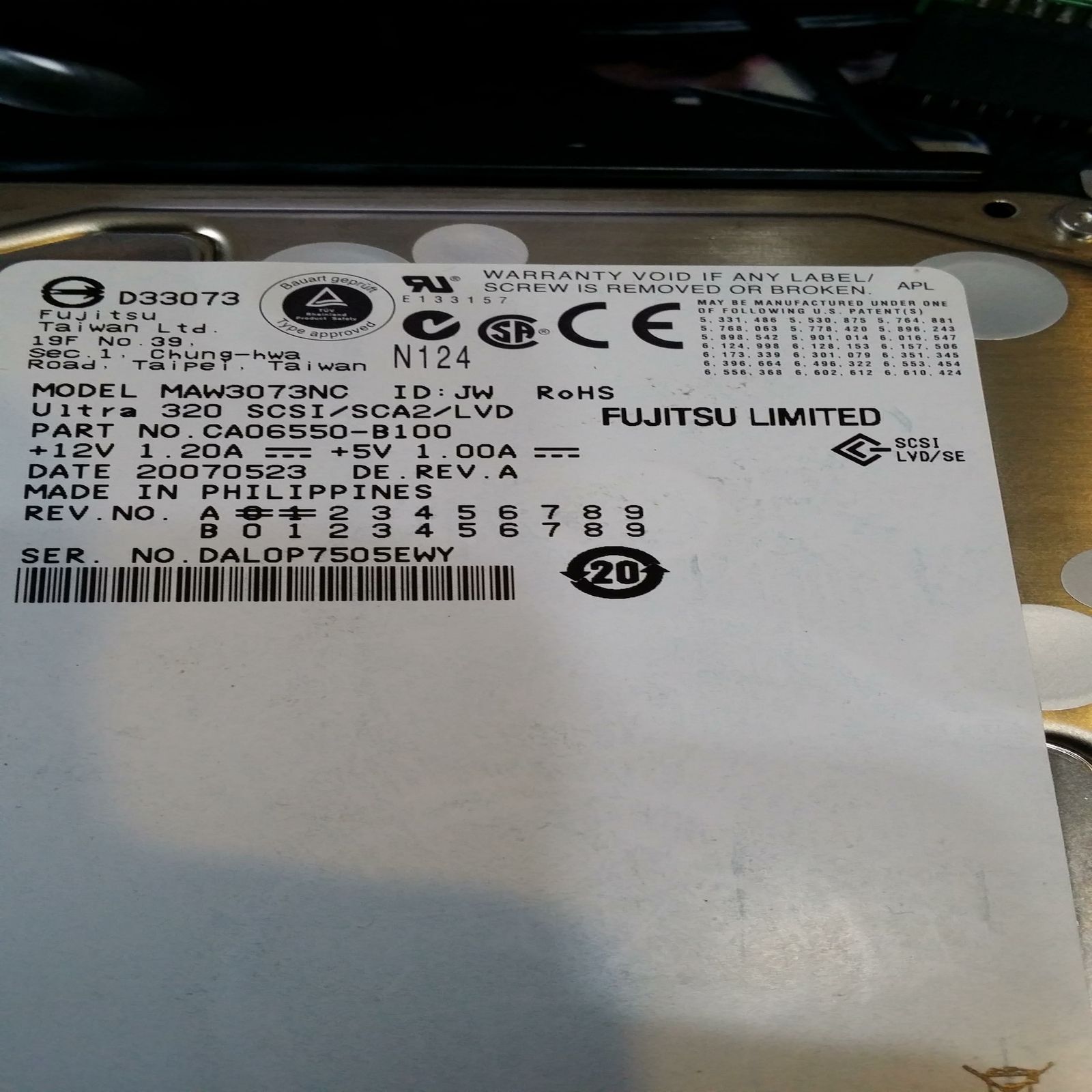
Hello Zetr0, thanks for your answer, the hard drive I have is SCSI LVD/SE the image attached, did a test because I have a SCSI controller that is compatible with the Mediator since my A4000 has Mediator, but neither detected. Theoretically is what is commenting, a terminator is needed, the wire having the controller is about half a meter. The pity is that the adapter I bought there some kind of modification to put a terminator :)

ZEQtmZh.jpg
 
Could you post a pic of the jumpers? Not every drive is autosensing if it comes to narrow/wide, and you should also be able to set the I/F to single ended, but that was already suggested.
I used to fit LVD drives in a Casablanca, and if memory serves me right, there were some issues with 320 drives.
 
Could you post a pic of the jumpers? Not every drive is autosensing if it comes to narrow/wide, and you should also be able to set the I/F to single ended, but that was already suggested.
I used to fit LVD drives in a Casablanca, and if memory serves me right, there were some issues with 320 drives.

Hello friend, the hard disk does not have any jumpers, jumpers only ones who have are those provided by 80 pin adapter 50 Pins :)

lolTTGx.jpg
 
Guess what, I found a 36 Gb version of the same drive, and there are no jumpers indeed.:p
So I guess the only thing you could do, is to get another drive, but the upside is that they cost next to nothing nowadays.
Oh, and try an ultra-160 this time.
 
Last edited:
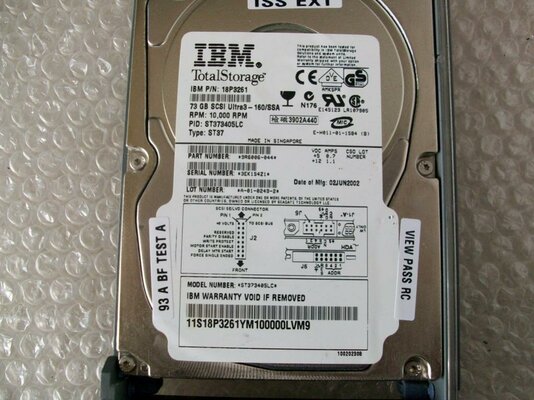
I bought the IBM hard disk of the previous and this looks like it has to work, what happens when I get into the usefulness of CyberSCSI MKII I get this information...

iNrmdKR.jpg
 
News. I put a SCSI controller and I Oktagon 2008 has detected the hard drive without any problem, however with CyberSCSI MK2 I get that window of information ... I do not understand....
 
Last edited:
Do you have latest firmware flashed on the MKII & SCSI Module? I see the SCSI detect is V2.7. The latest SCSI tools are 3.1 from what I remember.

One of the disks has a firmware update utility on it.

Go here and check you are running latest versions: http://phase5.a1k.org/index.php?driverslibraries

News. I put a SCSI controller and I Oktagon 2008 has detected the hard drive without any problem, however with CyberSCSI MK2 I get that window of information ... I do not understand....
 
Last edited:
Back
Top Bottom