Problems with Commodore 1950 monitor.

  • Thread starter Thread starter Niezgodka
  • Start date Start date
  • Replies Replies 19
  • Views Views 886

Niezgodka

Active member
AmiBayer
Joined
Apr 19, 2014
Posts
844
Country
USA
Region
East Coast
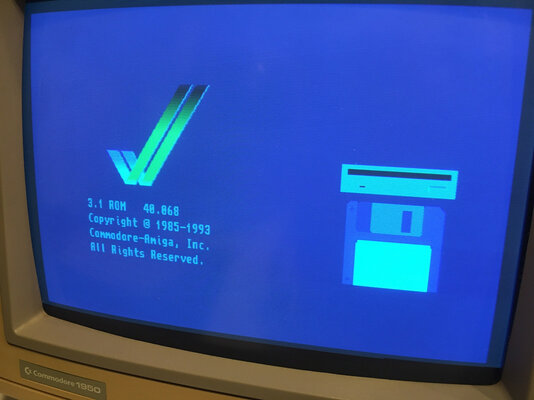
I have quite unused 1950 monitor. I noticed, that sometimes it is out of sync (the image keeps moving), but when you will reinsert a plug into amiga, the image will be steady.
Also, if it is steady, the image is with wrong colors (too much blue).

1950.jpg

Do anybady has any experiance with repairing such issue in 1950?
 
roy_bates might be able to offer some advice, although he is located in the UK, so any repairs would be unlikely. (y)
 
also,there isnt much i can do from here i hope you undestand,but i think i would be inspecting the inside of the monitor after checking the cable is ok electrically

it looks to me that there isnt much red,thats why it looks blue
 
actually i think there is a switch on the side of these that the sync and rgb goes through,maybe it needs cleaning?
you would probably have to open it for that anyway,and spray some contact cleaner it,just make sure its off and then run it up and down a few times
 
What wouldd be a way to test a cable? It was quite dirty and would not be surpised if something with it would not be 100% :(
 
It's great you have a 1950. Better than 1940,42,,60. Super-Hi-Res capable. I looked at one for my A3000 but then sold the Picasso II from it so Super-Hi-Res wasn't needed.
 
What wouldd be a way to test a cable? It was quite dirty and would not be surpised if something with it would not be 100% :(

with a multimeter? but you would have to take the monitor apart,and test it both ends...dirt wipes off,unless you mean the pins
 
Online, there are multiple sites that state problems with 1950

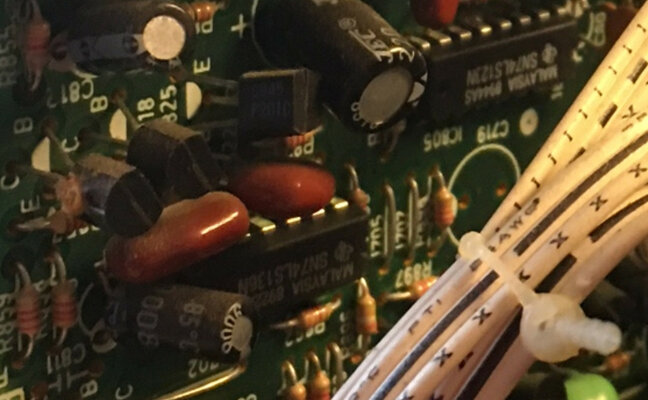
A sync problem may be caused by the monitor detecting sync on the Green input and then disabling the horizontal and vertical sync inputs. Removing the 10K R854 resistor or the 10uf C812 capacitor on the small vertical board may fix this. It may also cause problems of its own, so be warned. The analog/TTL switch appears to be prone to failure. However, if switching the switch brings back the picture, it may actually be that the 74LS123 (IC805) on the same board is failing. The suggested course of action is to replace (or at least resolder) this chip first, since it's a commonly available part. A defect in the way the 74LS123 is mounted may be present; there should be +5V on pin 3, but the way the chip is mounted or the board is manufactured, it may be intermittent. There should be a PCB trace between pin 3 and pin 16, however, pin 3 is not soldered to this trace, but only friction-fit (non-plated-through holes?). When the analog switch is moved, it causes intermittent contact between pin 3 and the trace. A soldered jumper to pin 16 is an easy way to fix this, or you may be able to solder to the trace already present. Another common problem is the failure of a multifunction sync chip. Replacements should be available from Sony. The high-voltage boards may crack; this can be one cause of the monitor that starts working when you hit it. A 1 megohm resistor in the second power supply's startup circuit goes bad, causing the monitor to remain dark. Replacing the resistor with a higher wattage one may help prevent

So soldering pin 3 to pin 16 on the 74LS123 should help?
Where is that chip located?
Is there internal color adjusting device inside of the case?

 
personally i think your better off getting someone to look at it,seeing as you are really having a hard time locating components or any practical electronics knowledge that i can see
this sort of thing isnt something you want to play around inside if you dont know what your doing

i wish you the best of luck,but i hardly never see these post in a forum to help me walk through me a repair posts turn out well
 
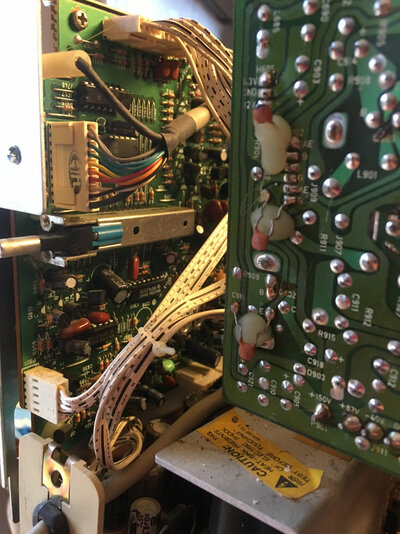
according to the service manual,IC805 is on the signal input board the one witht he slide switch i mentioned

before you do anything,type here what that ic has written on it 74lsxxx,where xxx is the last three numbers,do you understand?
there will probably be a location for that ic on the board

type the number,ill confirm
 
personally i think your better off getting someone to look at it,seeing as you are really having a hard time locating components or any practical electronics knowledge that i can see
this sort of thing isnt something you want to play around inside if you dont know what your doing
You are right here. I can do some basic repairs, maybe disassemble the board and ship it to someone, but I don't have skills and experience with such devices.

Monitor is beautiful, and fits perfectly with a3000, so I want to save it so hard :(

I don't see any color adjusters inside.

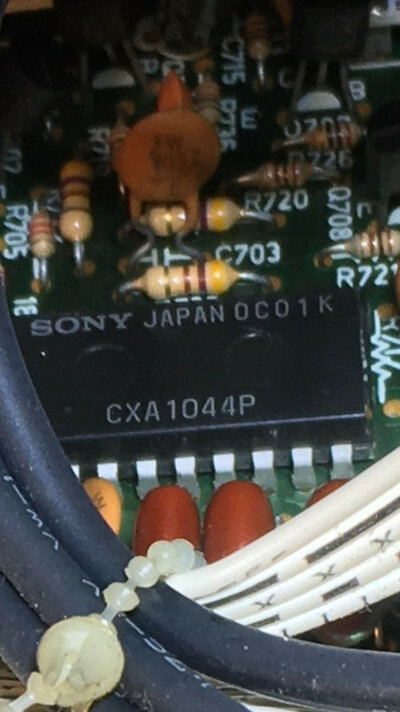
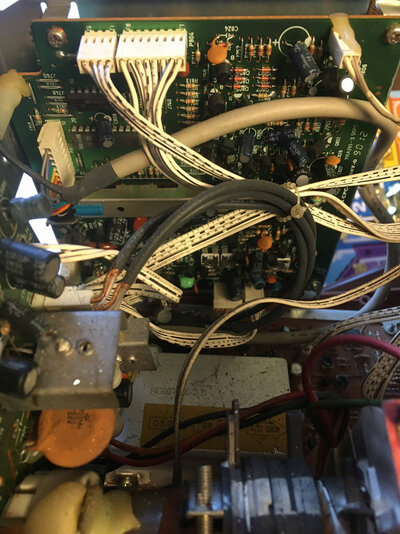
I don't see a chip you mentioned, instead I fpund Sony chip, so maybe it was replaced?

IMG-9746-PNG.jpg


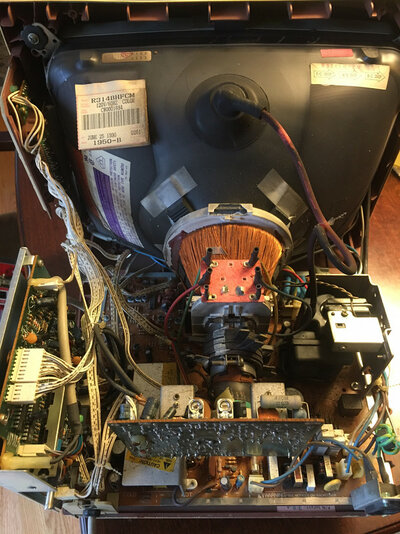
IMG-9737.jpg

IMG-9738.jpg

IMG-9739.jpg

68fbc97e
 
Last edited:
@Niezgodka Before you can even think about removing the mainboard, you will need to discharge it first, do you know how to do that?
 
it wasnt replaced you simply arnt looking in the right place,its under the switch on the board thats vertical,i can see it

to adjust the coluor levels ,its on the neck board,i seriously think you shouldnt be doing this
not many that repair monitors or tv's will just look at a board,come on,lets be real here
 
Last edited:
to adjust the coluor levels ,its on the neck board,i seriously think you shouldnt be doing this
By neck board, do you mean the board at the end of the tube, in the center on the first picture?
I did not notice any adjusters there :(
So it has to be adjusted when powered on with computer on and the mirror to see how colors changed?

I remember years ago I had to adjust Apple Lisa screen like that. Bypass taking lid off sensor, power it on and adjust the screen in x y to fit the screen.
If it is only adjusting the colors, I can try with caution.

@Watson - zero experiance with repairing crt. I know an old guy who was fixing them, but now his attitude is "just get a modern one, don't spend money or time on it".
If I will know what should be done with it, I will ask him.


Image-001-2023-01-16.jpg
 
you are seriously making me nervous ,please dont work on it,not being able to see things that are there is a problem,dont take it the wrong way

not there are many left in this field of work,i dont know many myself,plus im in the uk obviously so it wouldnt be practical for me personally or you
but,surely you might be able to find someone to look at it,i wouldnt trust you to do it,im being frank
 
I appreciate you cautiousness. I will look up local ads for crt repair, and talk to the old man. I'm not giving up on that monitor, just will not work on it myself :)
Will post updates!
 
Back
Top Bottom