

Hi,
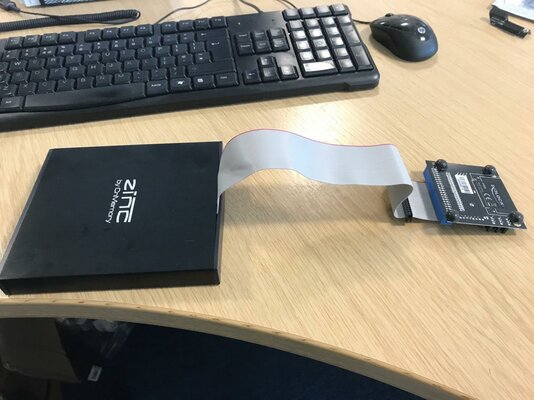
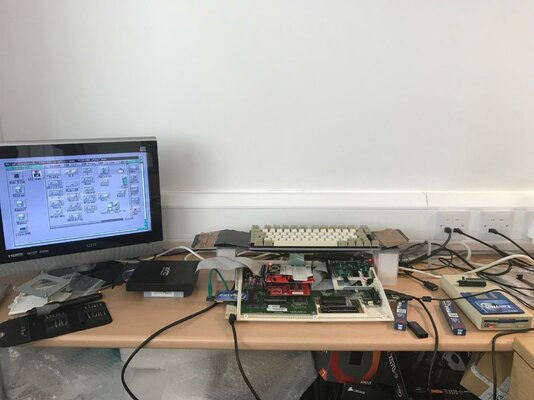
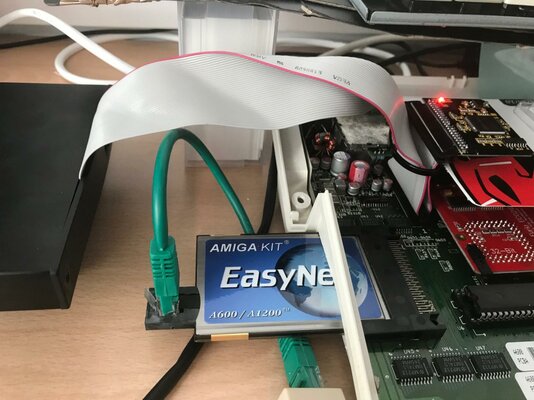
I've attached some images showing my full A600 rig as it stands and the IDE connection. I bought the Zinc By CmMemory drive and it came with the IDE 2.5" cable connected and the CF adaptor connected. I swapped the CF adaptor for my SD adaptor, which boots fine.
When I ran IDE-MAX 97 (and used the popular Google Registration details - as I didn't then realise they were written on the install disk!) I came to FindDevice. As you can see from the images, I have set this to Show All Device Types and as in the pictures, I get on driver showing an SD card (assume that's my SD boot drive) another under Compact Flash, showing a blank entry w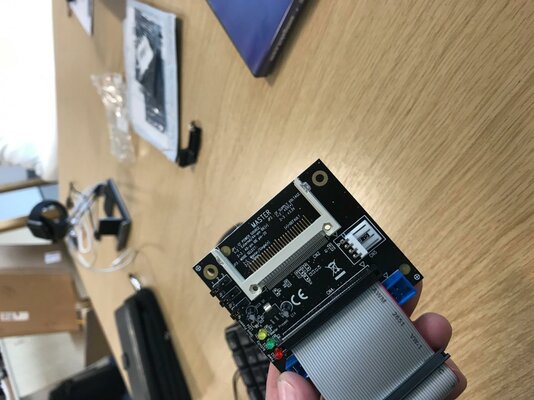
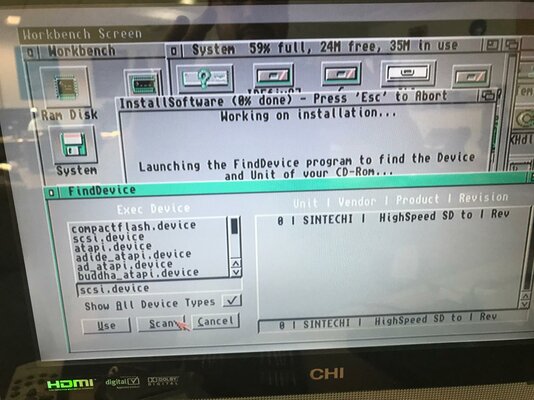
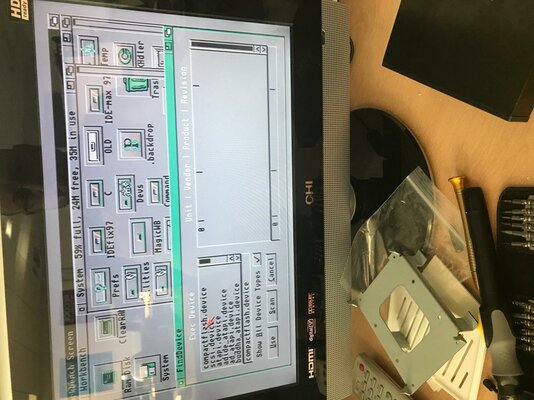 ith a 0... then under some of the PCMCIA drivers, I get 4 Unknown devices 0 to 3 listed - assume that's something to do with my EasyNet PCMCIA Ethernet Adaptor (that I haven't installed drivers for yet - as they are on a CD!).
But see nothing that implies my Optical Drive is recognised that I'm confident to click on and select use? Guessing this can't just be me, am I missing something? The drive has power.
Thanks in advance,
Ady.
- - - Updated - - -
I'm thinking that the SINTECHI device shown under scsi.device may the adaptor used in the external CD drive (or it could be my existing IDE to SD adaptor... not sure) but when I looked up SINTECHI I found...
https://www.amazon.co.uk/Sintech-PA5012-Win7-adapter-ID9449/dp/B004F3GTFS
...and as the CD drive clearly has a micro USB port on the back, I'm thinking Vasalia used the above adaptor in the modification pre-sale, so thinking I just select that and click USE? (but don't want to screw it up, so any thoughts welcomed).
Thanks,
Ady.
I've attached some images showing my full A600 rig as it stands and the IDE connection. I bought the Zinc By CmMemory drive and it came with the IDE 2.5" cable connected and the CF adaptor connected. I swapped the CF adaptor for my SD adaptor, which boots fine.
When I ran IDE-MAX 97 (and used the popular Google Registration details - as I didn't then realise they were written on the install disk!) I came to FindDevice. As you can see from the images, I have set this to Show All Device Types and as in the pictures, I get on driver showing an SD card (assume that's my SD boot drive) another under Compact Flash, showing a blank entry w
ith a 0... then under some of the PCMCIA drivers, I get 4 Unknown devices 0 to 3 listed - assume that's something to do with my EasyNet PCMCIA Ethernet Adaptor (that I haven't installed drivers for yet - as they are on a CD!).But see nothing that implies my Optical Drive is recognised that I'm confident to click on and select use? Guessing this can't just be me, am I missing something? The drive has power.
Thanks in advance,
Ady.
- - - Updated - - -
I'm thinking that the SINTECHI device shown under scsi.device may the adaptor used in the external CD drive (or it could be my existing IDE to SD adaptor... not sure) but when I looked up SINTECHI I found...
https://www.amazon.co.uk/Sintech-PA5012-Win7-adapter-ID9449/dp/B004F3GTFS
...and as the CD drive clearly has a micro USB port on the back, I'm thinking Vasalia used the above adaptor in the modification pre-sale, so thinking I just select that and click USE? (but don't want to screw it up, so any thoughts welcomed).
Thanks,
Ady.