Viper 1230 accelerator, I just need an advice.

  • Thread starter Thread starter telonio
  • Start date Start date
  • Replies Replies 11
  • Views Views 341
Status
Not open for further replies.

telonio

Member
Banned
Joined
Oct 6, 2014
Posts
273
Country
Greece
Region
Athens
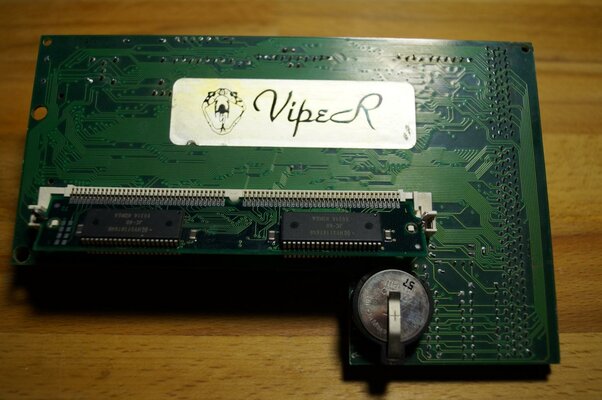
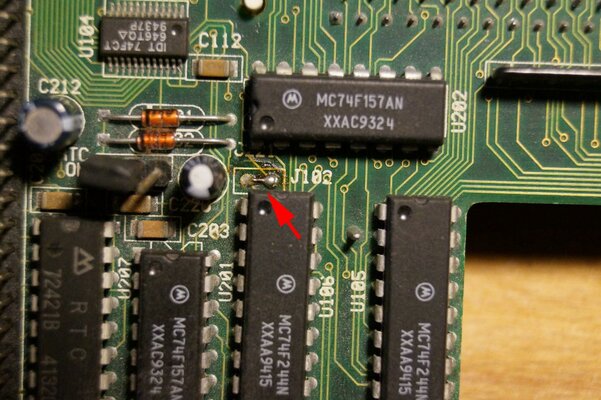
I got for free this 1230 Viper accelerator for my 1200. If you notice in the cpu it has 2 bend pins. Although they are not touching each other and the card was working fine for many years with the bend pins. It was stored in a cabinet for some time and now it is not booting (black screen). Now, I tried different ram memory simms but I had no luck. One thing that I notice, if you look the third photograph in J102 there seems to be some kind of leaking. So is that possibly a leakage from the capacitor near by? Also I searched but not found a clear photograph for this card, because I am not sure if there a smd capacitor missing from J102. Maybe someone has any information about this one?

Thanks
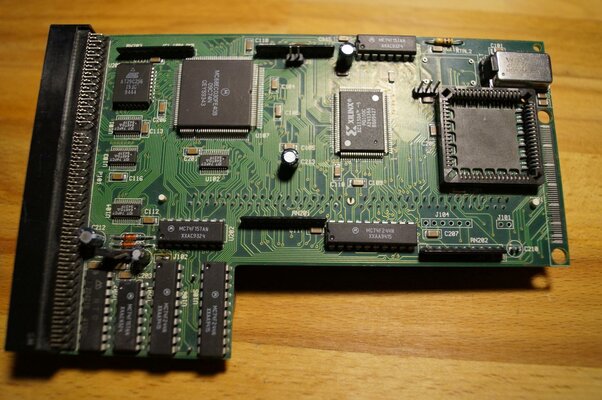
DSC06167.jpg DSC06169.jpg DSC06168.jpg
 
The brown substance in the third picture is more likely soldering flux - that jumper has probably been closed by someone with a soldering iron and not cleaned afterwards. It's not dangerous to the card.

I've never had this particular card, but I did get a black screen with a GVP 030 card in my A1200. Turned out nothing was wrong and simply cleaning the connector on the motherboard side got the system working again. Worth a try.
 
Thank you for the reply. The connector in the motherboard works fine when I plug my other accelerator (a blizzard 030). I am pretty sure that something going wrong with the viper. I wonder if it makes sense to replace the four capacitors.
 
Hi,

This card has optional socket for PLCC FPU and has on PCB two Quarz position + jumper. You have 100% 40 mhz quarz in right position and too jumper ok settings? What test with another quarz - is socketed?

Regards, Sveta
 
Last edited:
Sveta thank you also for the reply. Last time that I saw the card working had these jumpers in the position that are they now, or at least as far as I can remember. I can't find any information about the right position of the jumpers to assure that they are in the right position.

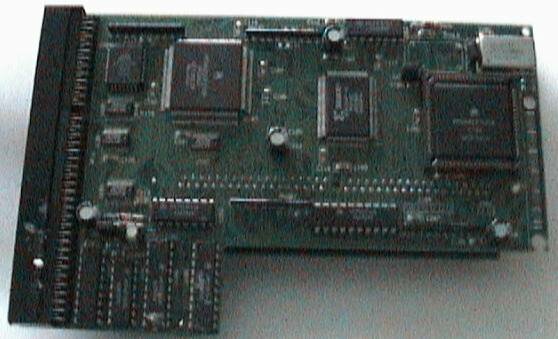
This is the only photograph that I found in the net. I just noticed that the viper in the photograph has a capacitor in the right-down corner (C210). Mine has only to pins there, and as far as I know, there shouldn't be any pins there if a capacitor was never installed there. Maybe this is the fault?

viper_1.jpg
 
Last edited:
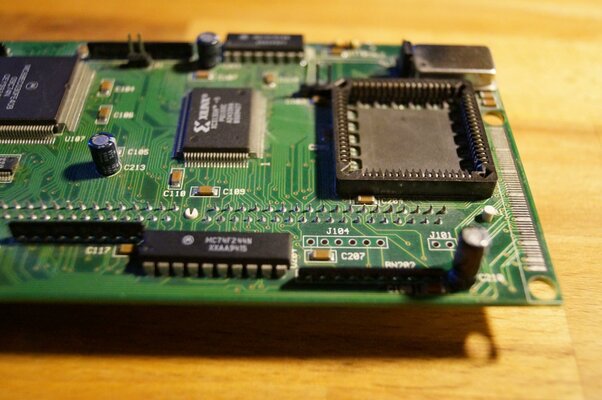
You've ripped C210 completely off the board somehow. Those "pins" are the internal contacts of a capacitor. Replace the capacitor and it should work fine again.

Bryce.
 
ajk yes it is the same. Probably from another manufacturer.

Bryce That somehow I don't understand either, but I guess this must happened when I moved from my old house (packing all the things, amiga's etc).
I will go and buy one tomorrow and I will post the result.
 
I installed a new capacitor today 25v 33mf, I even cleaned the pins in the socket of the card but still gives me a black screen. I am not quite sure about the position of the jumpers, but I have them like in the photo of magnum above. So I tried 2mb, 4mb and even 8mb simms with no luck.

DSC06171.jpg
 
Do you have any test equipment to check that it's powering up and getting a valid clock signal?

Bryce.
 
A multimeter won't be enough for proper debugging. A schematic isn't really necessary for the basics: Checking clock, address and data activity.

Bryce.
 
Status
Not open for further replies.
Back
Top Bottom