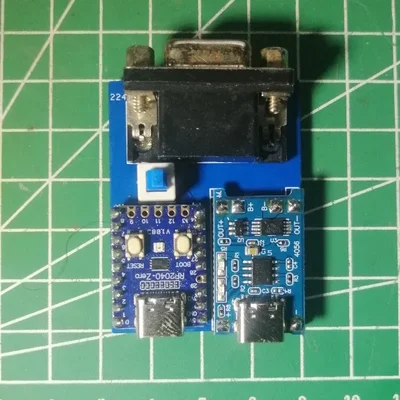
15kHz VGA Monitor Tester - with lipo charger , 24 usd
15kHz VGA Monitor Tester - with lipo charger
15kHz VGA Monitor Tester - with lipo charger
 retrocu.xyz
15kHz VGA Monitor Tester - with lipo charger
15kHz VGA Monitor Tester - with lipo charger
retrocu.xyz
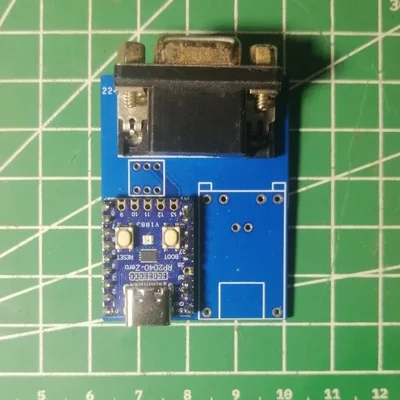
15kHz VGA Monitor Tester - without lipo charger,19 usd
15kHz VGA Monitor Tester
retrocu.xyz
15kHz VGA Monitor Tester15kHz VGA Monitor Tester
retrocu.xyz
Bring Your Retro Setup to Life!
Hunting for the perfect 15kHz VGA monitor for your Amiga, Atari, Sega, or arcade machine? The 15kHz VGA Monitor Tester ensures you pick the right display without the guesswork. Test compatibility in seconds and build your dream retro gaming setup with confidence!
Why Choose the 15kHz VGA Monitor Tester?
Instant Compatibility Check: Plug it into your monitor’s VGA port and know within seconds if it supports 15kHz RGB signals (e.g., 320x240). Clear test patterns or an error message tell you everything.
Portable and Compact: Small enough to fit in your pocket, perfect for thrift stores, flea markets, or retro shops.
User-Friendly Design: No complex setups! A single button cycles through test modes (grid, checkerboard, etc.) for quick and easy testing.
Retro-Ready: Built for 15kHz systems like Amiga, Commodore, Atari, or arcade cabinets, ensuring flawless compatibility with vintage hardware.
Save Time and Money: Avoid costly mistakes by confirming monitor compatibility before you buy.
Who’s It For?
Retro gaming enthusiasts, vintage computer collectors, and arcade hobbyists. Whether you’re scouring for a CRT monitor or verifying your existing setup, this tester is your go-to tool.
How It Works
Connect the tester to your monitor’s VGA input, power it on, and select a test mode. If the monitor supports 15kHz signals, you’ll see crisp test patterns. If not, an error message will let you know. Simple, fast, and reliable!
Get Yours Now!
With the 15kHz VGA Monitor Tester, you’ll never waste time on incompatible monitors again. Elevate your retro gaming and computing experience today!