A570 rebooting issues **FIXED**

  • Thread starter Thread starter mjnurney
  • Start date Start date
  • Replies Replies 13
  • Views Views 2590

mjnurney

we live as we dream. Alone.
AmiBayer
Joined
Aug 27, 2010
Posts
9,473
Country
england
Region
Towcester
hello all

i have acquired an A570 with PSU but...

it reboots continually or rather the Amiga does in CDTV mode - volume off

but if i set the volume to on - cd mode , the Amiga boots fine

Any ideas? - i have no history of the machine.

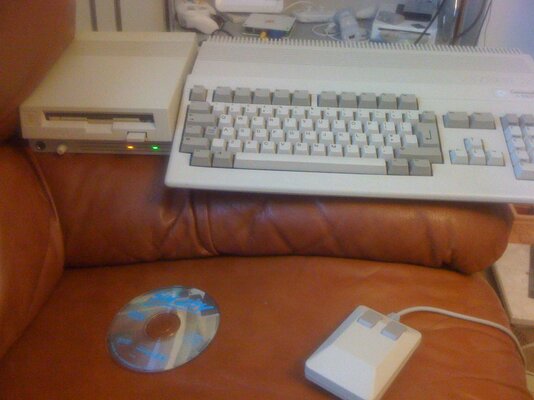
Amiga A500 2.0 roms / tried A500+ 2 mb ram (same)
A570 + caddy + orig PSU

im told that occasionally it does boot to the CDTV menu but at the moment its just cycling via reboot.

the sequence is,

power on..cd spins up
- reboot , laser returns
and again...


Any ideas?

ive only had a quick play with it, cleaned the laser and refitted.
If i remove the CD DRIVE, the Amiga boots to a grey screen and does nothing.

thanks

---------- Post added at 22:49 ---------- Previous post was at 22:40 ----------

I've cleaned the edge connector too
 
Last edited:
You does not need the 2.30 CDTV boot ROM to use 2.x/3.x in the Amiga?

Tested with a CDTV title or music CD?

Grey screen in the Amiga alone is no good. Check socketed chips.
 
The Amiga boots fines all ways except when the A570 is set to cdtv mode. When I say it's grey screen I mean I opened the a570 and unplugged the cd drive ribbon but the a570 is board is still connected to the amiga , powered it up to test and I get a grey screen.

I did wonder about it booting on a 500+ rom?


I will try on a 1.3 machine later but the a570 box says a500+ compatible ?
But I will test on 1.3 rom

Can I update the a570 roms?

Thanks
 
I never really had A570, but doesn't volume knob also work as power button in this case? I think that's possible. When volume is lowered, then vital parts of A570 are off. No idea why :).
 
The volume button switches modes , off = cdtv , on = cd0 for workbench

As far as I know but in cdtv mode I get constant rebooting
 
Stupid Question No. 129 1/2......

When it's booting in CD-TV mode, have you actually got a bootable CD in the drive? Remember, the CD-TV boots from the CD and if there's no CD there, it will just assume that it might not be able to read the disc and reboots.

Does it actually play games in CD-TV mode? This could be as simple as a dirty laser head in the CD drive.
 
I did wonder about it booting on a 500+ rom?
I will try on a 1.3 machine later but the a570 box says a500+ compatible ?

Yep it is compatible: I ran an A570 on an A500+ for about three years until the device died :(

Also even when in CTDV mode the thing will boot off a floppy. It'd just sit there on the the animated CDTV screen waiting for a disk or floppy much like a proper CDTV when it has the external disk drive attached.

Perhaps you have a dodgy eject switch? Doesn't ejecting a disk cause the thing to reboot as standard?
 
I've never seen the cdtv menu, with or without a cd in it just reboots with the volume switched on. With the vol off it shows the 2.0 rom insert floppy disk logo as normal.

---------- Post added at 10:09 ---------- Previous post was at 10:08 ----------

I have a cdtv game in the caddy but it makes no difference ...
 
Does the A570 just reboot if no Cd is in the drive?

if so a dead laser would make it reboot continually?

---------- Post added at 18:05 ---------- Previous post was at 17:48 ----------

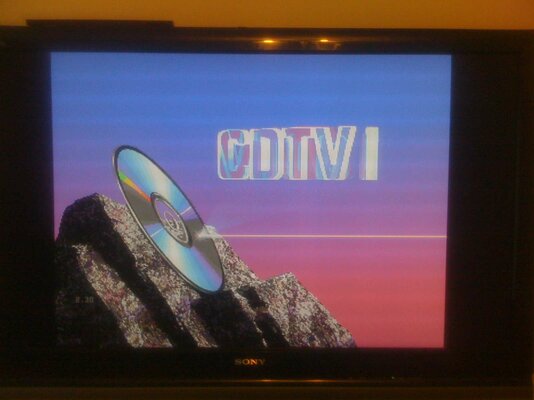
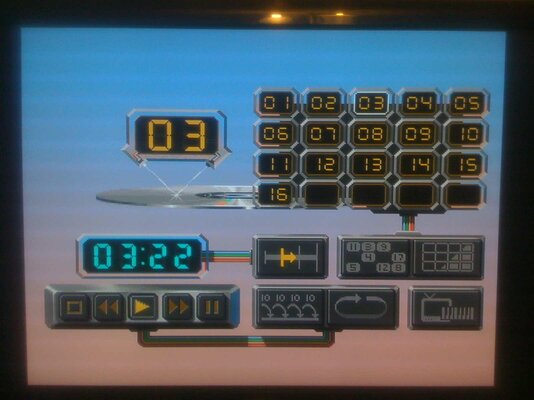
no it boots to cdtv logo / menu...or should do
 
********FIXED**********

Joy :-)
 

Attachments

  • A570.jpg
    A570.jpg
    75.4 KB · Views: 8
ohhh just doing a few tests to make sure before i blow my own trumpet :-)
 
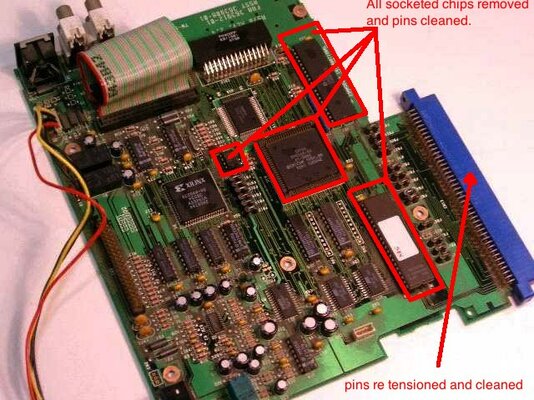
A570 Fix

****** take care when dismantling anything! ******

1) remove 3 base screws (one under warranty sticker)
2) remove 5 screws hold cd player on the base pcb
3) unplug and remove cd player unit
4) remove 6 screws holding metal shield over main pcb
5) remove each socket IC chip and clean pins carefully, refit and check orientation!
6) re assemble
7) i tensioned the edge connector pins with a tiny flat blade screw driver ,pushing down a little and tried to clean each pin with with cotton bud and cleaner (hard to do properly)

connect and power up...mine worked first time :-)

Even with the cd player removed and connected to the A500 and then powered on , the screen was a light black rather than the grey before - so i knew something had changed.

cheers
 

Attachments

  • A570 fix.jpg
    A570 fix.jpg
    71.8 KB · Views: 44
  • a570 test.jpg
    a570 test.jpg
    129.2 KB · Views: 23
  • a570music.jpg
    a570music.jpg
    91.5 KB · Views: 12
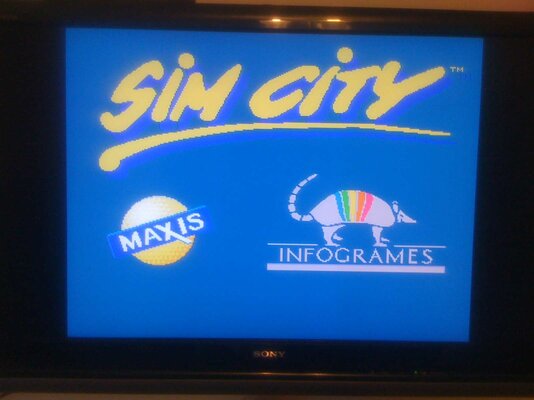
  • simcity.jpg
    simcity.jpg
    71.2 KB · Views: 18
Last edited:
Digging from the grave.
A570 Fix

****** take care when dismantling anything! ******

1) remove 3 base screws (one under warranty sticker)
2) remove 5 screws hold cd player on the base pcb
3) unplug and remove cd player unit
4) remove 6 screws holding metal shield over main pcb
5) remove each socket IC chip and clean pins carefully, refit and check orientation!
6) re assemble
7) i tensioned the edge connector pins with a tiny flat blade screw driver ,pushing down a little and tried to clean each pin with with cotton bud and cleaner (hard to do properly)

connect and power up...mine worked first time :)

Even with the cd player removed and connected to the A500 and then powered on , the screen was a light black rather than the grey before - so i knew something had changed.

cheers

Hi. Digging from the grave. Bought A570. I have the same exact issue. When plugged there is a constant reboot every 10 or so seconds seconds. I can here the mechanism moving. So it is not dead - this is cool news already. I don't have a caddy. Can anyone please confirm that A570 without caddy should boot to cdtv screen either way? Thank you.
 
Back
Top Bottom