A600 right mouse button not working

  • Thread starter Thread starter protek
  • Start date Start date
  • Replies Replies 45
  • Views Views 9026
@robinsonb5: Is the internal pullup located within the Paula? I mean, am I able to test with that hack, whether it's working or not?

I *think* so - but if the early-startup menu works then your problem lies elsewhere.

Do you maybe have a forgotten driver for a PC mouse adapter lurking in WBStartup?
 
Do you maybe have a forgotten driver for a PC mouse adapter lurking in WBStartup?

Nope, using an Amiga mouse and the adapters that I have work without drivers as 2-button mouse.
 
Nope, using an Amiga mouse and the adapters that I have work without drivers as 2-button mouse.

Yes, I know - but PC mouse adapters pull some interesting tricks with the POT lines for communicating wheel events, so I was wondering if such a driver might be causing issued with your regular mouse. A long shot anyway, but figured it was worth checking. :)
 
Yes, I know - but PC mouse adapters pull some interesting tricks with the POT lines for communicating wheel events, so I was wondering if such a driver might be causing issued with your regular mouse. A long shot anyway, but figured it was worth checking. :)

Sure, I can check even though my OS3.1 setup is quite vanilla. I can try booting from a floppy to see, if that makes any difference.
 
I tried booting from WB floppy. Still no joy. :( And a three button mouse was no different (a wheel button via MicroMys).

Is there anything else I could try? I'm still curious about that single booting event, when the button actually decided to work but not on the second. Also, if the early startup menu works, then why does not the button work in the Workbench?

I've been looking at the caps on the motherboard and there are a few of those cylindrical SMD caps, whose solder pads are pretty dull and dark, meaning that the best before date has been passed.
 
Update:
I tried booting with only left mouse button held down and got to the early startup menu. That probably indicates that the right button is "stuck", not in the mouse but somewhere else.
 
Another update. I left the A600 on for about an hour, did a warm boot and found out that the right button was now working. I did a cold boot also and the button was still working. What can we conclude from this? Can we give the Paula the all clear? I've now shut it down and am going to test it later in the evening to see if the temperature is the key in this issue.
 
Another update. I left the A600 on for about an hour, did a warm boot and found out that the right button was now working. I did a cold boot also and the button was still working. What can we conclude from this? Can we give the Paula the all clear? I've now shut it down and am going to test it later in the evening to see if the temperature is the key in this issue.

Thought I was going nuts then realised Im on a different forum, ;).
 
Good as new! :D

Turns out that it was one or more of Paula's solder joints that had broken. Found it out, when I was tapping the Paula with the handle of a screwdriver. Re-soldered all the legs and based on initial test it's working. I'm going to put it together and run further tests but It's looking good.

Thanks FOL for tipping about the tapping and others too! :)
 
Ok, a long story short:

Since my last post the right button stopped working again and I dismantled and resoldered all the legs of Paula. From there things went for worse as the button wouldn't still work but the screen would also go gray after a few minutes of use.

Fast forward a few months. Today I removed the Paula with my rework station after having a practice run on a PC mobo. The Paula came off nicely. I didn't have any solder paste so I had to solder the replacement Paula the old fashioned way. I suppose I didn't manage to get all the legs connected even though I had flux paste as I was greeted with a black screen. TV is getting a signal but the A600 just won't boot. I did check that there are no bridges or short cuts between the Paula legs.

Should I just get some solder paste in a syringe and rework the Paula once again?

I guess it's true about cleaning up properly if using flux paste as all my solderings had oxidized in the three months even though I had cleaned the joints with IPA.

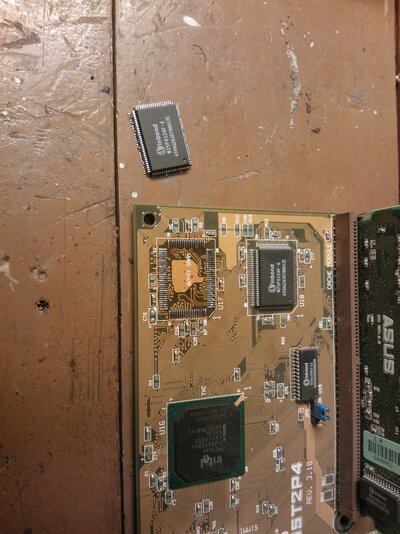
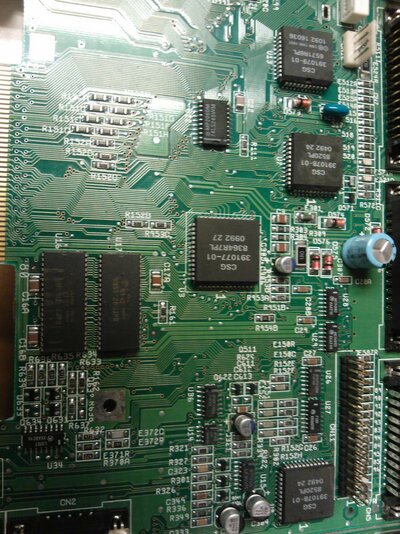
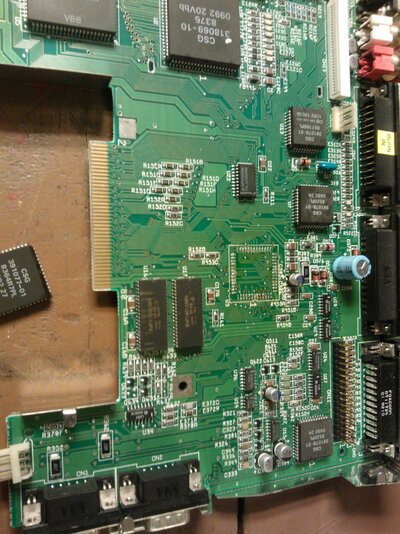
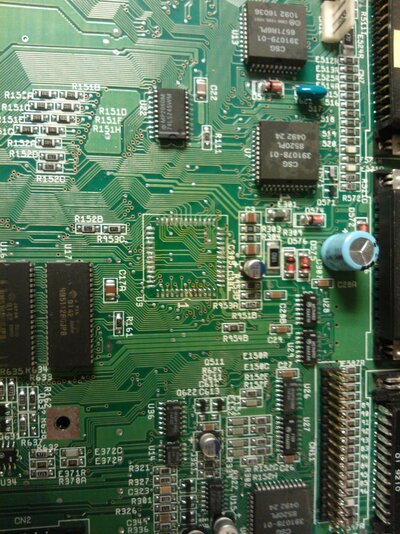
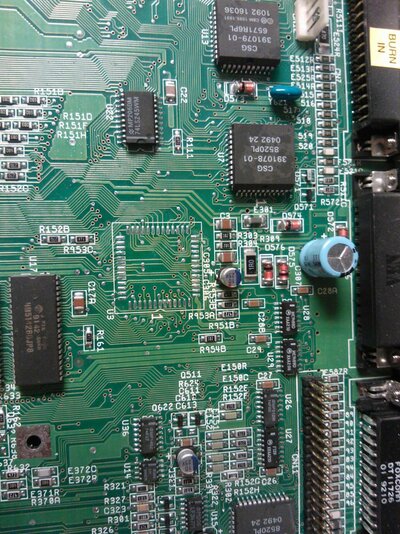
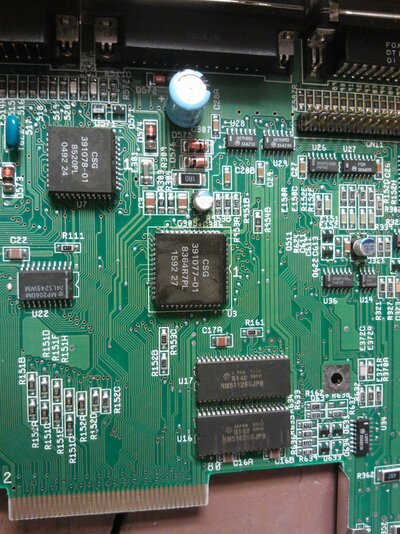
Below are a few shots about my so far futile repair attempt.
 

Attachments

  • WP_000012.jpg
    WP_000012.jpg
    200.2 KB · Views: 8
  • WP_000013.jpg
    WP_000013.jpg
    210.7 KB · Views: 7
  • WP_000014.jpg
    WP_000014.jpg
    207.6 KB · Views: 6
  • WP_000015.jpg
    WP_000015.jpg
    210.5 KB · Views: 4
  • WP_000016.jpg
    WP_000016.jpg
    216.9 KB · Views: 7
  • WP_000017.jpg
    WP_000017.jpg
    209.8 KB · Views: 7
Im sure you can boot without paula (I know, you will be missing functionality, but it boots fine).

I would personally, get some braid (to mop up the left over solder) and flux. Then you can make sure its soldered correctly. As you may end up with short behind legs on not see it easly.
 
I'm really starting to hit a wall with my A600 mobo. :banghead:

I did some chip pressing the other day. If I press Paula, nothing happens. But if I press either the odd CIA or the small 74xxxx chip then the right mouse button works. The thing is that I've resoldered both and I have to press really hard so that the mobo bends slightly to make anything happen. Therefore I think the solder joints of the chips aren't the problem. I've also resoldered the C312 resistor on the bottom side - and quite many other components... :deadhorse

One thing worth noticing. The early boot menu appears with only pressing the left mouse button instead of both. That and pressing of the motherboard from the top would indicate a short on the bottom rather than a broken trace on the top. I've reckoned that Paula only interprets the signal from POT0Y and based on the signal either interprets it as potentiometer resistance or right mouse button and acts accordingly. Based on this, the short would be after Paula rather than between the mouse port and Paula.

Other thing. I had the plain mobo on the table for some time. I booted and RMB worked. I had to get the A600 out of the way so I put it back together. Already when I had the lower RF shield in place, the RMB stopped working. It's a tight fit by the way. The mobo has tension, when you have the lower RF shield in place.

Does anyone have any ideas? I'm starting to want to toss this mobo as far as I can. :banghead: :butcher
 
How about ditching the lower rf shield and trying again - maybe it is shorting somewhere?
 
How about ditching the lower rf shield and trying again - maybe it is shorting somewhere? :unsure:

The insulating film is in place and I can get the RMB not to work without the RF shield too just by lifting one corner of the mobo. Besides, don't really want to ditch that because my VGA port is screwed on the RF shield in place of the RF modulator.
 
sounds slightly catch 22 although i expect there is a logical reason somewhere along the lines.

Maybe your 600 mobo is of a naturalist background and prefer to live its life naked :lol:
 
Since I've verified the incoming line from mouse port to Paula to be ok, I guess I have to start checking the continuities for the pins that have either outside or two way traffic from Paula.
 
How about a hot air reflow to help improve an intermittent/weak solder joint :shrug:
 
@Tomse: I take that you have to have some sound playing on the background to verify this?

@snoozy/thread: Could the mobo be baked in an oven to get the whole shebang reflowed?
 
Back
Top Bottom