Amiga 4000 mouse buttons work but not movement

  • Thread starter Thread starter SNDTST
  • Start date Start date
  • Replies Replies 8
  • Views Views 168

SNDTST

New member
Joined
Nov 22, 2018
Posts
4
Country
USA
Region
California
I finally got a copy of the 3.2 ROMs and after I installed them and booted up the computer I found the mouse wouldn't move. All of this worked earlier this week before the new ROMs arrived. I tried switching back to my original ROMs but the mouse wouldn't move. I even tried an alternate CPU card. Whatever happened seems to cause the mouse buttons to work (as well as the keyboard) but not the mouse movement. I saw another thread that said to try the key lock but it doesn't seem to the issue. I tried reseating it just to be careful. Any ideas of things I can try?

Edit: Tried some more things: I measured the +5v pin on the mouse port and saw it measure 4.3v, I measured it from one of the unused molex connectors on the power supply and it measured 4.4v. I had a spare A4000 power supply from an earlier project. It measured exactly 5v without load from a molex connector, but when I swapped it the working mouse buttons non-working mouse movement issue persists. Another thing I tried just to rule it out. I manually jumpered the key lock pins (I tried both 1-2 and 2-3) and when the computer boots up the keyboard doesn't respond. If I remove the jumper or plugin the keylock on the front panel the keyboard works. I thought Amiga 4000 had unbridged=locked, but I wasn't sure. Since it's looking likely that I will have to take the rest of this computer apart anyone got pointers on what I should try and measure either with a scope, logic prob or voltmeter?
 
Last edited:
Mouse problems typically mean one of the CIA chips, either bad contact or bad chip. Try checking them using the 'Amiga Test Kit': https://github.com/keirf/Amiga-Stuff

Flaky PSU may also be causing similar behavior (mine did some years ago before the original PSU failed). You can monitor voltage on the 5v rail and perhaps disconnect as much as can (leaving bare motherboard if possible) to see if it goes way under light loads

If you end up needing a repair, I highly recommend Hese on this forum. Good luck!
 
First of all check if you have 5V on mouse port at pin 7.
Then check the fuse F175 near the CIA U350.
A friend had the same problem in his A2000 and it was a burnt fuse similar to this one, even though yours is a resettable fuse.
 
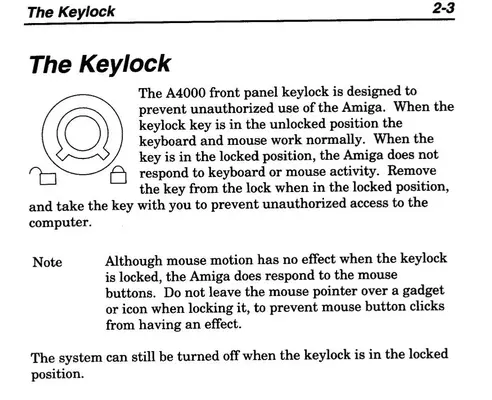
Keylock! Don't forget the keylock on the front. How do I know? Hands-On experience!


EDIT: Just for clarity, the computer will also act as if it is locked if you didn't re-connect the (open?) lock to the motherboard.

EDIT 2: Are you sure you connected the lock to the right two pins? Are you sure you connected the lock wire to the lock not an LED? Those wires are nicely tangled - hard to make sense of them. The behaviour you're experiencing sounds 100% like keylock to me. Could someone please remind us which two pins the lock needs to be connected to on the 3 pin header? Cheers!
 

Attachments

  • Keylock.webp
    Keylock.webp
    81.2 KB · Views: 1
Last edited:
I would suggest you fire up AmigaTestKit 1.21 and run tests. I'd soon as possible try to exclude problems with the CIA chips.

I asked Perplexity, this was my prompt:
a user is experiencing that mouse movement doesn't work on his A4000D, but mouse clicks does.

what tests, besides AmigaTestKit, can the user do to exculde damaged CIA chips?

It's reply was this:

Mouse movement on an A4000D is handled mostly by Lisa and the mouse port shift-register circuitry, not directly by the CIA, so working mouse buttons but no movement points more to the Lisa/shift-register/port side than a bad CIA. eab.abime.net amiga.serveftp.net

What the CIA actually does​

On an AGA Amiga like the A4000D:
  • The CIA handles mouse button inputs (and joystick buttons, keyboard scanning, timers, etc.).
  • Mouse movement signals go through a dedicated shift‑register chip and into Lisa, then on to the chipset.
Because your mouse clicks work, the CIA input bits for that port are already being read correctly, which strongly reduces the likelihood of a dead CIA input block for that port.


Simple “no‑tools” tests​


These quick tests help separate CIA vs non‑CIA faults:

  • Try a joystick in the mouse port (Port 1)
    • Directions use the same port pins as mouse quadrature lines but are decoded differently. retrorepairsandrefurbs.com
    • If joystick directions all work reliably in a game or Workbench joystick‑controlled software, it again suggests the CIA is seeing that port’s direction lines properly.
  • Swap mouse and joystick between ports
    • If a mouse in Port 0 (joystick port) has the same “no movement, buttons OK” behaviour, the fault is likely common logic (Lisa/shift‑register/board traces), not an individual CIA input. facebook.com
  • Inspect and clean the mouse port
    • Dirty or bent pins can affect just the quadrature lines while leaving the button pins OK.

System‑level CIA sanity checks​


To exclude “obviously bad” CIAs without AmigaTestKit, use normal OS behaviour that depends heavily on CIA timers and ports:
  • Keyboard behaviour
    • Rapidly press Caps Lock 20–30 times; LED should toggle cleanly every press without getting stuck. wordpress.hertell.nu
    • Stalling, missed presses, or the machine locking up can indicate more global CIA/interrupt issues, not just a mouse problem. forum.amiga.org
  • Joystick in both ports
    • Confirm all four directions and the button work in each port using a known‑good joystick and a simple joystick‑driven game or demo.
    • If both ports show correct directions and fire, the CIA’s port bits are probably OK.
  • Parallel / serial activity (optional but useful)
    • Simple printer or serial loopback tests exercise additional CIA port pins and timers; if those work while mouse movement does not, it again points away from the CIA.

Electrical checks around the mouse path​


If you have a multimeter or scope, you can further exculpate the CIAs by checking the dedicated mouse chain instead:
  • Check the mouse port +5 V and ground
    • Confirm stable 5 V on the mouse supply pins and good continuity to ground; a sagging 5 V line can cause odd behaviour without implicating CIAs.
  • Trace continuity from the mouse port to Lisa / shift‑register
    • Community repair notes for A4000/ReAmiga show that broken vias or missing ground on the small logic/shift‑register chips can cause exactly “buttons OK, no movement” while CIAs test fine.
    • Verifying continuity of those lines (and that those chips are not hot or visibly damaged) is a strong argument that CIAs are not the cause.
In practice, if:
  • Mouse buttons work,
  • Joystick directions and button work on both ports,
  • Keyboard and CIA‑dependent timers/ports behave normally,
then the CIAs are extremely unlikely to be the culprit; focus instead on Lisa, the mouse‑port shift‑register IC and the associated traces and vias near the battery/RTC area, which are known weak points on A4000 boards.

So try AmigaTestKit, swap the mouse and joystick around, try another mouse and look for other problems with the machine.
 
IMG_3399.webp

Ran AmigaTestKit. The CIA Timer tests seem to pass. I tried the peripheral ports and I can cycle through CIAA.PA1-7 but if I try and cycle through CIAA.PA0 it crashes after OUT.0. Also I plugged in a gamepad and I can see button presses but the directional buttons don't work. I tried different mice (I only have 1 Amiga gamepad which I know works on my A500) and got the same result. I'm now further disassembling the A4000 to measure the serial port with an oscilloscope.
 
Tried some more things: I measured the +5v pin on the mouse port and saw it measure 4.3v, I measured it from one of the unused molex connectors on the power supply and it measured 4.4v. I had a spare A4000 power supply from an earlier project. It measured exactly 5v without load from a molex connector, but when I swapped it the working mouse buttons non-working mouse movement issue persists. Another thing I tried just to rule it out. I manually jumpered the key lock pins (I tried both 1-2 and 2-3) and when the computer boots up the keyboard doesn't respond. If I remove the jumper or plugin the keylock on the front panel the keyboard works. I thought Amiga 4000 had unbridged=locked, but I wasn't sure. Since it's looking likely that I will have to take the rest of this computer apart anyone got pointers on what I should try and measure either with a scope, logic prob or voltmeter?
 
So to summarize
  • AmigaTestKit
    • CIA timer tests all ok
    • CIA cycles CIAA.PA1-7 ok
    • CIA cycles CIAA.PA0 crashes after OUT.0
    • Gamepad: Button presses, no directional fuunctionality
    • Other mouse: Also fail
  • Multimeter meassurements
    • +5v pin meassures 4.3v on mouse port
    • unused molex: 4.4v
  • PSU replaced
    • Issue persists
  • Jumpering keylock switch
    • closed jumper: Keyboard doesn't respond
    • open jumper: keyboard works
Look at traces on the mother board. According to Hertell, look at U975

Batteryleakage problems:​


This is one of the hardest problems. but we try.

Red Screen during boot: This is a kickstart error. Check U891 if all connections are good. also check ground and power. often affected by batteryleakage.

Dead mouse: Some boards with heavy batteryleakage have a dead mouse (mouse buttons are working) check and change U975 and U976, they are 74HCT166. And it seems to be a common issue that they simply die due to the batteryleakage.

U177 is also very often affected. meaning that RTC will die. or actually “green screen” aswell
I'm not suggesting you have corrotion there, just that the damage can be in the same area given the symptoms.

Given that you've got quite low voltage, check voltage on both sides of F175. Apparently it's supposed to be clsoe to 5v over that fuse and have continuity to pin 7 of the port (src Perplexity.ai).
 
Looking at the schematics, the left and right mouse buttons go to Alice and the CIA (U350), but the POT_0X, and 0Y (as well as _1X and 1Y) signals go to Paula for the movement of the mouse (pins 35 & 36, and 38 & 39).

The joystick signals (forward, back, left, and right) however go through U975.
 
Back
Top Bottom