

Are you ready for extremely high-quality, flicker-free HDMI output from your A2000? When I first got this, I thought just another flicker fixer, but is a really good flicker fixer with an on-screen display.
I have 1 of these. New High-quality RGB2HDMI for the A2000 video slot (Raspberry Pi Zero 1/2 required). Probably the best quality flicker-free video possible from an Amiga.
- CPLD version eliminates "Sparkling Pixel" issues.
- Brilliant "Commodore blue" premium v2.2 PCB
- works great for non-RTG standard display modes such as Games, boot screen, etc.
- Pre-flashed and ready, but you will still need to install the software on the SD Card for the Pi.
- All high-quality hardware components installed, including the power-to-Raspberry Pi LED (Blue LED) and fuse
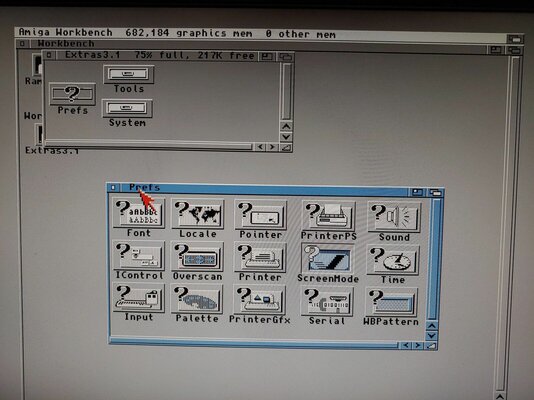
- on-screen menu that enables adjusting video including auto-calibration, flashing firmware, and more.
- connect to the Raspberry Pi's HDMI port
- works with low-cost Raspberry Pi Zero and Raspberry Pi Zero 2 (with the latest software).
- works with small and economical SD Card in the Raspberry Pi Zero like 128MB, software only takes approx. 30MB (depending on version)
- works well with most any expansion such as a PiStorm and Accelerators. Basically works independently.
- automatically boots/shutoff with the Amiga

 github.com
Included for 70 dollars plus shipping:
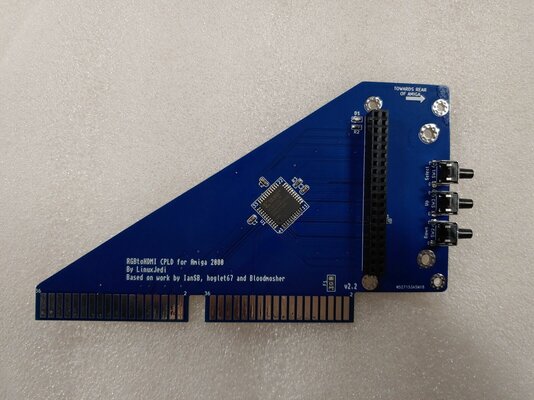
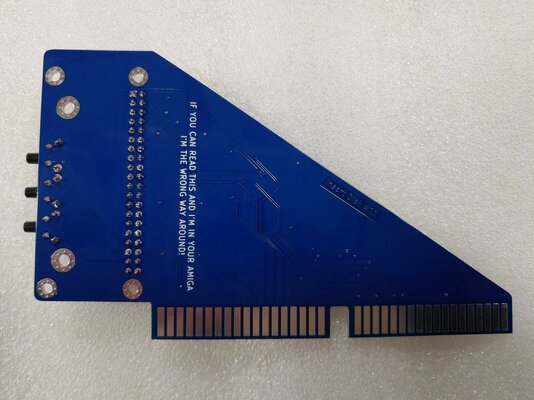
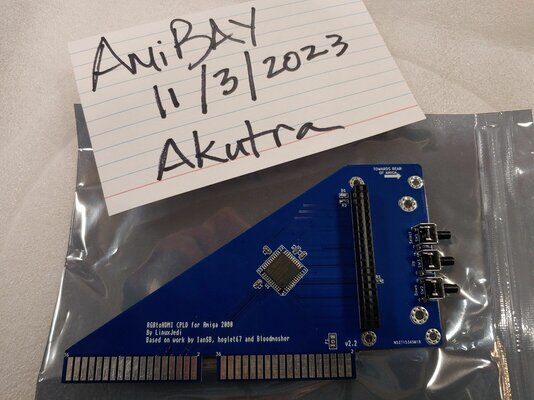
A2000CPLDSlot v2.2 board (plugs directly into the video slot and Raspberry Pi Zero)
What you will need (not included):
I have 1 of these. New High-quality RGB2HDMI for the A2000 video slot (Raspberry Pi Zero 1/2 required). Probably the best quality flicker-free video possible from an Amiga.
- CPLD version eliminates "Sparkling Pixel" issues.
- Brilliant "Commodore blue" premium v2.2 PCB
- works great for non-RTG standard display modes such as Games, boot screen, etc.
- Pre-flashed and ready, but you will still need to install the software on the SD Card for the Pi.
- All high-quality hardware components installed, including the power-to-Raspberry Pi LED (Blue LED) and fuse
- on-screen menu that enables adjusting video including auto-calibration, flashing firmware, and more.
- connect to the Raspberry Pi's HDMI port
- works with low-cost Raspberry Pi Zero and Raspberry Pi Zero 2 (with the latest software).
- works with small and economical SD Card in the Raspberry Pi Zero like 128MB, software only takes approx. 30MB (depending on version)
- works well with most any expansion such as a PiStorm and Accelerators. Basically works independently.
- automatically boots/shutoff with the Amiga
AmigaRGBtoHDMI/Amiga2000CPLDSlot at main · LinuxJedi/AmigaRGBtoHDMI
LinuxJedi's designs for Amiga RGBtoHDMI boards. Contribute to LinuxJedi/AmigaRGBtoHDMI development by creating an account on GitHub.
github.com
Included for 70 dollars plus shipping:
A2000CPLDSlot v2.2 board (plugs directly into the video slot and Raspberry Pi Zero)
What you will need (not included):
- Raspberry Pi Zero or Raspberry Pi Zero 2 with Header Pins installed
- SD Card to install the software.
- Micro-HDMI cable or adapter to connect to a monitor.
Attachments
Last edited:

