Apollo 1260 resurrection

  • Thread starter Thread starter mjnurney
  • Start date Start date
  • Replies Replies 63
  • Views Views 7942

mjnurney

we live as we dream. Alone.
AmiBayer
Joined
Aug 27, 2010
Posts
9,473
Country
england
Region
Towcester
i have been sent an Apollo to test and fault find if possible , it arrived from a fellow amibay member and was DOA when it arrived.

the first visual inspection didn't look too good i must admit but hey ho..

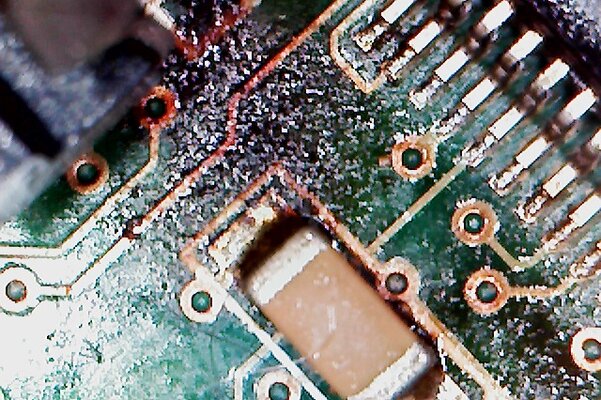
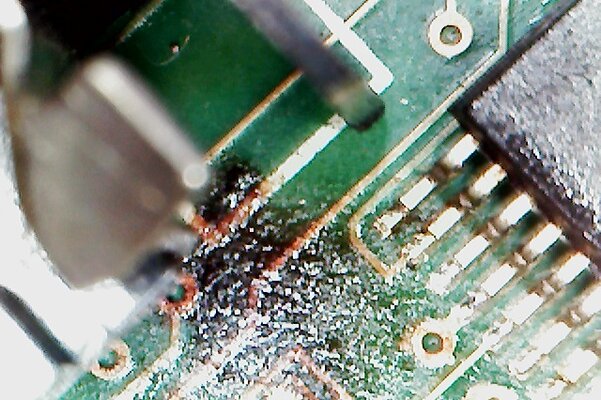
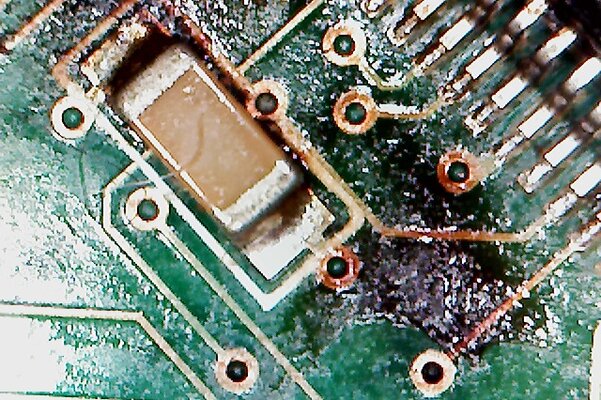
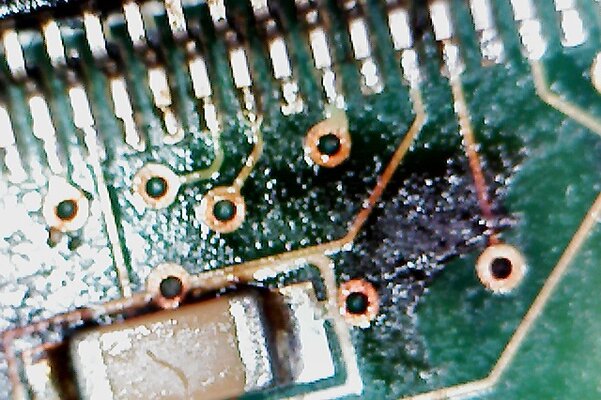
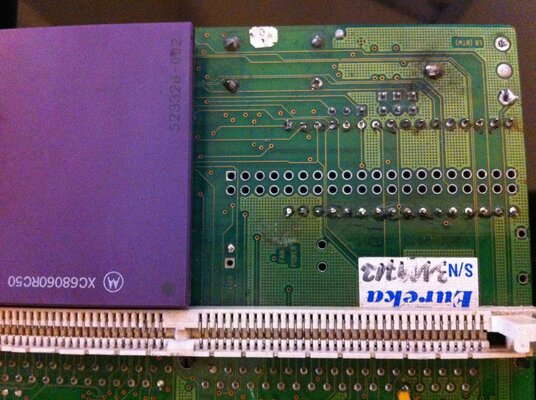
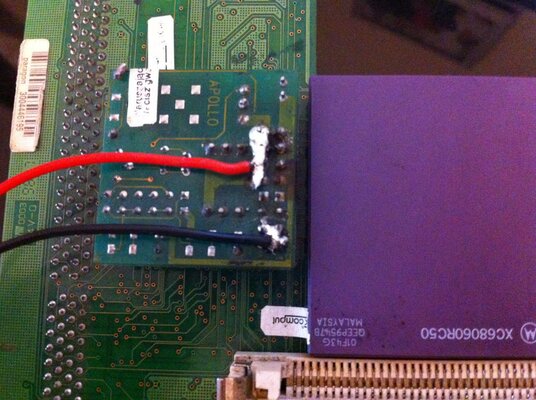
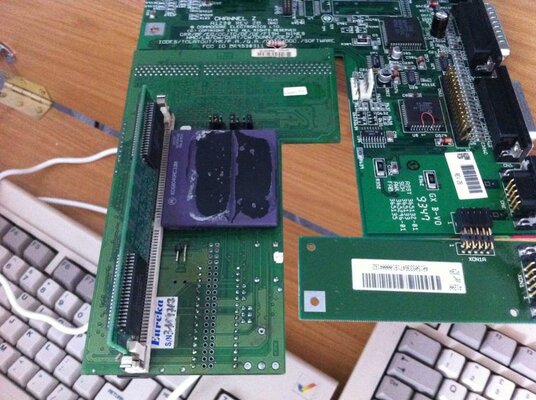
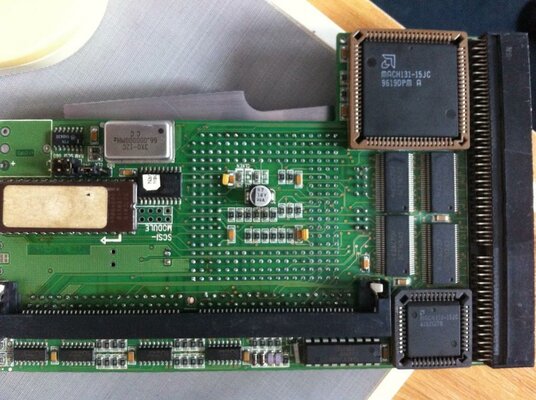
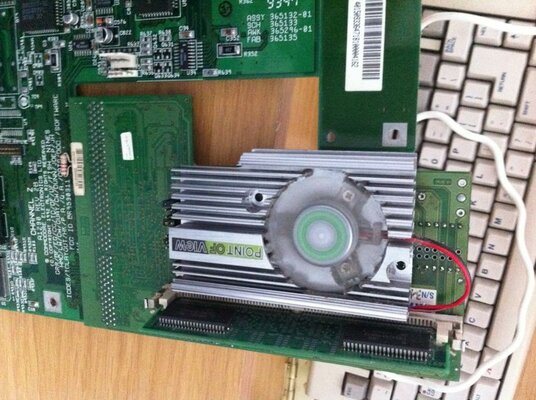
first job was to clean the card properly and and examine the soldering. various untidy soldering was abound on this thing but on the whole it looked like it made contact. The more worrying things where the burning and scorching on and around the voltage reg.

as you can see a molex plug was added to the voltage reg and one or two components had or where in the process of being burned alive.

so i tided the card up and cleaned the burn marks as best i could and then resoldered any rough / burnt / damaged components.

i didn't touch the added extras!

first switch on .. dead / it even stopped the hard drive spinning.

so..

changed the voltage reg - dead same.
unsolder / change crystal - dead same

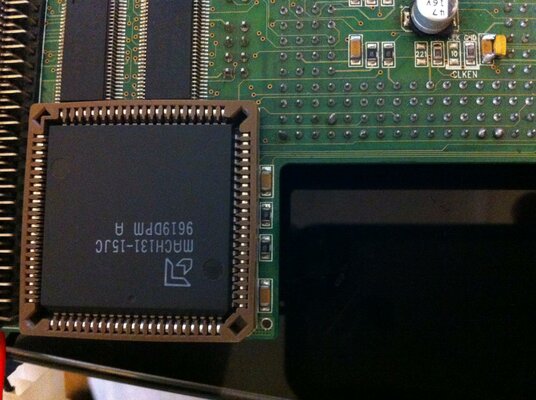
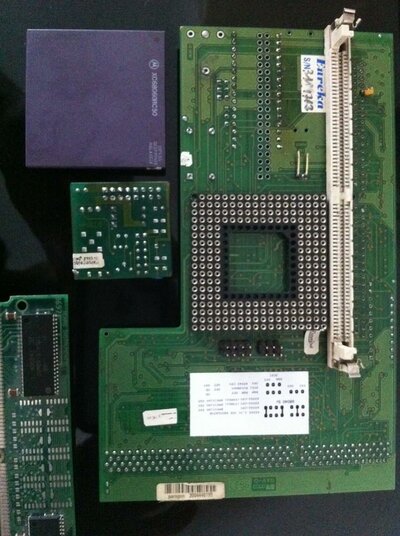
change to 68040 spec for testing & check the boot rom

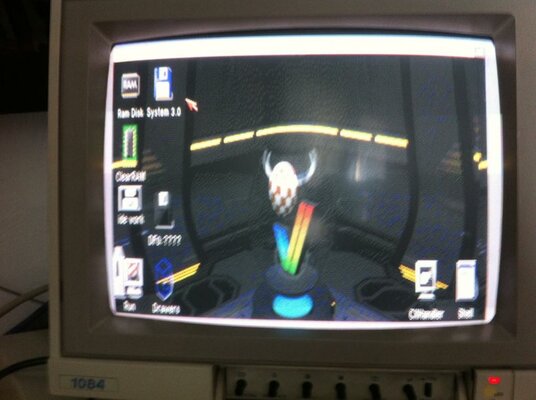
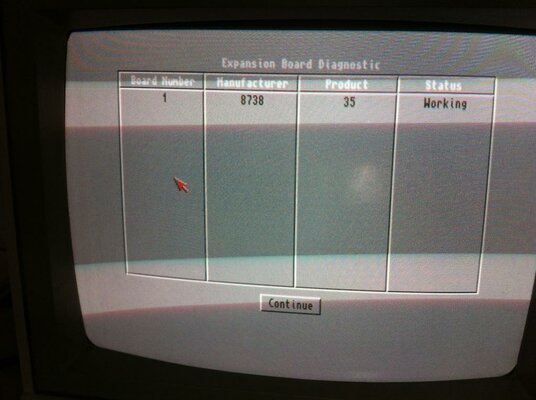
BINGO - it lives with the following changed.

Regulator off.(supplies 3.3v) jumpered to 5v
crystal changed. (now socketed)
cpu changed to 68040 (5v)

so I'm running some stress tests at the min and then i'll change it back to 060 spec when my new motherboard arrives. my 2B hates 060 Apollos.

updates soon.
mike.
 

Attachments

  • Photo on 18-03-2012 at 08.44.jpg
    Photo on 18-03-2012 at 08.44.jpg
    93.9 KB · Views: 4
  • Photo on 18-03-2012 at 08.44 #2.jpg
    Photo on 18-03-2012 at 08.44 #2.jpg
    69.5 KB · Views: 4
  • Photo on 18-03-2012 at 08.45.jpg
    Photo on 18-03-2012 at 08.45.jpg
    100.8 KB · Views: 6
  • Photo on 18-03-2012 at 08.45 #2.jpg
    Photo on 18-03-2012 at 08.45 #2.jpg
    77.6 KB · Views: 2
  • Photo on 18-03-2012 at 08.46.jpg
    Photo on 18-03-2012 at 08.46.jpg
    54.9 KB · Views: 4
  • Photo on 18-03-2012 at 08.47.jpg
    Photo on 18-03-2012 at 08.47.jpg
    71.8 KB · Views: 3
  • apollo.JPG
    apollo.JPG
    91 KB · Views: 4
  • mach131.jpg
    mach131.jpg
    195.9 KB · Views: 4
  • rom under.jpg
    rom under.jpg
    198.4 KB · Views: 5
  • v reg.jpg
    v reg.jpg
    195.5 KB · Views: 3
Last edited:
yeah i think it has :-)

these are 68040 pics
 

Attachments

  • doome me baby.jpg
    doome me baby.jpg
    84.9 KB · Views: 5
  • ram me.JPG
    ram me.JPG
    63.6 KB · Views: 4
  • wb.jpg
    wb.jpg
    76.8 KB · Views: 4
  • its alive!.jpg
    its alive!.jpg
    136.2 KB · Views: 4
  • found!.jpg
    found!.jpg
    88.5 KB · Views: 7
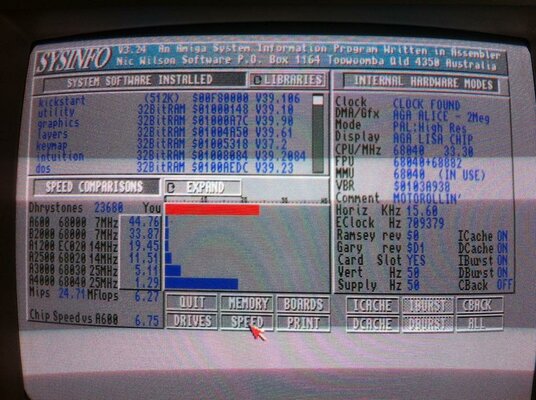
  • sysinfo.jpg
    sysinfo.jpg
    153.9 KB · Views: 3
  • cleaned up.jpg
    cleaned up.jpg
    128.6 KB · Views: 5
  • testing.jpg
    testing.jpg
    134 KB · Views: 7
Last edited:
Looks like over use of flux and an iron too hot with noobness to boot.
 
Final update.

testing is about done now.

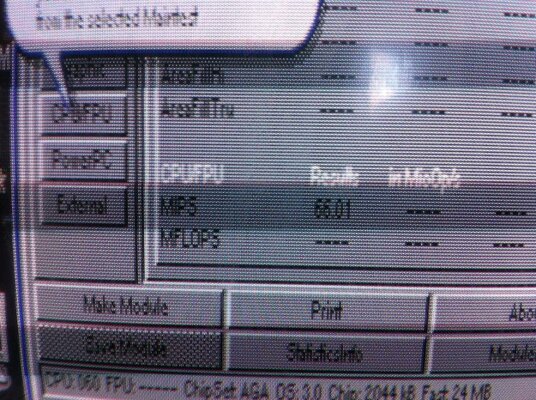
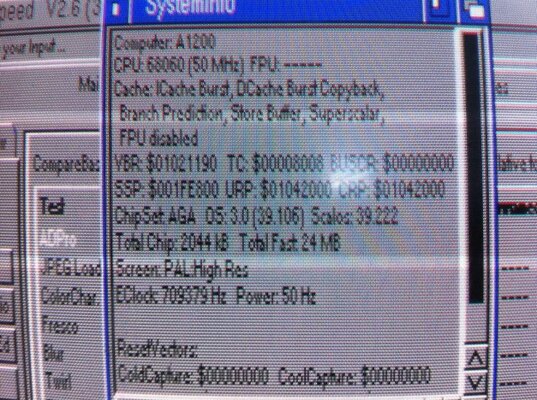
cpu changed back to 68060 and run with my cpu (EC75mhz) with a 50mhz crystal.

66 mips
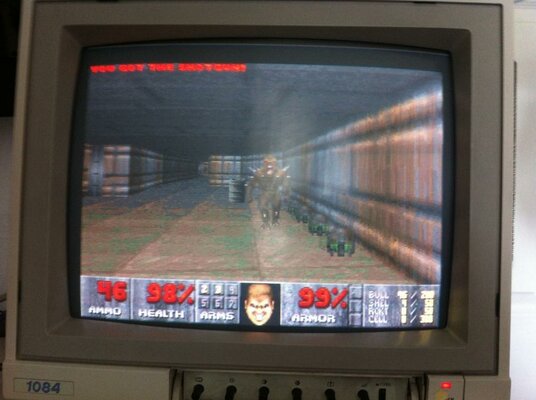
doom flies along at a fair old pace.
boots from onboard IDE to WBADV in about 20 seconds.
sysinfo crashes but thats no loss.

Overall.
a complete success. i suspect the original CPU has been fried by over voltage / amps..

mike

Quick vid uploading now

http://youtu.be/AcYtyExK9HU

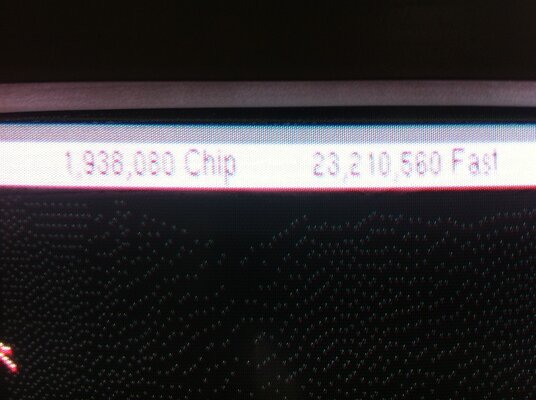
http://youtu.be/mzu2vYYhUC4 boot up and systool mem / cpu test
 

Attachments

  • IMG_1376.jpg
    IMG_1376.jpg
    201.8 KB · Views: 3
  • IMG_1375.jpg
    IMG_1375.jpg
    204.6 KB · Views: 5
Last edited:
thanks guys, easy stuff . nothing wrong except dead cpu and a bit of dodgy soldering.
its just difficult to diagnose faults without other bits to try,

a black screen could be anything..

mike.
 

Attachments

  • all done.jpg
    all done.jpg
    122.4 KB · Views: 6
Congrats Mike!! :thumbsup:

I think you have found a calling my friend =)
 
not so sure Keith , I can swap parts like for like but if it fails then im stumped ..

I wish I knew what all the parts do and the values they should have but nope - haven't got a clue.

after that ...im stumped. :-)

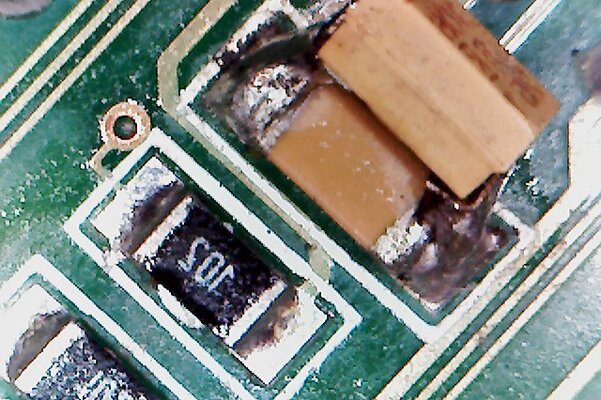
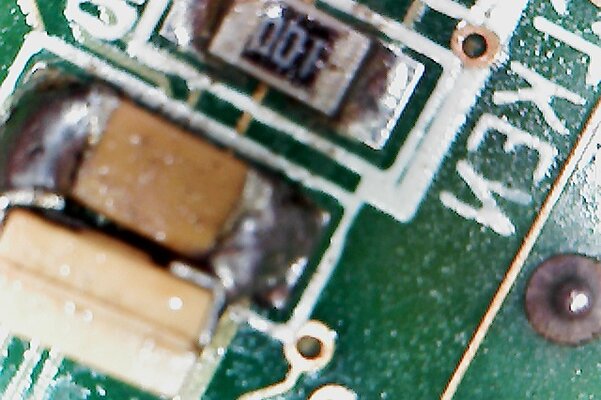
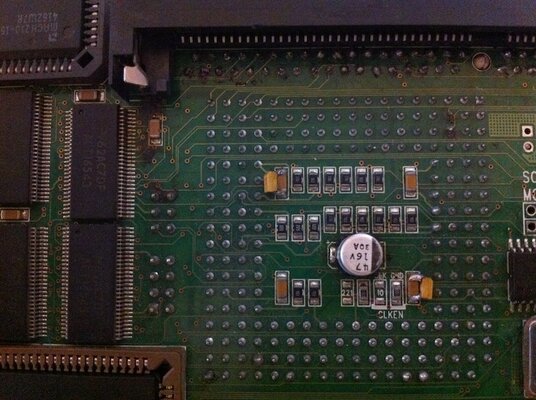
the (smd capacitors) that have been piggy backed on but why ? greater stability or overclocking I would expect? if the one underneath is dead it would be easier to replace it surely. the simm socket has one on too that's shouldn't be there.

mike.
 
i think its a good idea to remove those capacitors that are piggy backed to the other ones mike,cant understand why its been done like that even if they have failed.


and as for the one on the simm socket,remove it mike it serves no perpose at all.


but.........it does look like someone was just messing about with it and not really knowing what they where doing.not really a good idea with these cards.
 
I think the same roy but i'll ask the owner first ...

as it is , it works very well. better than mine infact grrrrr


PS
if you were doing that . wouldn't you just remove the lower value cap and fit a larger Uf cap on?
 
I think the same roy but i'll ask the owner first ...

as it is , it works very well. better than mine infact grrrrr


PS
if you were doing that . wouldn't you just remove the lower value cap and fit a larger Uf cap on?


yes mike,i would just remove the old one if it was knackered then mount a new one in its place with equal value.

if i was you id ask the owner if its ok to go ahead and do it anyway having it in that setup might cause problems later on if the original caps have gone,but.......i have a strange feeling theres nothing wrong with them at all.seeing as the person who did it in the first place dident really know what they where doing.
 
If you piggy back a cap, you are adding the 2 values together.

I.e. 2 piggybacked (parallel) 100nf caps = 200nf.

If you link caps in series, you get the value of the great cap.

Complete opposite to how resistors would work.
 
thank you for the explanation

but why do this?


no idea mike,ive seen some badly converted cards in the past not like the one you have just been looking at.

the one that someone gave me was like this,the person had tried to remove the 040 and gave up the 040 was still partly in the through holes at an angle(yes you read that right)

the capacitor had exploded,the one next to the clken resistor,the 74f74 was shot,and the simm slot was melted,lol

plus two of the ics next to simm (data path)was knackered.

so you see this sort of thing happens all the time mike.:)
 
thank you for the explanation

but why do this?

Wanted/needed to install different value cap and they didn't have it. So they added the difference between the original cap and the value they wanted and soldered it on top?

More likely, they didn't know how cap values stack and it's just wrong?

Guessing really :-/
 
http://youtu.be/mzu2vYYhUC4

The motherboard is booting the Apollo 1260 every time now for no apparent reason. The only thing i have done is use the HDD in Winuae and set it to 060 AGA to copy some files over and mess about really. i haven't changed anything - but now it boots every time on the 2B mother board ...

grrrr suckdkfrhsasttsdddgff !!!)(@@@!!!!
 
and you just got another one to replace it!.

i think it dident want the 21 gun salute mike:lol:

i bet you stood there when it was playing up pointing and sayin,if you dont work im going to get one that does and your going on the bomb fire!


either that or youve got gremlins:lol:
 
Back
Top Bottom