
You are using an out of date browser. It may not display this or other websites correctly.
You should upgrade or use an alternative browser.
You should upgrade or use an alternative browser.
Building a PPC A1200T for Export to ravestar....
- Thread starter Kin Hell
- Start date
- Replies 59
- Views 48433

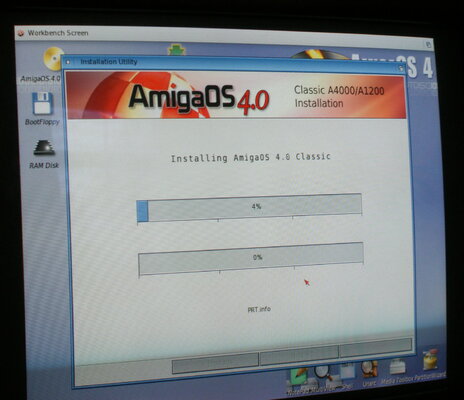
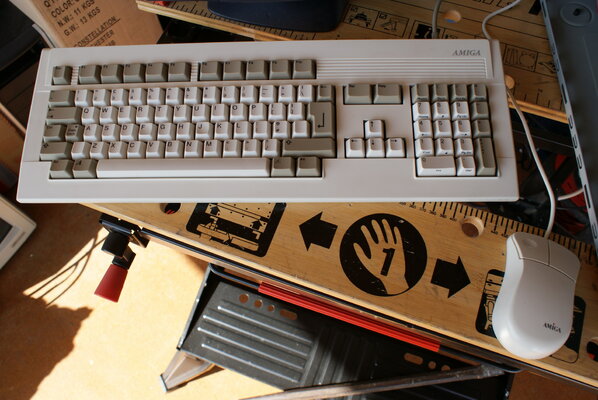
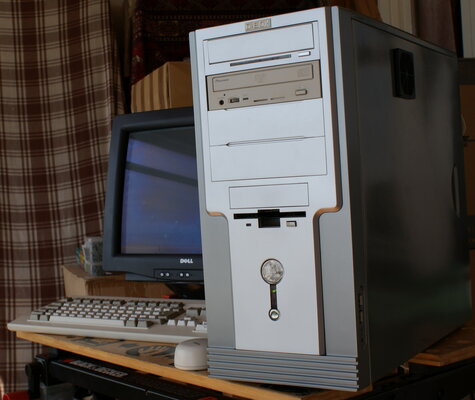
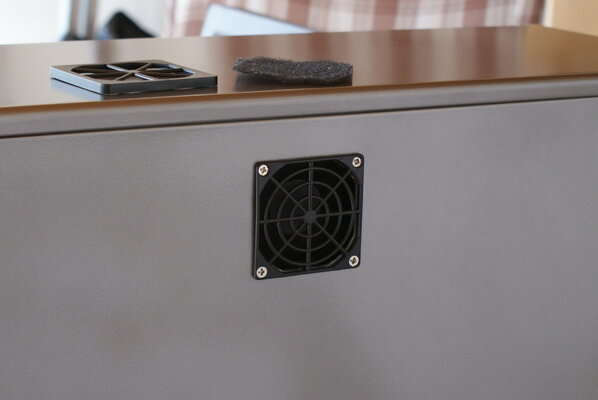
Re: Building a PPC A1200T for Export to ravestar....
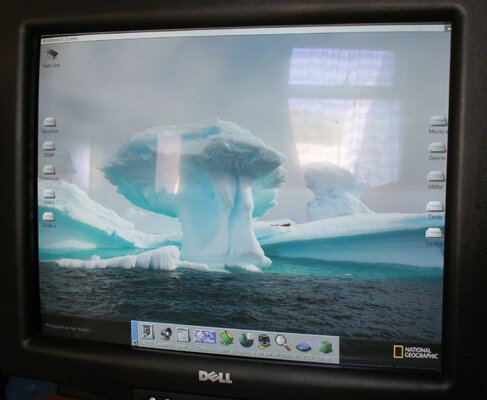
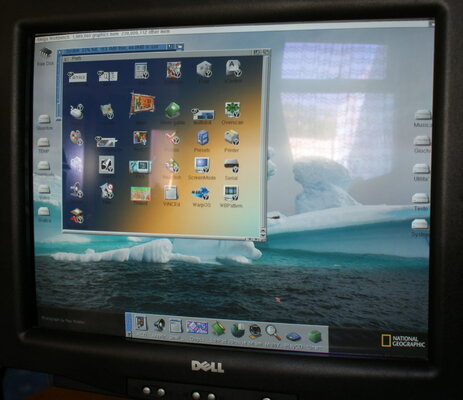
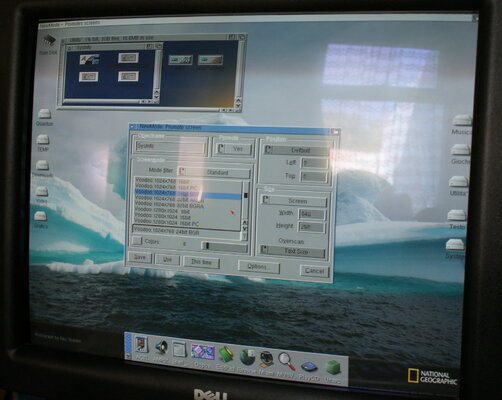
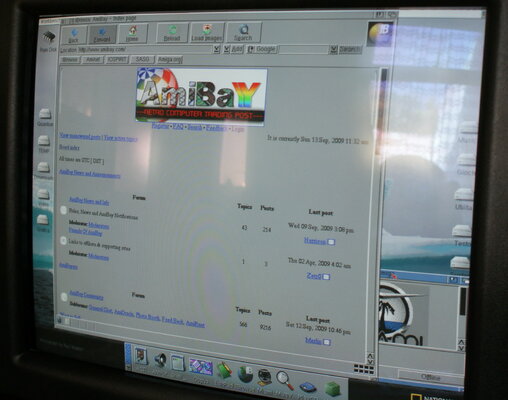
Just to add, I have configured Miami to use the Network setting which Enrico uses at home in Italy. It just means changing four settings to go online at home for me. The only different parameters for Enrico are he uses 192.168.1.1 on his router instead of 192.168.0.1 as I do. The Amga is configured to use a Static IP of 192.168.1.14 & should keep him out of trouble with regard to the rest of his network devices. Anyway, we still have to get it wrapped & shipped yet, so I'll drop some more pics when she's all good to go.
Here's hoping this can be Plug & Play. There should be no reason why not.
Kin
Just to add, I have configured Miami to use the Network setting which Enrico uses at home in Italy. It just means changing four settings to go online at home for me. The only different parameters for Enrico are he uses 192.168.1.1 on his router instead of 192.168.0.1 as I do. The Amga is configured to use a Static IP of 192.168.1.14 & should keep him out of trouble with regard to the rest of his network devices. Anyway, we still have to get it wrapped & shipped yet, so I'll drop some more pics when she's all good to go.
Here's hoping this can be Plug & Play. There should be no reason why not.
Kin

Re: Building a PPC A1200T for Export to ravestar....
@kin
It is a 2MB http upload limit on the server, not the number of images being posted. You are uploading some quite huge images in terms of filesize. Those could easily be reduced in size and kept at their resolution. Possibly to under 100KB each.
@kin
It is a 2MB http upload limit on the server, not the number of images being posted. You are uploading some quite huge images in terms of filesize. Those could easily be reduced in size and kept at their resolution. Possibly to under 100KB each.
Re: Building a PPC A1200T for Export to ravestar....
Yeah Harrison. I realised that after the 3rd post for the pics. Average pic size of 12 is approx 600kb.
Pics are cropped & half sized from originals. Serves me right for having a semi-pro cam I guess. :mrgreen:
@ PhilipMcD
Far from a Text book Tower build m8. It's been a 'nightmare' & nearly aborted twice. Not a good build to retire on, but at the same time, it's a nice result & was not a total face palm event. I really admire Enrico for his patience. What an absolute Saint. :thanks:
Kin
Yeah Harrison. I realised that after the 3rd post for the pics. Average pic size of 12 is approx 600kb.
Pics are cropped & half sized from originals. Serves me right for having a semi-pro cam I guess. :mrgreen:
@ PhilipMcD
Far from a Text book Tower build m8. It's been a 'nightmare' & nearly aborted twice. Not a good build to retire on, but at the same time, it's a nice result & was not a total face palm event. I really admire Enrico for his patience. What an absolute Saint. :thanks:
Kin

Justin
Active member
Re: Building a PPC A1200T for Export to ravestar....
retire? but you are far too youthful and spunky to retire m8y!!
oh and nice tower btw :wink:
retire? but you are far too youthful and spunky to retire m8y!!
oh and nice tower btw :wink:

Re: Building a PPC A1200T for Export to ravestar....
At my age Juz, there's an awful lot less spunk than there use to be. :laugh:
Joking aside, ....I still have meh moments. int:
int:
@ Merlin
I did during the build, remember? - In all honesty, I had an awful lot more patience with this project for not being caffeined off my face. :wink:
I'm totally off caffeine in any instance now & still lovin' the Redbush tea. :inlove:
Kin
At my age Juz, there's an awful lot less spunk than there use to be. :laugh:
Joking aside, ....I still have meh moments.
int: @ Merlin
I did during the build, remember? - In all honesty, I had an awful lot more patience with this project for not being caffeined off my face. :wink:
I'm totally off caffeine in any instance now & still lovin' the Redbush tea. :inlove:
Kin
Re: Building a PPC A1200T for Export to ravestar....
@ ravestar
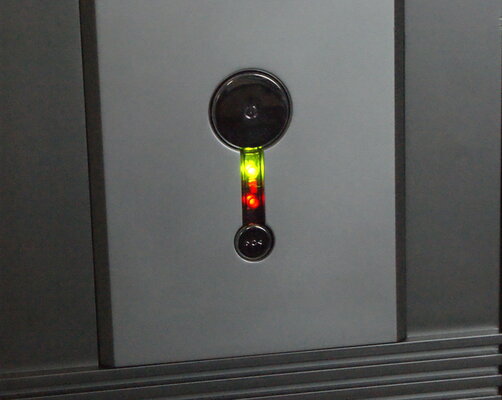
Couple more Pics for reference. Having fitted a small IDE hard drive as well as a 73GB SCSI drive, I literally shoe horned a small rectangular LED into the original LED mounting. The IDE drive uses the stock red LED & the SCSI uses the rectangular LED.
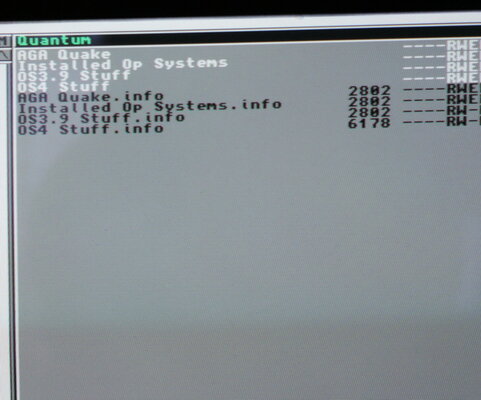
The screen shot of the Quantum drive under Dopus is the backup drive. The backup drive will always show if ever things became so dire, you had to boot from a WB floppy. On the Quantum drive, you have all the required files for a full re-install to how it is configured now & there is a full back up of the Installed OS as it ships. Worst case scenario to restore the OS is boot with a floppy & copy the Quantum backup of OS3.9 back to the System partition.
ReOrg works on the first 3 partitions as they are inside the 4GB boundary. One of the reasons I put all your more important partitions here. :wink:
I would recommend you use a more professional file system for a little more speed & reliability & leave that pleasure to yourself. I've used PFS3 in the past & it's a complete sod to configure. There are others but again, it's all down to user preference.
I'm still wrestling with the box for shipping. I have had to make one from 2 x 26" Panasonic LCD TV boxes & I'll upload the pics hopefully in the next few days. Finall specification of this Elbox Tower is as follows:
Elbox 1200 Tower Case
Enermax 365W PSU
A2000/A3000 keyboard
Amiga Mouse
Rev 1D4 A1200 Mobo with 3.1 ROMS
Eyetech EZKey adapter
IDE Fix`99 adapter
Mediator PCI Bus board
Subway USB
73Gb Seagate Cheeta Hard Drive
2Gb Quantum IDE Hard Drive
Plextor SCSI CD Writer
Pioneer IDE DVDROM
PCI Voodoo 5500 Graphics card
PCI Ethernet 8029 10Mbit/BaseT Ethernet
PCI Soundblaster card
Customers Blizzard 603e+ 210Mhz PPC Card
Customers Indivision A1200
It's been sometime happening, but thankfully, we're nearly there at last.
Kin
@ ravestar
Couple more Pics for reference. Having fitted a small IDE hard drive as well as a 73GB SCSI drive, I literally shoe horned a small rectangular LED into the original LED mounting. The IDE drive uses the stock red LED & the SCSI uses the rectangular LED.
The screen shot of the Quantum drive under Dopus is the backup drive. The backup drive will always show if ever things became so dire, you had to boot from a WB floppy. On the Quantum drive, you have all the required files for a full re-install to how it is configured now & there is a full back up of the Installed OS as it ships. Worst case scenario to restore the OS is boot with a floppy & copy the Quantum backup of OS3.9 back to the System partition.
ReOrg works on the first 3 partitions as they are inside the 4GB boundary. One of the reasons I put all your more important partitions here. :wink:
I would recommend you use a more professional file system for a little more speed & reliability & leave that pleasure to yourself. I've used PFS3 in the past & it's a complete sod to configure. There are others but again, it's all down to user preference.
I'm still wrestling with the box for shipping. I have had to make one from 2 x 26" Panasonic LCD TV boxes & I'll upload the pics hopefully in the next few days. Finall specification of this Elbox Tower is as follows:
Elbox 1200 Tower Case
Enermax 365W PSU
A2000/A3000 keyboard
Amiga Mouse
Rev 1D4 A1200 Mobo with 3.1 ROMS
Eyetech EZKey adapter
IDE Fix`99 adapter
Mediator PCI Bus board
Subway USB
73Gb Seagate Cheeta Hard Drive
2Gb Quantum IDE Hard Drive
Plextor SCSI CD Writer
Pioneer IDE DVDROM
PCI Voodoo 5500 Graphics card
PCI Ethernet 8029 10Mbit/BaseT Ethernet
PCI Soundblaster card
Customers Blizzard 603e+ 210Mhz PPC Card
Customers Indivision A1200
It's been sometime happening, but thankfully, we're nearly there at last.
Kin
Attachments
Last edited:


Re: Building a PPC A1200T for Export to ravestar....
Packing the Tower for it's journey to Italy was suppose to be a well photographed event. Indeed, I took several pictures of the various stages from the original 2 x 28" LCD TV Boxes right through to the contents being installed in the packing case. Alas, total "Face Palm", no frickin' Memory card in meh Camera! oh: :laugh: :|
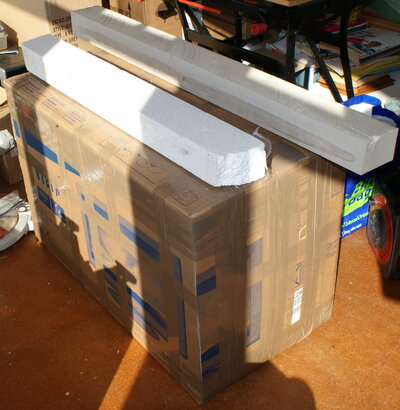
Anyway, the box measures 92cm long x 46cm wide x 58cm high & as you can see from the pic, those Foam blocks measure 10cm x 8cm. There are four of them in the bottom of the box 'long ways on' & have a profile cut in them approx 3cm deep so the A1200T Box & an A600 box fits into this recess. There is also a keyboard end-shape cut out as the Keyboard is stood on its end all wrapped in bubble wrap. Then before the box was sealed, 3 similary notched Foam Beams sit on top. The ends & corners are packed with huge slabs of Polystyrene foam.
Enrico was asking for an A2000 or 600 a little while ago, so I've also let him have my A600 & shipping it with the Tower was just the most logical thing to do. We have a gentlemans agreement that should square up in early November.
Really sorry about the lack of detail by way of pics, `cos it's one hell of a packing job & wasn't really that hard to do. The foam beams can easily be obtained from any builders merchant. They usually make up the main supports for sheets of insulation material & get thrown away. There are just over 3 rolls of Brown Tape used in this constuction & providing the package isn't dropped or crushed, there should not be any problems.
Later today, I'll post the final Pic of the Box all labelled up. Gotta go cram some more building work in on the kitchen extension whilst the sun is shining.
Kin
Packing the Tower for it's journey to Italy was suppose to be a well photographed event. Indeed, I took several pictures of the various stages from the original 2 x 28" LCD TV Boxes right through to the contents being installed in the packing case. Alas, total "Face Palm", no frickin' Memory card in meh Camera!
oh: :laugh: :| Anyway, the box measures 92cm long x 46cm wide x 58cm high & as you can see from the pic, those Foam blocks measure 10cm x 8cm. There are four of them in the bottom of the box 'long ways on' & have a profile cut in them approx 3cm deep so the A1200T Box & an A600 box fits into this recess. There is also a keyboard end-shape cut out as the Keyboard is stood on its end all wrapped in bubble wrap. Then before the box was sealed, 3 similary notched Foam Beams sit on top. The ends & corners are packed with huge slabs of Polystyrene foam.
Enrico was asking for an A2000 or 600 a little while ago, so I've also let him have my A600 & shipping it with the Tower was just the most logical thing to do. We have a gentlemans agreement that should square up in early November.
Really sorry about the lack of detail by way of pics, `cos it's one hell of a packing job & wasn't really that hard to do. The foam beams can easily be obtained from any builders merchant. They usually make up the main supports for sheets of insulation material & get thrown away. There are just over 3 rolls of Brown Tape used in this constuction & providing the package isn't dropped or crushed, there should not be any problems.
Later today, I'll post the final Pic of the Box all labelled up. Gotta go cram some more building work in on the kitchen extension whilst the sun is shining.
Kin
Attachments
Re: Building a PPC A1200T for Export to ravestar....
My day didn't go as planned so a quick re-schedule, I've now finished the Packing.
Parcel2Go are providing the Shipping via Parcel Force Worldwide. I have the booking confirmation for pick up on Monday 27th September & have sent you Fwd's via email. Hopefully, the package should be delivered Friday 2nd October @ the latest.
This is the worst part of selling anything via Post. - Will it get there in one piece? - I'm having a beer tonight with upmost confidence. They'd have to drop it out of an Aircraft to bend anything.int:
Enrico:
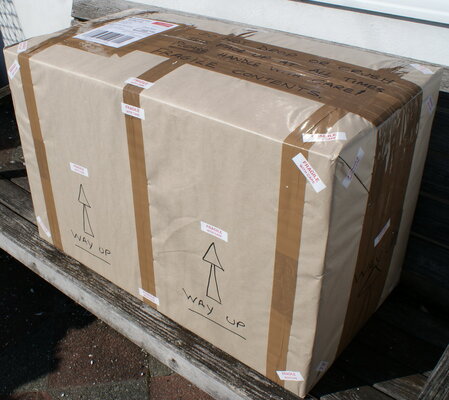
When you get this package, open it as per Photo with the Address label upmost. Rip the brown paper off & cut all the brown tape to open the top Flaps of the box. You will see 3 lengths of Foam. Lift them out to expose the 2 x card boxes & Packed keyboard for removal.
When you get the A1200T from it's box, I suggest you take off the Left Hand Side Panel & make sure everything is plugged in securely. I can only see the SCSI Hard Drive Converter suffering, so make sure it's pushed into the hard drive as far as it will go.
In your Indivison Box which is bubble wrapped with the Keyboard, you will find the Rear Port SCSI Terminator Pack. This must be fitted before attempting to turn on your A1200T. When you push this in place, be sure you have correct orientation & support the back plane inside the case or else you will bend the backplane & get partial connection.
The mouse plugs in the the very Top rear 9 Pin Port.
When you pull the Keyboard Bubble wrap pack from the crate, remove the Pink end first (should be uppermost when you open the crate) to remove the mouse. Pull the other end off & then cut tapes to unroll the software & eventually, the keyboard.
You will also see several Plastic Sleeves containing all the relevant paperwork for your A1200T, including full instructions for an install. In the Indivision Box, there is also the original KB convertor as supplied by Elbox with the tower.
RE: Graphics Ports:
Top one is Voodoo 5500 & the Amiga will boot by default to this Graphics option.
Bottom one on the NIC Backplane is the Indivision. You will require a monitor in this port for all Amiga Native screen modes which do not promote correctly through the Voodoo 5500.
I can't think of anything to say further right now & know I'm gunno be worried to bits until it lands & is unpacked. Oh yeah, don't forget you will need a suitable Power lead for the PSU. I was fresh out of Italian ones. Ours look like this in the UK & the plug on the right is a UK 13Amp Plug. All you need is a 220/240V Italian mains Plug that terminates with the Socket Plug on the Left.

All the best for now,
Charlie
My day didn't go as planned so a quick re-schedule, I've now finished the Packing.
Parcel2Go are providing the Shipping via Parcel Force Worldwide. I have the booking confirmation for pick up on Monday 27th September & have sent you Fwd's via email. Hopefully, the package should be delivered Friday 2nd October @ the latest.
This is the worst part of selling anything via Post. - Will it get there in one piece? - I'm having a beer tonight with upmost confidence. They'd have to drop it out of an Aircraft to bend anything.
int: Enrico:
When you get this package, open it as per Photo with the Address label upmost. Rip the brown paper off & cut all the brown tape to open the top Flaps of the box. You will see 3 lengths of Foam. Lift them out to expose the 2 x card boxes & Packed keyboard for removal.
When you get the A1200T from it's box, I suggest you take off the Left Hand Side Panel & make sure everything is plugged in securely. I can only see the SCSI Hard Drive Converter suffering, so make sure it's pushed into the hard drive as far as it will go.
In your Indivison Box which is bubble wrapped with the Keyboard, you will find the Rear Port SCSI Terminator Pack. This must be fitted before attempting to turn on your A1200T. When you push this in place, be sure you have correct orientation & support the back plane inside the case or else you will bend the backplane & get partial connection.
The mouse plugs in the the very Top rear 9 Pin Port.
When you pull the Keyboard Bubble wrap pack from the crate, remove the Pink end first (should be uppermost when you open the crate) to remove the mouse. Pull the other end off & then cut tapes to unroll the software & eventually, the keyboard.
You will also see several Plastic Sleeves containing all the relevant paperwork for your A1200T, including full instructions for an install. In the Indivision Box, there is also the original KB convertor as supplied by Elbox with the tower.
RE: Graphics Ports:
Top one is Voodoo 5500 & the Amiga will boot by default to this Graphics option.
Bottom one on the NIC Backplane is the Indivision. You will require a monitor in this port for all Amiga Native screen modes which do not promote correctly through the Voodoo 5500.
I can't think of anything to say further right now & know I'm gunno be worried to bits until it lands & is unpacked. Oh yeah, don't forget you will need a suitable Power lead for the PSU. I was fresh out of Italian ones. Ours look like this in the UK & the plug on the right is a UK 13Amp Plug. All you need is a 220/240V Italian mains Plug that terminates with the Socket Plug on the Left.
All the best for now,
Charlie
Attachments
![DSC01224[1].jpg](https://cdn-d.amibay.com/data/attachments/0/867-21ac5063df8bf5d750b34a0fa83a7320.jpg?hash=IaxQY9-L9d)

Re: Building a PPC A1200T for Export to ravestar....
As one who has done deals with Kin Hell in the past, let me make sure that everyone gets it:
This is not an exceptional transaction by Charles, he's just being his usual excellent self!
Kin Hell is impressive, when you receive a package from him you see and notice that a lot of care and craft has gone into the job!
As one who has done deals with Kin Hell in the past, let me make sure that everyone gets it:
This is not an exceptional transaction by Charles, he's just being his usual excellent self!
Kin Hell is impressive, when you receive a package from him you see and notice that a lot of care and craft has gone into the job!
Re: Building a PPC A1200T for Export to ravestar....
The crate was picked up @ 13.05 hrs. Some contractor picked it up for Parcel Force Worldwide. He scanned it, but had no paperwork for me. He was quite suprised I was asking for a Signature off him, but appreciated where I was coming from & then scribbled me a note. It's now time for that horrible empty feeling & worry until it lands. ....bah, I feel sick already. :sigh:
@ Arnljot
....but.... :thanks:
Kin
The crate was picked up @ 13.05 hrs. Some contractor picked it up for Parcel Force Worldwide. He scanned it, but had no paperwork for me. He was quite suprised I was asking for a Signature off him, but appreciated where I was coming from & then scribbled me a note. It's now time for that horrible empty feeling & worry until it lands. ....bah, I feel sick already. :sigh:
@ Arnljot
....but.... :thanks: Kin
Nathanieltolbert
Active member
Re: Building a PPC A1200T for Export to ravestar....
I hope that A1200T makes it to its destination in one piece. I always worry about shipping things too. One of the reasons I don't sell a lot of items on the internet.
Nathan
I hope that A1200T makes it to its destination in one piece. I always worry about shipping things too. One of the reasons I don't sell a lot of items on the internet.
Nathan
Re: Building a PPC A1200T for Export to ravestar....
I've sent a couple of this using Parcels2go and using Parcel Force and all arrived safely and in one working piece at the other end. Even shipping things to the US. So fingers crossed for you that it arrives in one piece. Would be horrible if it didn't after all your great hard work.
I've sent a couple of this using Parcels2go and using Parcel Force and all arrived safely and in one working piece at the other end. Even shipping things to the US. So fingers crossed for you that it arrives in one piece. Would be horrible if it didn't after all your great hard work.
Re: Building a PPC A1200T for Export to ravestar....
I had an Email from Enrico (ravestar) half an hour ago. He now has the package & apparently, it is intact.
He wont be able to unpack untill the weekend, so fingers crossed, all should be good.
Kin
I had an Email from Enrico (ravestar) half an hour ago. He now has the package & apparently, it is intact.
He wont be able to unpack untill the weekend, so fingers crossed, all should be good.
Kin
Similar threads

- Replies
- 14
- Views
- 10K


- Locked
- Replies
- 15
- Views
- 4K
- Replies
- 26
- Views
- 4K


- Replies
- 30
- Views
- 34K