dkasten
New member
So, here's the tl;dr version:
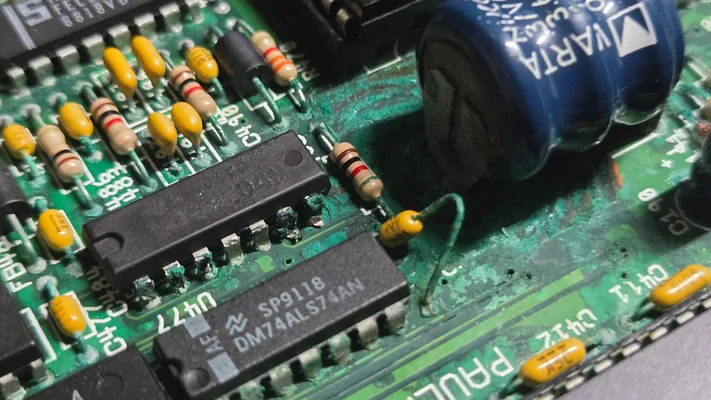
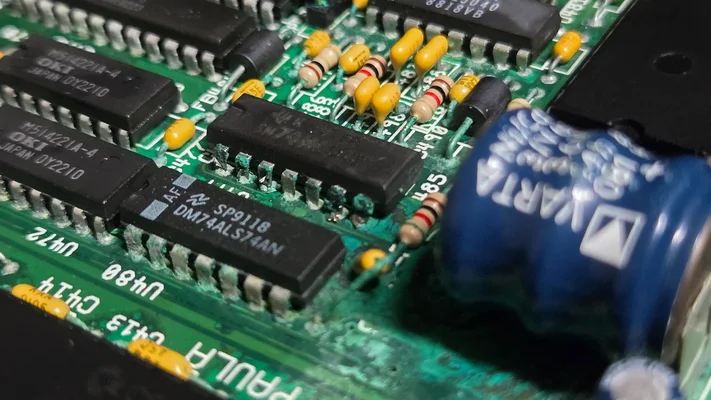
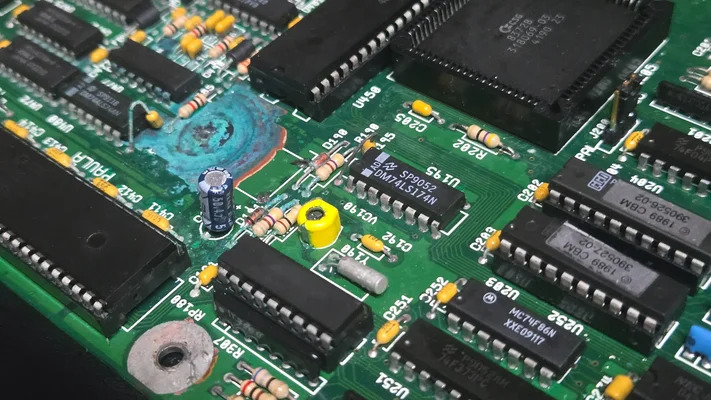
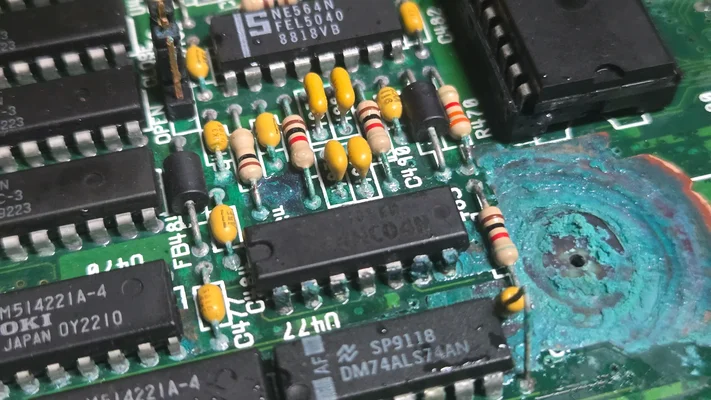
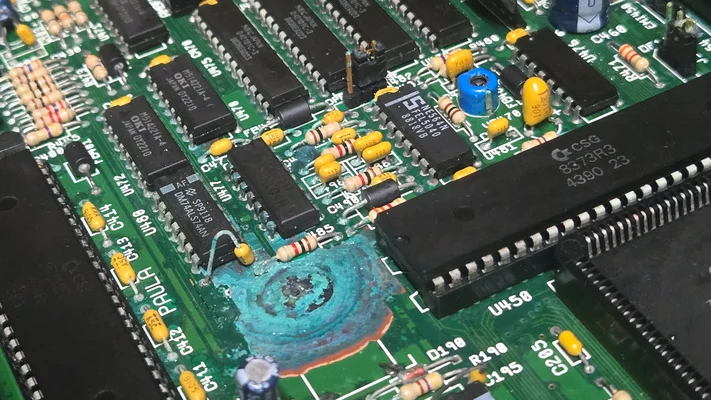
I think I've run out of ideas on how to resurrect two out of my three rescued Amigas. One is fully alive, and powered back on without issue after being dormant for 35 years. The other two have Varta damage. I think i've done everything I can for them (deep cleaning + reseating), and feel I should send them out for repairs, at this point.....am I missing something?
And here's the full version:
After years dillydallying around with emulators and whatnot, I figured i'd finally take the plunge and go find some original hardware, and rebuild my beloved Amiga battlestations I had back when I was a kid. After a month or so searching Craigslist daily, I managed to find an Amiga 500 for an absolute steal; for _free_, with the purchase of a $50 NOS Dell multisync monitor. Couldn't believe my luck! This A500 is, miraculously, in perfect working order after 35 years. Everything works. I've gone ahead and purchased a new power supply to replace the old one as a precaution, even though the old power supply appears to be working fine as well. (Full disclosure -- the seller knew the value of the unit, did not care to put it on eBay.. he was just happy to get rid of some clutter. I wouldn't feel right about taking it from him had he been unaware of its value. He was pleased to know it was going to a good home.)
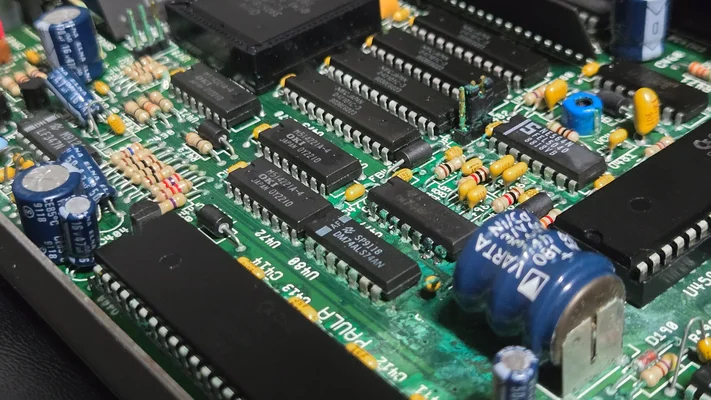
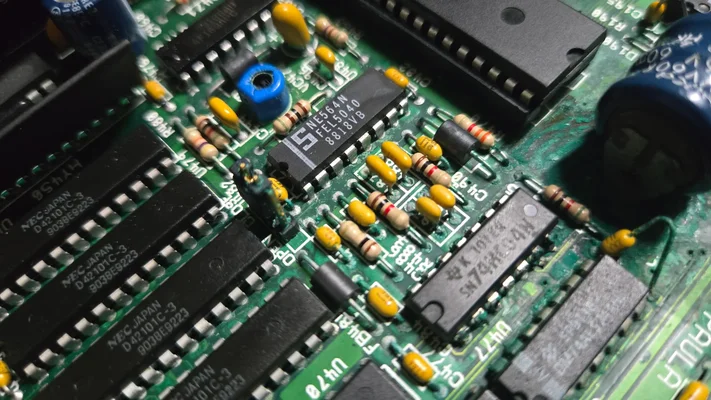
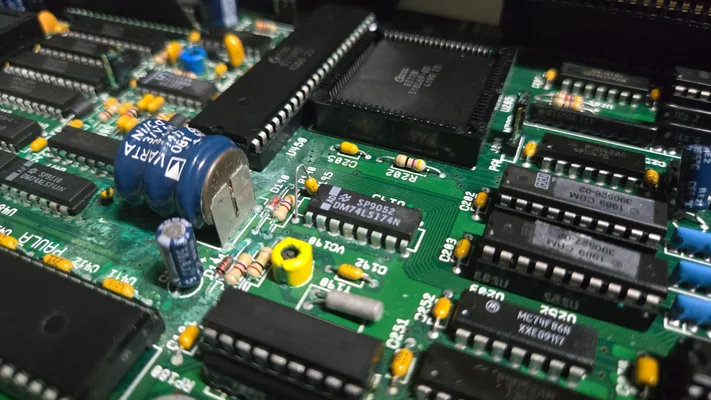
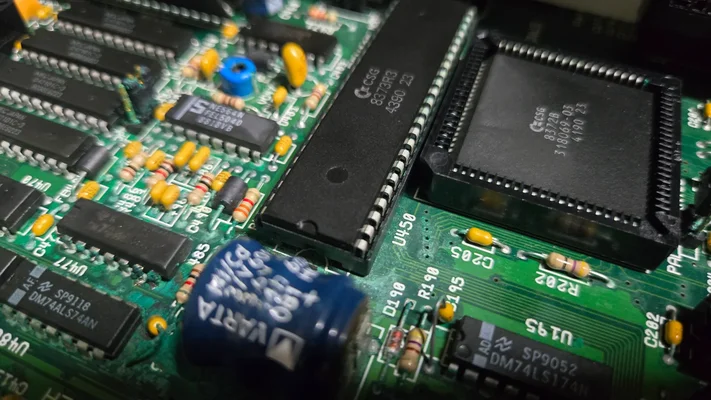
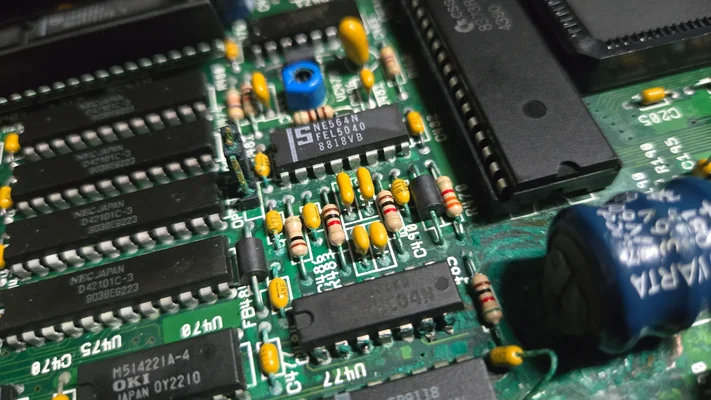
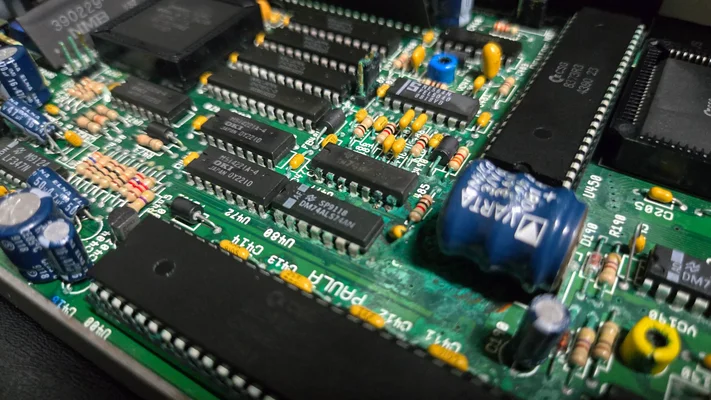
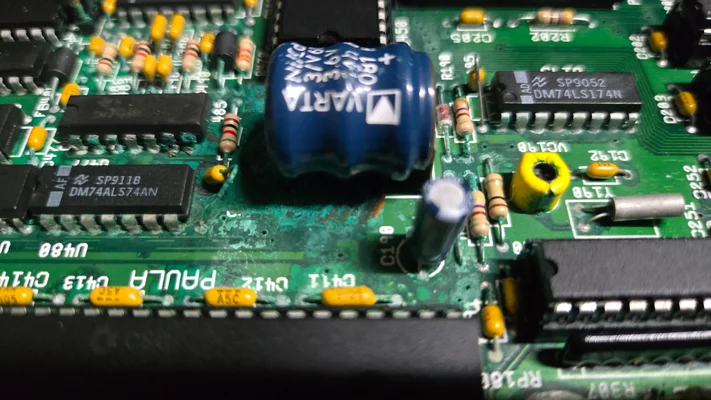
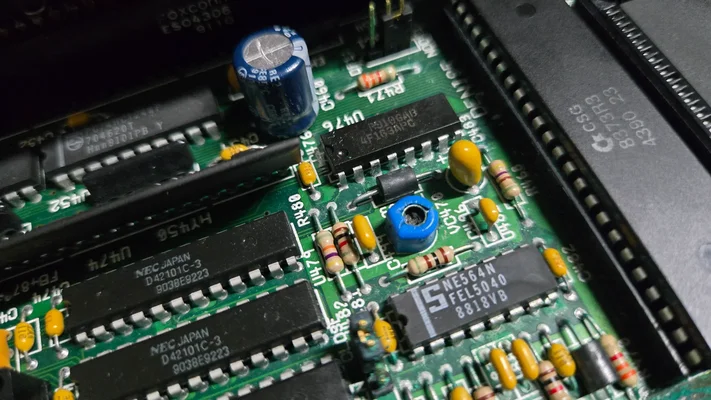
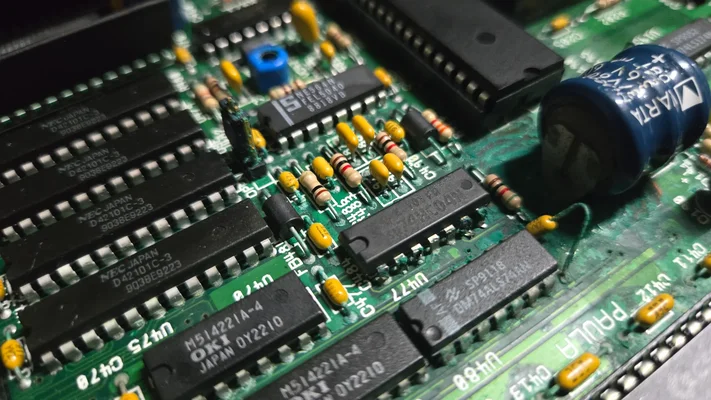
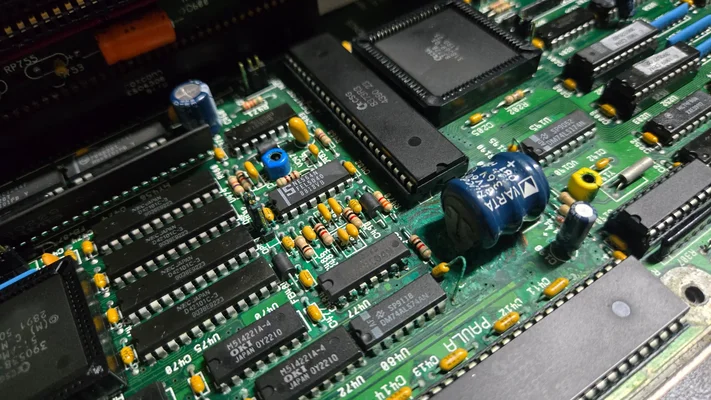
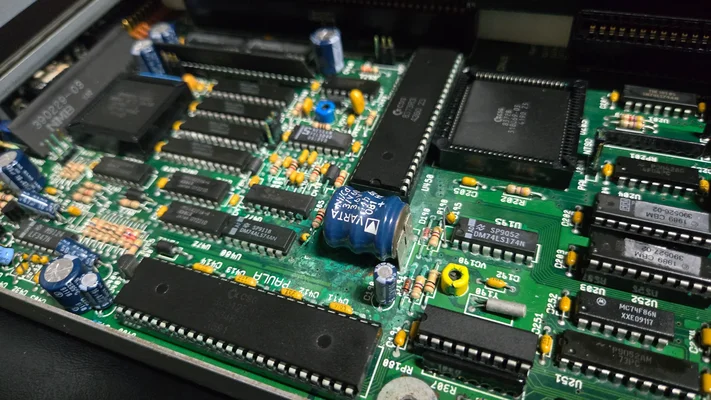
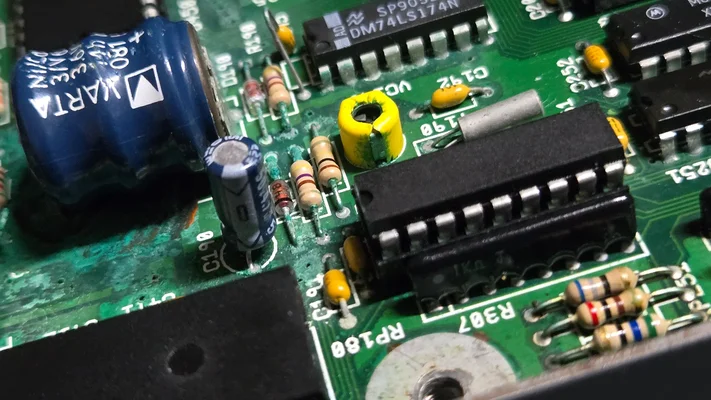
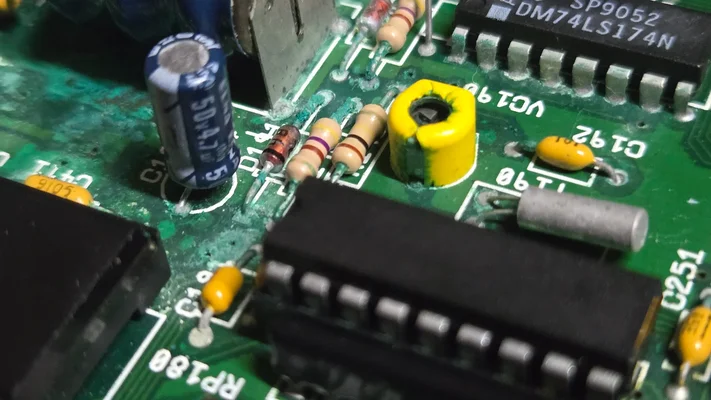
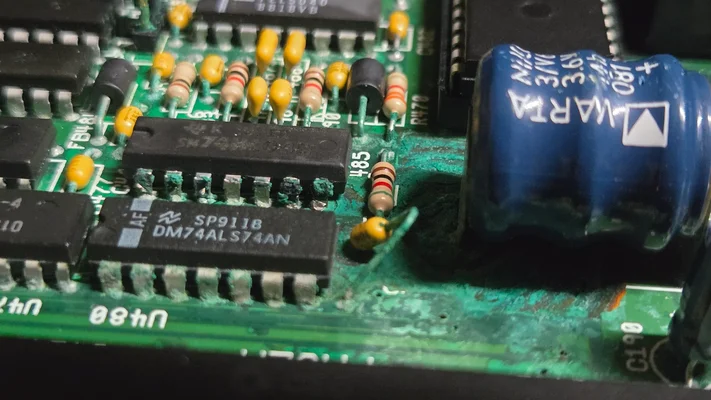
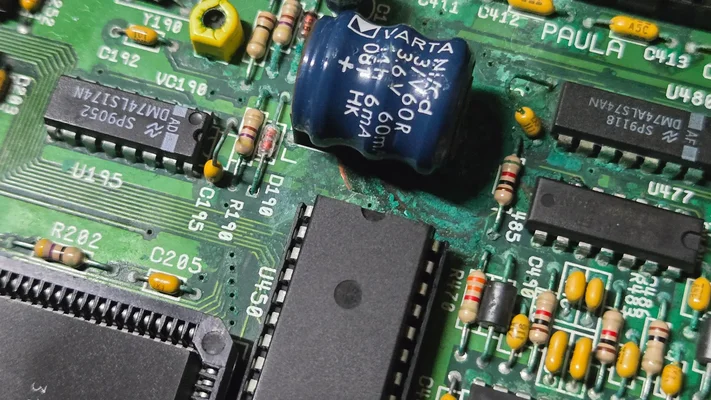
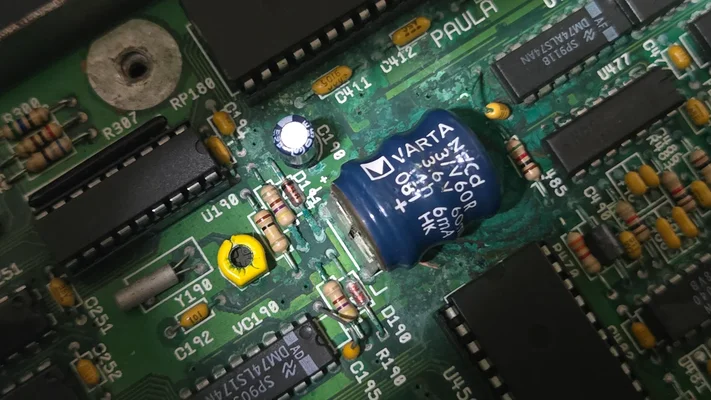
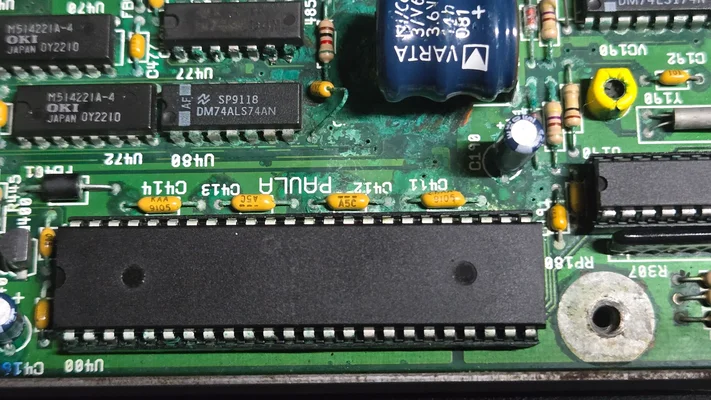
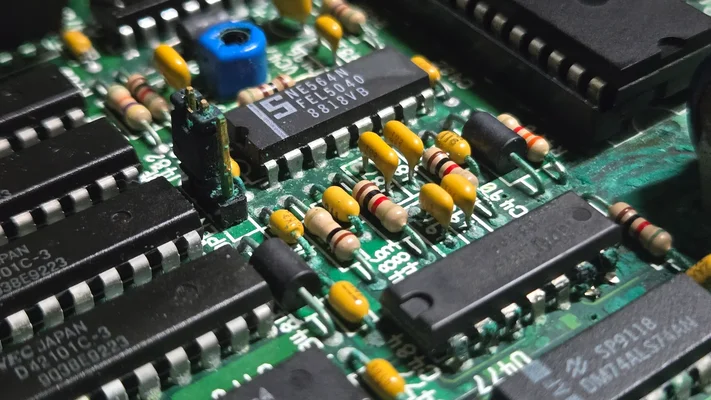
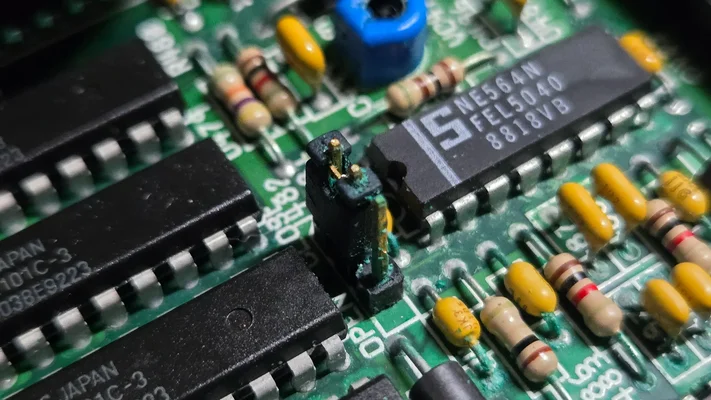
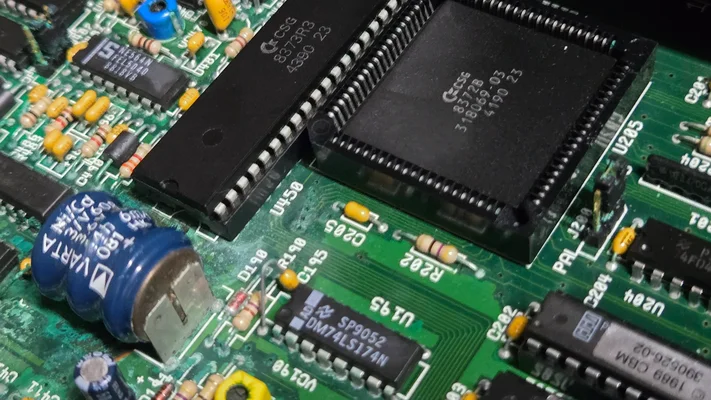
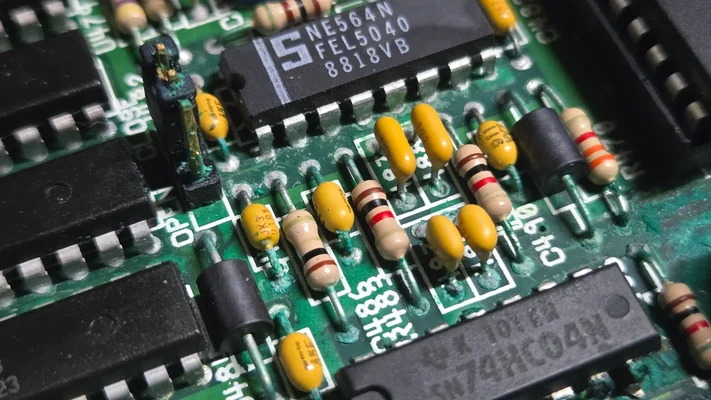
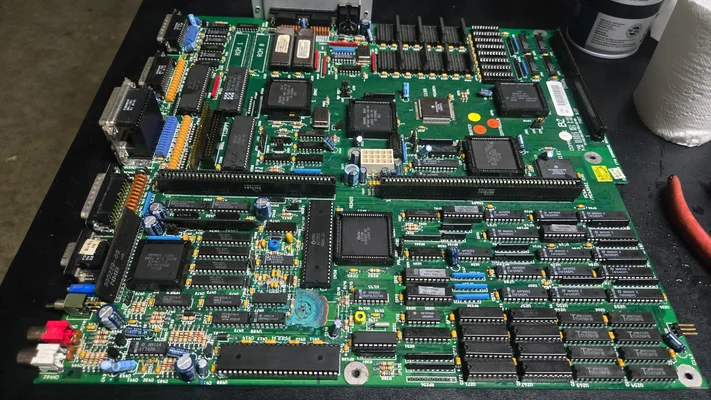
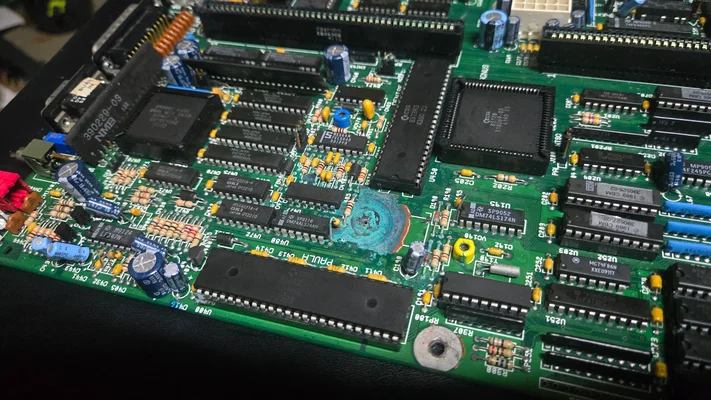
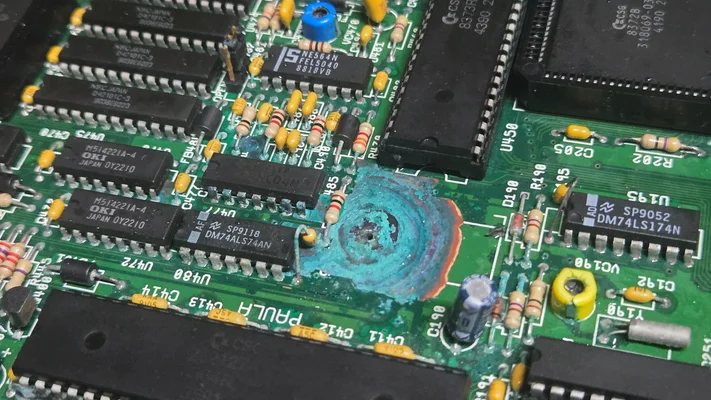
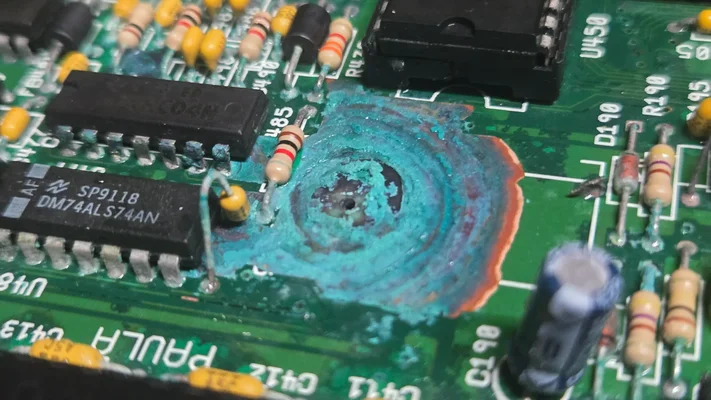
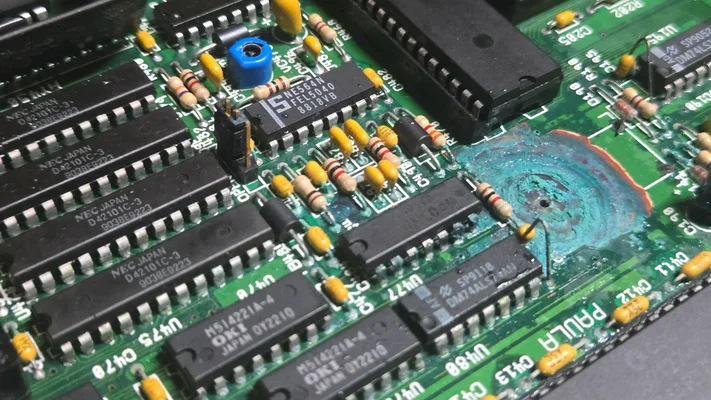
That was a week ago. Two days ago, I rescued two more systems. An A3000, and an A2000. Both have significant Varta damage. I have disassembled both, thoroughly bathed each one in DeOxit5 / QD, and went so far as to try and remove any visible corrosion with some white vinegar and a soft-bristled brush. Both with and without all expansion cards removed, both systems power on, but do not advance past an initial plain black screen. I have reseated the Denise in both systems, with no luck. I've reseated the 68000 in the A2000 (the 030 in the A3000 is surface-mounted/cannot be reseated) and even replaced it with the known-working 68000 from the A500, but the A2000 will not boot past this same black screen. There is no drive activitty/idle "click" indicative of a kickstart screen waiting for disk insertion. The power light on both the A3000 and the A2000 comes on, does not change in brightness at any point. Judging from sound, the hard disk on the A3000 appears to spin-up/passes internal POST without issue. This power-on/self-test activity on the drive can be heard when powered on, but nothing beyond that. No disk I/O, in other words..so I know it's not booting to Workbench blindly. DIsk activity LED is also off, no blink or flicker during power-up.
The A3000 has socketed 40.68 ROMs. The A2000 is apparently an extremely low serial # (S/N 001901) with mid-late 1987 date codes, and has a 8370 (512K?) Agnus (silkscreen reads "Fat Lady"). The motherboard itself says it's a Rev 4.1, but there's a factory sticker on the motherboard that says "Revision 4.3"....so i'm not sure which to believe. The 68000 that was in the A2000 had a fair amount of corrosion on the pins, and the socket itself. I extracted the 68000 and sanded whatever corrosion remained on the pins of the 68000 with my wife's nail file. Wife is angry. This same "sanded" 68000 was then placed into the known-working A500, and the A500 booted up just fine, which makes my wife's anger worth it. One small victory.
Neither the A2000 or the A3000 have any visible damage elsewhere, beyond the Varta corrosion. Both are cosmetically near-perfect with very little age-related yellowing. On the A3000, im able to jumper between NTSC and PAL, and can confirm that at least the board can push NTSC or PAL correctly, according to my monitor's on-screen display...but no picture. Just plain black. Neither one advances to any of the usual color codes. Neither unit proceeds beyond black.
So, my question to the group is -- Where do I go from here? Are there any other diagnostics I might be able to run, or further techniques I might try to resurrect these systems? Or am I where I think I am -- where there's nothing left to do but send it to a repair shop?
I think I've run out of ideas on how to resurrect two out of my three rescued Amigas. One is fully alive, and powered back on without issue after being dormant for 35 years. The other two have Varta damage. I think i've done everything I can for them (deep cleaning + reseating), and feel I should send them out for repairs, at this point.....am I missing something?
And here's the full version:
After years dillydallying around with emulators and whatnot, I figured i'd finally take the plunge and go find some original hardware, and rebuild my beloved Amiga battlestations I had back when I was a kid. After a month or so searching Craigslist daily, I managed to find an Amiga 500 for an absolute steal; for _free_, with the purchase of a $50 NOS Dell multisync monitor. Couldn't believe my luck! This A500 is, miraculously, in perfect working order after 35 years. Everything works. I've gone ahead and purchased a new power supply to replace the old one as a precaution, even though the old power supply appears to be working fine as well. (Full disclosure -- the seller knew the value of the unit, did not care to put it on eBay.. he was just happy to get rid of some clutter. I wouldn't feel right about taking it from him had he been unaware of its value. He was pleased to know it was going to a good home.)
That was a week ago. Two days ago, I rescued two more systems. An A3000, and an A2000. Both have significant Varta damage. I have disassembled both, thoroughly bathed each one in DeOxit5 / QD, and went so far as to try and remove any visible corrosion with some white vinegar and a soft-bristled brush. Both with and without all expansion cards removed, both systems power on, but do not advance past an initial plain black screen. I have reseated the Denise in both systems, with no luck. I've reseated the 68000 in the A2000 (the 030 in the A3000 is surface-mounted/cannot be reseated) and even replaced it with the known-working 68000 from the A500, but the A2000 will not boot past this same black screen. There is no drive activitty/idle "click" indicative of a kickstart screen waiting for disk insertion. The power light on both the A3000 and the A2000 comes on, does not change in brightness at any point. Judging from sound, the hard disk on the A3000 appears to spin-up/passes internal POST without issue. This power-on/self-test activity on the drive can be heard when powered on, but nothing beyond that. No disk I/O, in other words..so I know it's not booting to Workbench blindly. DIsk activity LED is also off, no blink or flicker during power-up.
The A3000 has socketed 40.68 ROMs. The A2000 is apparently an extremely low serial # (S/N 001901) with mid-late 1987 date codes, and has a 8370 (512K?) Agnus (silkscreen reads "Fat Lady"). The motherboard itself says it's a Rev 4.1, but there's a factory sticker on the motherboard that says "Revision 4.3"....so i'm not sure which to believe. The 68000 that was in the A2000 had a fair amount of corrosion on the pins, and the socket itself. I extracted the 68000 and sanded whatever corrosion remained on the pins of the 68000 with my wife's nail file. Wife is angry. This same "sanded" 68000 was then placed into the known-working A500, and the A500 booted up just fine, which makes my wife's anger worth it. One small victory.
Neither the A2000 or the A3000 have any visible damage elsewhere, beyond the Varta corrosion. Both are cosmetically near-perfect with very little age-related yellowing. On the A3000, im able to jumper between NTSC and PAL, and can confirm that at least the board can push NTSC or PAL correctly, according to my monitor's on-screen display...but no picture. Just plain black. Neither one advances to any of the usual color codes. Neither unit proceeds beyond black.
So, my question to the group is -- Where do I go from here? Are there any other diagnostics I might be able to run, or further techniques I might try to resurrect these systems? Or am I where I think I am -- where there's nothing left to do but send it to a repair shop?
Last edited: