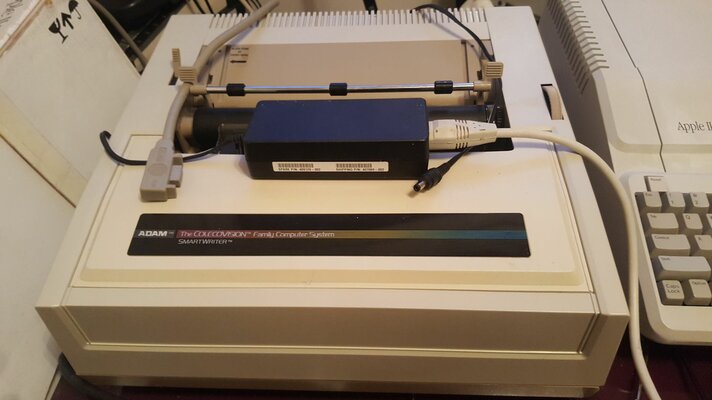
Right, as part of my ADAM discovery thread I made a lovely PSU brick so I could reclaim a little room on my desk from the gigantic printer, and also to make the machine UK mains compatible. Personally I think I did a pretty neat job but the blasted computer didn't agree and wouldn't work. With some further investigation (thanks protek) it seems the flaky old ADAM really does need two fully separate 12v supplies, along with other voltages, to work and simply splitting one 12v rail won't do even when I threw in some isolation circuitry.
Plan B:
What I needed was some way of getting two fully separate 12v rails out of one solution. The plan I came up with was to mount a 12v to ATX PSU inside the ADAM supplied via a 12v power brick. I'm not so keen to irreversibly mod a computer this rare (for Europe) but the printer/PSU really is enormous and needs to be gone for daily use, and I won't be beaten by a 30 year old failure.
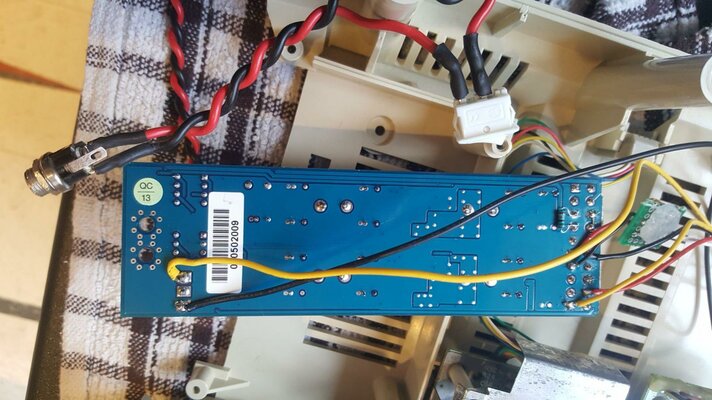
Butchered 12v to ATX PSU
Not quite a Pico PSU, but fairly small and I had it to hand. I did check it for size inside the ADAM but I don't know why I bothered, of course there's enough room! I soldered wires (using the standard colours) to the 12v, 5v, and GND, to the underside of the ATX connector. Then I bridged the "on" pin and soldered in a resistor to give the PSU a little load. See above photo for more details. The cunning bit was to also take 12v and another GND from the input of the PSU and so direct from the 12v power brick for a sepperate supply, black and yellow wires soldered to the input as seen above. Of course the PSU I had to hand didn't have a connected -5v rail but I just re-purposed the MAX660 board I made further up the thread for that. I wired a rocker switch in to the 12v side of the input for power on /off.
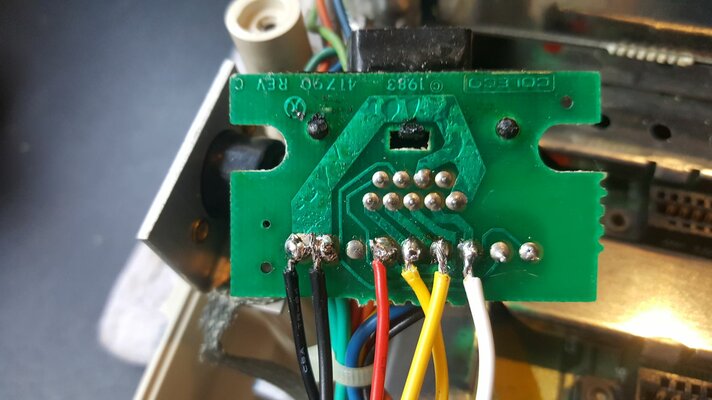
Underside of ADAM PSU Input
The photo above shows the underside of the ADAM power port. From left to right the pins are:
GND: Connected to ATX GND
Drain: Connected to PSU input GND
Not Connected:
5v: Connected to ATX 5v
12v (L): Connected to ATX 12v (Logic powered / protected by the ATX PSU)
12v (I): Connected to PSU input 12v (Inductive motors powered direct by the brick)
-5v: Connected to MAX660 -5v Out
Reset: Not connected
ADAM Net: Not connected
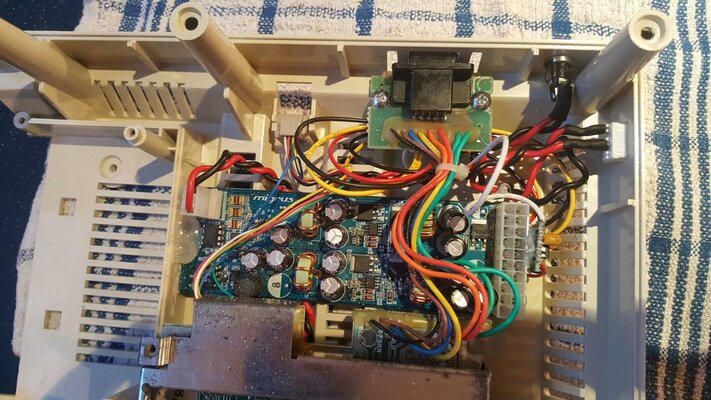 Plenty of Room
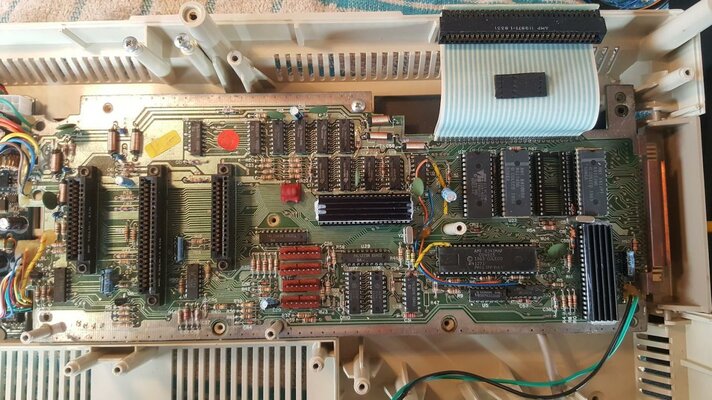
The ATX PSU fitted quite neatly in to the enormous gap in the base of the computer between the end of the memory board and the PSU port itself. Well, a smaller PSU would have done better but I cut about 1/2" off either end with a pair of kitchen scissors and it did quite nicely. My excuse for not removing the redundant ATX port is that I couldn't be bothered.
The PSU was mounted using my current favourite method: Standoffs made of hot glue sticks cut to size and stuck down with... more hot glue.
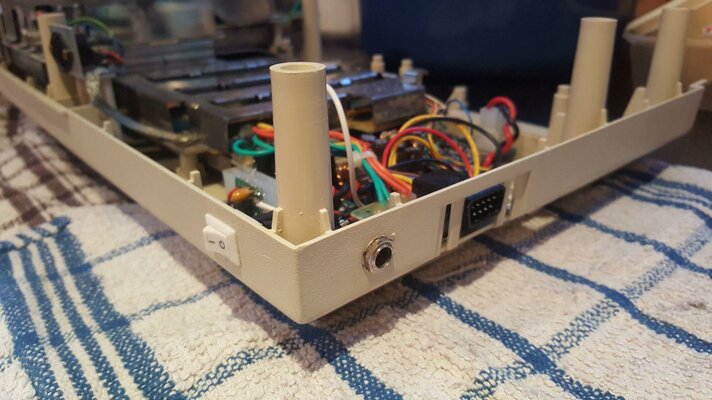
New Switch and Power Socket
My choice for the new power socket was dictated by the position of the old one. I wanted it placed in such a way that the new power brick and printer/PSU can't be connected at the same time. The power rocker, and it's position, chosen to be as unobtrusive as possible while still being accessible. It's a bit of a bugbear of mine that I absolutely hate it when someone goes to the trouble of moding an old system only to butcher the aesthetics of the installation. Prime culprits are bad cuts in plastics and using those God-awful metal toggle switches, unless in keeping with the project.
For info:
Cutting a hole in retro plastic is easy! Measure your spot, carefully poke a fine tip soldering iron through the plastic to make a pilot hole, then jab a (closed) small pair of scissors in said hole. Twist the scissors round IN ONE DIRECTION in the hole to scrape away the plastic, occasionally checking to see if the hole is the right size for the port and stop when it is. Easy to do and a neat result.
Square holes?
Hold the item to be fitted up to the place you want to fit it and draw round it with a pencil. Are you sure you are happy with the location? Assuming the answer is "yes" go heat up a sharp blade that is no more than 60% the width of the narrowest dimension and carefully make four cuts through the plastic WELL INSIDE the lines you previously drew. Push the plug of plastic out of your rough hole and then take a small file to the hole to neaten / enlarge it, regularly checking it against the item you want to fit. Snug but not tight is the plan and there's no hurry!
Job Done
All back together and working well. I think all will agree the new PSU is a bit smaller than the old one. Bl**dy Coleco for making that much harder than it needed to be! Yes, there is room to fit everything inside the case and just have a kettle lead going to the computer but this was easier and got the job done with minimal modifications.
PS
My AtariMax Coleco SD Cartridge adaptor recently arrived so I'm finally able to do more than play Buck Rodgers and the Planet of Zoom. I now need to give some consideration to the ADAM specific part of the system...