I've heard that this forum is the place to ask about CRT problems 
So, I have a 1083S monitor which has a really good picture and colors, brightness, geometry and convergence are all top notch.
BUT, when there's only minimal amount of stuff on screen, maybe a few letters on black background (in MSX basic for example) the picture shrinks and gets out of focus. When I write more stuff on the screen the picture zooms in and focus gets better.
AND, if screen is showing a little more stuff, maybe a game logo on black background and I set contrast to very low, the screen shrinks again but stays sharp. And when I set contrast up again the picture starts blooming and right after that it zooms in and blooming stops.
Other things I noticed:
there's a little amount of horizontal shaking on upper right corner on whatever brightness.
if there's lot of white color on screen the monitor speaker keeps really loud buzzing.
To me all this sounds like caps are going out?
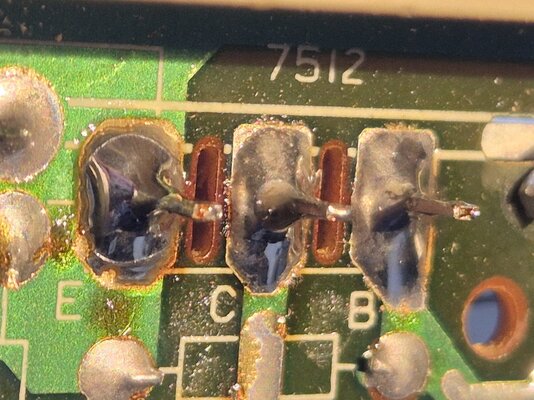
I did a reflow to all bad looking solder joints and there was some, didn't make any difference.
So, I have a 1083S monitor which has a really good picture and colors, brightness, geometry and convergence are all top notch.
BUT, when there's only minimal amount of stuff on screen, maybe a few letters on black background (in MSX basic for example) the picture shrinks and gets out of focus. When I write more stuff on the screen the picture zooms in and focus gets better.
AND, if screen is showing a little more stuff, maybe a game logo on black background and I set contrast to very low, the screen shrinks again but stays sharp. And when I set contrast up again the picture starts blooming and right after that it zooms in and blooming stops.
Other things I noticed:
there's a little amount of horizontal shaking on upper right corner on whatever brightness.
if there's lot of white color on screen the monitor speaker keeps really loud buzzing.
To me all this sounds like caps are going out?
I did a reflow to all bad looking solder joints and there was some, didn't make any difference.