now I've run my mega midget on my A500 (+) and a GVP HD8 (8mb) with no problems at all , the only issue ever was very , very slow cd access..and huge amounts of desk space being used...
The A500 was used as a WHDLOAD machine with a MMR 68030.
in fact the A500 ran better if the MMR was not using its own fast ram (SRAM), hence much slower..
i could even run whdload games from CD!
WB 2.1
a500 spec.
1,5 mb chip
8 mb fast (via gvp HD8)
But..
On my a 2000
i get the following errors and it just locks up the Amiga if the SRAM fast ram is not enabled on the MMR.
cannot allocate EXPMEM
object in use
cannot load "yyyyyyyyyyy"
recoverable error occurred
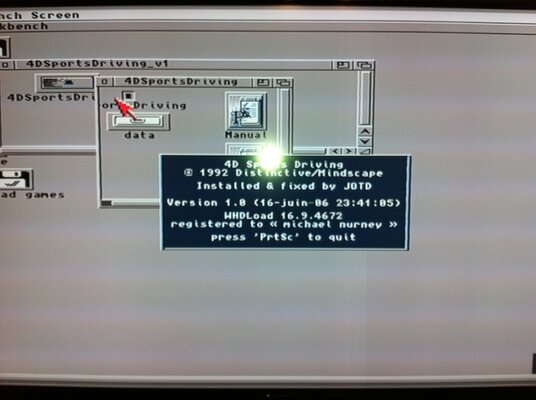
complete lock up at the 'registered to ..." screen
A2000 spec
2mb chip (mega chip)
8 mb fast (same ram as was in the A500) or set to 4mb - no difference
WB 2.1, 3.1
I think the A2000 GVP HD8C does not play nice with the MMR ...unlike the HD8+ of the A500.??
now unless there is a MMR command to add on or a ROM update for the GVP i cannot easily think on whats wrong here...
The fast ram is configured as 24bit public fast ram not 32 bit as the MMR does not have a ram board.
---------- Post added at 22:37 ---------- Previous post was at 22:31 ----------
from Amiga.org
I can say for certain that the csa-mmr and gvp series II scsi controllers don't work together. No way no how. I've use suprascsi and trumpcard with no problems. The csa-mmr *may* work with a gvp series-1 controller as they were only pseudo-dma. I haven't tried this combination. I would disable the scsi card and make a boot disk to determine that the rest of the system is playing nice together.
**************************************
UPDATE
after many hours of prodding and poking, I've found the error - nothing at all to do with the mega midget.
The GVP SCSi card had a bad ram module and was throwing up random and not so random error. I've since temporally changed the simms for another set and all the problems have now gone or seems to of. fingers crossed.
The GVP ram check confirms this ..
with the old (bad) ram in i check RAM FAIL - FFFFFFFF should be blah blah blah
with the other ram in get RAM PASS - CHECKING..
and so on.
AND
WHDloads loads!!!
5Th gear
Abandoned places
Alien Breed
Bomb jack
more to test but its looking good
The A500 was used as a WHDLOAD machine with a MMR 68030.
in fact the A500 ran better if the MMR was not using its own fast ram (SRAM), hence much slower..
i could even run whdload games from CD!
WB 2.1
a500 spec.
1,5 mb chip
8 mb fast (via gvp HD8)
But..
On my a 2000
i get the following errors and it just locks up the Amiga if the SRAM fast ram is not enabled on the MMR.
cannot allocate EXPMEM
object in use
cannot load "yyyyyyyyyyy"
recoverable error occurred
complete lock up at the 'registered to ..." screen
A2000 spec
2mb chip (mega chip)
8 mb fast (same ram as was in the A500) or set to 4mb - no difference
WB 2.1, 3.1
I think the A2000 GVP HD8C does not play nice with the MMR ...unlike the HD8+ of the A500.??
now unless there is a MMR command to add on or a ROM update for the GVP i cannot easily think on whats wrong here...
The fast ram is configured as 24bit public fast ram not 32 bit as the MMR does not have a ram board.
---------- Post added at 22:37 ---------- Previous post was at 22:31 ----------
from Amiga.org
I can say for certain that the csa-mmr and gvp series II scsi controllers don't work together. No way no how. I've use suprascsi and trumpcard with no problems. The csa-mmr *may* work with a gvp series-1 controller as they were only pseudo-dma. I haven't tried this combination. I would disable the scsi card and make a boot disk to determine that the rest of the system is playing nice together.
**************************************
UPDATE
after many hours of prodding and poking, I've found the error - nothing at all to do with the mega midget.
The GVP SCSi card had a bad ram module and was throwing up random and not so random error. I've since temporally changed the simms for another set and all the problems have now gone or seems to of. fingers crossed.
The GVP ram check confirms this ..
with the old (bad) ram in i check RAM FAIL - FFFFFFFF should be blah blah blah
with the other ram in get RAM PASS - CHECKING..
and so on.
AND
WHDloads loads!!!
5Th gear
Abandoned places
Alien Breed
Bomb jack
more to test but its looking good
Last edited: