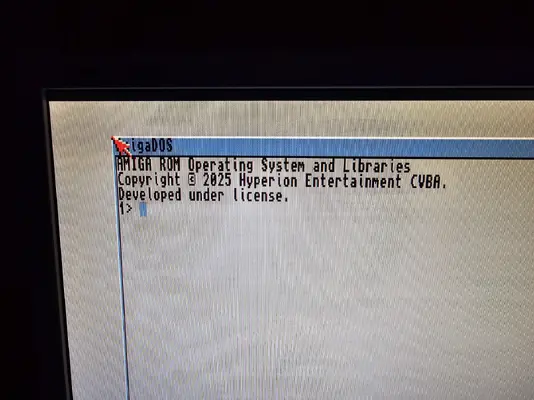
Hey guys! o/
Finally had the time to setup the RPI CM4, PStorm32Lite, CM4 board and I/O boards I bought but, i'm having an issue with setting up Picasso96 old version from aminet.
I followed these guides:
The whole process went fine up until this next step;
Quote:
"Now it is the right moment to reboot your machine. So far nothing will change yet, you will just go to the workbench on a regular PAL (or NTSC) screen. Go to your Prefs folder on Workbench partition and open Picasso96Mode. It is rather empty so it has to be populated now. First, create new setting by dragging “New Item” icon to Settings area of the window. Drop it there" Un-Quote.
After rebooting I have a blank screen on the Amiga's RGB, which I don't quite understand becuase Just installing P96 does nothing, right?. You need to create the monitor file, point it to the vc4 file, setup the modes and attach them to the vc4, then finally select one of the modes as the screenmode for the Workbench. Unless you do all those steps, no switch from RGB to HDMI will ever happen.
Note. The screen attached to the HDMI I/O displays the grey emu68 pistorm screen, which is normal at this stage.
Also note. If I uninstall Picasso and reboot the Amiga the Amiga RGB displays the workbench. so i assume this is Picasso related?
This is not rocket science, it's pretty basic stuff, so what the hell is going on here. could it be the Picasso96 version, the emu68-vc4 / videocore files or my monitors, or worst case, one of the boards ? :-/
Any ideas?
Finally had the time to setup the RPI CM4, PStorm32Lite, CM4 board and I/O boards I bought but, i'm having an issue with setting up Picasso96 old version from aminet.
I followed these guides:
SD card preparation
Setting up P96
The whole process went fine up until this next step;
Quote:
"Now it is the right moment to reboot your machine. So far nothing will change yet, you will just go to the workbench on a regular PAL (or NTSC) screen. Go to your Prefs folder on Workbench partition and open Picasso96Mode. It is rather empty so it has to be populated now. First, create new setting by dragging “New Item” icon to Settings area of the window. Drop it there" Un-Quote.
After rebooting I have a blank screen on the Amiga's RGB, which I don't quite understand becuase Just installing P96 does nothing, right?. You need to create the monitor file, point it to the vc4 file, setup the modes and attach them to the vc4, then finally select one of the modes as the screenmode for the Workbench. Unless you do all those steps, no switch from RGB to HDMI will ever happen.
Note. The screen attached to the HDMI I/O displays the grey emu68 pistorm screen, which is normal at this stage.
Also note. If I uninstall Picasso and reboot the Amiga the Amiga RGB displays the workbench. so i assume this is Picasso related?
This is not rocket science, it's pretty basic stuff, so what the hell is going on here. could it be the Picasso96 version, the emu68-vc4 / videocore files or my monitors, or worst case, one of the boards ? :-/
Any ideas?