Ok, tongue in cheek comment there, as Acorn Electrons, like BBC's, are simply wonderful computers, full of character. However mine was just a case and keyboard, sunburnt yellow, dirty stickers and ink all over, no motherboard or PSU.
Oh, what to do ?
1. Add a USB keyboard encoder from the brilliant Tynemouth software http://www.tynemouthsoftware.co.uk/Shop
2. Clean it, Retrobrite it in the UK sun for a week
3. Cut holes
4. Fit a raspberry pi 3 to it and emulate!
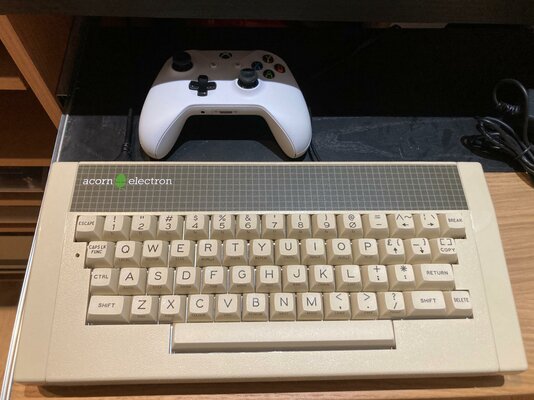
5. Make it behave like an Electron again via advmame/retropie (plus Amiga via Amiberry, ST via Rastari). One great thing about the Electron; it has plenty of high quality keys. Dave @Tynemouth configured the encoder to enable the F keys using 'Function' as a modifier. The encoder even has a buzzer for that cute Electron startup beep!
I fussed over a few weeks to get the cables and placement right, and amazingly found the Acorn Electron HAS MOUNTING HOLES THAT EXACTLY LINE UP WITH THE HOLES IN A RASPBERRY PI. EXPLAIN THAT CONSPIRACY / TIME TRAVEL FANS. HOW DID ACORN KNOW?? WHEN THEY DESIGNED THE ARM, DID THEY JUMP FORWARD IN TIME TO SEE THIS MOMENT? THE TRUTH IS OUT THERE
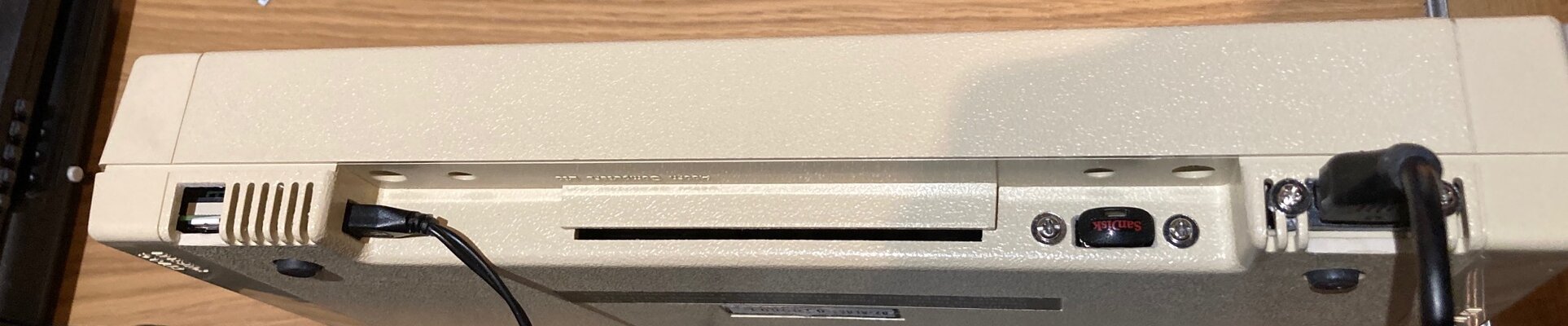
I used a drill for pilot holes, then a craft knife and small file to square. I haven't quite finished some of the holes as want to finish and make them exactly straight once I have had it working as a Beta. I didn't want lots of holes for multiple USB sockets, so only cut one, using wireless dongles for the mouse and Xbox One controller, and choosing short extender cables. This way, the case can remain reasonably agnostic to the SBC inside and avoid some 'technical debt'; hopefully avoiding ruining it for the future.
I may cut a hole for an ethernet extender cable, as saves mucking around with wifi for every micro sd card build. I've ordered a micro usb cable with inline power switch, and still need to add a momentary switch to drive a shutdown script/ GPIO function.
The micro sd card is a bit fiddly to get out but I just had to use those mount points!
Next up:
-Find hard drive images for ST and Falcon.
-Spend less time fighting amiberry or amibian, get the damn things to boot direct to amiga workbench.
-get them to recognise the xbox one controller
-fit the shutdown button under the rear ledge
-play with it!
Pics:
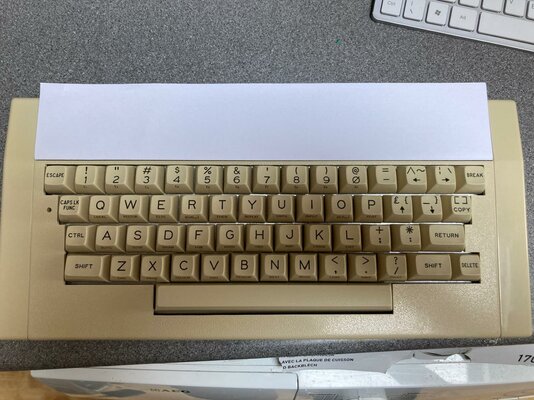
Scrubbed, IPA'ed to get the ink off. Keyboard out and cleansed with floor wipes and brush. Covered up the sticker to avoid warping in the sun:
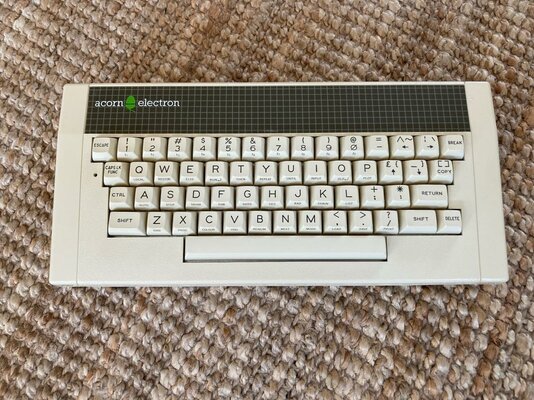
So much better! Took about a week to Retrobrite, on and off. No hair gels, just pure sun:
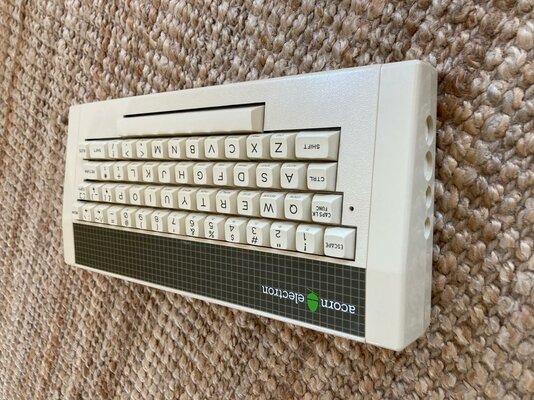
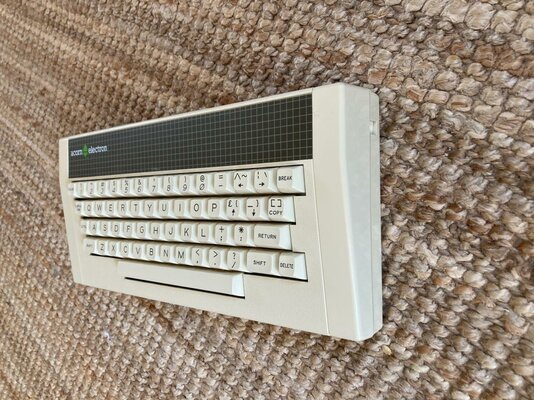
Patched the side ports, both sides:
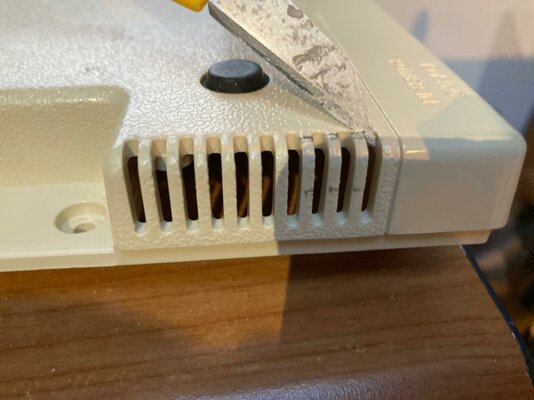
Under the knife. Soft plastics, mark and cut slowly. Removing a few small uprights for the micro sd. I cut them back a bit further as was neater:
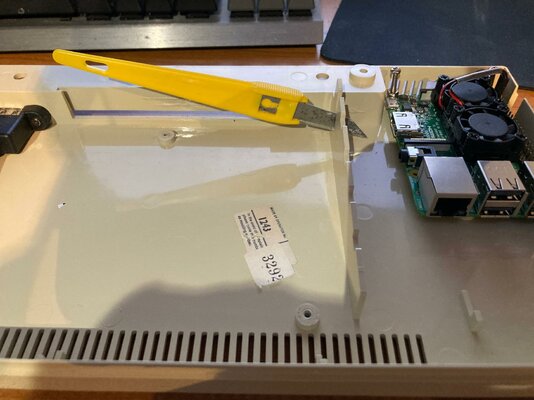
OK this bit required the drill and pliers. As the Pi was now sideways, needed a gap for the HMDI cable and then cut in access to power:
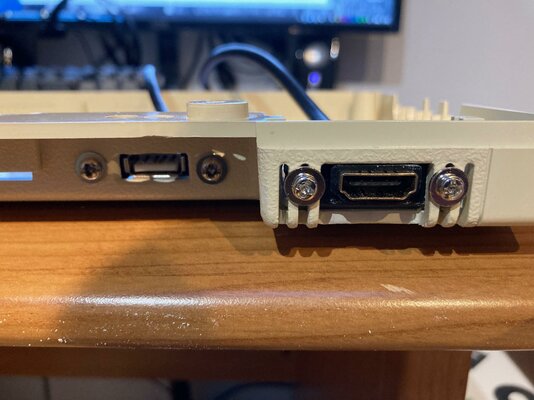
Lining up. Now using washers and I will square up the holes better now I've used it for a few weeks. I'll turn the USB 180degrees as it annoys me - the USB key is upside down:
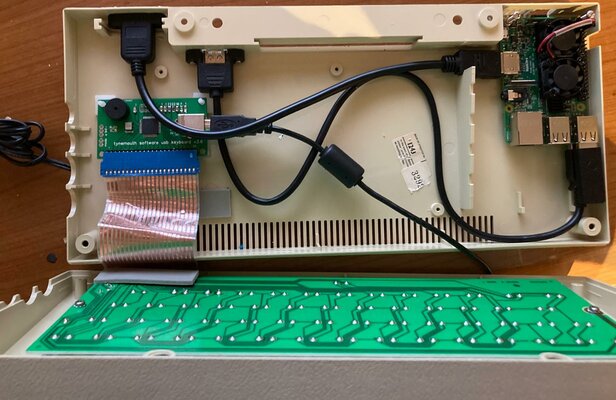
Lining up. Will further tidy the cables and use ties once it's bedded in. I've since added the Xbox One and mouse senders to two of the internal USB ports, added fixings for the encoder and a small fan:
Rear panel; access to micro SD, power, USB and HDMI
In use:
Oh, what to do ?
1. Add a USB keyboard encoder from the brilliant Tynemouth software http://www.tynemouthsoftware.co.uk/Shop
2. Clean it, Retrobrite it in the UK sun for a week
3. Cut holes
4. Fit a raspberry pi 3 to it and emulate!
5. Make it behave like an Electron again via advmame/retropie (plus Amiga via Amiberry, ST via Rastari). One great thing about the Electron; it has plenty of high quality keys. Dave @Tynemouth configured the encoder to enable the F keys using 'Function' as a modifier. The encoder even has a buzzer for that cute Electron startup beep!
I fussed over a few weeks to get the cables and placement right, and amazingly found the Acorn Electron HAS MOUNTING HOLES THAT EXACTLY LINE UP WITH THE HOLES IN A RASPBERRY PI. EXPLAIN THAT CONSPIRACY / TIME TRAVEL FANS. HOW DID ACORN KNOW?? WHEN THEY DESIGNED THE ARM, DID THEY JUMP FORWARD IN TIME TO SEE THIS MOMENT? THE TRUTH IS OUT THERE
I used a drill for pilot holes, then a craft knife and small file to square. I haven't quite finished some of the holes as want to finish and make them exactly straight once I have had it working as a Beta. I didn't want lots of holes for multiple USB sockets, so only cut one, using wireless dongles for the mouse and Xbox One controller, and choosing short extender cables. This way, the case can remain reasonably agnostic to the SBC inside and avoid some 'technical debt'; hopefully avoiding ruining it for the future.
I may cut a hole for an ethernet extender cable, as saves mucking around with wifi for every micro sd card build. I've ordered a micro usb cable with inline power switch, and still need to add a momentary switch to drive a shutdown script/ GPIO function.
The micro sd card is a bit fiddly to get out but I just had to use those mount points!
Next up:
-Find hard drive images for ST and Falcon.
-Spend less time fighting amiberry or amibian, get the damn things to boot direct to amiga workbench.
-get them to recognise the xbox one controller
-fit the shutdown button under the rear ledge
-play with it!
Pics:
Scrubbed, IPA'ed to get the ink off. Keyboard out and cleansed with floor wipes and brush. Covered up the sticker to avoid warping in the sun:
So much better! Took about a week to Retrobrite, on and off. No hair gels, just pure sun:
Patched the side ports, both sides:
Under the knife. Soft plastics, mark and cut slowly. Removing a few small uprights for the micro sd. I cut them back a bit further as was neater:
OK this bit required the drill and pliers. As the Pi was now sideways, needed a gap for the HMDI cable and then cut in access to power:
Lining up. Now using washers and I will square up the holes better now I've used it for a few weeks. I'll turn the USB 180degrees as it annoys me - the USB key is upside down:
Lining up. Will further tidy the cables and use ties once it's bedded in. I've since added the Xbox One and mouse senders to two of the internal USB ports, added fixings for the encoder and a small fan:
Rear panel; access to micro SD, power, USB and HDMI
In use:
Last edited: