Floppy drives restoration advice

  • Thread starter Thread starter Xanxi
  • Start date Start date
  • Replies Replies 45
  • Views Views 2675

Xanxi

Well-known member
Donator
AmiBayer
Joined
Jun 10, 2010
Posts
3,010
Country
France
Region
Paris
Hello there.

I own a bunch of Amiga floppy drives from Chinon, Panasonic, Teac, etc but most of my Amiga are barely able to read/write disks, appart from some of my A1200s which got new modified drives from here or there (usually ALPS drives).

But i am in the process of restoring my old drives, starting from my Chinon FB357A or FZ357A because it is nice to have a HD drive.
I try to open them clean the heads with isopropyl alcoohol and earbuds (or cleaning floppy), remove dust, grease the metal bar.

An now, i have this Chinon FB357A that i put inside an external enclosure and that i have tried on two Amiga. It can write or format HD floppies (of course all not 30 years old floppy disks i have are 2HD) but it seens it can only see them as DD and format 880 KB. There are some floppies which only gives errors, some apparently working.

So for now my questions are:
- can a HD drive be external at all on the Amiga or is it limited to 880 KB?
- could the floppy disks be the problem rather than my drives, even when new sealed floppy disks?
- is it necessary to recap the drives ? I haven't ever recapped anything myself but i have improved my soldering skills myself and i think i could manage a few through hole caps, if i can ever fathom how to read the caps and order good replacements.
 
Last edited:
Amiga test kit can help a lot here it can do read test of HD&DD disks

it can do head alignment checks on DD sadly not HD yet

if its not detecting the drive as a HD disk check the drive micro swich which checks for this it may just need cleaning
 
Last edited:
Thanks fot the advice. I don't know why but Amiga Test Kit any version instantly freezes or crashes on my A4000, which is my main rig where i test my external drives.
I will try it on another one soon.
 
• yes a drive can be external if you do some changes to the adapter (I guess you use the external enclosure adapter)
• the old HD disks can be a big problem but if you use a sealed pack, maybe 8 out of 10 must be ok
• it is very easy to recap a drive. I don't know why people find it hard to solder a smd thing but a through hole one is always very easy. If you use the right tip on the soldering iron, smd is easier.
Usually drives have either 10μF or 47μF capacitors. 6.3 to 16V should be ok.

As @Timtheloon already said, when a HD drive recognise the disk as DD, there is a bad switch on the right of the drive. If you have a multimeter you can check for continuity. In fact without inserting a disk, there must be no continuity.
 
Last edited:
Yes i have this Chinon FB357A in an external enclosure suitable for a drive of that height. What modification should be done to the adapter?


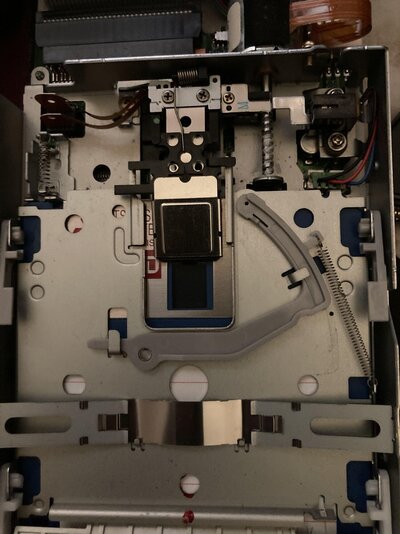
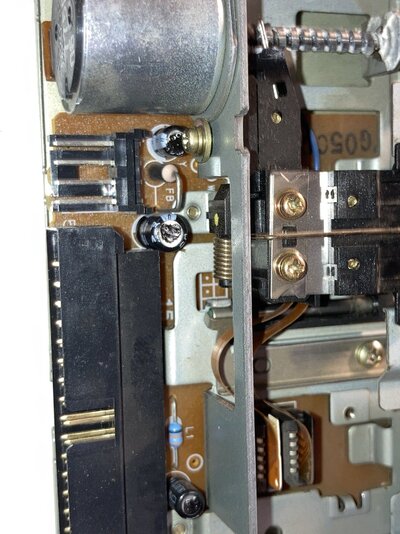
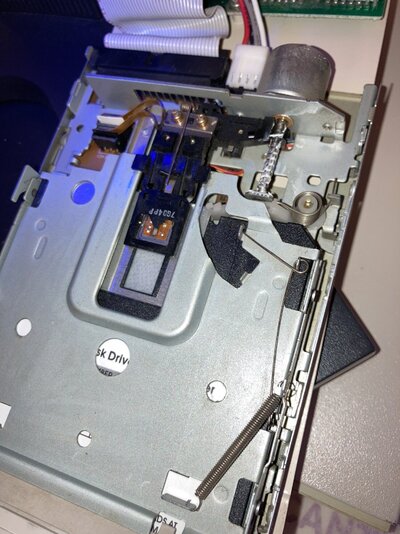
Now, i have been working on another external drive, which is in a cute external case with ROCTEC written on the cable. The case and drives are very slim, and the drive is a Citizen UODC-12A. It has no power connector but seems to get the power from the adapter only through a small ribbon. The drive is absolutly clean inside with no dust. I have given the heads the isopropanolol treatment, i have seen no infinite screw to grease. But the drive don't work and make a loud noise. It seems there is a loose belt inside and thus a motor is spinning for nothing. With my feeble experience, that is the first time i see a belt in an Amiga drive, i did heard of them only for Amstrad CPC.
Is it replacable (i guess i should disassemble the drive further than what i have done)?
Besides, it seems this adapter and case won't be usable with any other drive i own besides this one.
See a few pics.

IMG_3076.jpg
IMG_3079.jpg
IMG_3078.jpg


EDIT : ok, i have found the belt on Ebay and seen a youtube video about the belt replacement.
Hopefully, this one will be able to read some disks if i can find more time to fix it.
 
Last edited:
The Roctec has a 26pin ribbon cable. Probably this dedicated drive takes power from that cable.

Is it possible to provide 2 photos from the other enclosure's adapter? Both sides.
 
Yes i will take it apart this week-end to make pictures and reclean the drive in the process.

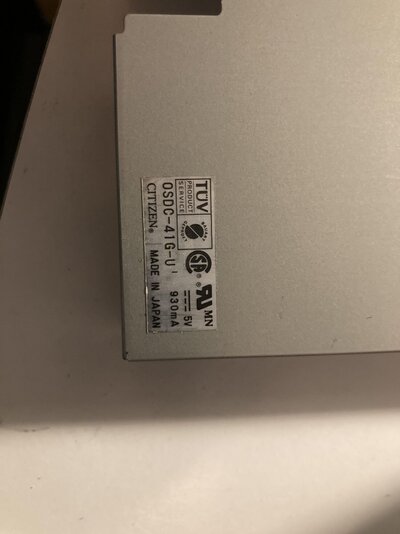
Tonight i have been working on another Citizen drive i found in another external enclosure from my junk, the OSDC-41g.

I did the usual, remove the dust (wasn't particulary dirty), rub the heads with isopropanol, grease the infinite screw with white grease, then again clean the heads with a cleaning floppy and software headcleaner, but i still got DF1:??.
Then i remembered a Youtube video from Jan Beta in which he was spraying the small sensors with contact cleaner. I did the same on both sides because this drive seems to have two on the left and two on the right.
Then finally, it seems it can read, format, copy from 2 old DD disks i have tried so far.
At last, i have been able to repair one of my junk drive.
Now i need replacement rubber feet for this enclosure.

I still have ahead something like 20 drives to take care of.
 

Attachments

  • unnamed (1).jpg
    unnamed (1).jpg
    376.6 KB · Views: 23
  • unnamed.jpg
    unnamed.jpg
    267.1 KB · Views: 25
Last edited:
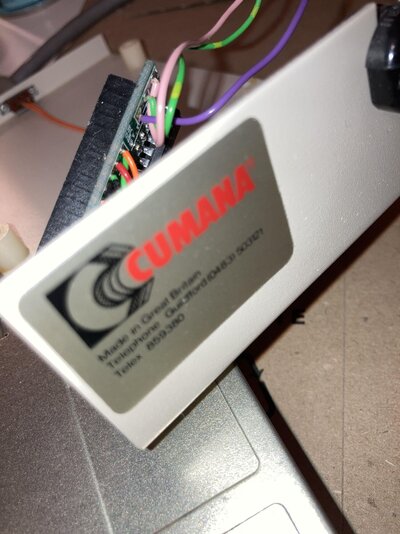
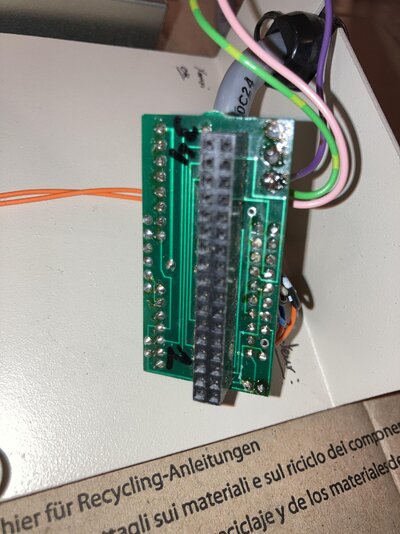
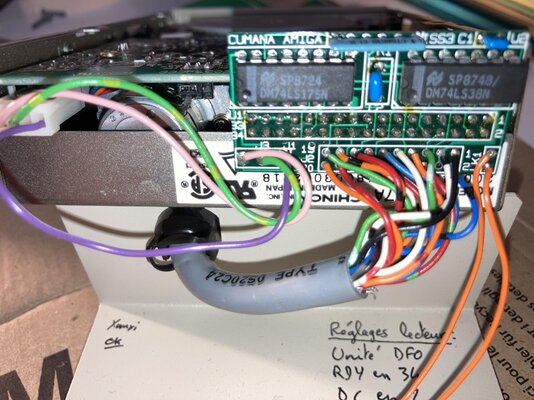
So @darefail, here are the pictures of that external enclosure, from Cumana.
A label underneath says Amiga compatible 3,5' drive 1 MB. I can't remember what was the drive inside when i bought it more than 20 years ago, i think i wanted it to house a HD FB357A drive from the start. No HD working however.
I have cleaned again the FB357A, and it works more or less, but seems to still fail on some disks which are good in the other DD drives i have fixed the days before.
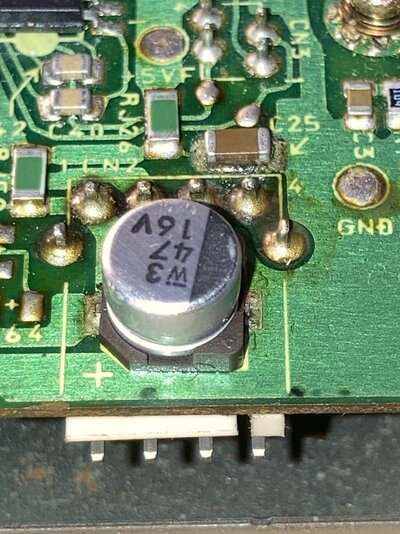
There is a cap about which i don't know what to think (see picture).

Unfortunately, it is the only enclosure i have for the big drives, and most of my spare drives to repair are old Chinon FB354 like in the A2000.
 

Attachments

  • unnamed (3).jpg
    unnamed (3).jpg
    497.8 KB · Views: 27
  • unnamed (1).jpg
    unnamed (1).jpg
    428.7 KB · Views: 21
  • unnamed (2).jpg
    unnamed (2).jpg
    444.4 KB · Views: 24
  • unnamed.jpg
    unnamed.jpg
    485.9 KB · Views: 22
Last edited:
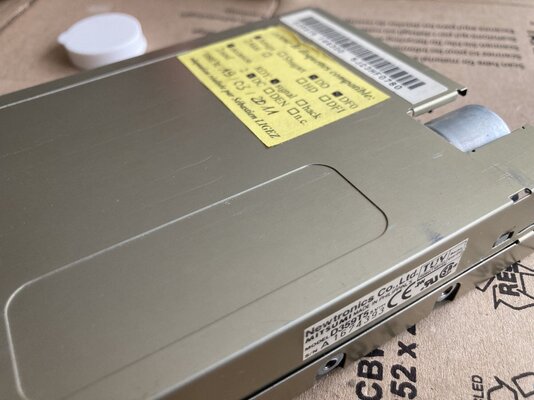
Friday evening, i fixed this one, which seems to be a modified Mistumi drive bearing a label from Sébastien Ligez. He's a french amiga user specialist of floppy drives and he fixed some for me about 12-13 years ago. I seem to remember he made modified drives like this one, but memory is fading, i should have kept a diary.

After cleaning some dust, cleaning the heads, lubing the screw and spraying the sensors, it works good, but there still a little noise when spinning a disk like a small bird flapping wings. I don't know if that is normal for that drive or not.


It happens i have a second one like this which was way more dirty.
After same treatment, i have tried it tonight and it does not work, gives only DF1:??? even without a floppy disk and heads don't move at all even if the disk is spinning. Caps looks weird. What do you think (two last pictures)?
 

Attachments

  • IMG_3113.jpg
    IMG_3113.jpg
    498 KB · Views: 24
  • IMG_3111.jpg
    IMG_3111.jpg
    552 KB · Views: 28
  • IMG_3090.jpg
    IMG_3090.jpg
    327.1 KB · Views: 18
  • IMG_3089.jpg
    IMG_3089.jpg
    386.9 KB · Views: 24
Last edited:
A photo from the pcb showing the modification would be more helpful.
Do you remember if this drive was ever working?
Caps need to be desoldered for measuring the capacitance but maybe you can do it while they are on pcb, even though it is the last thing that I would check.
 
A photo from the pcb showing the modification would be more helpful.
Do you remember if this drive was ever working?
Caps need to be desoldered for measuring the capacitance but maybe you can do it while they are on pcb, even though it is the last thing that I would check.

What modification? There is none. The drive i am talking about, that i put into the Cumana enclosure, is a Chinon FB357A which is a regular Amiga HD drive with extra height like in the A2000 3,5' bays. I know it used to work as an internal HD drive, though not tested internally recently. In this enclosure, it works only as a DD drive (with some disks only), an i understood from your previous post that it might work as HD with a modification to the external adapter. Hence the pictures of the adapter. Anyway, it is not perfectly working with all DD disks right now and i shall check this cap later.

Now proceeding to the next external drive cleaning.
 
Sorry I was talking about the last post with the df1:??? issue.
About the cumana adapter, it is difficult to understand every line, where it starts and where it ends.
Every adapter is different.
About the cap, I am sure it needs to be replaced. It is 16v 47μf. 25v should be ok too.
 
Last edited:
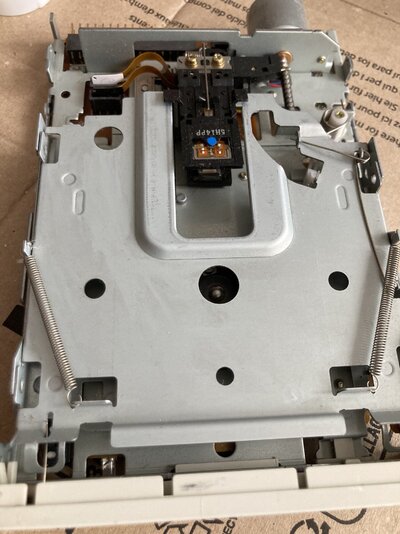
Tonight i have tried to repair this other Mitsumi Amiga drive (not converted so it seems).

It was rather dirty inside. I have done everything like before. Then i noticed the power header was loose and that all four solder joints were dry and broken, so i have attempted to resolder them with my feeble skills, and finally the header seems to hold good.

However, the drive can't read a disk because heads are not moving. Here is a video of the HeadCleaner program which should move the head all the way. It clicks but doesn't move.
So, what could be the problem:
- still bad soldering on the floppy connector (you can see the 4 ugly soldering jobs in the tope left)? Actually, i think i have done well for the two pins at the left, but bad at the two others. Need to redo in plain sunlight.
- dead motor (haven't seen anyone on Youtube dealing with this)?
- bad caps?

It is fun to spend time repairing drives, especially after about 15 years not actually using floppy disks on the Amiga, but it is better to succeed. For now, only 3 and half fixed external drives.

IMG_3134.jpg
IMG_3131.jpg
 
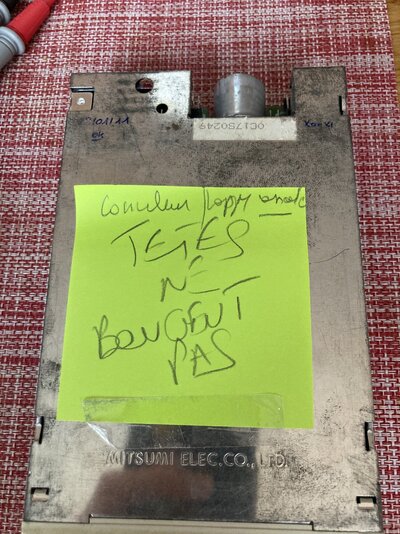
After all this Mitsumi D359T2 might be a pc drive but I don’t see traces of modification for the Amiga.
The drive bears some hand marking by Sebastien Ligez again who seems to have tested it in 2011, so I assume it was Amiga type and working at the time.
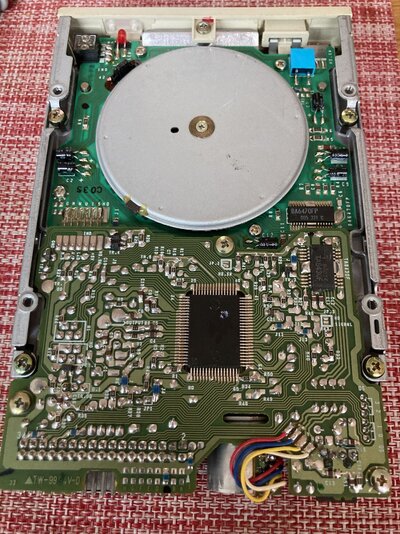
Also, I thought there should be continuity between the floppy header solder joints and the wires going to the motor but there is on none of them. I would need details on the pcb to check if power goes to the right place after my soldering job. In plain light even if ugly solder seems ok.
 

Attachments

  • IMG_3135.jpeg
    IMG_3135.jpeg
    622.8 KB · Views: 13
  • IMG_3136.jpeg
    IMG_3136.jpeg
    682.2 KB · Views: 13
It looks like an Amiga drive.
Screenshot_20241002_120440_Chrome.jpg

Check for continuity on the red circle against the positive side of any capacitor near and the black circle against the bottom row of the floppy header, or the negative side of any capacitor or even any screw on the pcb.
I guess you are fine.
 
Also, I see on the pcb that this drive must have some jumpers on the other side. Are they only for df:x selection?
 
Thanks!
Yes you are right. Continuity is good between the red circle and another close point corresponding to a cap on the other side of the pcb, and between the black circle and lower row of the floppy header, so i guess soldering job is fine.

There is indeed a jumper on the side of the pcb for DS0 to DS3, currently set to DS0.

I have done some archeology researchs into my emails from 2011, and i discussed with Sébastien at the time about dead TECHNOPLUS drives i bought new old stock, which turned out to have rotten belts we couldn't replace, and he replaced the drives with others, PC modified as i understand. Unfortunately, all my drives have been reshuffled between different enclosure since then and i can't be sure it is this one. Chances are it is because i have another MITRUSMI drive in my second Technoplus casing, which i fixed last week.
I think everyone should keep a detailed registery of his Amiga gear to be sure of what is what when checking decades later.

So, if the heads are not moving, perhaps the motor is dead?
 
I see 6 capacitors on the pcb. If you can't measure the capacitance, at least measure the voltage while the drive's power connected.
Check for continuity on the switch for disk presence. The drive may not recognise that a disk has been inserted.
Give a twist to the rod of the motor just a bit. Sometimes that helps.
 
Thanks for your help. I will do that on my next hours of free time and report back.
 
You can use ATK for you test.
In calibration mode when you press F2 the heads will move to cylinder 40. Also see if the disk in spinning. This way you can confirm that the spindle motor and the motor of the heads are working.
 
Back
Top Bottom