
I'm glad to be back on AmiBay and thanks to all who helped to accomplish this, especially Merlin (I think) who expedited my problem. I've spent quite a bit of time trying to fix, and breaking, and repairing equipment. I had this CD drive working on my A3000 (I think) piggybacked on the second port of my Iomega Zip drive. Problems I have noted are as follows: 1) When there is a disk in the Iomega, the disk will load on the computer. 2) When there is no disc in the Iomega (Zip) when the Amiga boots, there is no image on the monitor 3) When there is a disc in the CD drive, the A3000 will not load the OS (Workbench 3.1) 4) When there is no disc in the CD drive, the A3000 will load the workbench and the Opal Vision GUI (at least I think it is a Opal Vision board that I have). I have tried the various location numbers 0-9 for the CD drive and it makes no difference. So far I haven't destroyed the A3000, but I just dropped the CD drive from the desk to the floor, and it still lights up and spins the disc. At this point I am stymied. Any suggestions and advice would be greatly appreciated. I see there is a nice Mac 300 3023 CD drive and caddy (1994) available on ebay for a reasonable price and shipping here in the USA. I suppose that might be an alternative. Also, when the CD drive is plugged into the SCSI port on the A3000, it will not load Workbench. (Centronics port on the SCSC, same as on the Mac). Thanks for the help.

You are using an out of date browser. It may not display this or other websites correctly.
You should upgrade or use an alternative browser.
You should upgrade or use an alternative browser.
Getting my A3000 to recognize my current SCSI CD drive
- Thread starter jnfweber
- Start date
- Replies 29
- Views 743
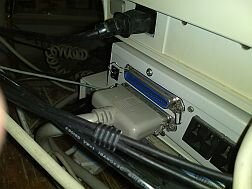
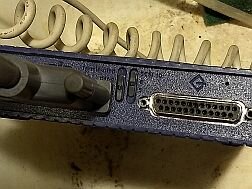
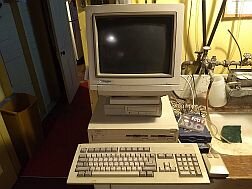
The SCSI can be a bit painful every now and then is my experience. I have an A3070 tape streamer and CDROM in an external enclosure and it took some time to get it all working.
I'd check termination. I could only get it to run reliably with an active external terminator (one with a LED). I'm assuming you already checked all the SCSI IDs...
I'd check termination. I could only get it to run reliably with an active external terminator (one with a LED). I'm assuming you already checked all the SCSI IDs...

With SCSI as it was back then, there were three things you had to consider. Power, LUN (Logical Unit Number) and Termination. Some devices used the SCSI cable for power, most didn't, although you may need Termination power. Both ends need to be terminated, so check that the controller card has termination set to ON.
If you have more than once SCSI device, you need to check that the Logical Unit numbers are different or the SCSI bus will hang. SCSI is also a loop, so the controller needs to know where the loop ends and this is where Termination comes in, as it closes the loop and stops the controller looking for devices that aren't there.
If you are using both internal and external SCSI devices, you may need to remove the termination resistors from the controller.
Amiga controllers normally use a LUN of 7, so set all other LUN IDs away from that to avoid a clash.
You might find this link useful. http://www.wonkity.com/~wblock/SCSI/SCSIExamples.html
If you have more than once SCSI device, you need to check that the Logical Unit numbers are different or the SCSI bus will hang. SCSI is also a loop, so the controller needs to know where the loop ends and this is where Termination comes in, as it closes the loop and stops the controller looking for devices that aren't there.
If you are using both internal and external SCSI devices, you may need to remove the termination resistors from the controller.
Amiga controllers normally use a LUN of 7, so set all other LUN IDs away from that to avoid a clash.
You might find this link useful. http://www.wonkity.com/~wblock/SCSI/SCSIExamples.html
With SCSI as it was back then, there were three things you had to consider. Power, LUN (Logical Unit Number) and Termination. Some devices used the SCSI cable for power, most didn't, although you may need Termination power. Both ends need to be terminated, so check that the controller card has termination set to ON.
If you have more than once SCSI device, you need to check that the Logical Unit numbers are different or the SCSI bus will hang. SCSI is also a loop, so the controller needs to know where the loop ends and this is where Termination comes in, as it closes the loop and stops the controller looking for devices that aren't there.
If you are using both internal and external SCSI devices, you may need to remove the termination resistors from the controller.
Amiga controllers normally use a LUN of 7, so set all other LUN IDs away from that to avoid a clash.
You might find this link useful. http://www.wonkity.com/~wblock/SCSI/SCSIExamples.html
i should get a terminator with an LED tomorrow, so I will attach that to the second Centronics port on the CD caddy, and make sure the LUN on the CD is 4 or 6. (Iomega Zip set to 5)
Last edited:
I was expecting to get a SCSI terminator today, but because of the "polar vortex" freeze up, it did not arrive by USPS. I think I've got the LUN problem solved by setting the CD drive to 4, while it is daisy-chained into the Iomega Zip which is 7, and not terminated. I guess my SCSI hard drive must be either 0 or 3, while my two floppy disc drives on this A3000 must be 1 or 2. I am appreciative of any corrections that may be offered. I am beginning to think the CD drive is damaged, in that it does not read any disc that is inserted. That also brings me to a problem with the Iomega 100 mb drive, where the disc inserted is only read when the A3000 boots up, either starts from off off or is restarted. I am thinking of purchasing a used SCSI drive on ebay, as there is one that is reasonable for around $38 which is "tested and works", or another option, there is a batch of 4 Toshiba drives for $39 plus $19 shipping, all of which "light up, spin, and eject." Being somewhat of a risk-taker, I am included to buy the batch of 4 drives, which appear clean and unblemished, and may have been salvaged from other computers where something else was broken. In the meantime, I am waiting for a WB 3.1 CF card and connector and a set of KS 3.1.4 ROMs for my A1200 which has a broken SATA hard drive (I think it is a SATA). In the meantime I investigated about 6 banker's boxes in the attic containing lots of literature, boxes for apps, not so many boxes for games, and about 100 or more floppy disks containing Amiga games and a bunch of .adf disks. Should keep me busy until the hardware arrives. Also, a new Buddha drive (20th anniversary edition) arrived from Germany, which I can use in one of my 3 other A3000's or my A2000 in California, which has a broken hard drive. I have a box of 8 SCSI hard drives, some which may be operational, which I will take with me to California to fix the A2000, which also has a broken ??"PC Bridgeboard"?? ---I think that's what it was called, and it also runs Shapeshifter. I'd just as soon stay in Montana (latitude of Paris) rather than go to California, where COVID is still rampant, but wife wants to go south to visit our grandkids. We both have had our 2nd Moderna shots. but I am leery about the kids bringing the South African version of COVID home to kill us. Sorry, this was not a "quick reply" but this 10th post makes me eligible to write a blog. Any thoughts, answers, or corrections will be greatly appreciated. I was very active starting when I was about 40 years old in 1986 but I have forgotten much of what I learned in the 10 years I spent with my 4 Amigas. 1000,2000,3000,4000.
Sounds like you have a lot on your hands!
AFAIK the default SCSI ID for the A3000 controller is 7, so never set anything to that. Also it prefers to have the first internal drive at ID 6, although I have them at every possible ID and they all work for me.
For the Zip drive to work properly I needed to have the Zip drive icon in DEVS:Storage set with the correct SCSI ID. Otherwise it would be seen as an external HD and not support disk change.
I have the 3000 running with:
SCSI disk 0 (scsi2sd)
Zip drive ID 3
Tape drive ID 4
CDROM ID 5
Controller ID 7
The ZIP, Tape and CDROM are external with the CDROM last on the chain and with an active terminator.
AFAIK the default SCSI ID for the A3000 controller is 7, so never set anything to that. Also it prefers to have the first internal drive at ID 6, although I have them at every possible ID and they all work for me.
For the Zip drive to work properly I needed to have the Zip drive icon in DEVS:Storage set with the correct SCSI ID. Otherwise it would be seen as an external HD and not support disk change.
I have the 3000 running with:
SCSI disk 0 (scsi2sd)
Zip drive ID 3
Tape drive ID 4
CDROM ID 5
Controller ID 7
The ZIP, Tape and CDROM are external with the CDROM last on the chain and with an active terminator.
Last edited:
Thanks, mousehouse, I will keep your settings for reference. My Iomega Zip has 6 or 7 as alternative locations, so I can try 6 as well. I don't recall ever having a Zip icon on my screen, but I can work at that. Hopefully I will get the terminator in the mail soon. That is the only way I can tell if the CD drive is working. I know it worked at one time, as there is no other way I could have transferred the Mac OS 7.5.5 onto a partition of my hard drive, since at 500+ MB it is too large for a floppy or Zip disk.Sounds like you have a lot on your hands!
AFAIK the default SCSI ID for the A3000 controller is 7, so never set anything to that. Also it prefers to have the first internal drive at ID 6, although I have them at every possible ID and they all work for me.
For the Zip drive to work properly I needed to have the Zip drive icon in DEVS:Storage set with the correct SCSI ID. Otherwise it would be seen as an external HD and not support disk change.
I have the 3000 running with:
SCSI disk 0 (scsi2sd)
Zip drive ID 3
Tape drive ID 4
CDROM ID 5
Controller ID 7
The ZIP, Tape and CDROM are external with the CDROM last on the chain and with an active terminator.
I have these two files (attached) in DOSDrivers. Edit the tool types under workbench to set it to SCSI.device and the correct ID. Works for me.
If you're interested I have some SCSI CDROM drives that work (but that I do not use). Let me know if you want me to send you one (you can have it for free), might be cheaper to get one from a US source though because of shipping costs.
files in a zip file : View attachment zipdriver.zip
If you're interested I have some SCSI CDROM drives that work (but that I do not use). Let me know if you want me to send you one (you can have it for free), might be cheaper to get one from a US source though because of shipping costs.
files in a zip file : View attachment zipdriver.zip
Last edited:
I have these two files (attached) in DOSDrivers. Edit the tool types under workbench to set it to SCSI.device and the correct ID. Works for me.
If you're interested I have some SCSI CDROM drives that work (but that I do not use). Let me know if you want me to send you one (you can have it for free), might be cheaper to get one from a US source though because of shipping costs.
files in a zip file : View attachment 164462
Thanks very much. I just ordered a refurbished IBM SCSI X4 on ebay for $25 in USA including shipping. I will keep your offer in mind if it doesn't work. These SCSI components are hard to find around here. I just talked to a guy whose business is computer repairs who said he just sent a whole bunch of old SCSI stuff to the trash last month.
IBM 06H3847 | 4x SCSI CD-ROM - Serverworlds
With SCSI as it was back then, there were three things you had to consider. Power, LUN (Logical Unit Number) and Termination. Some devices used the SCSI cable for power, most didn't, although you may need Termination power. Both ends need to be terminated, so check that the controller card has termination set to ON.
If you have more than once SCSI device, you need to check that the Logical Unit numbers are different or the SCSI bus will hang. SCSI is also a loop, so the controller needs to know where the loop ends and this is where Termination comes in, as it closes the loop and stops the controller looking for devices that aren't there.
If you are using both internal <u>and</u> external SCSI devices, you may need to remove the termination resistors from the controller.
Amiga controllers normally use a LUN of 7, so set all other LUN IDs away from that to avoid a clash.
You might find this link useful. <a href="http://www.wonkity.com/~wblock/SCSI/SCSIExamples.html" target="_blank">http://www.wonkity.com/~wblock/SCSI/SCSIExamples.html</a>
i should get a terminator with an LED tomorrow, so I will attach that to the second Centronics port on the CD caddy, and make sure the LUN on the CD is 4 or 6. (Iomega Zip set to 5)
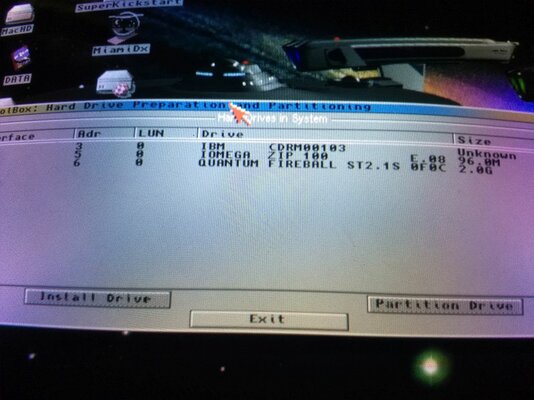
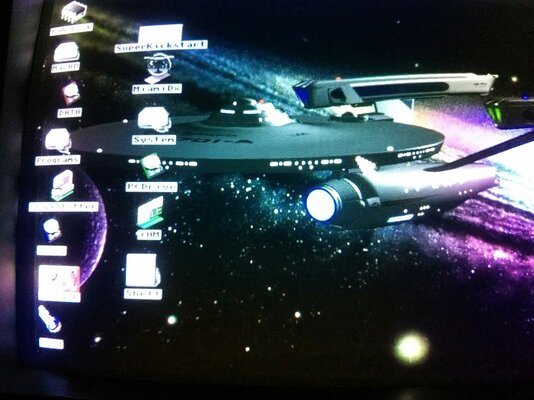
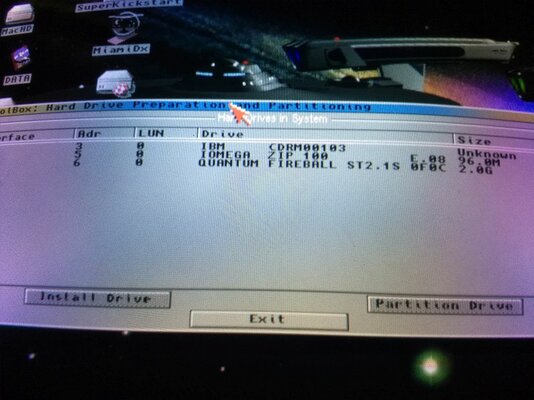
For Merlin and mousehouse: I put in a refurbished IBM SCSI CDROM unit that I received yesterday, with a terminator. I also put a valid CD disk, as well as a valid Iomega disc. There was no icon on my WB screen (Picasso image with USS Enterprise facsimile). Went into HD toolbox and am sending the attached image showing the Amiga 3000 recognizes the CD drive, but no icon of the drive. <strong>What is my next step? Thanks! Also yesterday, I finally got my KS 3.1 ROMs for the 1200 and with the help of Jack Calk on messenger, got it up and running with a WB 3.1 on a 4 GB compact flash card.
Attachments
Last edited:
Well - seems like you fixed it!
Good question! My best guess would be that you need to install a CDROM driver that adds the CD0: device to your system.
My system runs OS3.9 which has that already, otherwise maybe use : https://aminet.net/package/disk/cdrom/amicdfs240
Good question! My best guess would be that you need to install a CDROM driver that adds the CD0: device to your system.
My system runs OS3.9 which has that already, otherwise maybe use : https://aminet.net/package/disk/cdrom/amicdfs240
Mousehouse is right - you'll need some drivers to see the ISO9660 CD file system and then you should see CD0: on the screen. You're getting there! The hardware side is sorted now.
Last edited:
I have these two files (attached) in DOSDrivers. Edit the tool types under workbench to set it to SCSI.device and the correct ID. Works for me.
files in a zip file : View attachment 164462
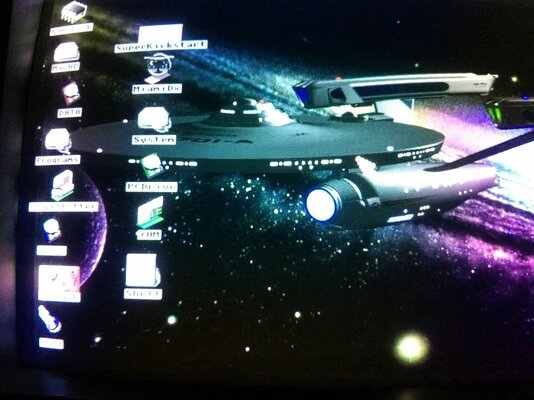
I don't quite understand how to put these zip files into my A3000. Do I need to use Amiga Forever on my pc to transfer the files to the Amiga I got the CDROM drive attached at the end of the chain beyond the Iomega Zip drive. Here is a photo of the screen from HD Toolbox. The Iomega drive will show as an icon on the WB screen when I turn on the Amiga or reboot it, but will not show as an icon when I insert a zip disk with the machine on. The CDROM drive will not show as an icon, neither with a CD disk in it or empty when I turn on or reboot the Amiga. What do I do next? Thanks.
Hi!
You would need to install a filesystem for the CDROM to start with. Did you manage to do that? Depending on which version you used you might need to set the correct SCSI ID in the tooltypes of the icon in DEVS. Same goes for the two files I shared for the Zip drive (put them in DEVS DOSDrivers). Then edit the tooltypes (click the icon once and select "Information" in the workbench menu) and set the correct SCSI device and SCSI ID.
You would need to install a filesystem for the CDROM to start with. Did you manage to do that? Depending on which version you used you might need to set the correct SCSI ID in the tooltypes of the icon in DEVS. Same goes for the two files I shared for the Zip drive (put them in DEVS DOSDrivers). Then edit the tooltypes (click the icon once and select "Information" in the workbench menu) and set the correct SCSI device and SCSI ID.
Last edited:
Hello again! I'll try to get back to doing this later today. It's been years since I was more proficient with this stuff, and then I was always asking advice from a guru on Compuserve's Amiga Forum. Compuserve is long gone, was absorbed into AOL, and I know some people have @aol.com addresses, but I guess they're, like Commodore and Escom are long out of business and only of historical interest.
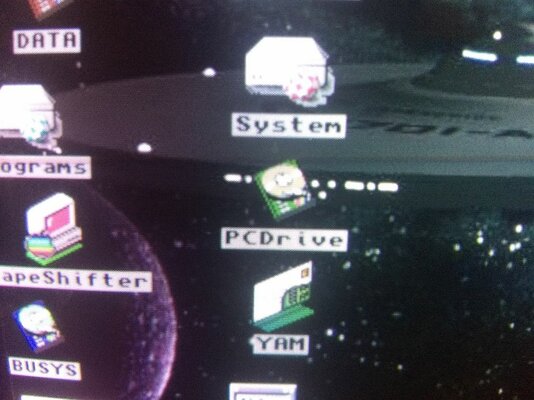
I'm sending screen shots (out of ignorance) to show what I've got. Opening the PC Drive icon gives the 4th icon, and the other two, 2 and 3 are from ASIMCDFS. I still need to know how to use the links mousehouse gave me for Iomega icons, which are on my laptop. I believe I have OS 3.5 on my A3000, at least I have the official Amiga CD for OS 3.5
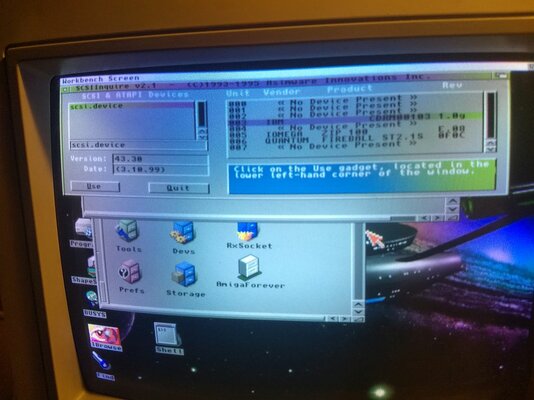
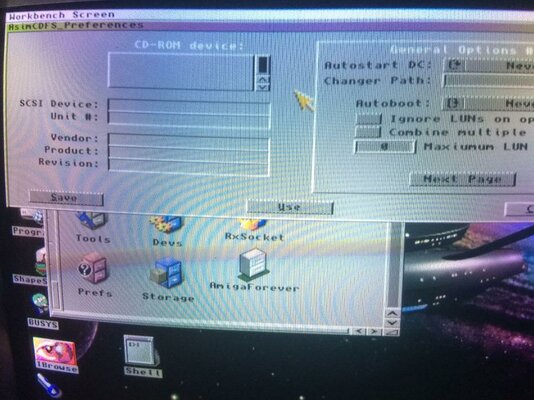
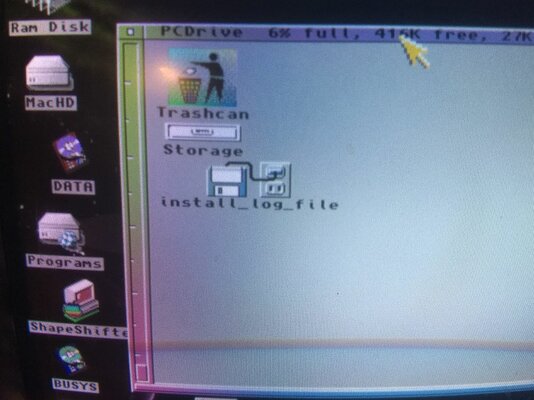
I haven't left yet. Do I need to order a KS 3.9 ROM before I can proceed further? I am looking in various drawers and will send screen shots of what I am looking at. Sorry I put the photos before the quote and text. I'm learning (slowly).
Hello again! I'll try to get back to doing this later today. It's been years since I was more proficient with this stuff, and then I was always asking advice from a guru on Compuserve's Amiga Forum. Compuserve is long gone, was absorbed into AOL, and I know some people have @aol.com addresses, but I guess they're, like Commodore and Escom are long out of business and only of historical interest.
I haven't left yet. Do I need to order a KS 3.9 ROM before I can proceed further? I am looking in various drawers and will send screen shots of what I am looking at. Sorry I put the photos before the quote and text. I'm learning (slowly).
Last edited:
I have these two files (attached) in DOSDrivers. Edit the tool types under workbench to set it to SCSI.device and the correct ID. Works for me.
files in a zip file : View attachment 164462
I don't know how to transfer files from my pc laptop to my Amiga. Back in the old days, I used a modem and was online with the Amiga using Miami or AWeb, which became obsolete because they couldn't handle Java script. Is there a way to be online with an Amiga so I could use Amibay or other Amiga forums on my Amiga? Or can I transfer a downloaded file, like a lha.run to my Amiga on a floppy disk? I just put a floppy disk on my pc which is running Windows 10 and Edge. As of yet, I don't have a working CD drive on my A3000, but I do on my A4000.
There's a few options to get files on your Amiga...
I have a networking card in my main Amiga with the Roadshow TCP/IP software and IBrowse webbrowser. I can get files from a local machine on the LAN, wget files from aminet or browse somewhere and grab them. Works great... IBrowse does not have any CSS support - actual usage is limited. And it is quite slow... but works.
If you have a ZZ9000 card for example you not only have network but also a USB port for mass storage - you could use a USD stick to transfer files. I have another type of USB card but works the same.
Alternatively you could use a GOTEK drive or something similar.
Back in the days I used a lot of crossdos - using a PC floppy in the Amiga. You could try that but check the density of the floppy. The PC will do HD 1.44 but I do not know if they still also support DD 720k disks. Your 4000 might have an HD drive, your 3000 could but is most likely a DD drive.
I have a networking card in my main Amiga with the Roadshow TCP/IP software and IBrowse webbrowser. I can get files from a local machine on the LAN, wget files from aminet or browse somewhere and grab them. Works great... IBrowse does not have any CSS support - actual usage is limited. And it is quite slow... but works.
If you have a ZZ9000 card for example you not only have network but also a USB port for mass storage - you could use a USD stick to transfer files. I have another type of USB card but works the same.
Alternatively you could use a GOTEK drive or something similar.
Back in the days I used a lot of crossdos - using a PC floppy in the Amiga. You could try that but check the density of the floppy. The PC will do HD 1.44 but I do not know if they still also support DD 720k disks. Your 4000 might have an HD drive, your 3000 could but is most likely a DD drive.
There's a few options to get files on your Amiga...
I have a networking card in my main Amiga with the Roadshow TCP/IP software and IBrowse webbrowser. I can get files from a local machine on the LAN, wget files from aminet or browse somewhere and grab them. Works great... IBrowse does not have any CSS support - actual usage is limited. And it is quite slow... but works.
If you have a ZZ9000 card for example you not only have network but also a USB port for mass storage - you could use a USD stick to transfer files. I have another type of USB card but works the same.
Alternatively you could use a GOTEK drive or something similar.
Back in the days I used a lot of crossdos - using a PC floppy in the Amiga. You could try that but check the density of the floppy. The PC will do HD 1.44 but I do not know if they still also support DD 720k disks. Your 4000 might have an HD drive, your 3000 could but is most likely a DD drive.
I do have a modem and a telephone line, and Miami for connection, and I probably could get back on NetZero as an iSP. Currently our internet connections are through cable modem and wifi. Phone lines are slow, cable is fast. Maybe there is a card to connect an Amiga to the ethernet cable. In any case, it looks like I will need to buy more hardware. We leave for California tomorrow with some Amiga and Sega stuff to play with our grandsons for 2 months, then to Alaska for 10 days, then back home. I am taking an Amiga 3000 and a Buddha card for me to play with, so maybe I can set something up there. If not, I will be back home to continue this problem on June 20, which is a good time to be back in Montana. Thanks for the help and I will try to work on your suggestions. I have used crossdos in the past, and your are right about the drives in both my 3000 and 4000.
- - - Updated - - -
Looks like the ZZ9000 is a bit expensive, over $400 with shipping from Europe. The GOTEC drive might fit in the front of my 3000 which has 2 floppy disk drives. Maybe the best bet for transfer, depending on cost, if available is the Deneb drive, although no price listed yet.
Vesalia Online - Deneb USB Controller for Amiga
- - - Updated - - -
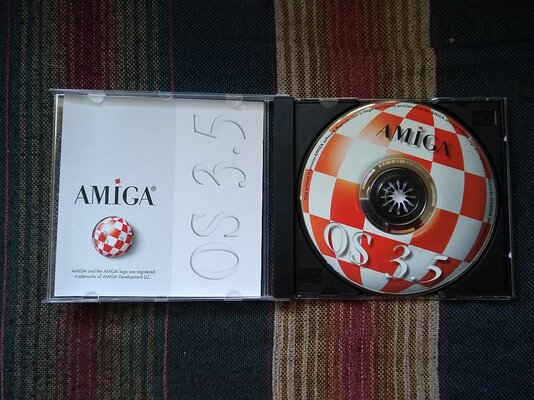
This is what makes me think I have all the stuff necessary to connect CDROM drive to my A3000. I have both 3.5 and 3.9 CDs here with me, and I probably used the CD to put OS 3.5 on my 3000.
Similar threads

- Locked
- Replies
- 9
- Views
- 3K
- Replies
- 4
- Views
- 2K

