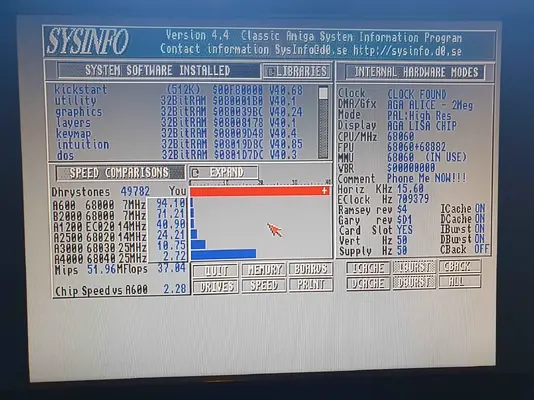
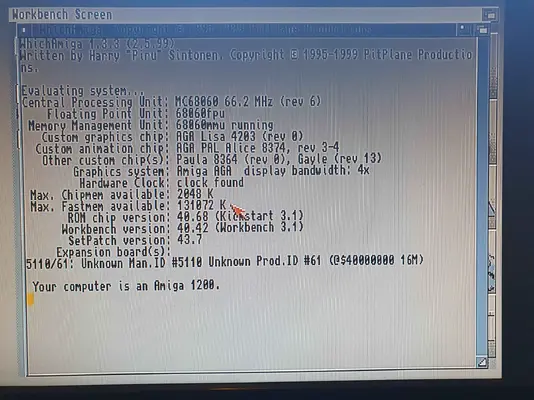
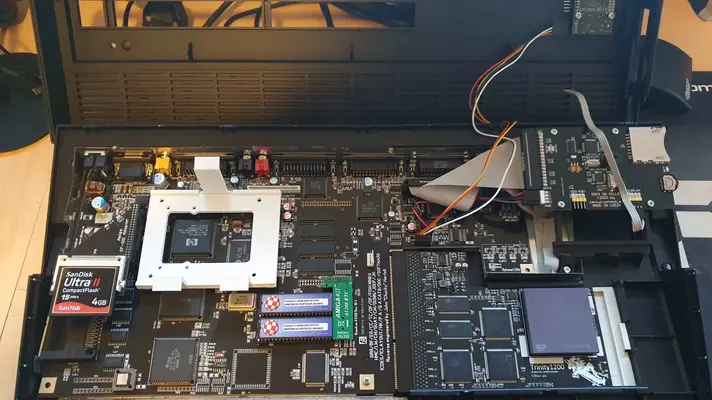
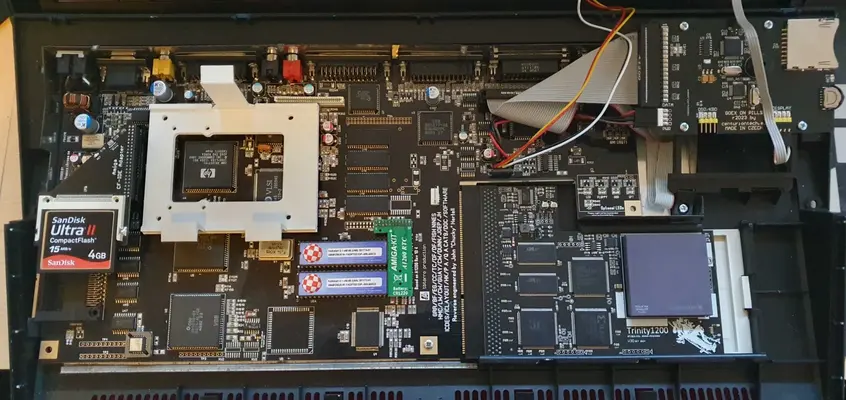
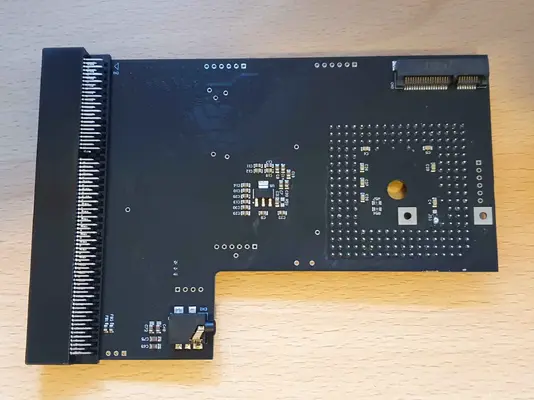
Got myself a Trinity 060 for Christmas....

  • Thread starter Thread starter fitzsteve
  • Start date Start date
  • Replies Replies 29
  • Views Views 572

fitzsteve

Retired Slacker
Assistant
AmiBayer
Joined
Aug 19, 2009
Posts
20,777
Country
UK
Region
Sevenoaks
Saw there was one in stock so grabbed it as a Christmas present to myself and also got a Rev6 060 from @screemo (Thanks!)

Both arrived before Christmas which was a surprise given how Royal Snail are during silly season!

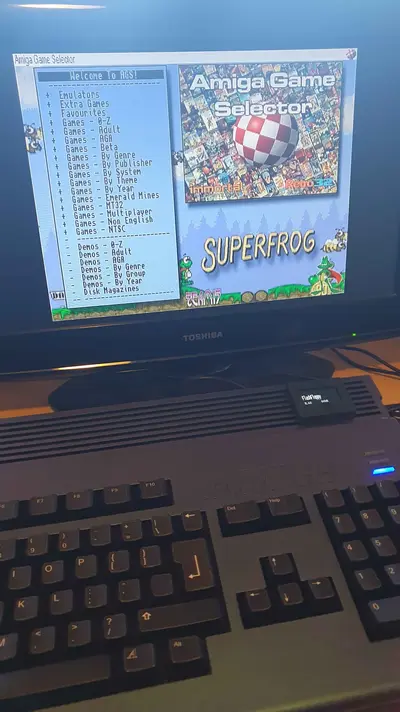
Haven't done any extensive testing yet, just set it up and booted with AGS to make sure it runs, seems to stay pretty cool at 66mhz, after using it for around 40 mins or so various things from Doom to Gloom it measured around 45c (case closed)

Need to fiddle with one of my old 3.9 builds and get it setup with the 16bit sound, etc.
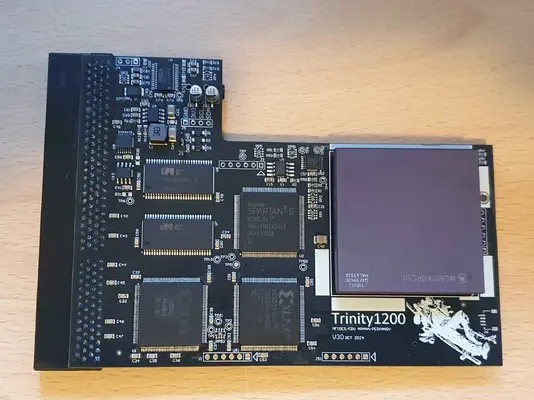
 

Attachments

  • 20251230_142052.webp
    20251230_142052.webp
    279.3 KB · Views: 11
  • 20251230_144656.webp
    20251230_144656.webp
    448.6 KB · Views: 9
  • 20251230_144617.webp
    20251230_144617.webp
    521.6 KB · Views: 11
  • 20251230_144504.webp
    20251230_144504.webp
    218.7 KB · Views: 9
  • 20251230_143400.webp
    20251230_143400.webp
    303 KB · Views: 11
  • 20251230_143339.webp
    20251230_143339.webp
    263.5 KB · Views: 7
  • 20251230_142101.webp
    20251230_142101.webp
    198.4 KB · Views: 8
Nice one Steve.
Sooooo… Big question is…. How does this differ from the other A1200 new Accelerators out there?

I take it this is another one of those. You buy it and become a Beta Tester?
 
Nice one Steve.
Sooooo… Big question is…. How does this differ from the other A1200 new Accelerators out there?

I take it this is another one of those. You buy it and become a Beta Tester?
Well the main thing is it has 16bit Audio on board so you can setup via AHI and enjoy games and software which support AHI

I did have a TF1260 but it was quite unreliable, I never got to the bottom of the issue it seemed like it was just connectivity related and in the end I got fed up and got rid. (Note this was one I got from eBay and not from our resident expert Supaduper) Long storey short I wanted a black PCB to match my Motherboard hence buying elsewhere.

I'm hoping the Trinity will be better, all good so far but have not tried to OC beyond 66mhz yet. In the meantime I have been using a TF1230 which has been great for WHDload but I did miss the 060 power.
 
These are some nice Christmas presents for your Miggy! :love:
I think TF1260 offers the greatest vfm currently but it's great we have so many choices!
 
Very nice Fitzy, I was not aware that the Trinity had built in AHI thats a nice feature.

Will be good to see how you get on.
 
Got one of these cards my self. I like that it also provides a native audio passthrough, making it possible to use one cable. There is one caveat, and that is the register controlling the passthrough has to be set. Normally this is done by the Trinity software when Workbench starts. If starting the computer without a startup-sequence, this can still be done by manually typing in the register value in the DOS shell.

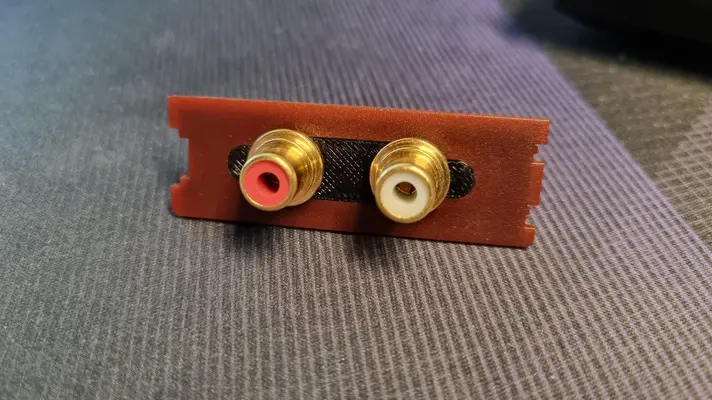
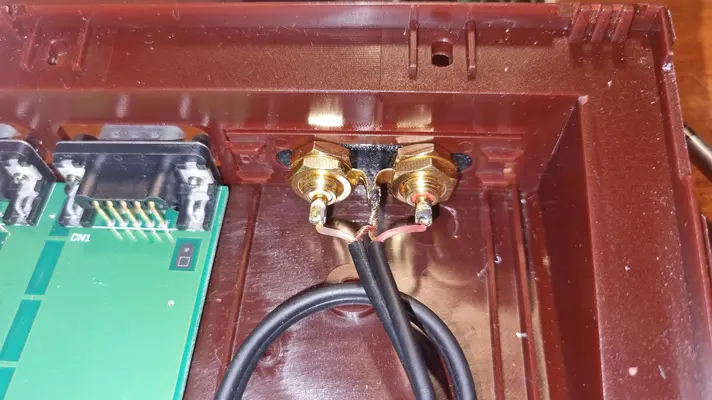
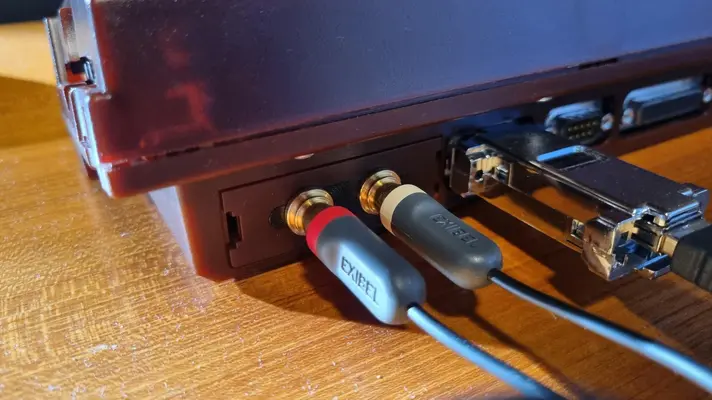
Ended up soldering a 3 pin header on the card and fabricating my own connector-cable assembly for the audio. Was challenging to find something that would fit the 3.5mm audio jack on the card. Two RCA connectors are mounted in the rear expansion bay cover. Got an A1200net case and 3D-printed an adapter piece for one of the provided covers that have a DVI(?) mounting hole.

So far been a solid card. Haven't done any comparisons as I do not own any other modern cards for the 1200.
 
Got one of these cards my self. I like that it also provides a native audio passthrough, making it possible to use one cable. There is one caveat, and that is the register controlling the passthrough has to be set. Normally this is done by the Trinity software when Workbench starts. If starting the computer without a startup-sequence, this can still be done by manually typing in the register value in the DOS shell.

Ended up soldering a 3 pin header on the card and fabricating my own connector-cable assembly for the audio. Was challenging to find something that would fit the 3.5mm audio jack on the card. Two RCA connectors are mounted in the rear expansion bay cover. Got an A1200net case and 3D-printed an adapter piece for one of the provided covers that have a DVI(?) mounting hole.

So far been a solid card. Haven't done any comparisons as I do not own any other modern cards for the 1200.
How does it normally work for the pass through? Do you need one of those mic/ear splitter cables? Still haven't set it up with the trinity software yet.
 
It picks up the audio signals on the expansion connector. Pins 146, 147 and 148.

How the software works and the register value is explained in the included manual. The software it self is fairly basic with just a couple of sliders for CPU clock, passthrough audio level and a CPU temperature reading. My experience with the temperature reading is that it isn't accurate. It probably has to be calibrated for every CPU, but currently has no options to add an offset to correct the displayed value. In my case it reads 16 degrees Celsius too much.
 
Did you put a heatsink on the CPU? I need to find one that won't conflict with the keyboard.
 
It picks up the audio signals on the expansion connector. Pins 146, 147 and 148.

How the software works and the register value is explained in the included manual. The software it self is fairly basic with just a couple of sliders for CPU clock, passthrough audio level and a CPU temperature reading. My experience with the temperature reading is that it isn't accurate. It probably has to be calibrated for every CPU, but currently has no options to add an offset to correct the displayed value. In my case it reads 16 degrees Celsius too much.

Do you have another probe to read the real cpu temp?
 
Did you put a heatsink on the CPU? I need to find one that won't conflict with the keyboard.
No, I don't think I'll overclock tbh so the Rev6 should be fine without
 
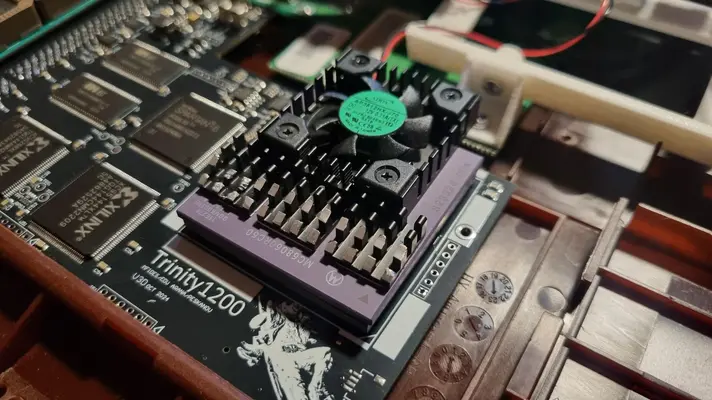
I did fit a fan since I sometimes overclock. I believe I got this fan along with some tiny passive heat sinks. The fan assembly has to be mounted offset since it collides with the keyboard. The passive heat sinks were filed down to clear the keyboard.

1000015860.webp

Here are some pictures of the audio installation. Couldn't find one of the header, but it is regular 2.54mm pins and crimps.

1000015693.webp

1000015829.webp

1000015697.webp
 
That's nice!
Unfortunately i don't have the tools to trim down a heatsink.

About the audio connection, it seems some people had mechanical problems to use the onboard jack. But Edu told me that the sound output can also be taken out from J4 as L-G-R, so it is possible to solder a cable and a jack somewhere else if needed.
 
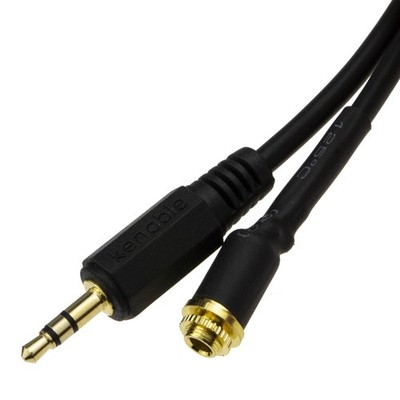
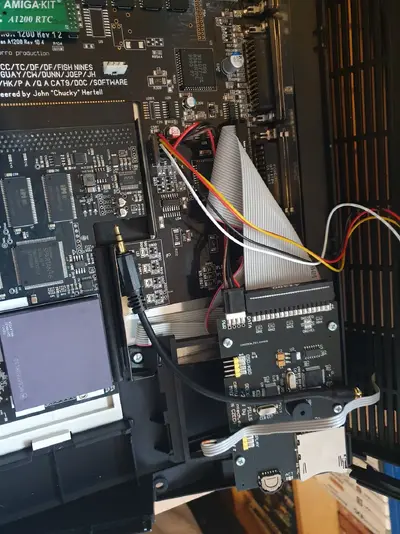
I don't think the cable will fit. I initially tried a 3.5mm straight cable but it collided with the motherboard/case. An angled male jack is most likely needed.

I opted for the 3 pin header and applied socket crimps and a socket housing to the cable that goes out the back. As Xanxi mentioned, it goes on the J4 location near the audio connector.
 
Didn't think of that, will report back, hopefully there's some flex in it
 
Yeah no way it would fit, shame the header isn't on the other side of the board. Cable would have been the perfect length lol
 

Attachments

  • 20260117_143657.webp
    20260117_143657.webp
    387.8 KB · Views: 6
Setup a proper workbench now and did some quick tests with Quake 1 and 2, they run very nice indeed, I think maybe better than my old TF1260 and Blizzards.

Quake 1 was CPU=66mhz and Quake 2 was CPU=80mhz

Amiga did not boot at CPU=100mhz (not that I would ever run it this fast anyway 80mhz seems fast enough and I don't have cooling yet!)

 
Bought a small angle 3.5mm jack, still doesn't fit. What a stupid design to put it in the one place you wouldn't be able to plug anything in lol

I don't really want to solder anything so I'm a bit stumped how to use the audio 😒
 
Back
Top Bottom