GVP A530 Restoration Project

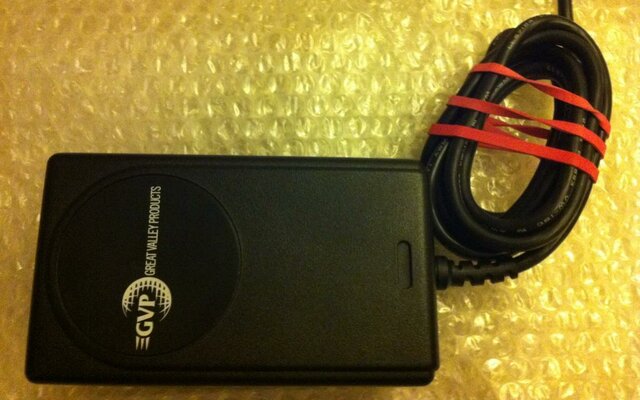
Ok, so not the most exciting pic here, but an important part of the restoration, and that is the power supply.

Its been sent off to Adam and been looked at. Part of the work for this power supply is replacing the capacitors. Remembering these are 15-20 years old already, even though they work fine just now, they wont last forever.

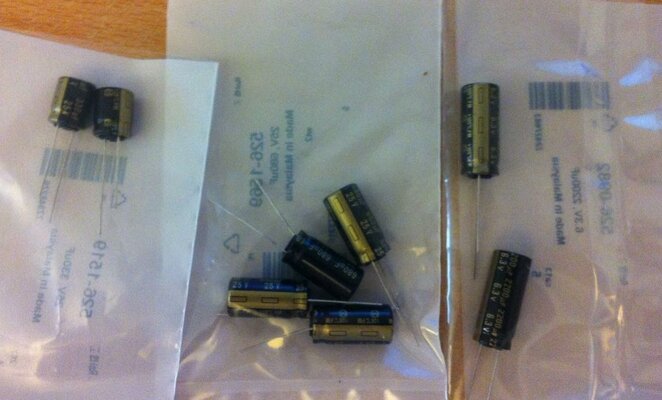
Having got a list of the ratings and voltages required, I searched online for the replacements. The ones I have gone for are made by Panasonic, and are from the FM/FC/EE ranges. These come very highly recommended indeed, both for PSU's and also motherboards. The ripple and ESR values are very good, theyre all rated at 105c and quite long life.

They are referred to informally as panasonic black & gold's, and I have to admit they do look rather professional!

GVP36.jpg

The necessary set of replacements is now on its way to be fitted :)
 
Great progress! I would love to have one of these for my collection.
 
Well its been a little time since I updated here; the power supply was sent away for refitting and took a little longer than expected, but all is good !

I mentioned in my previous few messages about getting the supply recapped and tested; that work is now complete.

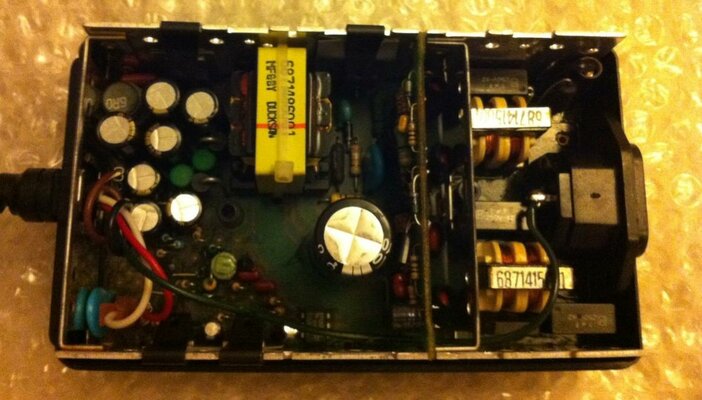
The main work was actually to replace all those capacitors; this will help ensure a good clean supply. The new Panasonic caps have now been fitted, courtesy of Adam, and looks good :

GVP37.jpg

Sadly the light isnt the best for this kind of pic, but you can see the shiny new caps in place.

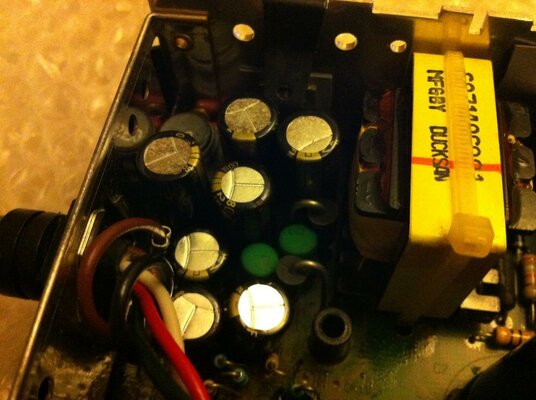
Another slightly closer view :

GVP38.jpg

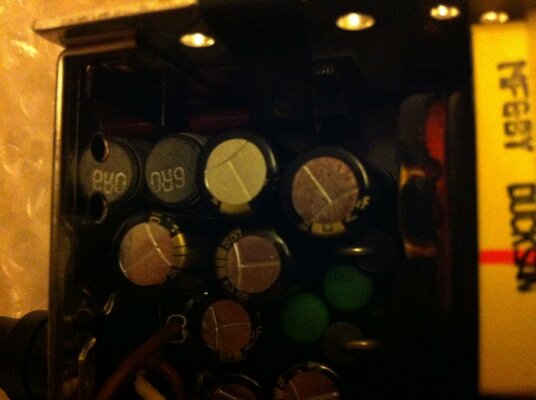
And again. Here you can just about see the black and gold colour of the new caps, these are perfect for this kind of work :

GVP39.jpg

And finally the unit fully reassembled and ready to go :

GVP40.jpg

The final test to make sure everything has gone as planned is of course to measure the outputs. I havent done this myself; Adam has supplied me with the results of the voltage testing. They are :

No Load :

+12.44v
-12.35v
+5.14

Powered up and under load :

+12.17v
-12.12v
+4.89

Obviously for 12v line, -12v line and 5v line respectively.

We can see here then that the voltages are absolutely fine, and when under load i.e powering the unit, the voltages stay at good levels.

So overall, I now have a recapped and tested supply; its has perfect voltage levels and a good clean healthy supply level.

Ultimately with reduced power suply levels, which happens over time due to degredation of capacitors, this would start to affect the proper operation of the unit.

Now with a new refreshed supply, this will ensure it works correctly with power levels that are spot on.

Whilst waiting for the PSU to come back, Ive also received a few more parts in the post for this job.

More details to come soon folks !

:)
 
Next up on this project then is to turn my attention to the case.

The original pictured earlier in the thread was in good shape overall, but not *quite* where I wanted it to be for the perfect job. I admit to being a perfectionist in a lot of areas; I dont see that as a bad thing either.

So, next was an order placed here on the forums through user GVP_SALES. Earlier this year he posted a sales thread offering brand new NOS A530 covers. That was a real stroke of luck then!

I sent for a box of GVP bits and pieces from him, including one of these covers.

So, first off the new cover. Once again, the light levels are not perfect; the cover is spot on though :
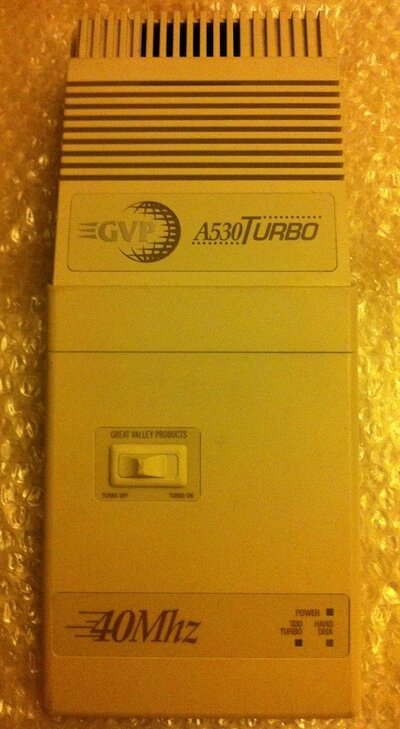
GVP41.JPG

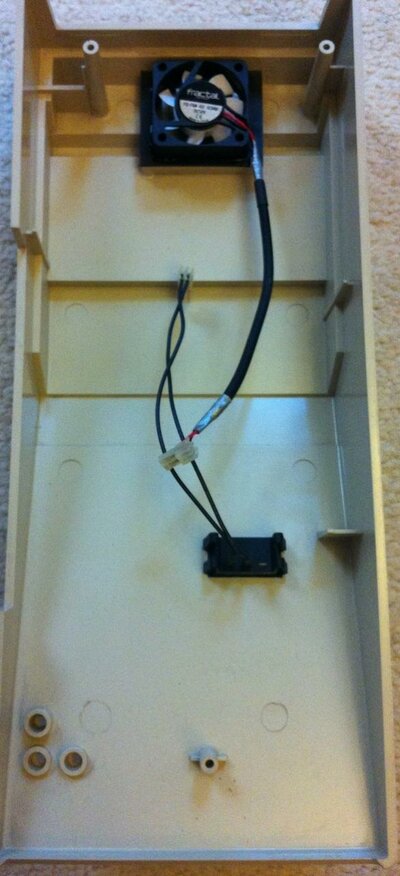
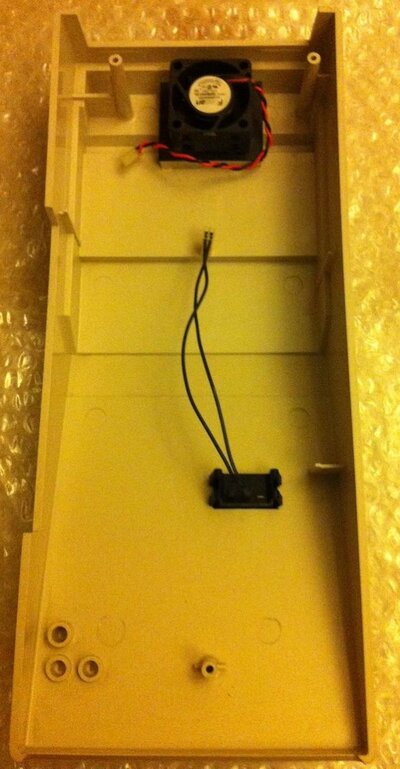
And underneath. Obviously here you can see the cooling fan (more on than in a bit) and the wire connector for the Turbo Switch. This basically switches the expansion of the unit off or on :
GVP42.jpg

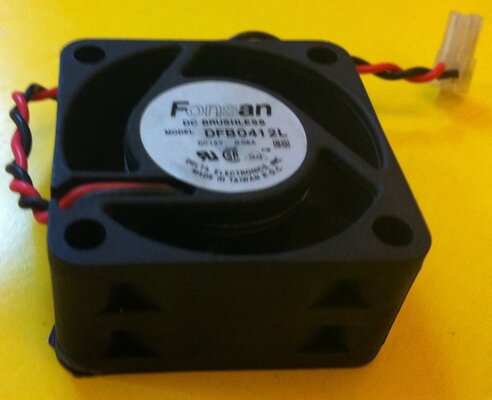
Now, although the cover is NOS and in great condition, the fan has always been an issue for me. The existing ones are 15-20 years old, and while I would say they are adequate in what they do, Im going to do better. They were good for the standards back in the day of course.

The existing fan is a 12v 2-wire unit. Its noticeable in terms of noise but not excessive. The amount of air it shifts is questionable in my mind, so time to find a better option.

To the rescue this time then is a company called Fractal Design. You may be aware of them as a company that makes some very nice PC cases; I have one here for my main PC and its a super piece of kit.

But they also make power supplys, fans and other bits of kit too. I highly recommend the products from this company; they have good reviews and I have used their kit. It is good quality stuff.

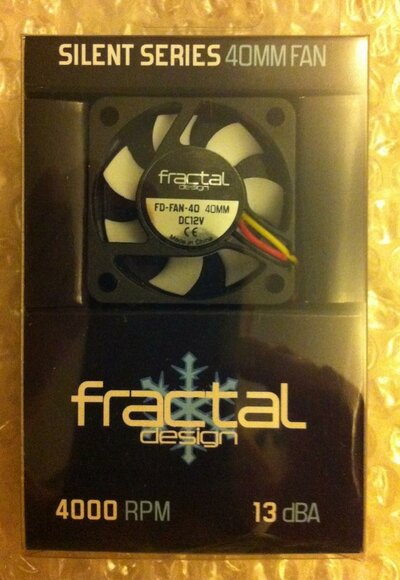
So, next up is a replacement fan. This is from their 'Silent Series' line and is a 40mm unit same as the existing one :
GVP43.jpg

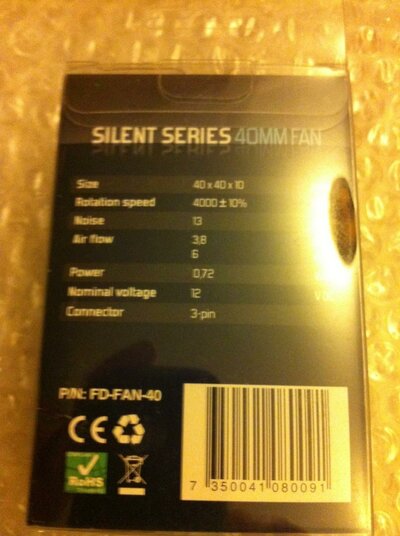
Even the packaging is good quality too. On the back we can see the technical details :
GVP44.jpg

The essential details we need to know are :

Size : 40mm (Same as the existing one) and 10mm thick. The existing one is around 20-25 mm thick, so this will give us extra room to play with inside the case.

Rotational speed : 4000 rpm. Now this is quite high and from experience I often associate high speed and small size as 'screamers'. The kind of fan you got on your motherboard chipset and the like many years ago. They did a good job, but were anything but quiet.

But look at this :

Noise level : 13 dB. Yep thats right, just 13 decibels. Not bad at all for 4000 rpm. When choosing a fan its not only the decibel measurement thats important, but this is one of the key factors. 13 decibels at 4000 rpm is a great piece of engineering i reckon and perfect for what we want here.

Air flow : 3.8 CFM. This is more than adequate for the amount of air to be shifted though this unit. It doesnt require massive cooling efforts anyway; the processors run warm but not excessively hot. With the extra clearance we have inside due to the smaller fan and smaller disk unit, this should give us a good steady airflow.

Power requirement : 0.72 watts. Nice and low power requirement then, this wont tax our power supply at all; although its not a big issue even if it did due to the reworked PSU as detailed above.

Voltage : 12v. This is the same as the existing one.

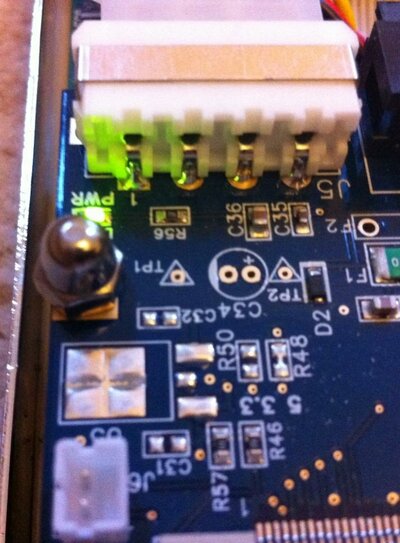
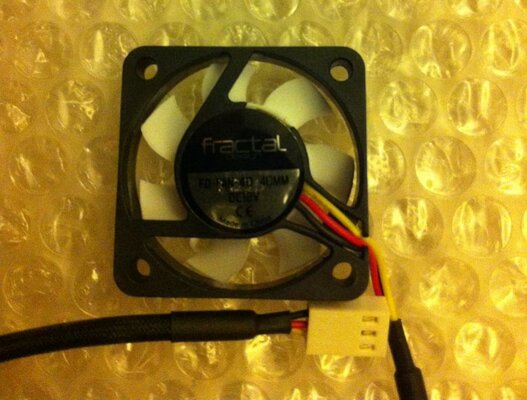
Connector : 3 pin. Hmm, the existing one is a 2 pin.No real issue here though; we have the 2 power supply wires and the third wire (Yellow) is actually a sensing wire that reports the fan speed. We simply wont connect this.

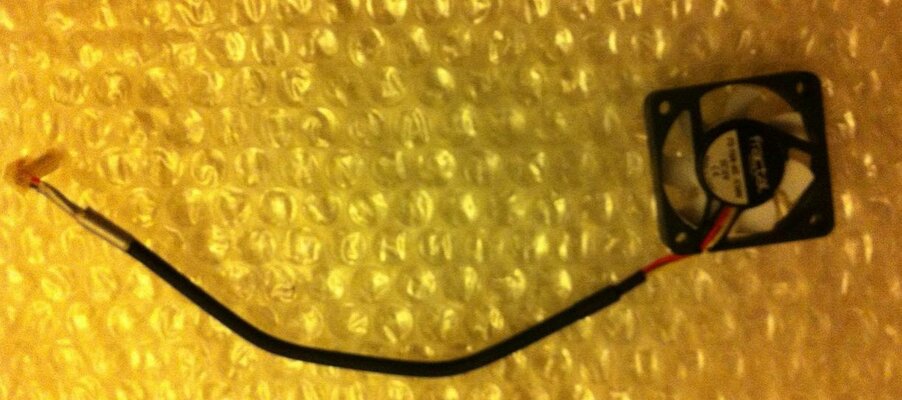
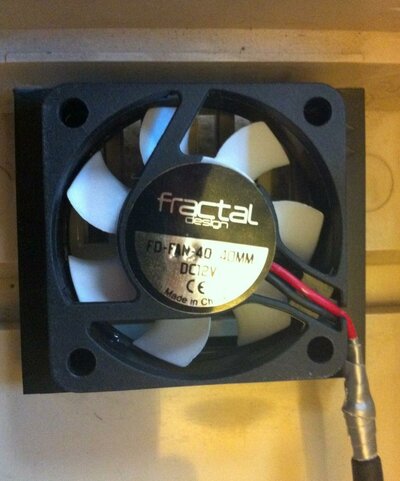
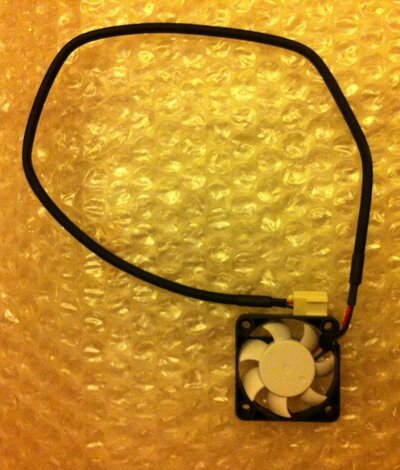
So here we have the fan up close and personal :
GVP45.jpg

Notice the braided cover on the wiring; always a good sign of quality.

And the other side :
GVP46.jpg

There are 2 options to fit this; I can either plug the existing connector over the power pins on the PCB just using the black/red wires in the connector, or I can cut the existing plug off the fan, snip the yellow wire and then connect just the red/black to the existing pins. This will also allow me to reduce the length of the wiring which is a bit on the long side for this job.

I dont have any glue to fit the fan to the cover yet, so that job will be completed shortly together with the wiring.

Stay tuned all !

:)
 
My final update for this evening then.

(Once again, apologies for the quality of these pics; Im taking them in a room lit with energy saving bulbs against a background of bubble wrap)

Ive just spotted a handy thing for the fan wiring.

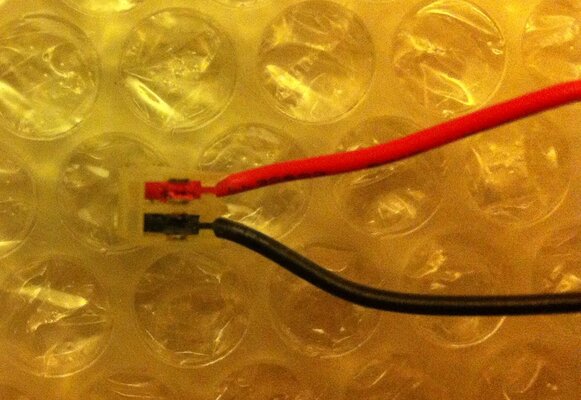
The existing 2 pin connector has v shaped grooves in the metal contacts, much like you find on the back of your telephone sockets and such like. This is a useful touch as it is easy to attach the new wiring without having to resort to soldering. The new wires can be attached using an IDC punchdown tool or similar.

So first of all, the existing fan connector which we will be reusing on the new fan :

GVP47.JPG

After removing the old wiring from the connector, the next job is to cut the new fan wiring down to a suitable length :

GVP48.jpg

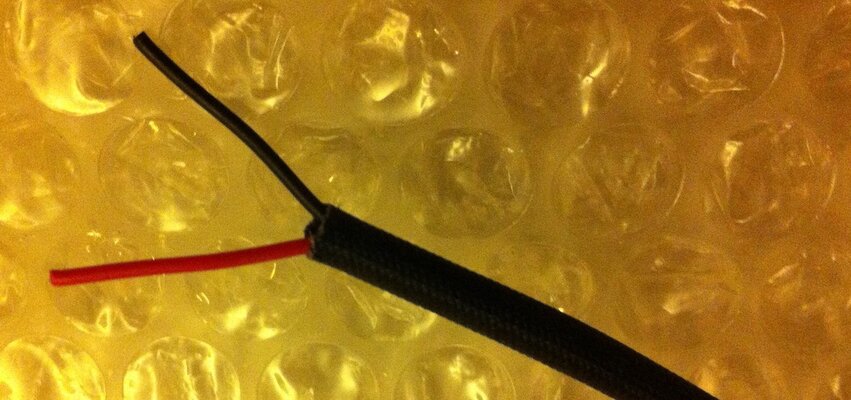
And then carefully strip the wiring and clean it up. Notice here I have cut the yellow wire right back as it wont be used. I have also neatly trimmed the braiding :

GVP49.JPG

Attaching the wires is quite simple; I dont have an IDC tool here, but careful use of a small terminal type screwdriver was enough to get the wires into the contacts and a good connection made. To keep it nice and smart I have bound the end of the braiding with some very sticky gaffer tape to stop it from spreading out; this will also give those 2 tiny wires some extra strength :

GVP51.jpg

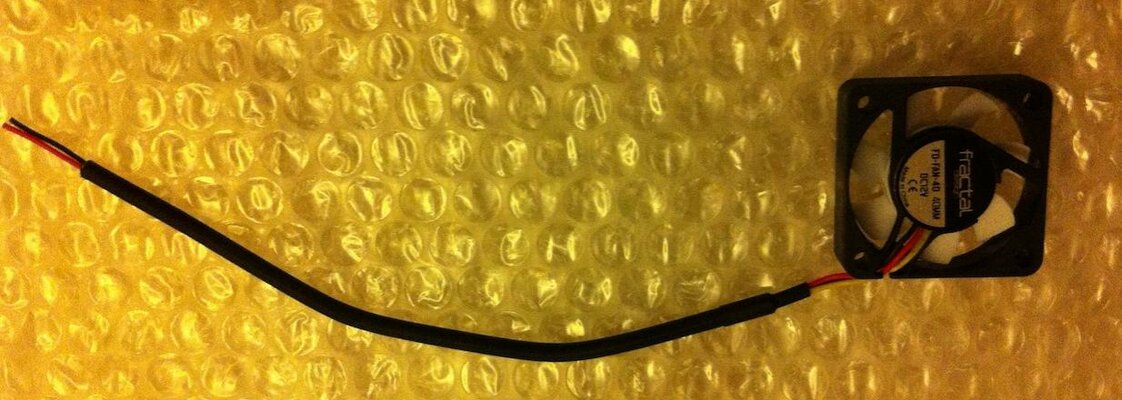
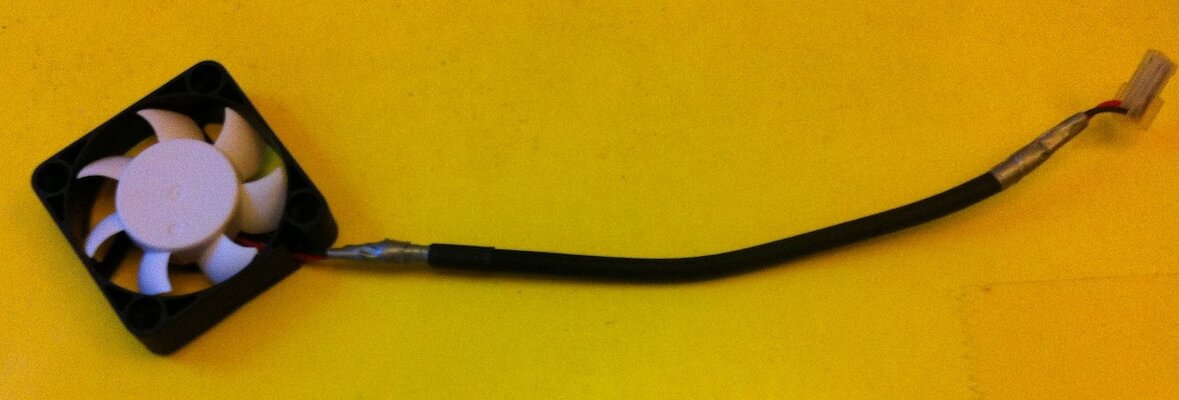
The complete fan, cut to size and rewired ready to be fitted in the case :

GVP50.jpg

I think attention to detail is important for these things; plus the karma of knowing it is all perfect inside, even though most of these bits wont be seen once the unit is finally assembled.

Im getting towards the end of this restoration now then, not too much more to go.

A while ago, I did have a further idea regarding the internal cooling though; details of that to follow.

:)
 
I am loving the attention to detail on this thread, I just wish everyone was as careful as this with their Amiga stuff, I still hear of people throwing stuff out because of something silly not working :roll:

I like using the low noise fan as well, I built a very quiet PC back in 2007, it is barely audible and I love it. I was just looking at fans the other day and it's amazing how much better they have become.

This thread is encouraging me to get started on my A1200 now :D
 
Thanks Joe, it is a labour of love, but I reckon its worth it. This unit should be fully functional and last me for many years to come.

:)
 
Ok, so a small update here this evening.

I mentioned previously about a further small idea I had for improving the cooling. Its quite simple really but will aid in keeping the whole unit cool.

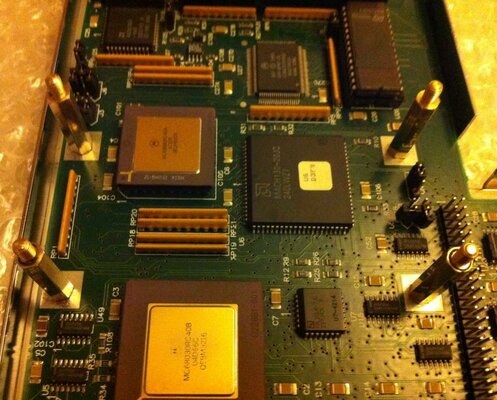
The previous machanical hard disk, and the subsequent Aztec Monster I replaced it with were both mounted internally on a small set of brass standoffs, exactly the same as you would find in your PC case to fix the motherboard in.

Its good that GVP used this method and not some proprietory fixing instead.

Now the existing standoffs were fairly standard 12mm ones. The thing I noticed was that the clearance between the top of the processors and the underside of the disk unit was only a couple of millimetres. Although its not touching at any part, that doesnt exactly allow for much airflow.

As you can guess, there is a fairly simple solution to this ;)

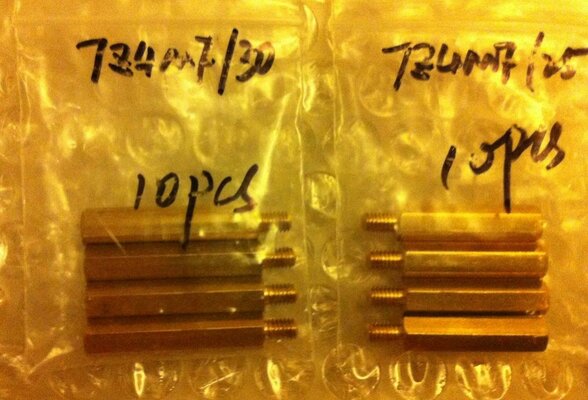
I sent off (Using the other bay) for extra length standoffs. You couldnt possibly use these for a normal motherboard but they are made from the same material and in the same style.

Since the PCB was away for some work to be done on it, I took a slight guess at the required size, but just to be sure I ordered 2 packs; 1 set at 25mm and another set at 30mm.

They arrived looking a bit grubby and all, but were just what I wanted :

GVP52.jpg

After a quick check, its the 25mm ones that will do the job just right :

GVP53.jpg

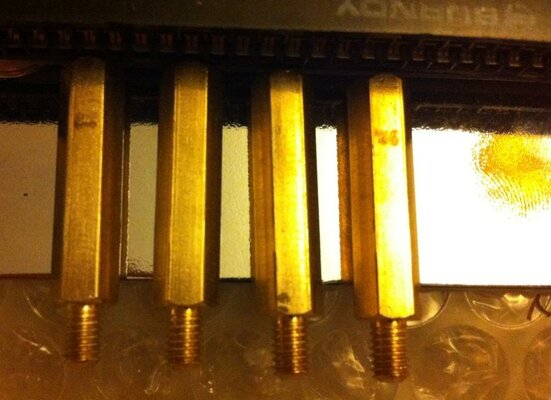
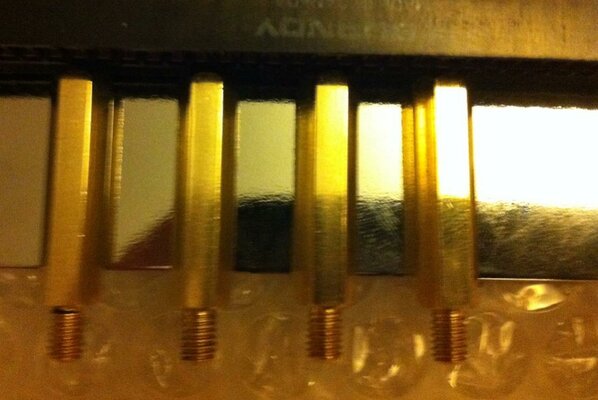
Like everything else on this project, they need to be as near to perfect as possible. So, before fitting, a quick rub and buff with some wadding polish produces a clean and very shiny end result :

GVP54.jpg

First of all we attach them through holes in the PCB and through the base, and this gives a nice solid fix with them :

GVP55.jpg

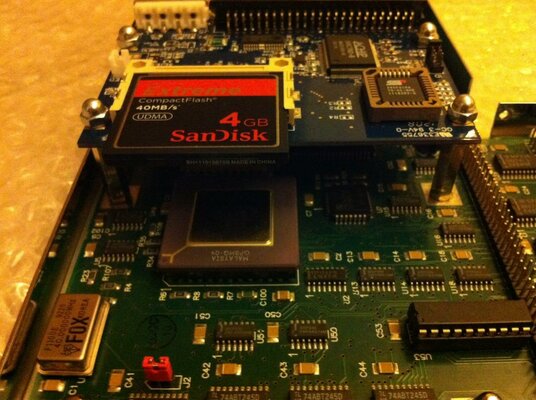
And now we simply reattach the disk drive assembly by sitting it on top of these spacers, then fasten it down with those cap nuts I used before. Note now the amount of space between the top of the processors and the disk assembly. This will allow the best level of airflow over those processors and help keep them nice and cool :

GVP56.jpg

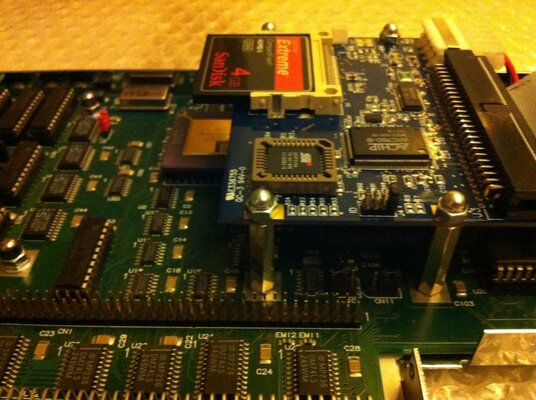
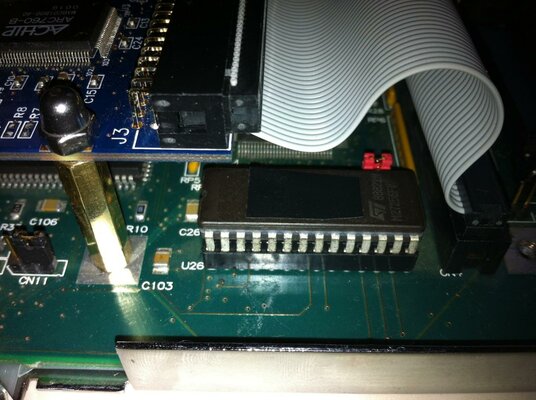
A quick side view, lots of room under there, and it also provides plenty of space at the back where you can just see the socketed rom chip. We'll need that extra room there later on.....

GVP57.jpg

The disk assembly itself and the space that now exists beneath it is perfect for this job. Very pleased with it.

:)
 
Well after all the work so far, I hit a small snag.

The PCB of the disk assembly I am using started to short, and was causing the unit to reset or go into some kind of sleeping state. The only option was to reboot.

Its been suggested on a short thread in AmiOracle to replace those brass standoffs with plastic ones, which may have worked but I wasnt too happy with switching to those.

After i bit of playing about I found the location of the short, and its actually a simple fix.

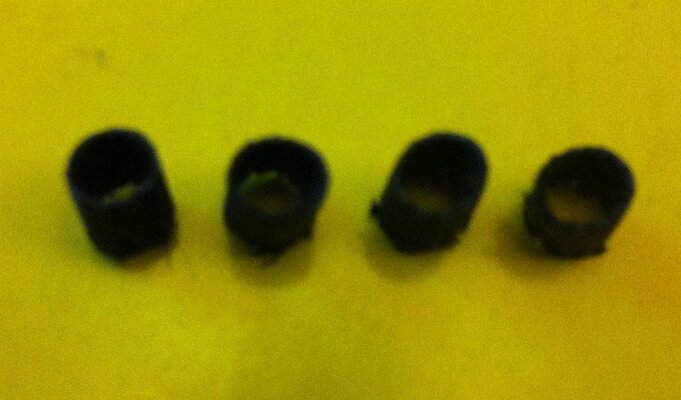
First of all, I cut some 5mm sections from some old wiring sheath that I had to hand :

GVP58.JPG

Then slid these over the threads on the brass standoffs. I then put the PCB back in position and fastened it down with the cap nuts again. Notice these cap nuts are different to the originals; I sent for a couple of different sets and these work a little better :

GVP59.jpg

It was this corner where the short was occurring. By screwing those cap nuts down fairly tight, its had the effect of squashing the insulation outwards and filling the gaps between standoff and PCB. So it now has a nice tight fix and is fully insulated. Thats put an end to the shorts happening :

GVP60.jpg

Its now back on track and almost complete !
 
Next up is to finish the work on the fan and get that attached.

First off, the fan itself. I did a little more work on this to tidy the wires up a bit more :

GVP61.JPG

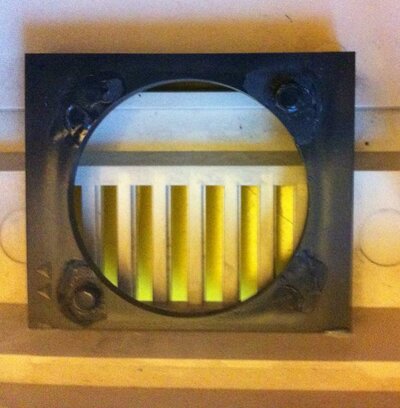
Then I removed the old fan from the case. See how deep the fan is; it takes up precious space inside the casing :

GVP62.JPG

After removal, this leaves a nice little collar that has little studs on it to keep the fan in position. These line up perfectly with the new fan :

GVP63.jpg

A couple of spots of superglue and the new fan is attached perfectly :

GVP64.jpg

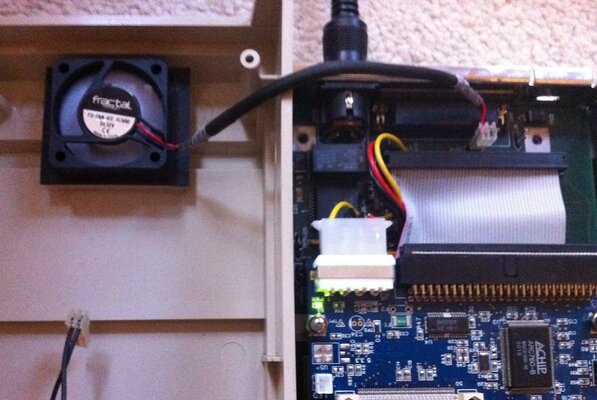
The finished work, casing ready to be attached to the main unit :

GVP65.jpg

A quick check, and all is working well. I can barely hear the fan, just as it should be :

GVP66.jpg
 
Next up is something Ive been working on for a while; and that is performance.

After reading several forums around the web, the general opinion is that the scsi controllers on some GVP kit isnt the fastest, this is particularly the case with these sidecar units.

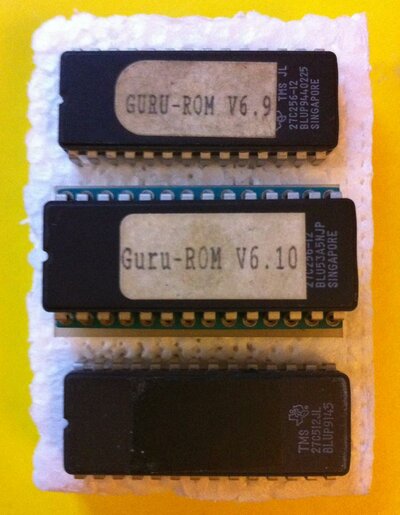
Some time ago, after reading about the guru rom chip, I acquired the GVP version of one of these right here in the Sales forum. It came with the adaptor and 2 versions of the actual chip itself; 6.9 and 6.10. Here you can see it together with a generic 4.15 rom, which was burned using the rom image from the babel.de website :

GVP67.jpg

For testing, I used six scenarios;

4.15 rom - FFS
4.15 rom - SFS

Guru rom 6.9 - FFS
Guru rom 6.9 - SFS

Guru rom 6.10 - FFS
Guru rom 6.10 - SFS

Checking each one of these setups using SysSpeed, I got exactly the same result every time; that was a transfer rate of around 1Mb/Sec. The 2 versions of the Guru rom made no difference to performance whatsoever.

In general use, it feels quite fast and snappy in any case, but Ive not been able to get any further performance improvement. Still, the existing performance is good enough !

In the end then I went with the generic 4.15 rom; this is obviously lower profile. When fitted, you can also notice how much space there is around the components overall, which aids in keeping the unit cool :

GVP68.jpg

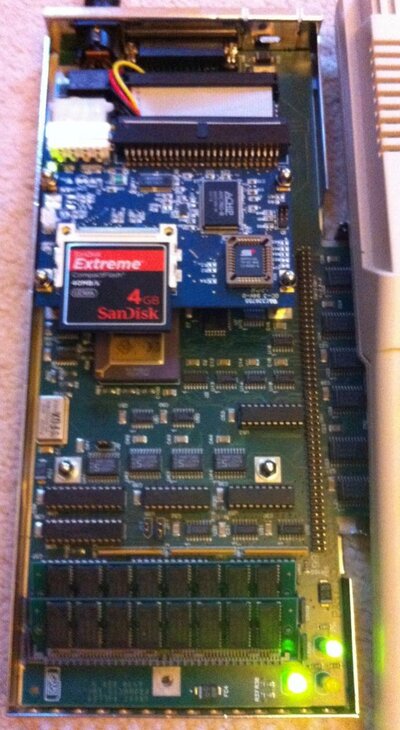
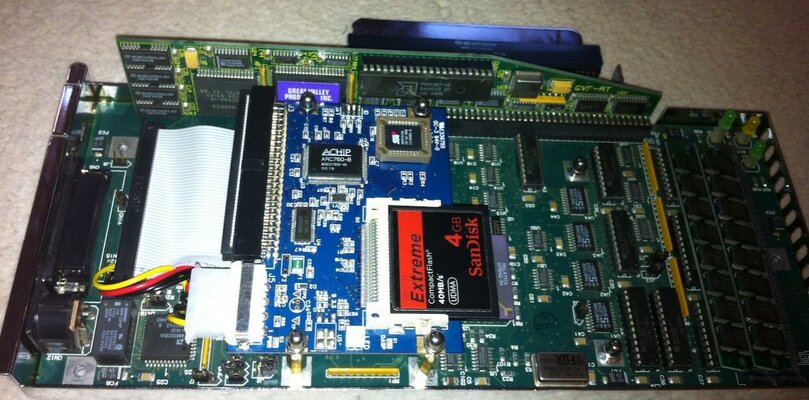
Assembly for the final time then; fit the PC286 board in there and shes ready to go :

GVP69.jpg
 
great work here:thumbsup:

i thought the later roms were more stable and gave upto 3.5meg transfer rates?

also the Guru rom gives you access to larger hard drives (I wanna Guru rom, but no one has one:()
 
great work here:thumbsup:

i thought the later roms were more stable and gave upto 3.5meg transfer rates?

also the Guru rom gives you access to larger hard drives (I wanna Guru rom, but no one has one:()

Well I was of that thought too.

The changes from 6.10 upwards apparently were very minor and didnt have an effect on performance.

As to the larger hard drive size, I found no difference at all when setting it up. The various partitioning tools still reported incorrect sizes but allowed me to parition it anyway.

I really couldnt see any difference at all from using the guru rom as opposed to the generic 4.15.

There is a 4Gb CF card in there and I still have access to the entire drive. Thats more than enough for the needs I have with this unit. :)
 
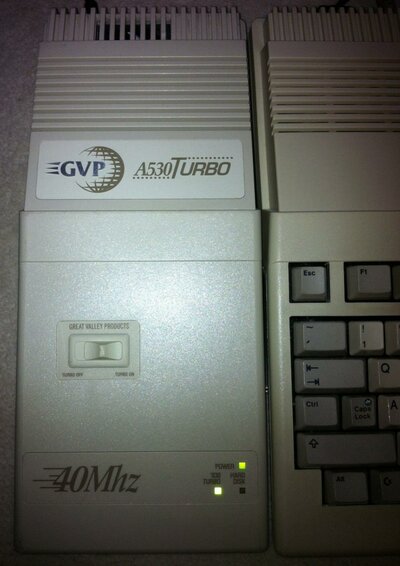
Well here she is; completely reassembled and attached to the 500+ she will be permanently mated to :

GVP70.jpg

This pretty much marks the end of this project. From a somewhat miserable looking thing, she is now fully restored, in excellent working order and should be serviceable now for many years to come.

I'm more than happy with the end result here; and we now have another piece of Amiga hardware that has been saved from the effects of time and is back to her original beauty.

I would have been more than happy to have picked up something in this condition even if bought as brand new all those years ago.

Hope you have enjoyed it all folks, any questions or comments, please post away !

:thumbsup:

Edit : I shall be starting on a new restoration project soon; that is the A500+ you see above !
 
Oops!

One last bit I forgot to add.

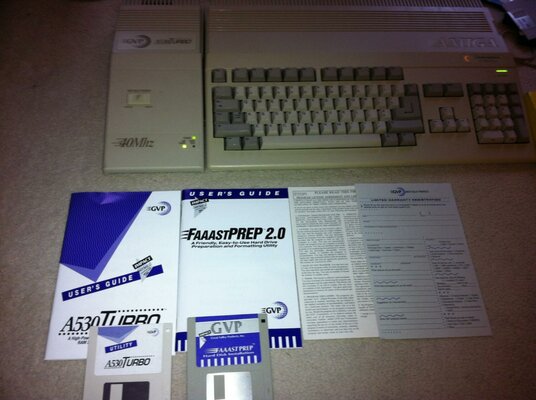
As part of the box of bits I got from GVP_SALES, my A530 is now complete with original manuals, setup disks, license card and even the warranty card :

GVP71.jpg

:p
 
Hi, very nice setup!!

Can you do a read test with sysinfo and make a photo of it?
I wonder about the read speed.
 
Back
Top Bottom