

Hi all, i purchased this 32" LCD screen a few weeks ago via a local ebayer.
Well today i got it wall mounted and hooked up to my xbox 360 through VGA cable.
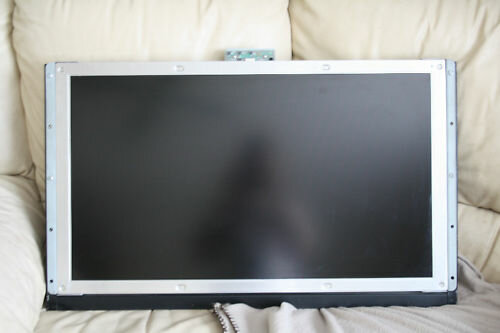
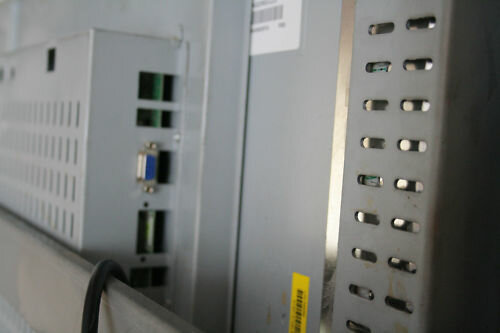
It is a Samsung LTA320W2-L03 32" Panel which is apparently used in Hitachi, Panasonic and Samsung TV's although this one only has one video input which is VGA and a 3.5mm Jack Audio input.
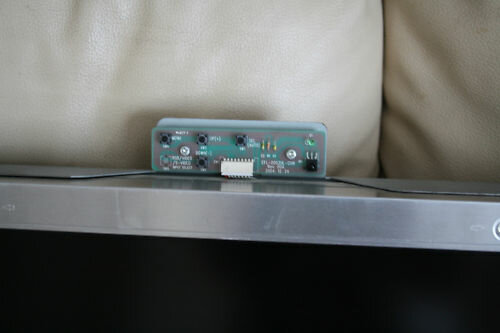
There is a little circuit board attached to the top of the screen that has volume controls and menu for display settings but there is no power button so i have to unplug the screen every time i'm finished using it.
There is a little infra-red sensor attached to the circuit board so i am assuming there is a compatible remote control which may allow me to put the screen into standby. I have tried using a few different universal remote controls and using the codes for the above three manufacturers as well as letting them do an automatic search and none of them seem to find a code.
So after all that my question is, is there any way to find out what code or remote control might work with this screen?
Thanks
Mike
A few pics
Well today i got it wall mounted and hooked up to my xbox 360 through VGA cable.
It is a Samsung LTA320W2-L03 32" Panel which is apparently used in Hitachi, Panasonic and Samsung TV's although this one only has one video input which is VGA and a 3.5mm Jack Audio input.
There is a little circuit board attached to the top of the screen that has volume controls and menu for display settings but there is no power button so i have to unplug the screen every time i'm finished using it.
There is a little infra-red sensor attached to the circuit board so i am assuming there is a compatible remote control which may allow me to put the screen into standby. I have tried using a few different universal remote controls and using the codes for the above three manufacturers as well as letting them do an automatic search and none of them seem to find a code.
So after all that my question is, is there any way to find out what code or remote control might work with this screen?
Thanks
Mike
A few pics


 or just send it back once you know


