

Snowwie
New member
I have created a nice OS 3.2.3 environment in WinUAE.
But, the emulation is very slow and (like on the real Amiga) if you have maps full of a lot of files (ten thousands of mod files or whdload games etc) then even on my pc the emulation is pretty slow.
I do know that it's not the read speed capability since the Amiga partition of located on a Samsung 980 Pro m.2. SSD, which is more than fast enough.
In the real world we use accelerators on our Amiga's to get them faster. But even with a TF1230 on my current A1200 loading times of heavy filled maps still takes a lot of time, even with the CF card mounted to the TF1230 (which has a much higher data throughput than the onboard IDE).
What do I need to make WinUEA faster? Can it emulate an accelerator? I already use Picasso to get a better image clarity, but this does not help with speed.
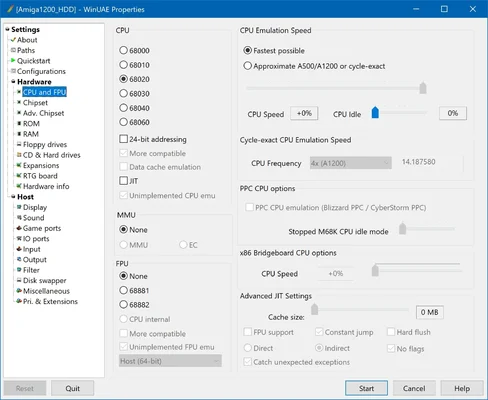
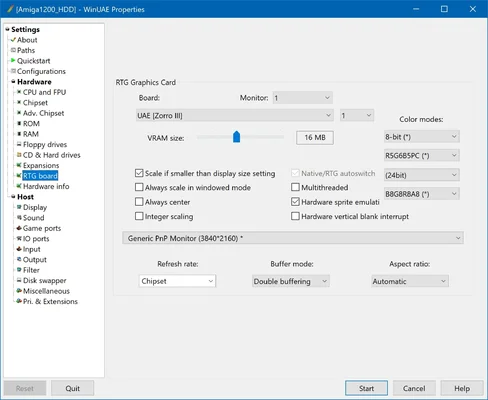
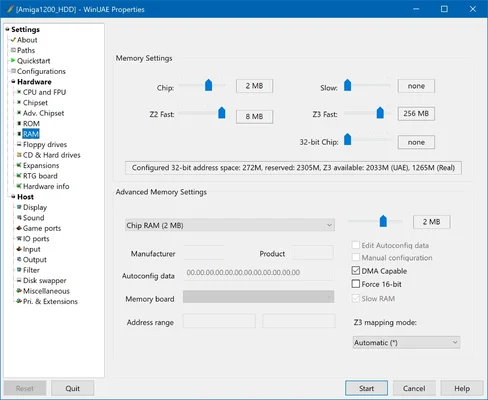
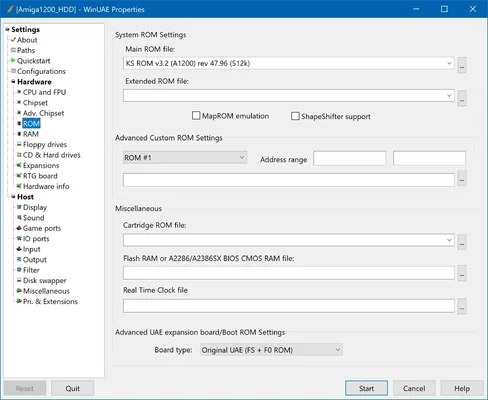
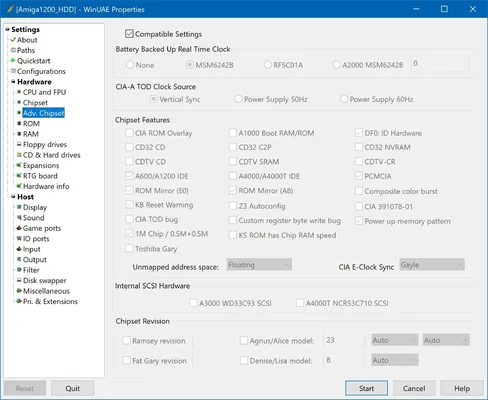
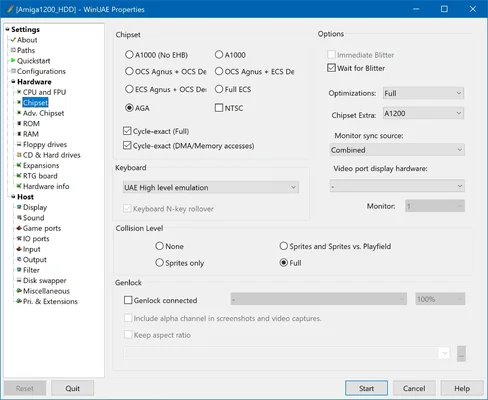
Below are all my settings in WinUAE:
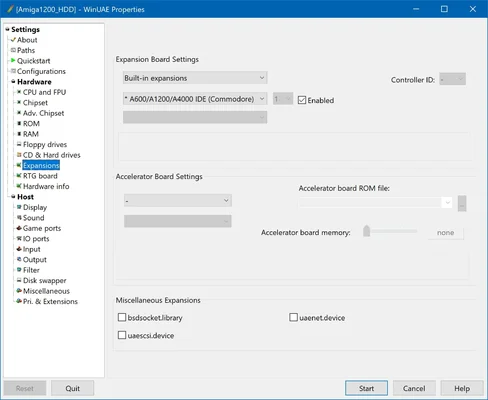
I don't think I find the answer in 'hosts', maybe somewhere in "Expansions"?
Edit: Also after changing those settings I get this message:
So it wants a cpu.library and gives me the instruction to insert the Install 3.2 disk.
Then it generalizes say to install the cpu libraries (but not "how"), of the cpu 'board vendor'.
How can I know who the 'cpu board vendor' is? This message is not giving me, well, proper instructions.
What exactly do I need to do?
View attachment 2554454
But, the emulation is very slow and (like on the real Amiga) if you have maps full of a lot of files (ten thousands of mod files or whdload games etc) then even on my pc the emulation is pretty slow.
I do know that it's not the read speed capability since the Amiga partition of located on a Samsung 980 Pro m.2. SSD, which is more than fast enough.
In the real world we use accelerators on our Amiga's to get them faster. But even with a TF1230 on my current A1200 loading times of heavy filled maps still takes a lot of time, even with the CF card mounted to the TF1230 (which has a much higher data throughput than the onboard IDE).
What do I need to make WinUEA faster? Can it emulate an accelerator? I already use Picasso to get a better image clarity, but this does not help with speed.
Below are all my settings in WinUAE:
I don't think I find the answer in 'hosts', maybe somewhere in "Expansions"?
Edit: Also after changing those settings I get this message:
So it wants a cpu.library and gives me the instruction to insert the Install 3.2 disk.
Then it generalizes say to install the cpu libraries (but not "how"), of the cpu 'board vendor'.
How can I know who the 'cpu board vendor' is? This message is not giving me, well, proper instructions.
What exactly do I need to do?
View attachment 2554454
Attachments
Last edited:


