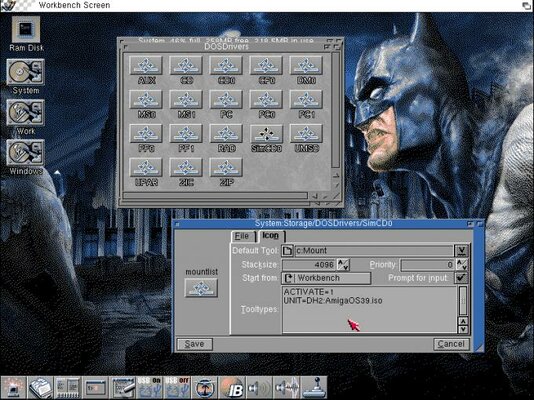
I am trying to mount 'test.iso' in Workbench 3.1.
I have downloaded 'SimCDO' from aminet:
http://aminet.net/package/docs/help/MountISO
I have then edited UNIT Line to:
UNIT=dh0:test.iso
When I double click SimCD0 nothing seems to happen (no icon on Workbench either). If I double click it again it says that it is already mounted.
When I type SimCDO: in CLI I get the following error:
UNKNOWN COMMAND
What am I missing here? Thanks!
I have downloaded 'SimCDO' from aminet:
http://aminet.net/package/docs/help/MountISO
I have then edited UNIT Line to:
UNIT=dh0:test.iso
When I double click SimCD0 nothing seems to happen (no icon on Workbench either). If I double click it again it says that it is already mounted.
When I type SimCDO: in CLI I get the following error:
UNKNOWN COMMAND
What am I missing here? Thanks!