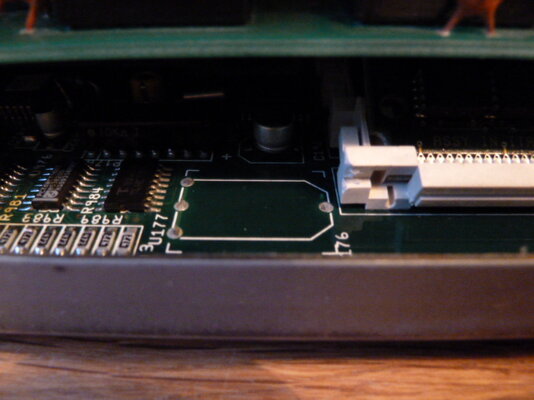
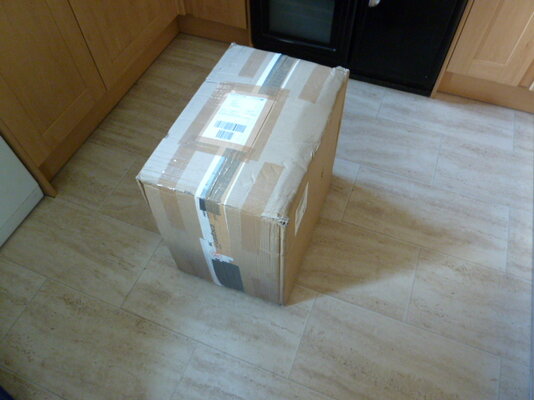
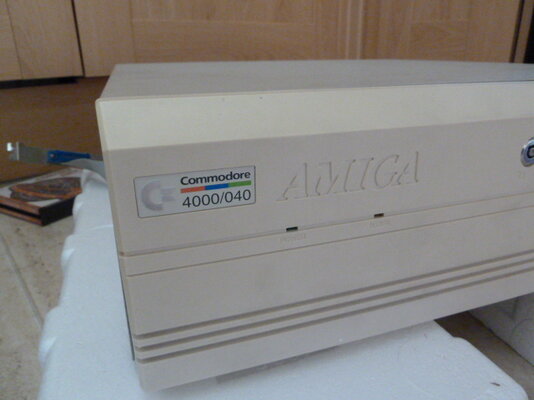
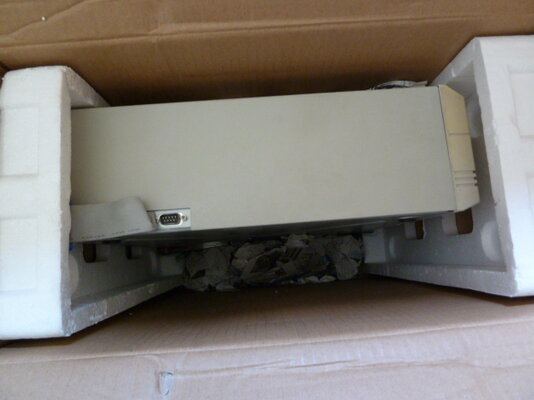
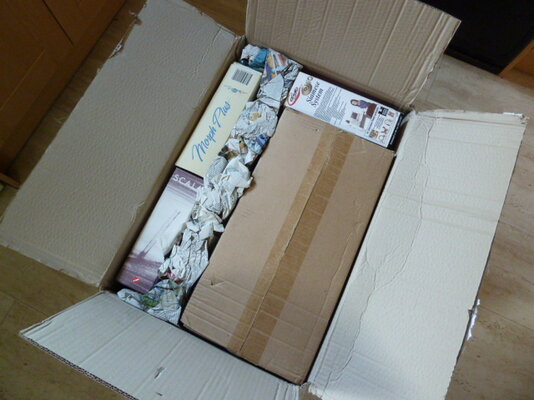
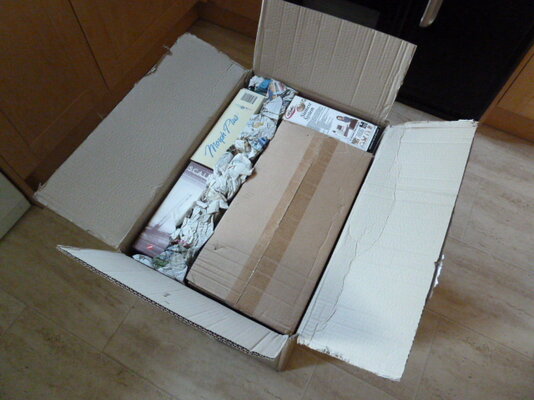
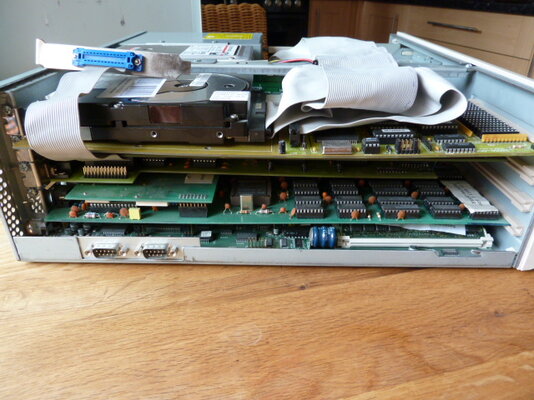
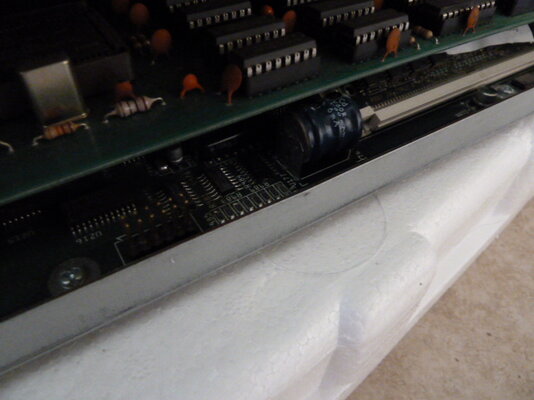
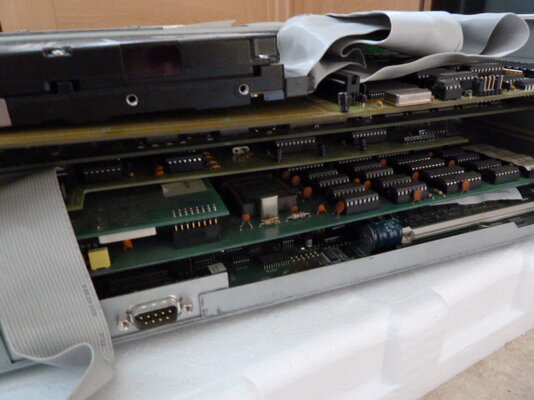
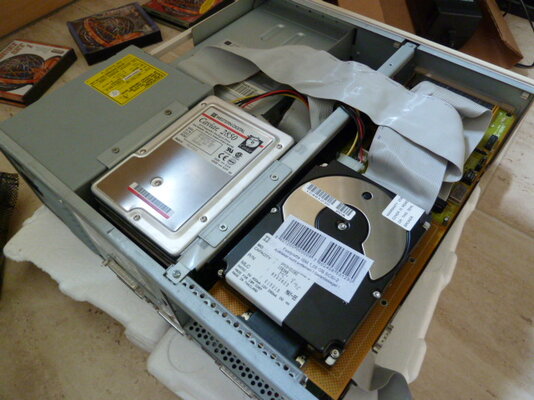
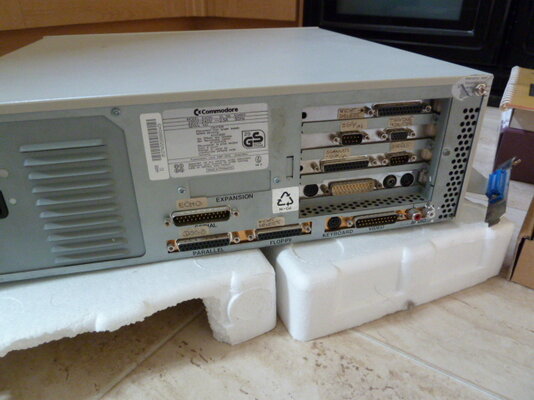
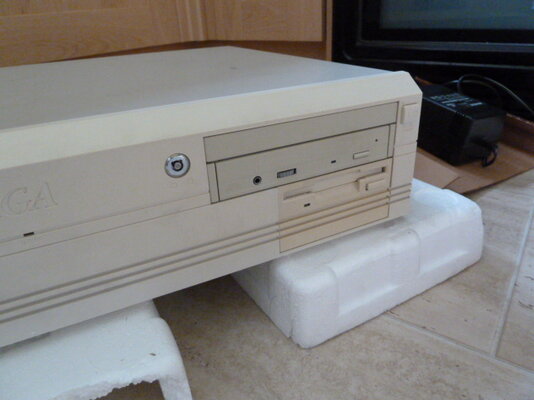
Hi, I just got my first A4000 040 the other day and have been getting it ready to share with everyone  The first thing I want to do is to thank the previous owner from Germany in doing a great job with the packaging in making sure it arrived safely here in Scotland and also thanks for providing help with supplying me with a great multisync monitor which should be on its way soon. The Amiga is fully loaded with expantion cards and 3 HD's full loaded with software and all the original disks. There is a lot to keep me occupied with hours of fun for a long time, just getting to grips with it all and a lot of stuff that I have no previous experience with, but that's what appealed to me (never to late to learn) when I saw it forsale. One of the coolest things I've come across is Siamese Amiga to Pc. So one of the first things which I'm in the process of doing is getting together a ISA motherboad computer set-up, with a little help from a friend in sourcing the parts this should be up and running soon.
Its great to finaly have a A4k one which will be with me for a very long time
The main Set-up and extras included=
Amiga Hardware:
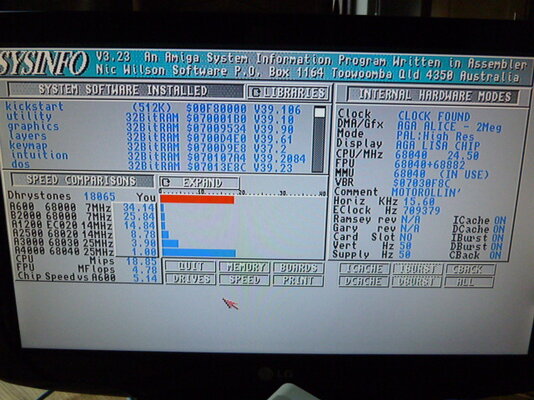
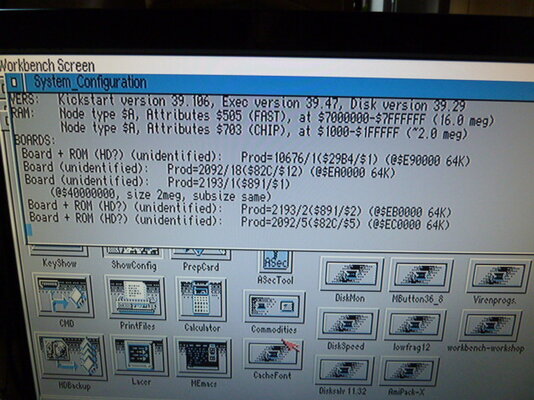
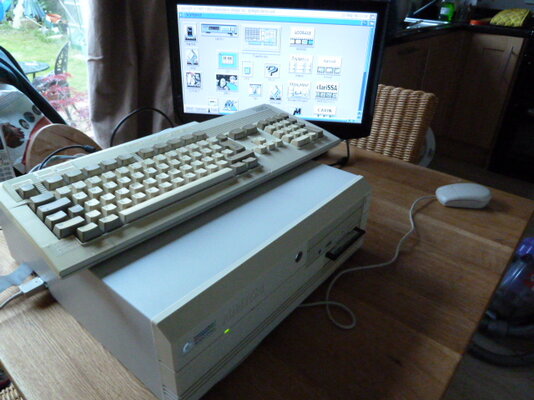
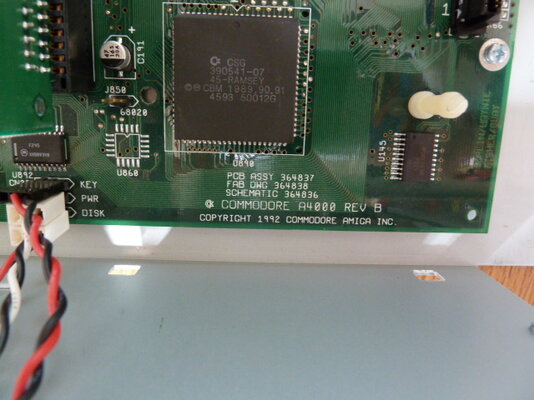
- Amiga 4000 / 40, 25 MHz processor, 16 MB Fast RAM, 2 MB Chip RAM (Commodore)
- Frame machine + Prism II video digitizer 24 (Electronic Design)
- EGS Spectrum 28/24 (GVP)
- Sirius Genlock with TBC Time Base Corrector (Electronic Design)
- Scala echo EE100 LANC and infrared-cut control (Scala Computer Television)
- Octagon 2008 SCSI controller (Alpha Data)
- DPES 31 080-SCSI-2 hard drive 1.08 GB (IBM)
- Caviar 2850 Hard drive 853.6 GB (Western Digital)
- XM-4101B CD-ROM drive (Toshiba)
- High-density floppy drive, 3.5-inch (Commodore)
- Multiface III I / O card (BSC data alfa)
- Amiga keyboard (Commodore)
- 3-button mouse for Amiga and Atari (Wizard Development)
Amiga Software:
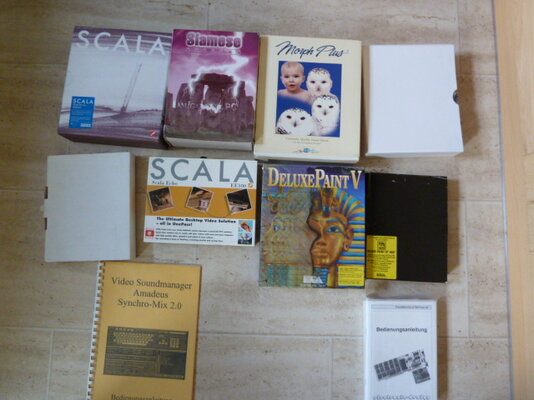
- Adorage Effects Professional video (and installed on three original disks)
- Art department AdPro 2.5 (installed and running on six original disks)
- Multi-face card data alfa 3 MFS (on 1 disk)
- Octagon 2008 alfa data HDInstools V4.3 (installed and running on 2 original disks)
- Amadeus Video Sound Manager Synchro mix sounds (on 6 original disks)
- Amiga Workbench 3.0 (installed and up to six original disks)
- Animage Composing (and installed on three original disks)
- ASIM CDFS version 3 (installed and running on an original disk)
- Caligari24 (and installed on three original disks)
- Cavin (and installed on three original disks)
- Clarissa Professional V3.0, e.g. including FM-frame machine-Connector, Transformer (7 installed and running on original disks)
- CyberGraphX version 2.16 (installed and running on an original disk)
- DPaintV Deluxe Paint V (installed and running on four original disks, with manual in original box)
- DPaintV Deluxe Paint IV (on 3 original discs, with manual in original slipcase)
- DSS8Plus (installed and running on 2 original disks)
- EGS photo album (on one original disk)
- FEE Almost Easy Video Effects for FrameMachine / Prism 24 (installed and running on 2 original disks)
- FM frame machine Ver. AGA 2.5 (installed and running on 2 original disks, with user manual)
- GVP EGS Spectrum 28/24, including Disk Recorder (5 installed and running on original disks)
- GVP Image FX (on 2 original disks)
- Jukebox 2.0 (installed and running on an original disk)
- Konrad
- Layout
- MagicWB (installed and running on one original disk)
- MainActor
- Almond Mania
- MaxonCinema
- Maxonmultimedia_aplus
- Monument designer (and installed on four original disks)
- Morph Plus (on 3 disks)
- Navigator
- OctaMED
- Opus (Original installed and running on one disk)
- Opus5 (installed and running on one original disk)
- PBM
- PicManager 3.0 (on 2 original disks)
- PicManager 4.0 (installed and running on 2 original disks)
- PhotoWorx (to 1 original disk)
- Pnet ProDAD (to 1 original disk)
- PPaint Personal Paint 6.4 (installed and running on 2 original disks)
- Scala echo EE100 desktop interface control software (1 original disk, with manual in original box)
- Scala MM400 with dongle (and installed on 11 original floppy, with manual in original slipcase)
- ScanQuix3 (installed and running on 2 original disks)
- Shapeshif Macintosh II emulator for the Amiga (and installed on an original disk)
- Sirius II Genlock (installed and running on one original disk)
- Games
- SSA Enhancer Kit Perfect for ProDAD Programs (on disc 1 original)
- 5:01 TurboPrint Professional (installed on an original and diskette)
- VideoMax
- Wizard Disk Utility (installed and running on an original disk)
- XiPaint
Finaly the Photos
All the best Don
The first thing I want to do is to thank the previous owner from Germany in doing a great job with the packaging in making sure it arrived safely here in Scotland and also thanks for providing help with supplying me with a great multisync monitor which should be on its way soon. The Amiga is fully loaded with expantion cards and 3 HD's full loaded with software and all the original disks. There is a lot to keep me occupied with hours of fun for a long time, just getting to grips with it all and a lot of stuff that I have no previous experience with, but that's what appealed to me (never to late to learn) when I saw it forsale. One of the coolest things I've come across is Siamese Amiga to Pc. So one of the first things which I'm in the process of doing is getting together a ISA motherboad computer set-up, with a little help from a friend in sourcing the parts this should be up and running soon. Its great to finaly have a A4k one which will be with me for a very long time
The main Set-up and extras included=
Amiga Hardware:
- Amiga 4000 / 40, 25 MHz processor, 16 MB Fast RAM, 2 MB Chip RAM (Commodore)
- Frame machine + Prism II video digitizer 24 (Electronic Design)
- EGS Spectrum 28/24 (GVP)
- Sirius Genlock with TBC Time Base Corrector (Electronic Design)
- Scala echo EE100 LANC and infrared-cut control (Scala Computer Television)
- Octagon 2008 SCSI controller (Alpha Data)
- DPES 31 080-SCSI-2 hard drive 1.08 GB (IBM)
- Caviar 2850 Hard drive 853.6 GB (Western Digital)
- XM-4101B CD-ROM drive (Toshiba)
- High-density floppy drive, 3.5-inch (Commodore)
- Multiface III I / O card (BSC data alfa)
- Amiga keyboard (Commodore)
- 3-button mouse for Amiga and Atari (Wizard Development)
Amiga Software:
- Adorage Effects Professional video (and installed on three original disks)
- Art department AdPro 2.5 (installed and running on six original disks)
- Multi-face card data alfa 3 MFS (on 1 disk)
- Octagon 2008 alfa data HDInstools V4.3 (installed and running on 2 original disks)
- Amadeus Video Sound Manager Synchro mix sounds (on 6 original disks)
- Amiga Workbench 3.0 (installed and up to six original disks)
- Animage Composing (and installed on three original disks)
- ASIM CDFS version 3 (installed and running on an original disk)
- Caligari24 (and installed on three original disks)
- Cavin (and installed on three original disks)
- Clarissa Professional V3.0, e.g. including FM-frame machine-Connector, Transformer (7 installed and running on original disks)
- CyberGraphX version 2.16 (installed and running on an original disk)
- DPaintV Deluxe Paint V (installed and running on four original disks, with manual in original box)
- DPaintV Deluxe Paint IV (on 3 original discs, with manual in original slipcase)
- DSS8Plus (installed and running on 2 original disks)
- EGS photo album (on one original disk)
- FEE Almost Easy Video Effects for FrameMachine / Prism 24 (installed and running on 2 original disks)
- FM frame machine Ver. AGA 2.5 (installed and running on 2 original disks, with user manual)
- GVP EGS Spectrum 28/24, including Disk Recorder (5 installed and running on original disks)
- GVP Image FX (on 2 original disks)
- Jukebox 2.0 (installed and running on an original disk)
- Konrad
- Layout
- MagicWB (installed and running on one original disk)
- MainActor
- Almond Mania
- MaxonCinema
- Maxonmultimedia_aplus
- Monument designer (and installed on four original disks)
- Morph Plus (on 3 disks)
- Navigator
- OctaMED
- Opus (Original installed and running on one disk)
- Opus5 (installed and running on one original disk)
- PBM
- PicManager 3.0 (on 2 original disks)
- PicManager 4.0 (installed and running on 2 original disks)
- PhotoWorx (to 1 original disk)
- Pnet ProDAD (to 1 original disk)
- PPaint Personal Paint 6.4 (installed and running on 2 original disks)
- Scala echo EE100 desktop interface control software (1 original disk, with manual in original box)
- Scala MM400 with dongle (and installed on 11 original floppy, with manual in original slipcase)
- ScanQuix3 (installed and running on 2 original disks)
- Shapeshif Macintosh II emulator for the Amiga (and installed on an original disk)
- Sirius II Genlock (installed and running on one original disk)
- Games
- SSA Enhancer Kit Perfect for ProDAD Programs (on disc 1 original)
- 5:01 TurboPrint Professional (installed on an original and diskette)
- VideoMax
- Wizard Disk Utility (installed and running on an original disk)
- XiPaint
Finaly the Photos
All the best Don
Attachments
-
 P1010030.JPG33.4 KB · Views: 7
 -
 P1010041.JPG26.1 KB · Views: 10
 -
 P1010038.JPG27.3 KB · Views: 8
 -
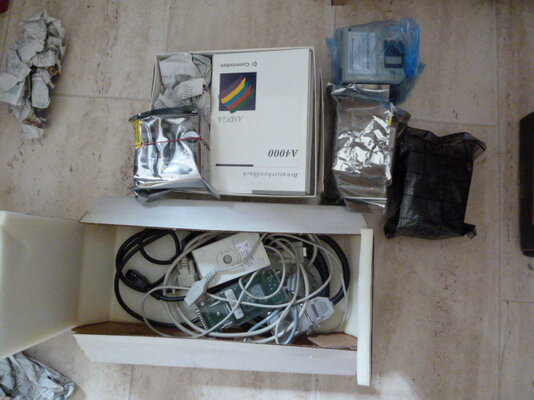 P1010037.JPG47.4 KB · Views: 12
 -
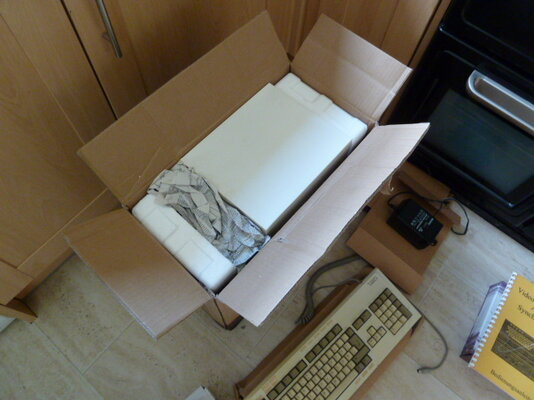 P1010036.JPG40.1 KB · Views: 8
 -
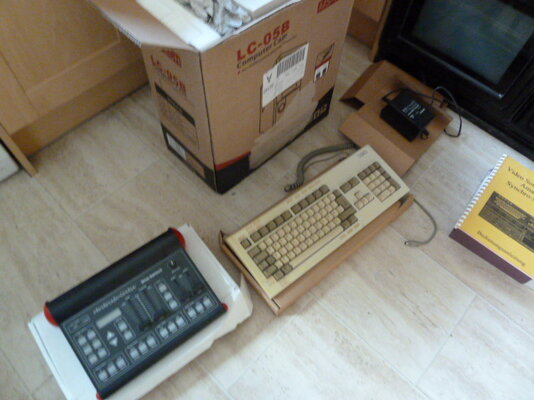 P1010035.JPG41.9 KB · Views: 10
 -
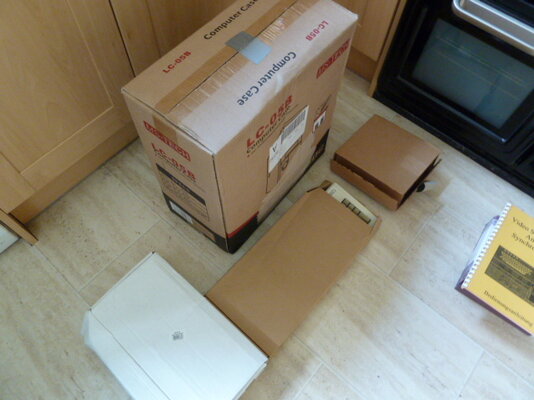 P1010034.JPG38.4 KB · Views: 11
 -
 P1010033.JPG45.3 KB · Views: 11
 -
 P1010032.JPG45.2 KB · Views: 11
 -
 P1010031.JPG41.4 KB · Views: 9


 After reading your post, I wish I didn't
  oh:
oh:


 20 min later All Great