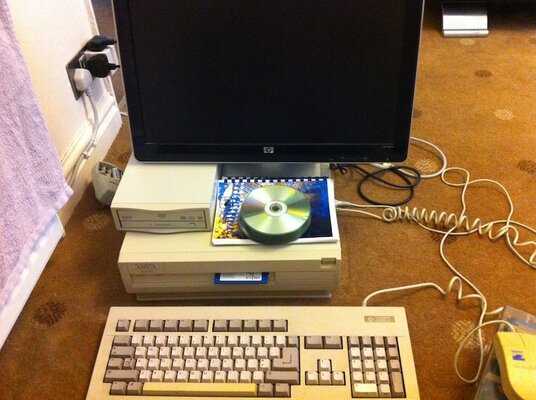
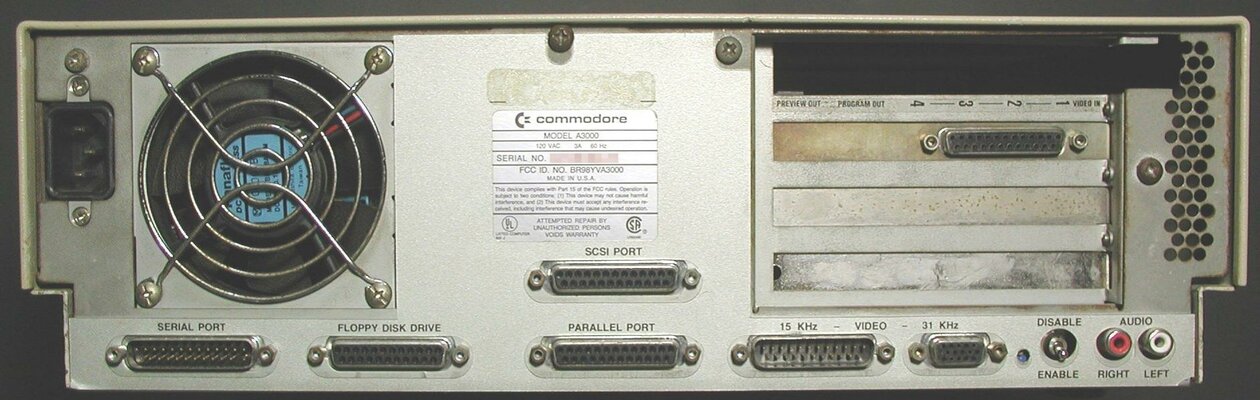
My new A3000 rev9

  • Thread starter Thread starter mjnurney
  • Start date Start date
  • Replies Replies 16
  • Views Views 2290

mjnurney

we live as we dream. Alone.
AmiBayer
Joined
Aug 27, 2010
Posts
9,473
Country
england
Region
Towcester
My latest purchase from duncan, cheers mate :-)

Amiga a3000 rev9 b2
2.0 ks roms
2.0 wb
12mb fast
2mb chip
4.1 gb scsi hdd
880k floppy
a2000 keyboard
amiga mouse..

cards
8mb fast ram from an a2000
aridadne 2 lag card
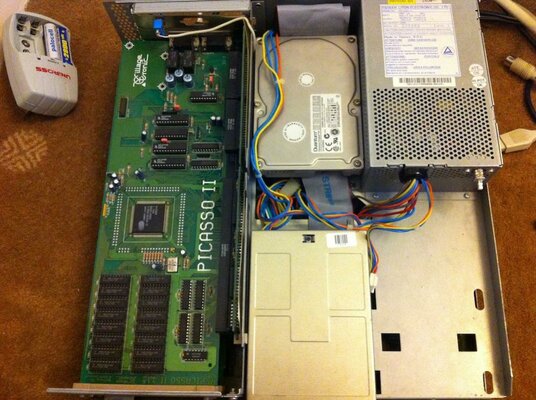
picasso 2 vga

impressions:

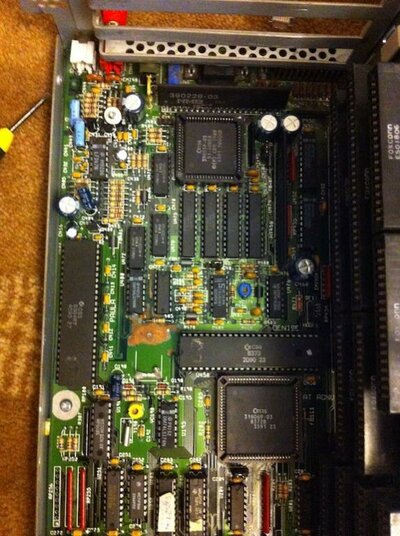
nice machine , some battery leakage and green goo around it but vinegar and iso cleaned this up with a toothbrush ,a quick wash and left to dry.

duncan said it had issues with floppy access and joy up but as yet i haven't had either problems - still early yet.

mods:

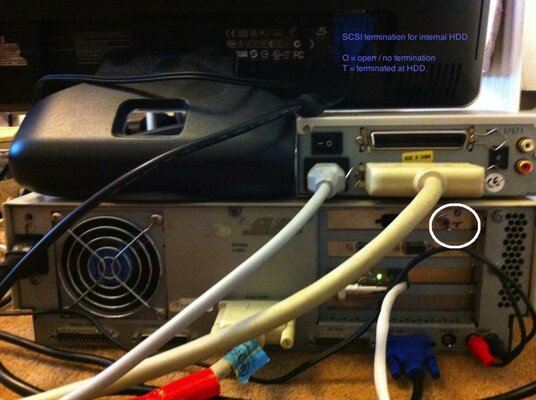
Jumper wire and switch added to enable / disable termination on the HDD - for when i plug the ext dvd in.

further jobs to do.

acceleration of some kind.
3.1 roms.
3.1 wb

mike.
 

Attachments
  • a3000 rev9.jpg
    a3000 rev9.jpg
    130.6 KB · Views: 9
  • a3000.JPG
    a3000.JPG
    88.2 KB · Views: 9
  • battery damage.jpg
    battery damage.jpg
    90.7 KB · Views: 9
  • motherboard.jpg
    motherboard.jpg
    146.6 KB · Views: 7
  • top off.jpg
    top off.jpg
    130.6 KB · Views: 8
  • rear.jpg
    rear.jpg
    93.4 KB · Views: 6
Last edited:
Very sexy computer. Would like to get one someday.

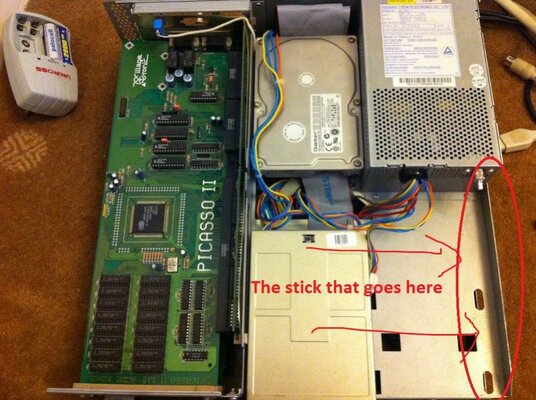
One question, where's the stick for the on/off switch?
 
O - open
T - terminated

:-)
 

Attachments

  • rear.jpg
    rear.jpg
    98.4 KB · Views: 4
A DENEB card will be perfect for this beautiful computer!!!

---------- Post added at 10:45 ---------- Previous post was at 10:43 ----------

Very strange PSU!?!
 
What about the power switch?

Push - Computer turn on
Push - Computer turn off

:p
 

Attachments

  • top off.jpg
    top off.jpg
    127.5 KB · Views: 7
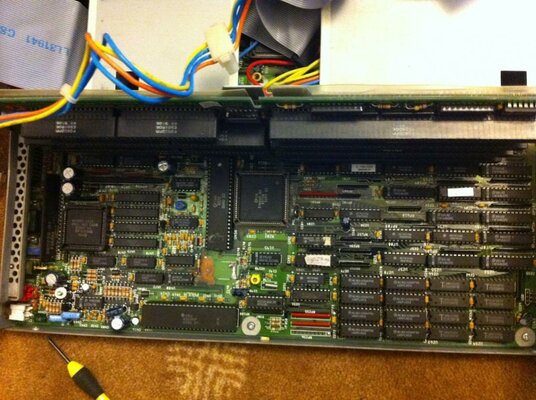
Ahhh, I've never seen the insides of an A3000 close up.
I'm off to find some tissues

EDIT: No wait, I got more questions.
How long is the scsi cable between the hdd and the external connector?
When you have the hdd termination set to on, you're gonna have this dangling cable with no termination.
 
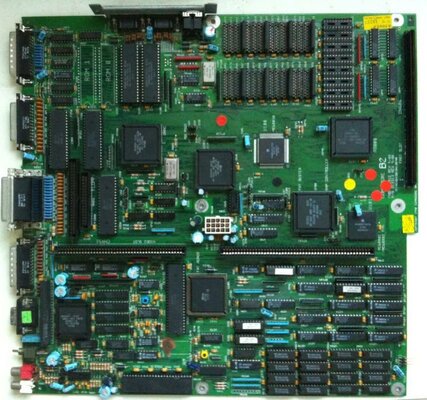
The eternal scsi connector is mounted on the motherboard. the internal connector goes to one scsi hard drive.

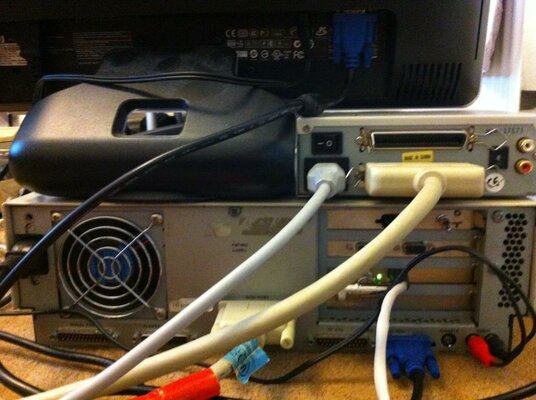
to use the external dvd rom - i plug a cable in to the socket at the back / flick the switch and turn on :-)
 

Attachments

  • motherboard.jpg
    motherboard.jpg
    116.4 KB · Views: 6
  • a3000_3_big.jpg
    a3000_3_big.jpg
    170.7 KB · Views: 4
Nice system :thumbsup:

Don't forget the INT2 mod for further fast SCSI add-ons (Fastlane ZIII etc...) :)
 
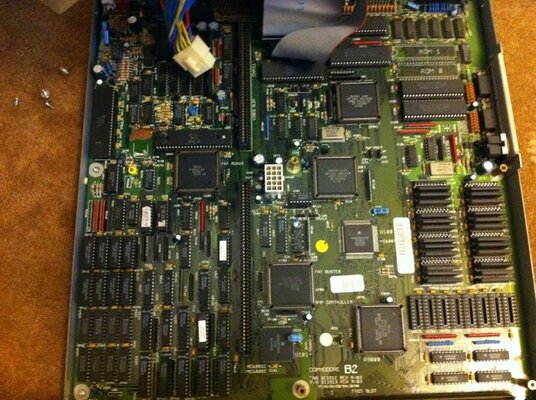
DMAC is the large chip located next to the roms sockets.

Ramsey is the other one large chip next to the super buster , the 68030 and the cpu slot (its position is usually marked as "ram controller" at the mobo).

Most probably that it have the Ramsey rev 4 + DMAC rev 2 combination as was usually on 3000Ds , this means problems with the C= A3640 040 board and SCSI DMA transfers if you try run the 3000's onboard fast RAM in static columm rather than fast page mode or some such, if I recall ok.

The Ramsey rev. 7 + DMAC rev. 4 combination do sort out this kind of issues, but the DMAC 04 is a really (if not impossible) hard to find chip.

Not much to worry about if you plan to use either the stock 030 or any third party accelerator.

Then there is the SuperBuster rev, if this is an stock 3000 most probably that it have a rev 07 SuperBuster, that means (yes, more) problems with DMA and ZIII, so problems with certain ZIII boards like the fastlane, this one is quite easy to get, a rev 9 or 11 superbuster should do the work ok :)
 
Nice system! Congrats. :thumbsup: My 3000 is my favorite of all of them.
 
3.1 roms on the way.
the mobo has 12mb ram , this goes up to 16mb i believe? 8x512 zips
and then later a 060 or 040 for it.
 
If you want external drives you must remove the internal (socketed, I hope :blased:) termination packs and add an external terminator to the external connector.

Just disabling the HD termination will be not good.

Another option is finding a cable with external connector on one end and route this end to the back of the case.

With this second option you can keep the original termination pack and the switch you already have and simply use the external media of your choice.
 
Back
Top Bottom