A heads-up to everyone who bought an OSSC so far:
Firmware version 0.78 has been released by marqs! Your OSSCs are currently running a pre-release version which I compiled, which was necessary to enable the new v1.6 PCB's integrated audio circuit.
Changelog available at Shmups OSSC forum thread: http://shmups.system11.org/viewtopic.php?p=1269225#p1269225
You can now update to the latest official release which now contains support for your boards as well as a few other minor fixes.
Your boards require the "-aud" flavour of the firmware (for audio).
** For Linux/macOS you can probably use the 'dd' command to raw-write the image to the card.
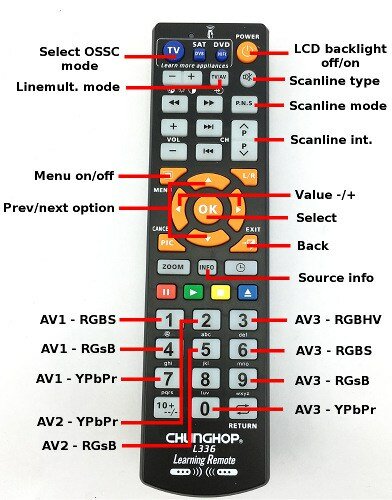
If your remote control becomes de-sync'ed after the update:
Status update:
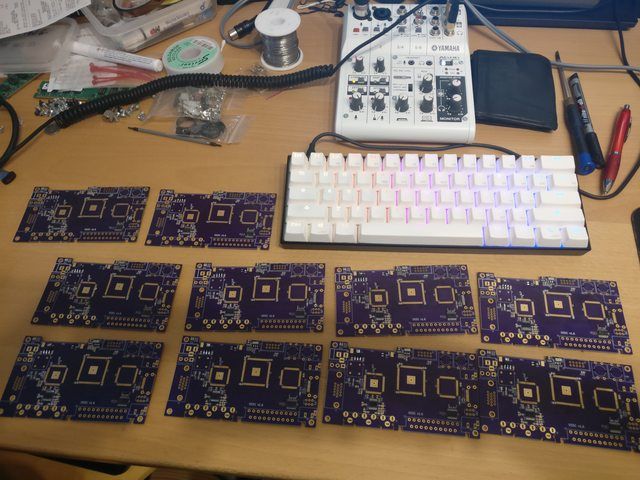
Board #4 has been repaired successfully!
I'm waiting for a few spare capacitors to arrive so I can complete assembly and testing, but it won't take long.
@nicolahu: You are still in line for this board, so if you are still interested I will contact you very soon.
Thanks all
Firmware version 0.78 has been released by marqs! Your OSSCs are currently running a pre-release version which I compiled, which was necessary to enable the new v1.6 PCB's integrated audio circuit.
Changelog available at Shmups OSSC forum thread: http://shmups.system11.org/viewtopic.php?p=1269225#p1269225
You can now update to the latest official release which now contains support for your boards as well as a few other minor fixes.
Your boards require the "-aud" flavour of the firmware (for audio).
- Get a spare microSD card - the contents will be destroyed so make sure it contains nothing useful.
- Download ossc_0.78-aud.bin from marqs' webspace: https://www.niksula.hut.fi/~mhiienka/ossc/fw/ (click here for direct link)
- ** Download Win32DiskImager from SourceForge: https://sourceforge.net/projects/win32diskimager/
- Insert the microSD card into your computer.
- Use Win32DiskImager to write ossc_0.78-aud.bin to the correct drive letter for your microSD card.
- Safely eject the card from the PC and insert it into the OSSC.
- Switch on the OSSC and find the "Fw. update" option in the menu.
- Follow the instructions and then restart your OSSC.
** For Linux/macOS you can probably use the 'dd' command to raw-write the image to the card.
If your remote control becomes de-sync'ed after the update:
- Turn off the OSSC.
- Hold down the right button (BTN1) and turn on the OSSC.
- Follow the instructions on-screen to re-bind the remote control buttons. You can refer to the following diagram to restore the original layout:
Status update:
Board #4 has been repaired successfully!
I'm waiting for a few spare capacitors to arrive so I can complete assembly and testing, but it won't take long.
@nicolahu: You are still in line for this board, so if you are still interested I will contact you very soon.
Thanks all
Last edited: