p96 with Cybervision 64

  • Thread starter Thread starter kronuz
  • Start date Start date
  • Replies Replies 32
  • Views Views 4555

kronuz

Member
Joined
Jul 6, 2011
Posts
811
Country
Norway
Region
Oslo
Hi.

Been trying to get a picture from my CV64.

I can only get nothing, grey small square on the indi or the WB locks up.

Can find a lot of info in p96 with radeon, but nothing on p96 with CV64.

Is there a guide somewhere ?


...yes, this is my first RTG ever :)

AAND: yes, a 040 on a fresh install of 3.9 will NOT work with this card out of the box. I am in the progress of obtaining new libs for the 040 in order for this to work.
With the 030 it works with no prob at all, but I am having trouble reaching truecolor ( 16M ). highcolor works with default settings.
 
Last edited:
Well, I have a Cybervision64 in my A3000. The installation was very easy.
I downloaded the latest P96 from aminet and installed it, choosing the Cypervision64 RTG card, that's all.
After a reboot, I modified the useful screen modes so that they serve well my TFT!

Cheers
 
The install was nice and easy.
-Reboot
-testing screenmodes
-none of the do anything...the Hz seem very high.
-Editing or creating screen new modes gives zero output from cv64 or WB locks up....some selections when editing screenmodes freezes WB no matter what.

Besides trying CybergraphX, I don't know what to do :/

This one should work, right?
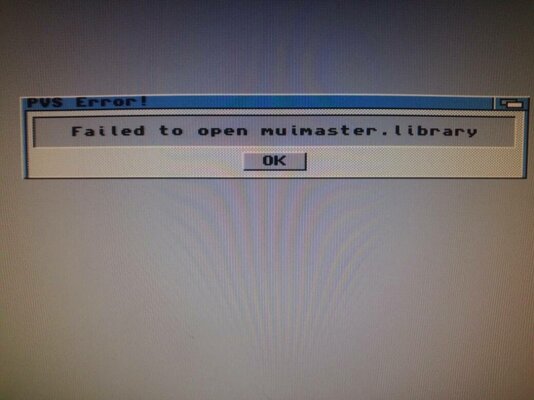
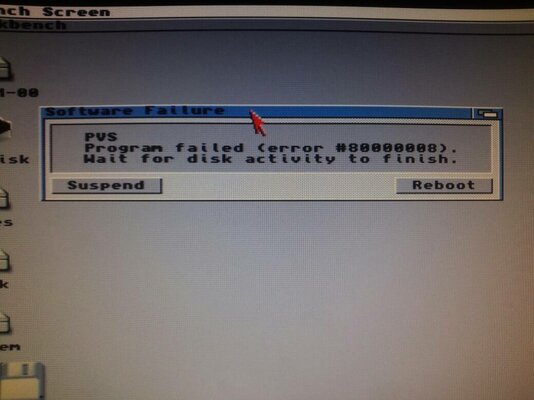
mybahu3u.jpg

ytyrutus.jpg


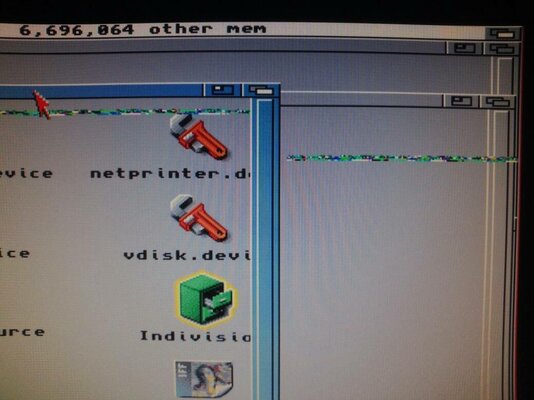
Only the indi mkii seem to be affected. Is the mkii causing my troubles ?

---------- Post added at 20:56 ---------- Previous post was at 20:34 ----------

I have at least verified that the vga out works. Passthrough from the mkii displays perfect.

Sent from my PadFone 2 using Tapatalk 2
 
Normally, you only have to change the clock rate to get a refresh rate between 60 and 70 Hz...
 
I can test yes, monitor reports no signal - going to sleep.

WHen I test anything when fidling about with interlace, syncpolarity or doublescan in p96 prefs, the wb always freezes.
 
Humble suggestion.

Humble suggestion.

I would recommend you pick up cybergraphx 4.

I have a cv64 and tried p96 for a bit of time and went back to cybergraphx. It is faster and a better fit for thr card.

You will have to upgrade it to the latest drivers from aminet.
 
Hi.

Been trying to get a picture from my CV64.

I can only get nothing, grey small square on the indi or the WB locks up.

Can find a lot of info in p96 with radeon, but nothing on p96 with CV64.

Is there a guide somewhere ?

...yes, this is my first RTG ever :)

Have you downloaded the manual, set the tooltypes and connected all the cables correct?
http://phase5.a1k.org/index.php?manuals
 
Try to use Village-64 monitor type

Where can I find those? google does not seem to help much.

From where you made an installation - in Picasso96 directory
you placed Village-57 monitor driver

I would not recommend you use CGX4 because of glitches

I did not place anything...I speedclicked through the install :)
The p96prefs says I'm using village 57...but I can't find anything related to village 57 or village 64 on my HDD.

Hi.

Been trying to get a picture from my CV64.

I can only get nothing, grey small square on the indi or the WB locks up.

Can find a lot of info in p96 with radeon, but nothing on p96 with CV64.

Is there a guide somewhere ?

...yes, this is my first RTG ever :)

Have you downloaded the manual, set the tooltypes and connected all the cables correct?
http://phase5.a1k.org/index.php?manuals

Yup...I prefer the paper edition from 1995 with a strong smell of loft :)
I have checked what the manual wants me to check in case of troubleshooting.
I have even jumpered the CV64 for slow buster...yes I have buster 9.


Everything is hooked up correctly and the indi mkii displays perfect through passthrough. ( except for a little ghosting )

When I test any screenmode, custom or predefined, my monitor reports no signal or it reports out of bounds and states some wild Hz that I did NOT select for the screenmode. For example: when I try to run 59Hz/60Hz my monitor reports that I try to run 23Hz/13Hz or something wild like that.


I have found this on another forum:
"That being said, my settings for 1024x768 are:

pixel clock 75

Horizontal, Vertical -
Resolution 1024,768
Sync Length 368,80
Pulse offset 48,16
Pulse length 136,3
Polarity Neg, Neg

This gives frequencies of 53.8793KHz and 63.5369Hz."

There are some data here I have never seen any option for in p96....stuck :/
 
So do not speedclick, but read what you do!

Choose another monitor during the installation, e.g. a 64kHz one! ;)
 
Do you have the data on your monitor?

synch requencies etc?
 
Came out of my working A4000 :-)

I had a Buster 11 though - I do recall I had to buy it at the same time as the card (owned it from new) as it was a requirement - things may have changed in the intervening years though. I used an old CybergraphX as well - can't recall the version off-hand, it came on the floppies with the card IIRC.

Martin...
 
Back
Top Bottom