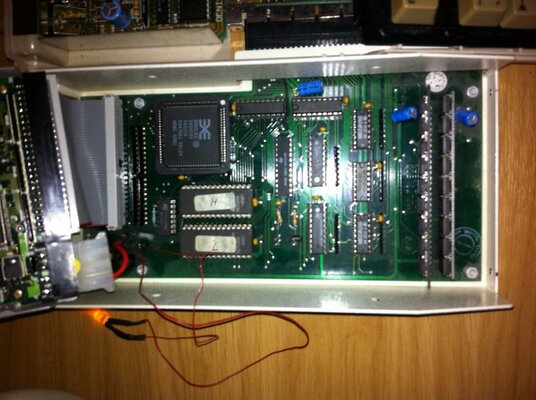
scsi to ide ?? has anyone seen this before?

  • Thread starter Thread starter mjnurney
  • Start date Start date
  • Replies Replies 51
  • Views Views 6877
Hi Merlin

Alas no floppy but I've seen the Dms floppy image which I'll down load.

I have a spare small scsi drive that I'll format with the floppy and get back to you later tonight with the results :-)

Cheers
Mike.

---------- Post added at 14:21 ---------- Previous post was at 14:20 ----------

I have tried termination and no termination and every obvious jumper setting on the drive . Perhaps the floppy does some magic after all ...
 
As you might have noticed, you have the older version, which is the Macrosystem one. Thus, the 2-jumper version. If you look carefully at the pictures from the Amiga Hardware Database, the OffLimits version has the 3 jumpers. Yes, MacroSystem is a German (based) company. From the little "reading" i did on the German manual there's a sort a' table that gives suggestions for setting up specific hard drives. Dunno what to make of this. :(
 
@ mjnurney

I believe that the floppy puts some sort of bootblock onto the drive then initialises it, so that it can report it's parameters to the controller. The manual isn't the best at explaining exactly what the floppy does.

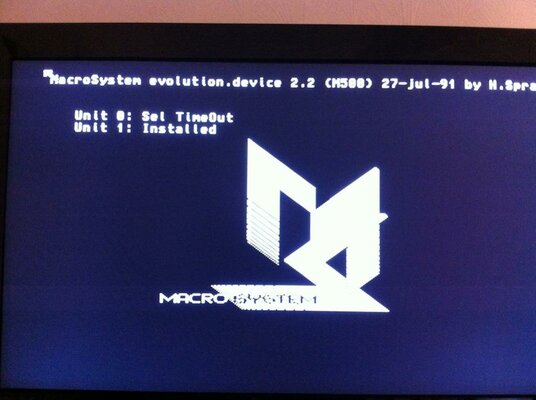
If you get a Macro Systems logo coming up as the floppy loads, the the floppy is doing what it needs to. I'm still trying to decipher what the manual is on about regarding this.

Edit:-

For existing systems, reformatting is usually not necessary. Only a bootblock must be created, similar to a floppy disk. This boot block can not be used as a hiding place for viruses, since it is not compatible with floppy disk boot blocks.
The boot block is not compatible with the Commodore-rigid disk block, because it offers plenty of room for viruses. However, you can retrieve both the Evolution boot block and the rigid disk block, to install on a hard disk. The Commodore boot block and then the Evolution are created (with the same values ​​for drive parameters and data partition). So you can easily transfer the hard disk from one controller to another without risk of viruses in Evolution. Reformatting is not necessary, only the boot blocks have to be rewritten!
Creating the boot block will be explained shortly. For complete installations, further steps are necessary, but these are explained later.
 
More translation.

Proceed as follows:
1. Insert the supplied floppy disk into the drive df0: Turn on the computer.
2. The Macro Systems logo should appear during the boot process. This is a sure sign that the macro-system module is active. The picture does not use anything in the way of memory, because it is in ROM. It sees a lot of information on the boot sector, and that you will be told which SCSI units (0 to 6 = max. 7 disks) have been found by the controller and which commands can be sent or received. A hard disk is logged as OK if the boot block was created and Installed. Now the system boots from a floppy.
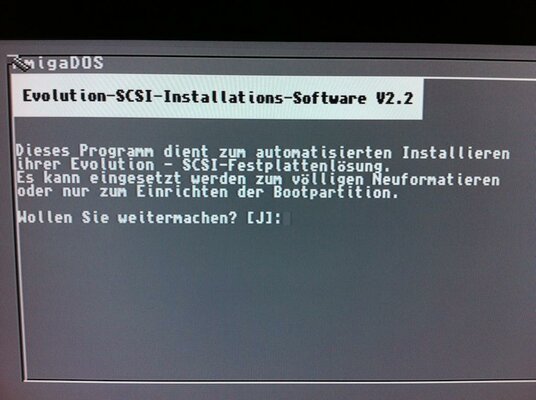
3. Now the installation program auto-starts. If you only want to change the boot block, answer No to any format questions.
4. If you are not sure on some issues, try rebooting if the system is running - you cannot damage anything!
5. Now your system should boot from the hard disk. Note that a startup-sequence (which has also just called that) on the hard disk (s directory) must be present! If in doubt,answer the question whether an automatic Workbench (latest version) to be placed on the hard drive, with 'yes'. (Note - your old startup-sequence, mountlist etc. is then transferred).
6. Now, do a reset, or turn off the computer and back on (wait 20 sec for security reasons). After booting up the drive motor, the computer will boot from the hard drive when no disk is inserted in the internal floppy drive. When the initialization phase is complete, the MacroSystem label will display on the monitor.
 
@ Mike

Did you finally get anywhere with this unit?
 
Hi dave , no i haven't but ill fire it up shortly and try it ...seems like the floppy copies a loader to the hard drive?

could be reason it won't boot hdd's
 
Yeah, that's how it translates.
 
okay dave, good news its working - kind of

:-)

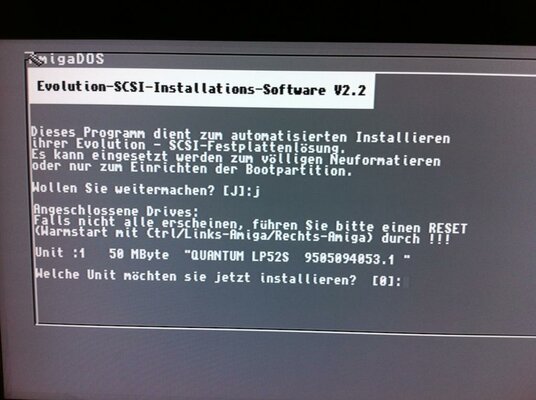
For a start the disk is in german (fairly obvious) and I've managed to set the hard drive up by luck , wing and a prayer and google translation.

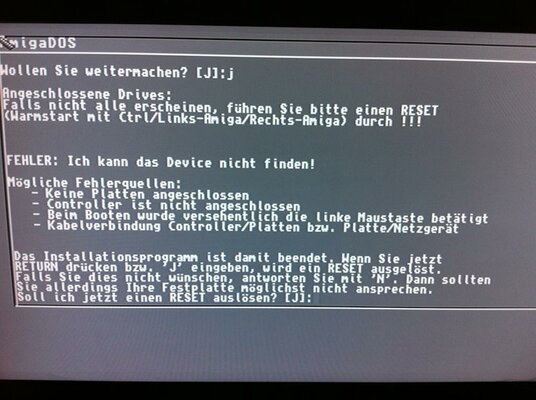
First off, no jumpers are set on the hdd controller, if they are no hard drive is found.

so boot from the floppy and it asks you stuff in Swahili , to which i answer Jah

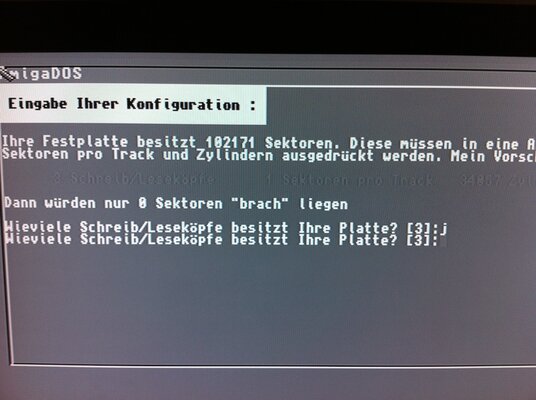
then i had to use google translation to set the cylinders , tracks, partition size and name and it asks something about workbench 1.2.

Jah obviously

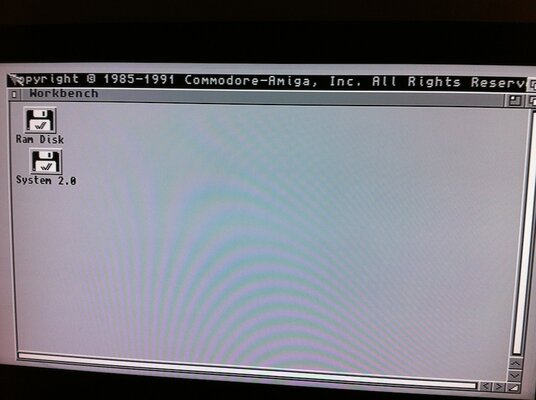
a reboot later and the floppy was trying to format the drive and failed with a checksum error - so cancel and boot from a workbench image,

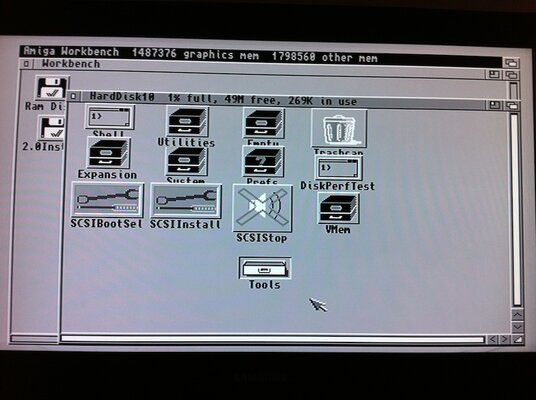
the hard drive appears as Hardrive10 and contains lots of scsi tools. - few of which work, i expect the copy never finished due to the check some error.

nevermind, at least i can access the drive , so format in WB and copy (show all files) the contents of my WB2.04 floppy to the hard drive.

reboot and bingo ...a bootable hard drive :-)

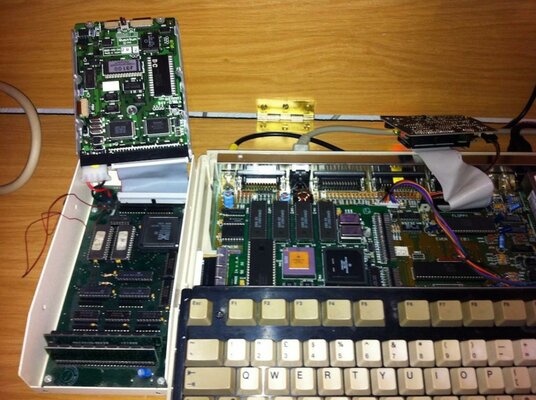
so now i have a 2mb ram expansion and a 39mb hard drive for my a1000.

so I'm actually happy about this even though its not an IDE!!

anyway , special thanks to Merlin, thank you dave for your effort in in translating the manual.

I'm very grateful to you , i thought the controller was dead.

mike.

pics coming
 

Attachments

  • IMG_0632.jpg
    IMG_0632.jpg
    95.1 KB · Views: 1
  • IMG_0633.jpg
    IMG_0633.jpg
    87.9 KB · Views: 3
  • IMG_0634.jpg
    IMG_0634.jpg
    78.5 KB · Views: 1
  • IMG_0635.JPG
    IMG_0635.JPG
    91.3 KB · Views: 2
  • IMG_0636.jpg
    IMG_0636.jpg
    122 KB · Views: 1
  • IMG_0637.jpg
    IMG_0637.jpg
    71.7 KB · Views: 2
  • IMG_0638.JPG
    IMG_0638.JPG
    95.1 KB · Views: 1
  • IMG_0639.JPG
    IMG_0639.JPG
    75.3 KB · Views: 1
  • IMG_0640.jpg
    IMG_0640.jpg
    103.1 KB · Views: 1
Ausgezeichnet (excellent)!! :thumbsup:

Glad to have been able to help, Mike. :)
 
Great stuff fellas! Nice to see retrolicious gear up and working again. :thumbsup:
 
nice work guys glad it was working and not fried due to the doggy adapter
 
Back
Top Bottom