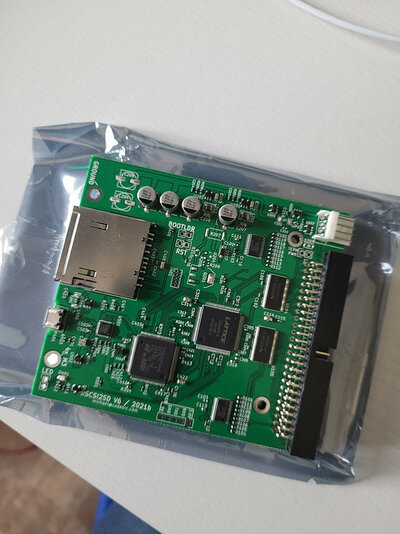
Sold SCSI2SD v6

  • Thread starter Thread starter k0x
  • Start date Start date
  • Replies Replies 150
  • Views Views 23154
Status
Not open for further replies.
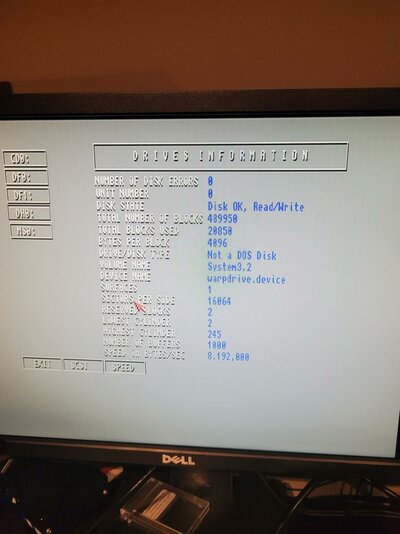
Anyone in this thread actually using this on a Cyberstorm MKII. I got it working here, and been pleased, but after some usage over days/weeks, system files become corrupted on my brand new SD 128GB Sanddisk. The size of the files are somehow modified, and system returns lots of 80000x4 errors. Took me some time to narrow it down to the scsi controller. Running fast-scsi 2 / 10 mb/s. I've only tried with PFSAIO and different suggsted mask, and max transfer.
 
Anyone in this thread actually using this on a Cyberstorm MKII. I got it working here, and been pleased, but after some usage over days/weeks, system files become corrupted on my brand new SD 128GB Sanddisk. The size of the files are somehow modified, and system returns lots of 80000x4 errors. Took me some time to narrow it down to the scsi controller. Running fast-scsi 2 / 10 mb/s. I've only tried with PFSAIO and different suggsted mask, and max transfer.

I’m going to install mine some time soon, will keep you posted how it behaves. Let me know if you play around with SCSI2SD settings.
 
mine arrived today and works like a charm. Thank you so much k0x. Its so hard to get one these days.

20220411_165945.jpg20220411_194814.jpg
 
  • Like
Reactions: k0x
Is the ZuluSCSI board compatible with the SD card images that the SCSI2SD creates or do they create slightly different images? I've backed up a dying SCSI hard drive to an SD card using my SCSI2SD V6 but I will need another unit when the hard drive actually dies! Any thoughts? Will you get any V6s back into stock at any point? Reserve me one if you think you will! Cheers.
 
Is the ZuluSCSI board compatible with the SD card images that the SCSI2SD creates or do they create slightly different images? I've backed up a dying SCSI hard drive to an SD card using my SCSI2SD V6 but I will need another unit when the hard drive actually dies! Any thoughts? Will you get any V6s back into stock at any point? Reserve me one if you think you will! Cheers.
Further to this I've done some reading and it looks like the ZuluSCSI uses Hardfiles rather than a normal RDB hard drive structure! That probably means my SD Card formatted and partitioned for SCSI2SD use wouldn't work in a ZuluSCSI! That is a shame :(
 
Further to this I've done some reading and it looks like the ZuluSCSI uses Hardfiles rather than a normal RDB hard drive structure! That probably means my SD Card formatted and partitioned for SCSI2SD use wouldn't work in a ZuluSCSI! That is a shame :(
From Firmware 1.0.5:

"changes in v1.0.5:

  • Added EXPERIMENTAL raw pass-through (8a47a01) mode (without FAT filesystem), commit . If no image files are detected on the SD card, the whole SD card is presented as a single SCSI drive, the size of which will be the entirety of the SD card. Raw pass-through can also be manually specified in config file."
Soo it might just work...

 
  • Like
Reactions: k0x
From Firmware 1.0.5:

"changes in v1.0.5:

  • Added EXPERIMENTAL raw pass-through (8a47a01) mode (without FAT filesystem), commit . If no image files are detected on the SD card, the whole SD card is presented as a single SCSI drive, the size of which will be the entirety of the SD card. Raw pass-through can also be manually specified in config file."
Soo it might just work...

Great! If someone could test this with a SCSI2SD V6 formatted SD card then this looks to be the solution!
 
Status
Not open for further replies.

Interest Queue

Back
Top Bottom